The Podcast Fast Track
155 episodes — Page 3 of 4
Ep 6060: How To Get Your Podcast Guest Ready For Your Show
http://www.PodcastFastTrack.com In the last episode of Podcastification I gave you my best tips on getting that ideal podcast guest to say “Yes” to your invitation to be your show. Today I’m going to take you to the next step. What do you do once a guest has agreed to be on your show? Are there things you can do to help them prepare, make the most of the opportunity, and get the best recording possible?Is the Pope Catholic?On this episode we’ll be covering a TON of helpful things you can do to make the guest at home on your show, ready to give their best, and able to help YOU promote and publicize it powerfully.[2:43] Step 1: Get the info you need to make it a great interview.Your podcast guest is just that - YOUR GUEST. You need to practice some good old fashioned hospitality and help them do their very best on your show. It’s your responsibility to bring out the great value they can deliver to your audience - and that starts with helping them to help you as you prepare for the conversation. This episode has some very practical tips and tools to help you set up an efficient system that enables your guest to EASILY give you the info you need and set the stage for a great interview and a powerful promotional effort on both your parts.[6:49] The kinds of things you NEED from your podcast guest (stuff to ask for).[15:38] What kind of instructions does your podcast guest need?Whether your podcast guest has ever been interviewed for a podcast before or not, they’ve never been on YOUR show before, right? You have particular things you do and specific things you’re looking to get out of your interviewees - and your guest knows nothing about those. On this episode I’m going to help you think through the things your guest needs to know in order to bring their A-game to your conversation, optimize their side of the recording for great audio, and make it an enjoyable and valuable experience for your listeners.[19:18] Why it’s good to provide your podcast guests with a “best practice” sheet.It’s a great idea to provide your podcast guests with a sheet of some kind that they can keep for easy reference that tells them the best practices for being on your show. What sort of things should go on that list? Here’s a short-list: and you can hear them broken down in detail on this episode of Podcastification.Emphasize that you want to promote them in best light possible.Tell them you will go over some of this again briefly when you connect.Ask them to plan to record in a quiet setting with a low amount of echo.Encourage them to be mindful of sitting still (no activity, driving, treadmill).Let them know to use a hard-wired computer connection (not wifi).Emphasize that they need to use an external mic. Here are my recommendations in order of preference: USB microphone, USB headset, earbud microphone.Stress that they must wear headphones, earbuds.Ask them to turn off all external speakers from computer (and other noisemakers).resources we talked about in this episodewww.PodcastFastTrack.com/59 - Part 1 of this episodeGoogle FormsZencastr AND the tutorial video I createdRingr (affiliate link) - AND the
Ep 5959: How to Get The Influencer In Your Niche To Be Your Podcast Guest
http://www.PodcastFastTrack.com What is the best way to reach out to influencers and guests you REALLY, REALLY, REALLY want to be on your podcast? In this series I’m going to walk you through everything from reaching out to guests to the practical parts of how you get the conversation scheduled, what you can do to make it easy for them to say “Yes” to you, and the promotion and follow-up that needs to happen all along the way. If you want to reach out to influencers effectively, I suggest you take the time to listen to this episode.[2:58] Dream big! Create a list of the influencers you would LOVE to have on your podcast.If you don’t know who you would like to have as a stellar guest on your podcast then you’re never going to reach out to them. You’ve got to think outside the realm of reality to dream a little. What does that mean? You’ll hear my version of getting outside the box of current reality in this section of the episode. You’re going to be challenged to step outside your comfort zone for the sake of growth - to put you into a place of risk and opportunity all at the same time.[6:16] Do your homework about your guests.Homework. In school, I HATED homework. But when it comes to life, business, etc. you’ve got to work hard to create the reality you want. So, as you look at the bullet point list of ideal influencers you want to have as a guest on your podcast, you need to understand exactly why that person is a fit for your audience. You need to know exactly why that guest would bring great value to your show.[8:45] Focus on the benefit it will be to YOUR GUEST to appear on your podcast.Once you understand WHO is the best guest to have on your podcast you have to begin to craft the correspondence you’re going to send to them that invites them to be a guest on your podcast. You need to do this in a way that makes it obvious that you want to add value to what they are doing. In short, you want to help them. Your outreach to influencers in your niche has to be aimed at benefitting those you’re reaching out to. It’s called relationship marketing, it’s called SOCIAL sales - and you’ll get a lot more traction when you approach it that way. I’m walking through the mindset and the practice of doing this well, on this episode.[17:17] How are you practically going to connect with the influencer in your space?When it comes to reaching out to those who are the influencers in your niche, what’s the best way to reach out to them? Email? A contact form? Social media? A phone call? There are LOTS of options but are there specific ways that are better than others? Yes, there are. What are they? My answer is that “it depends.” You knew that was coming, didn’t you? :) On this episode I’m going to unpack that answer to help you think through what it will take to reach those who will bring such great value to your audience.[24:22] Tools to make it easier for the influencer to say “yes.”When you reach out to the influencer you’re hoping will agree to be on your podcast you need to make it easy for them to say, “Yes.” How do you do that? Through making it convenient for them to schedule a time to have the conversation, to provide you the resources you need to make their episode the best it can be, and more. I walk through the details of making it practically possible for that guest to join you on your podcast.resources we talked about in this episodewww.YouCanBook.meSchedule OnceAcuity SchedulingConnect with me…Carey(AT)PodcastFastTrack.comOn <a href="https://www.facebook.com/PodcastFastTrack/"...
Ep 5858: Podcast Statistics: What Matters, What Doesn’t, with Rob Walch of Libsyn
www.Podcastification.com Podcast statistics can be one of two things - incredibly intimidating or incredibly intoxicating. Which is it for you? Since there’s so much ignorance and plain old misinformation out there about stats for your podcast I thought I’d invite Rob Walch, V.P. of Podcaster Relations at Libsyn (affiliate) to be on the podcast to tell us the TRUTH about stats. In this conversation we talk about download numbers, what they mean and where they come from, how they impact your iTunes ranking, whether New and Noteworthy is impacted by downloads, myths about podcast statistics, deep level stats and how to use them, Twitter bombing, and more. As always, it’s an entertaining conversation with Rob. You only have to listen to the beginning teaser to figure that one out![5:06] Checking your stats multiple times a day? You’ve got a problem. ;)There are addictions of all kinds - and podcast statistics can be one of those. On this episode Rob tells us the kind of responses he gets from people when the Libsyn stats system is in maintenance mode for a few hours, why he thinks it’s unhealthy and unproductive for you to check your stats more than once a week, and how you can do that weekly checkup most effectively. It’s worth listening to whether you're the addict or apathetic. I guarantee you’ll learn something.[12:20] How do you REALLY get into the iTunes New and Noteworthy listing? And does it matter?There are tons of theories out there about how you can get your show into the iTunes New and Noteworthy section. But very few of them even hint at the REAL way your show can get into N&N. And it doesn’t really have to do with your podcast stats. Honest. Rob Walch speaks to the issue on this episode and clarifies the kind of “bump” to your downloads you might see if you do happen to get into N&N, and why it’s not what you really need to be focused on.[21:04] Common myths about podcast statistics - and what the truth is.[23:55] Geography, traffic sources, technology: Do those stats matter for your podcast?Libsyn and most other podcast media hosts are going to provide some pretty details statistics for your show. But do you know how to use them? There is a ton of insight in your stats dashboard and on this episode Rob shares how to interpret them and gives some practical examples of how to use them to make more money and understand exactly where you need to improve to gain more listeners.[39:58] What IS twitter bombing and why does it mess up your stats? resources we talked about in this episodeYou can reach Rob Walch at [email protected] Libsyn (affiliate)Lore PodcastOvercast AppPocketCasts AppiTunes AppCasper MattressHello FreshStoryworthStitcherGoogle PlayiHeart RadioSafari<a...
Ep 5757: How To Find And Book Qualified Podcast Guests
HTTP://WWW.PODCASTFASTTRACK.COM If you do an interview-based podcast you know the headache of booking qualified podcast guests. The internet (and the world, for that matter) is a very big place. How do you find, connect with, and book the people who your audience will benefit from the most? On this episode, I’m going to tell you how I recommend my clients do this - and I’m going to explain WHY I do. In the end, it’s up to YOU to provide the best content you can to your podcast listeners, and this could be the missing step you need.[2:01] Why you MUST research your podcast guests.There are many people you COULD invite to be a guest on your podcast. But there are only a handful that you SHOULD extend the invitation to. It’s your job to search out that handful of experts who will be of the greatest benefit to your audience. On this episode, I’m going to explain to you what it really means to do your homework when it comes to reaching out to potential guests for your podcast and tell you some slightly easier ways to go about it.[4:54] Focus on your podcast guests and benefits to THEM.Every person you invite to be a guest on your show has their own goals and dreams that they are trying to fulfill. When you contact them to ask if they will be on your podcast, they are trying to figure out if doing so will help them fulfill those goals and dreams. On this episode, I’m going to tell you how you can help them make that decision by inviting them in a way that focuses on THEM instead of on you and your listeners. This tip alone could amplify the quality of your podcast guests if you will apply it.[5:45] Potential guests for your podcast will be more likely to accept your invite if you do this…Want to know the one thing that can make all the difference to a potential podcast guest saying “Yes” instead of “No”? Here it is: You’ve got to give them the opportunity to accomplish everything they would hope might happen by being on your show. That means helping them promote things they want to promote, giving them the opportunity to reach out to your audience and more. Find out what it takes to get the best guests for your podcast AND make it worth their time to be on your show, on this episode. Who knows, you might also build some lasting relationships with professionals and experts in your field in the process.resources we talked about in this episodeInterview ValetMy conversation with Tom from Interview Valetwww.InterviewConnections.comwww.PodcastGuests.com - from Andrew Allemanwww.YouCanBook.meSchedule OnceAcuity SchedulingConnect with me…Carey(AT)PodcastFastTrack.comOn FacebookOn TwitterSubscribe to Podcastification Here!
Ep 5656: How To Avoid Technical Glitches When You Record Interviews
Do you record interviews with guests for your podcast? Have you ever run into a situation where something goes wrong with the connection? Skype crashes. The voice of your guest is delayed. Every other word is a stuttering nightmare. It’s not uncommon and it’s not something you can always correct. But there are things you can do ahead of time to make the likelihood of technical problems less when you record interviews. That’s what this quick-and-to-the-point episode of Podcastification is all about.[2:49] Three words: or two if you are a pro-hyphen person: Hard-wired connection.We’re so used to using wifi for everything it’s hard sometimes to remember that there is another (better) alternative. If you can at all arrange for your computer to be connected directly into your router via an ethernet cable, you’ll do away with some possible points of weakness in your interview recording setup. You won’t be sharing bandwidth with other devices in your home, microwave ovens, cordless landline phones, or anything else. You’ll have a dedicated connection that goes DIRECTLY into your internet service that will make things a lot more stable when you record interviews.[4:51] When you’re recording interviews, do you REALLY need those programs open?One of the things I run into during my workday is that the longer I’ve been working, the more tabs or browser windows or programs I have open on my computer. It’s great to have them available so easily, but when it comes to recording interviews over a distance (Skype, Ringr, etc.) those open windows can be a possible failure point. On this episode, I walk you through the “why” behind the issue and give you some suggestions you should consider, including the most common problem programs that work in the background and disrupt the smooth operation of your computer memory while you’re doing your interview recordings.[7:50] Everything on this episode applies to the guest you are recording an interview with.That’s right. You can take everything you hear on this episode of Podcastification and apply it to thing son the other end of the line. Your guest needs to be coached by you - the podcaster - in what THEY can do to ensure that you get the best quality recording possible and avoid things that could disrupt your recording and cause you and them to have to set aside time later to record a second time. Nobody likes to waste time, so be sure to pass this information along to your guests too. When you record interviews for your podcast, you need these tips!resources we talked about in this episodeSkypeRingr (affiliate)ZencastrDropboxGoogle DriveBoxConnect With Carey:Carey(AT)PodcastFastTrack.comOn FacebookOn TwitterSubscribe to Podcastification Here!
Ep 5555: Use A Podcast Template To Cut Recording And Production Time
We all love our podcasts. But there are aspects of producing them that we HATE (or at least don’t love as much). One of those for many people is the AMOUNT OF TIME it takes to do the actual audio production - from recording through uploading to their media host. On this episode of Podcastification I’m going to teach you how I use what I call a Podcast Template to make my audio recording and editing process even faster - saving me as much as 4 and half hours per year![2:17] What do I MEAN by a podcast template?What I refer to as a podcast template is a pre-set project in my audio editing software (Audacity) that already contains the ongoing elements of my podcast episodes. So things like intro, outro, transition sounds, sponsor messages - all of those things are preloaded into my template and saved to ensure that I don’t have to re-import or recreate them time after time after time throughout the life of my podcast. This episode is meant to give you a peek into my process so you can develop a process of your own. It’s not the only way to do it, but it’s MY way - and I like it![4:41] The steps I take to create my podcast template.OK, this section is the practical part. I spare you no boring details here - you’re going to learn what I do, step by boring step, to ensure that my podcast template is setup properly so that I can save time in the future as I record my episodes. Grab a cup of coffee - or something stronger. You’re going to need it. :)[14:25] The most important part of building a podcast audio template.In recording this episode of Podcastification, I not only wanted to teach you how to build your own podcast template for making your audio production process smoother and faster - I also wanted to save you the excruciating heartache that comes from building a template like I’m showing you and then losing it. The most important part of building your podcast template is not building the template. Can you guess what it is?[16:45] Best practices for using your template in the future.A template like I describe on this episode can be used in a variety of ways - and two of the most common are for recording your own “solo” episodes, or live episodes you do using a mixer and additional microphones or audio sources. But you can also use this kind of template with Skype or Ringr recordings. The last thing I teach you on this episode is exactly how a podcast template like this works in those situations.Thanks for listening! You’re the best!resources we talked about in this episodeAudacity Free Recording SoftwareAdobe AuditionHindenburg JournalistLogic ProGarageBandRory VadenRingr (affiliate link)ZencastrSkypeConnect with me…Carey(AT)PodcastFastTrack.comOn FacebookOn Twitter<a...

Ep 5454: Podcasting On The Go - Hacks to Record On The Road
http://www.PodcastFastTrack.com It’s becoming more and more common that people need to figure out how they can do podcasting on the go. I can hear Willie singing it now…On the road again, I just can’t wait to get on the road again, the life I love is making podcasts with my friends, I can’t wait to get on the road again!But recording your podcast away from your normal studio is a bit trickier than it may sound at first. You’re going to need some way to get a reliably consistent sound recording that avoids all the potential pitfalls that hotel rooms and other non-treated areas can insert into your recording.This episode is about THAT. How to do it, practically, affordably, and with the things you have around you. OR, if you want to do something a bit more reliable, I’m even going to cover some ways that you can create your own portable podcasting studio to take with you when you are on the go.[2:27] The variables to overcome when podcasting on the go.Anytime you’re outside your normal podcast recording environment you need to open your eyes and ears to discover the variables you need to take into account. If you don’t you’ll have all kinds of unwanted noises in your recording.There’s lots to think about - and this episode covers my best advice for taking care of the most obvious things - and a few things you probably haven’t considered.[4:30] Addressing possible interruptions in your environment.How much echo is in the room?Could the heat or A/C come on unexpectedly?What about the phones? Are they turned off?And what other things might you be missing? You should listen to this episode. I mean, come on - it’s only 18 minutes long. You could do that on your next commute or run on the treadmill.[5:49] You should invest in an “on the go” podcasting microphone.Technology has made such advancements in the past few years there’s no reason that anyone who’s going to be podcasting on the go regularly can’t simply buy an “on the go” microphone. On this episode I give you my recommendation for the two most affordable, simple, GREAT SOUNDING microphones out there. I’ll even tell you where you can go to hear a comparison of these mics alongside the “big boy” microphones like the Heil PR40.[10:14] For podcasting on the go you can “soundproof” your mic.When it comes to removing the possibility for unwanted noise most people think in terms of making the room acoustics better. That’s great. I’ve got no problem with doing that. Except in a hotel room you may have a difficult time figuring out how to hang sheets of acoustic foam. ;)So on this episode I’m going to get you thinking in reverse. Instead of soundproofing the room, how about soundproofing your microphone? I’ve got a handful of ways you can do it easily when you’re on the go, so make sure you listen and check out the resources to get inspired.resources we talked about in this episodeAudacity Free Recording SoftwareAudio Technica 2100 microphoneAudio Technica 2005 microphoneHeil PR40 microphoneKaotica Eyeball (and
Ep 5353: How to Work Effectively With A Podcast Editor
If you are finally able and willing to take the plunge and hire a podcast editor to handle the editing and production of your show - HOLD ON A MINUTE! You don’t want to rush into it without knowing some of the pitfalls that can come with any new working relationship - and there are a few that are unique to the relationship you establish with a podcast editor that could throw you for a loop if you’re not careful.6 tips to help you interact with your podcast editor EFFECTIVELY.SO…On this episode I’m going to tell you some of my hard-learned lessons regarding the working relationship and communications that make your outsourcing everything you want it to be. I’m including things you need to get right and clear on the front end and another handful of things that you need to know as you develop the relationship over time.These are not things you hear everyday because you don’t deal with them every day - and they are very niched-in to podcasting in specific ways - so it takes somebody like me who’s been in those shoes for a while to tell you about them. And I’m telling you so that you don’t walk in with your eyes closed and get bitten by some of the messed up things that can happen.Ready to go? Here it is! Hit the play button!Outline of this episode[1:14] Why it’s essential to set up your relationship with your podcast editor the right way![2:55] The value and helpfulness of an Episode Map.[6:40] An easy way to establish the ongoing degree of editing you want done.[9:49] How to clarify your personal “pet peeves.”[11:56] Why it’s vital that you communicate early and clearly.[15:10] Refer to time stamps on adjustments[16:39] Learn to speak TO your editor on the recording.[20:39] BONUS TIP: Give them freedom to make smart edits.[23:30] A service idea I had - would YOU use it? If so, how much is it worth?Connect with me…Carey(AT)PodcastFastTrack.comOn FacebookOn TwitterSubscribe to Podcastification Here!
Ep 5252: Podcast Editing Services: How To Find The Right One
If you are at the point that you’re considering a podcast editing service, there are many things you need to keep in mind to ensure that you find the RIGHT service to fit your needs. I’ve been running a podcast editing service since early 2013 and know that most people discover what I’m about to share with you - the hard way! But I don’t want that for you. I want you to find the podcast editing service that is a perfect fit for the things you need.Why wouldn’t I just tell you to hire me?A couple of simple reasons: #1 - My podcast editing company is not the only game in town that can do good quality work for you (though I do think we’re the best). And #2 - I know that the way we do business and the values we hold to are not going to be the best fit for everyone. So, it only makes sense for me to help you find the exact people who can best serve you when it comes to editing your episodes week to week.That’s what this episode of Podcastification is all about: 10 Tips To Help You Find The Right Podcast Editing Service.Outline of this episode[1:20] What kind of things should be asking a podcast editing service?[2:05] If you’re not aligned in terms of values, you’re asking for trouble.[3:37] Find out the company’s editing philosophy.[5:21] Do you have to provide guidance episode to episode?[7:24] They have current clients, don’t they? Find out all you can![8:29] Listen to their work![10:17] Will you have an editor assigned to your show?[12:14] Does the company have streamlined systems?[14:12] Is there a commitment to clear communication?[16:10] Where is your podcast editing team based?[18:27] The issue of pricing in finding the right podcast editing service.Connect with me…Carey(AT)PodcastFastTrack.comOn FacebookOn TwitterSubscribe to Podfastification Here!

Ep 5151: What are GOOD Podcast Download Numbers?
Every podcaster wants BIG podcast download numbers. I mean, we hear about amazing accomplishments when it comes to downloads - like Mark Maron’s episode with President Obama, or the most recent episode of Dan Carlin’s “Hardcore History” that got 1 million downloads in 24 hours - and let’s admit it. We’re a bit jealous. OK, not a bit. A LOT jealous.But podcast download numbers are not all created equal.When you hear about a show like Hardcore History that accomplishes such an amazing and impressive number of downloads, you need to know that there are facts about the show, the way the downloads happen, and the behind-the-scenes stuff that you don’t know about - that make it IMPOSSIBLE to legitimately compare your show to that show. On this episode I’m walking through some of those very real issue so that YOU won’t be so discouraged when your numbers are nowhere even CLOSE to that. In fact, there’s a lot of reason for you to be very ENCOURAGED. :)So HOW SHOULD you think about downloads?What really IS a good number of downloads to expect from your normal, niche specific, podcast - a podcast like yours? For the answer to that I reached out to a colleague of mine, Rob Walch who’s one of the outstanding folks over at Libsyn - the big-dog media host in the podcasting space - and as Rob is wont to do, he pulled out the stats to give me the real picture of what are truly good numbers of downloads and what podcast download stats we shouldn’t even be paying attention to. I think you’re going to hear something from what Rob shares that is first of all - unbelievable - but secondly, very encouraging. Really. It is.But, the download numbers are NOT what really matters!I KNOW, I KNOW, Facebook and other social media platforms have us ADDICTED to knowing how many people are liking or tweeting or listening to or reading our stuff. For that reason those kind of numbers are rightly referred to as VANITY metrics because they make us feel good more than anything else. Download stats can become the same sort of self-encouragement.And that’s not ALWAYS a bad thing.But there are OTHER things that the numbers tell us that are MUCH more important than the simple fact of what the number is. It’s what the download numbers represent to a podcaster (like you) who truly cares about his/her audience, who is trying to add maximum value to the people who listen to their podcast. I’ve got an example from my past to help you get a handle on how you should look at your podcast download numbers that I think will help. You can hear it on this episode of Podcastification. Come on, it’s a short episode - what do you have to lose?Outline of this episode[1:18] The allure of high download stats and why they can’t be trusted.[1:54] The things about huge downloads you need to understand.[4:05] What ARE good podcast download numbers?[6:08] Looking at the numbers the RIGHT way. resources we talked about in this episodeDan Carlin’s Hard Core Historywww.PodcastFastTrack.com/43Happy Black Woman PodcastRob over at LibsynConnect with me…Carey(AT)PodcastFastTrack.comOn FacebookOn <a...
Ep 5050: Is A Podcast Editing Service Really Necessary? (To edit or not to edit)
If you haven’t noticed there are LOTS of podcast editing services popping up these days. And no wonder - there are more than 1000 new podcasts being added to iTunes every day! But the reality of more services popping up often brings up the question of whether you really should be doing audio editing at all on your podcast. It’s not a simple issue, but I’m going to tackle it - from my perspective as a podcast editor and show notes creator - on this episode of Podcastification.Should you hire someone to edit your podcast? It really comes down to the time VS money issue for most podcasters.It’s hard to really KNOW if it’s worth the money to have your podcast audio edited every week. After all, it can wind up being a sizeable amount if you’re not careful - or if you get the wrong company or freelancer working on your show. Keep in mind, it’s not just the quality of audio you want to be concerned about - you also need to be conscious of the amount of time you’re having to invest in communication, back and forth file exchanges, etc. Ideally, a podcast editing service should be set up in a “set it and forget it” sort of way so that when you are paying for someone else to do your editing - you’re not having to do ANYTHING from the time you hit the “stop” button on your recording software and upload the file to Dropbox. On this episode, I’m going to give you the formula I use to easily figure out if it’s worth the money to hire a podcast editing service or not. The numbers don’t lie.And what about hiring someone from the Philippines or India to do your audio editing? Isn’t that cheaper?Uh… yes. Cheaper in many ways in most cases. Ways you won’t want to experience. Without getting into the details that I cover in this episode, I’ll just say this: Savings in dollars is not the only consideration. You want to be assured that the quality, dependability, and EASE OF COMMUNICATION between you and your audio editing service is of just as high of an importance as the money you save. So… with that said, you should take the time to listen to this episode. It’s under 10 minutes, so I KNOW you’ve got the time. :)If you are going to resist the urge to hire a podcast editing service or company, here are some resources to help you do a better job on your own edits.Not everyone is ready - either financially or emotionally - to outsource something as important as their podcast audio editing. Knowing that I’ve provided a couple of great resources to help you learn how to edit better so that you can keep doing it yourself with a heightened degree of quality. I cover Audacity, Adobe Audition, Logic Pro, and even Hindenburg. So if you want to do your audio editing yourself - you need to hear about these resources.Outline of this episode[1:18] How much editing should you do on your podcast? 3 editing philosophies.[3:30] The time VS value issue.[4:53] Should you do your editing yourself or hire a podcast editing service?[6:13] What can you expect to pay for good podcast editing?[7:17] Can you find someone from other countries to do your editing cheaper?[9:28] How you can get 15% off your first month our editing service for your podcast.resources we talked about in this episodewww.AudacityForPodcasting.comAdobe Course for $15 on UdemyLogic Pro Course for $15 on UdemyHindenburg Tutorial Videos for...
Ep 4949: Is this the best social media app for podcasters?
The best social media apps in the online space had better watch out. There’s a fairly new app on the scene that has integrated a TON of great features into its interface. It’s called eClincher and you need to know about it. (affiliate link)What I love most about eClincher is that it enables you to reshare your older content - think podcast episodes from long ago - and keep it in front of the people who follow you on social media. And if you follow some great social media practices such as engaging with people and actually BUILDING RELATIONSHIPS WITH THEM (imagine that), that following should be growing all the time - so people who never heard your old podcast episode in the first place are able to see it for the first time.I believe eClincher is the best social media app for managing your social accounts that I’ve seen.Another reason I say that is that eClincher integrates the inboxes of all your social accounts into their app so you can see your Facebook notifications, LinkedIn notifications, Twitter stuff, Pinterest (a new platform they added recently), and Google + all at the same time, on the same screen. It’s right there in eClincher, and you can interact with people easily via the app, saving you tons of time.Gilad Salamander is my guest on this episode, highlighting his amazing social media management tool.I think you’ll find Gilad a very generous guy, eager to help you make your social media marketing, promotion, and relationship building more effective in less time. That’s what eClincher is doing for me. I hope you find it to be the same way.Just in case you’re interested - here’s my eClincher affiliate link again. (An affiliate link means I get a cut of your first month’s payment for sending you - but you pay the same you would normally pay). Thanks!Outline of this episode[1:23] The problem most podcasters have - old content getting lost - and how eClincher solves the problem.[3:01] The social platforms eClincher can connect to - and the additional features.[3:53] How eClincher republishes your older content - over and over and over.[6:59] Understanding the power of using queues in the best social media app - eClincher.[8:28] How you can curate content from eClincher - and add it to your queues.[12:20] The unified social inbox to give you greater engagement and save time.[17:07] How the custom search feeds help you monitor certain keywords.[21:01] How you can connect with Gilad and eClincher.resources we talked about in this episodeeClincher websiteConnect with Gilad on TwitterConnect with me…Carey(AT)PodcastFastTrack.comOn FacebookOn TwitterSubscribe To Podcastification Here!
Ep 4848: How to Make Your Podcast Stand Out From the Crowd
If you want to stand out from the crowd as a podcaster, you’re going to have to up your game. I don’t care how professional or expert you are in what you do as a business, if you want to grow your podcast audience you’ve got to give your potential listeners more reasons to listen to your show above all the others in your niche.Make YOUR needle stand out from the haystackYou’ve really got to start thinking differently about getting your podcast heard. It’s no longer a “record it and they will listen” world. There are over 2100 NEW podcasts being published every day. EVERY DAY. That’s a lot of noise you’ve got to cut through.The good news is that many of those shows are absolute JUNK. But there are probably just as many that aren’t. And when it comes to the ones that are in your same niche, you’ve got to stand out from the crowd, to be head and shoulders above them in terms of quality, content, and production values.So how do you do it? How do you stand out from the crowd?That’s what this episode of Podcastification is all about. I’m going to share things you can do to improve your podcast in ways that make it better than the other shows in your niche. If you don’t do something, believe me, YOUR COMPETITION WILL! So don’t get left behind.Don’t blend into the the crowd. Don’t let your show sink into the iTunes directory of obscurity (there really IS a category like that. You didn’t know? ;). You’ve got to up your game.Blending in is no longer an option. Here’s how you can up your game.Outline of this episode[1:18] The reality of the competition you face as a podcaster.[2:12] Audio quality matters more than ever these days if you want to stand out.[5:54] The one thing that can get people to click on your show above the others.[8:50] The different types of intros and outros that can make a difference.[10:39] One of the reasons you might consider unique music for your show.[12:02] The REAL power of GOOD QUALITY audio editing.[13:35] Speak directly to your listener - your IDEAL listener.[15:49] How unique is your perspective on your topics? It matters.resources we talked about in this episodeAudacityAudio Technica 2005 microphoneAudio Technica 2100 microphonewww.PodcastFastTrack.com/clientsCheck out my custom music (and contact me for a deal)https://podcastsconnect.apple.com/ - Go change your cover art to stand out!Connect with me…Carey(AT)PodcastFastTrack.comOn FacebookOn TwitterSubscribe To Podcastification Here!
Ep 4747: Podcast Show Notes That Work!
If the enthusiasm for your podcast is lagging because you are getting stuck in the rut of podcast show notes creation, I feel your pain. Show notes are definitely one of the less enjoyable aspects of putting together a complete production of a show. But it doesn’t have to be such a painful thing - there are ways you can make the process smoother, easier, and more efficient.DC Podfest and the Triple Power of Killer Show NotesI was recently asked to speak at DC Podfest and the topic I chose was, “The Triple Power of Killer Show Notes.” The session was very well received and you know what - since I’m a podcaster myself I decided to record it so you could hear what I had to share with the great folks who were at DC Podfest. By the way, you can meet some of them on my last episode.So if you want to learn how to create your own podcast show notes - exactly like the professionals on my team here at Podcast Fast Track do - I’m going to unload the truck on you in this presentation. Heck, I’m even giving you my slide deck from the presentation in the resources below.Here’s how you really CAN produce your own podcast show notes easier and quicker.Creating show notes for your podcast doesn’t have to be such a pain, so why not take the time to listen?Outline of this episode[1:18] The setting and reason for this presentation.[2:46] 3 purposes of killer show notes.[3:20] Smartphones change everything and make show notes powerful.[4:59] How show notes work as an organic traffic magnet (keyword research).[7:47] Making your show notes an appealing thing to future guests.[8:41] QUESTION: What ARE show notes?[11:34] How the PFT team easily writes show notes quickly, sort of. :)[12:04] The power of high speed playback.[12:50] Why we use Google Docs to create our show notes (it’s powerful).[14:30] The format we use when creating our notes.[16:57] Why it’s VITAL that you clean the HTML of your show notes before it goes to your media host.[19:23] Should you include transcripts in your show notes?[25:05] You’ve GOT to repurpose your show notes for social media.[28:08] The MOST underutilized social media hack for podcasters.[35:49] Tips for making the show notes writing process easier.resources we talked about in this episodeSee my slide deck for this presentation on the Triple Power of Killer Show Notes right here.AudacityGoogle Docswww.Grammarly.comhttps://html-cleaner.comBlubrry PowerPress PluginFind out where your podcast feed is coming from (thanks Regan Starr).www.PodcastsConnect.com - the iTunes source to manage your show feeds.http://hashtagify.me - for hashtag researchHootsuite<a href="https://buffer.com/" rel="noopener...
Ep 4646: Building Relationships Through Attending Podcast Events
Building relationships with other podcasters is a very cool thing.I’ve experienced it online for a long time with people in various groups I’m a part of. But there’s something even COOLER about meeting people in person and sharing the love of podcasting together.I was invited to speak at the recent DC Podfest (about the Triple Power of Killer Show Notes - I’ll share that presentation in an upcoming episode). And just being at the event made building relationships so much easier. The conversations were natural, the people were great, and it was a lot of fun to boot!So… on this episode I want to help you start building relationships with other podcasters by introducing you to some of the great people I met. I walked around with my digital recorder and got some great clips from some of my new friends and wanted you to hear who they are, what they are doing, and maybe even make a new podcast friend. I hope you enjoy this!Outline of this episode[1:18] The reason I’m doing this episode.[1:51] Jen Hemphill - host of Her Money Matters.[5:49] Jon Harper - host of My Bad[10:26] Kip Clark - host of Stride and Saunter[15:29] Ben & Chris - The Unexplainable Disappearance of Mars Patel[26:21] Sean RIchardson - Artup Bootcamp[31:22] Kyle Bondo - Merchants of Dirt[37:51] Amy Young - Future Podcaster[44:26] Vincent Pugliese - Freelance to Freedom (coming January 2017)resources we talked about in this episodeDC PodfestPodcast MovementDC PodfestThe Her Money Matters podcastThe My Bad podcastThe Stride and Saunter podcastThe Unexplainable Disappearance of Mars PatelArtUp Bootcamp podcastMerchants of DirtVincent Pugliese - future podcaster (Freelance to Freedom)Podcast MovementConnect with me…Carey(AT)PodcastFastTrack.comOn FacebookOn TwitterSubscribe to...
Ep 4545: Does Your Podcast Have A Subscribe Button? Or two? Or three?
The all important SUBSCRIBE BUTTON.It’s one of the most overlooked things podcasters leave off of their websites.Me included. On this episode I’m responding to a listener comment on the blog. In all honesty, she was very kind in what she said, but didn’t shy away from taking me to task.What was she concerned about? It was the SUBSCRIBE BUTTONS on my own website.She pointed out that on my own website I only provide one subscribe option for my listeners - and it’s the iTunes subscription button.The funny thing about that is that I’m NOT an Apple guy. I use Android. I love Android. And I really don’t like Apple products.resources we talked about in this episodewww.iTunes.comwww.Stitcher.comGoogle Playwww.PodBean.comMy client page - www.PodcastFastTrack.com/clientsConnect with me…Carey(AT)PodcastFastTrack.comOn FacebookOn TwitterSubscribe to Podcastification Here!
Ep 4444: Do I Get More Podcast Subscribers by Sending Them to iTunes or My Website?
Podcast subscribers are important people to us podcasters.They are the ones who make the show possible - I mean, very few of us would be doing a podcast at all if we knew that absolutely ZERO people were listening to our shows. Right?Because we all want to get more listeners we should be continually asking ourselves questions about how to go about getting in front of our ideal audience and how to get them to subscribe. One of the questions I often get from clients about getting more subscribers to their podcast is this?In the things I say on my show and the links I share, should I be sending people to iTunes, to my website, or someplace else? Which is most effective?That is an absolutely GREAT question.On this episode (it’s a very short episode this week) I’m going to answer that question from my perspective after working with over 40 clients over the course of this business (we’ve been in business since early 2013) AND from how I see it as a podcaster.I’ll give you a hint… my answer begins with… IT DEPENDS…Click the play button to find out what I recommend for getting more podcast subscribers… or maybe I recommend that subscribers are not your best goal.Curious yet? It will take less than 6 minutes of your day. I promise.here's and outline of this fun episode for you...[1:19] A question from one of my clients: Where should I send people when I’m promoting my podcast episodes?[2:01] Is more podcast subscribers your most important goal?[2:51] What about promoting your brand? Are you trying to get more buy-in to your stuff?[4:18] A hack to aim at BOTH at the same time?[4:41] What about Stitcher, iHeart radio, and others?resources we talked about in this episodewww.iTunes.comwww.Stitcher.comwww.iHeartRadio.comMy client page - www.PodcastFastTrack.com/clientsConnect with me…Carey(AT)PodcastFastTrack.comOn FacebookOn TwitterSubscribe to Podcastification Here!
Ep 4343: Libsyn: A Deep Dive Into the Features of an Amazing Media Host, with Rob Walch
Libsyn has been around for a very long time…since 2004 to be exact - and has carved out it’s own massive space in the podcast industry. Hosting and delivering media files for some of the most popular and lucrative podcasts in history like Mark Maron, The Nerdist, and Dan Carlin’s Hard Core History, Libsyn is definitely the big dog in the media hosting backyard!I’ve known about Libsyn for a long time. Heck, I’ve worked with the Libsyn interface for over 3 years now since about 90% of my clients are hosting their files on Libsyn. But it wasn’t until this interview that I fully understood some of the amazing things I can do for my podcast using the Libsyn interface.Automated social media sharingI can create premium content to sell in a membership style arrangementAffordable smartphone apps for my podcastPublish to multiple destinations and keep stats on each one individuallyAnd the list goes on…Today’s show features Rob Walch, a newly inducted member of the Podcasters Hall of Fame and a very gracious guy to come on my humble show. Rob is the voice of Libsyn, serving as the Podcaster relations guy. In his words…“I have the best job in the world. I get to talk to podcasters all day.”Check out the outline below to see what we talk about on this episode… it truly is a DEEP DIVE into all the wonderful things you can do with your podcast when you host your files with Libsyn.For a long time I’ve tried to experiment on my own shows to be able to talk from experience about how various platforms and options work. As a result, I’m currently hosting my media files in all sorts of places (you don’t want to know) . But in this conversation I was so impressed with the incredible things Libsyn has to offer, I’m in the process of switching my files over to Libsyn for good.I know you’re going to be amazed by at least one thing on this episode. And I almost guarantee you that even if you already host your files on Libsyn, you’re going to learn something you didn’t know.Here goes… enjoy this one with Rob Walch.here's an outline of this fun episode for you...[1:19] My introduction and welcome chat with Rob Walch.[1:50] The summary of what I’m talking about with Rob.[2:40] Did you know that Libsyn is a blogging platform?[6:20] What is a download-only file supposed to be used for?[7:52] Adding new content to the LIbsyn interface.[8:43] Episode level bonus content - WHAT?!!!???[11:07] Does the Libsyn website create a duplicate content penalty with Google?[13:00] What populates your iTunes feed for your episodes - and what’s the best way to optimize for user experience?[14:49] You do NOT want to run your feed through your Wordpress site![17:13] Episode specific bells and whistles you can create![21:08] Do you need to insert tags and keywords on your episodes?[24:05] A little known fact about your content ratings in iTunes.[26:15] How to publish to social media automatically through the Libsyn interface. Really.[33:06] Extra tags, TV ratings, etc.[35:39] How Libsyn can provide you a customized app for your podcast.[38:26] Get into Google Play Music and iHeart Radio - through Libsyn.[41:15] Social media integrations in...
Ep 4242: Interview Valet: a Full Service Podcast Guest and Promotion Service
Interview Valet is a pretty cool service...Tom Schwab and company are working hard to help people with a...Book to promoteA business to runA course to launchA story to tellGet exposure through being a guest on podcasts where the audience is the EXACT people the person is trying to reach.On this episode you're going to hear from Tom about how Interview Valet works. We talk about:The basics of what Interview Valet isHow it works for podcast guestsThe monthly pricing for the serviceHow it works for podcast hosts (it's FREE)And the amazing affiliate program Interview Valet offers to all podcasters (not guests)If you've ever thought that being a guest on a podcast would be a great way to promote your thingie-ma-bob - you're right, and Tom and the team at Interview Valet can help you make it a reality.And if you need quality, vetted guests for your podcast - contact the folks at Interview Valet to get some guests for your show lined up.Resources we talked aboutwww.InterviewValet.com - Go here to sign up to get guests on your showwww.InterviewValet.com/Podcastification - the special page designed just for you - the PODCASTIFICATION listener.DIRECT DOWNLOAD OF THE EPISODE AUDIOSubscribe to Podcastification Here!
Ep 4141: Another perfect audio recording solution – with Tim Sinclair of Ringr
I'm talking today with Tim from Ringer.Ringr is one of the first apps available to do recordings native from each side of a distance conversation, but until now it's only been available as a smart phone or smart device app.But no more.Ringr is now available in a desktop version, which is very cool because that makes it possible now for podcasters or broadcasters of any stripe to record a distance conversation with the ability to include their entire recording "chain" - their own mic, their own mixer, their own processors, etc.As you can tell, that's a great asset to anyone doing a show where quality is of concern. My conversation with Tim today centers around the new desktop app.We chat about:How the desktop app differs from the smartphone app.What you're able to do with the new desktop app.The varying accounts you can get for Ringr.What the service costs (and there IS a free version).The affiliate program Ringr is offering.What Ringr has in store in terms of future upgrades.The "enterprise level" subscription they are working on.How you can get Ringr and try it out for free.It's a great, short little conversation where Tim gives us the clear lowdown on a great option for recording conversations over distance. I think you'll find something very helpful in this one.RESOURCES:http://www.Ringr.comSubscribe to Podcastification Here!
Ep 4040: Monetize your podcast with Pinecast
There are only so many ways you can MONETIZE your podcast...and my guest today is part of a team that is brainstorming and creating a new way to do it, including the integration of your media host into the monetization act.Today I'm chatting with Matt Basta of www.Pinecast.com and he's going to tell us about all the bells and whistles of their podcasting platform in a way that enables you to "Focus on podcasts not funding." (That's their tagline, by the way).On this episode we're going step by step down the page of their website, so if you want to follow along that would be really peachy and cool. Matt's going to give us the lowdown and I'm going to be asking the questions.Subscribe to Podcastification Here!

Ep 3939: A new and simple way to get guests for your podcast (or to become a podcast guest)
If you do interview or conversation style podcast episodes, you know the pain and trouble that can come from trying to wrangle up a new guest every single episode.Andrew Allemann felt that same pain and decided to do something about it.In the spirit of Help A Reporter Out, Andrew has put together www.PodcastGuests.com (affiliate link) - a simple and easy way for you to submit your podcast and yourself to an online directory to receive offers for podcast appearances and to make your podcasting guest opportunities known to people who may be interested in sharing their expertise.I think Andrew's come up with a brilliant idea here that's pretty easy to pull off - but most of all it will be very helpful to the podcasting community. Listen to the episode to get all the details.LINKS MENTIONED:www.PodcastGuests.com (affiliate)www.DomainNameWire.comwww.IOTPodcast.comSubscribe to Podcastification Here!
Ep 3737: Yet another incredible audio recording solution - with Josh from Zencastr
As you can tell, I am a huge fan of great audio recording solutions...and there are more and more apps coming out that are so helpful in getting those long distance recordings down with almost flawless sound quality.Technology marches on.This episode covers yet another of those recently developed apps that's proving to be super helpful for the podcast community.I'm talking today with Josh from Zencastr - in my opinion one of the cleanest and easiest to use apps that is out there.On this episode Josh and I talk through how the app idea and development came about, how he created it, what it can do (step by step) and how you can get in on the beta testing so that you can get a discount when Zencastr goes to a paid model in a very short time.You gotta' hear this one. It's a great episode. (Recorded using Zencastr - BTW).Subscribe to Podcastification Here!
Ep 3636: Multiple podcasts at once: Is it a good idea? with Daniel J. Lewis of The Audacity To Podcast
http://www.PodcastFastTrack.com/moreshowsIs it a good idea to publish more than one podcast show at the same time?Should you produce multiple podcast shows at once?To some of you the idea sounds really exciting.To others, you think I'm crazy even to ask the question.Maybe "crazy" is the right word, because...I have to admit that this particular episode of the podcast is purely a selfish endeavor. That's because I've been considering starting a second podcast or maybe even a third.I've got all these ideas banging around my head, and I wanted to talk to someone who has actually done it and has learned the hard lessons and has good ideas about how to avoid the pitfalls.So...I invited Daniel J. Lewis of "The Audacity To Podcast" onto the show today.Daniel is not only an experienced podcaster in his own right, but for this conversation what mattered most is that Daniel has produced and is currently producing multiple shows at the same time.He's the kind of guy I wanted to chat with about this issue.On this episode you'll be hearing:Daniel's journey into podcasting.The launch of a second show and the mistakes he learned from.His recommendations for making the launch of a second show as good as it can be.Pitfalls to avoid.The benefits of producing more than one podcast at a time.This was a very interesting conversation, especially for me since I'm considering a couple of new shows (yes, I'll let you know what those are in the days ahead).Subscribe to Podcastification Here!
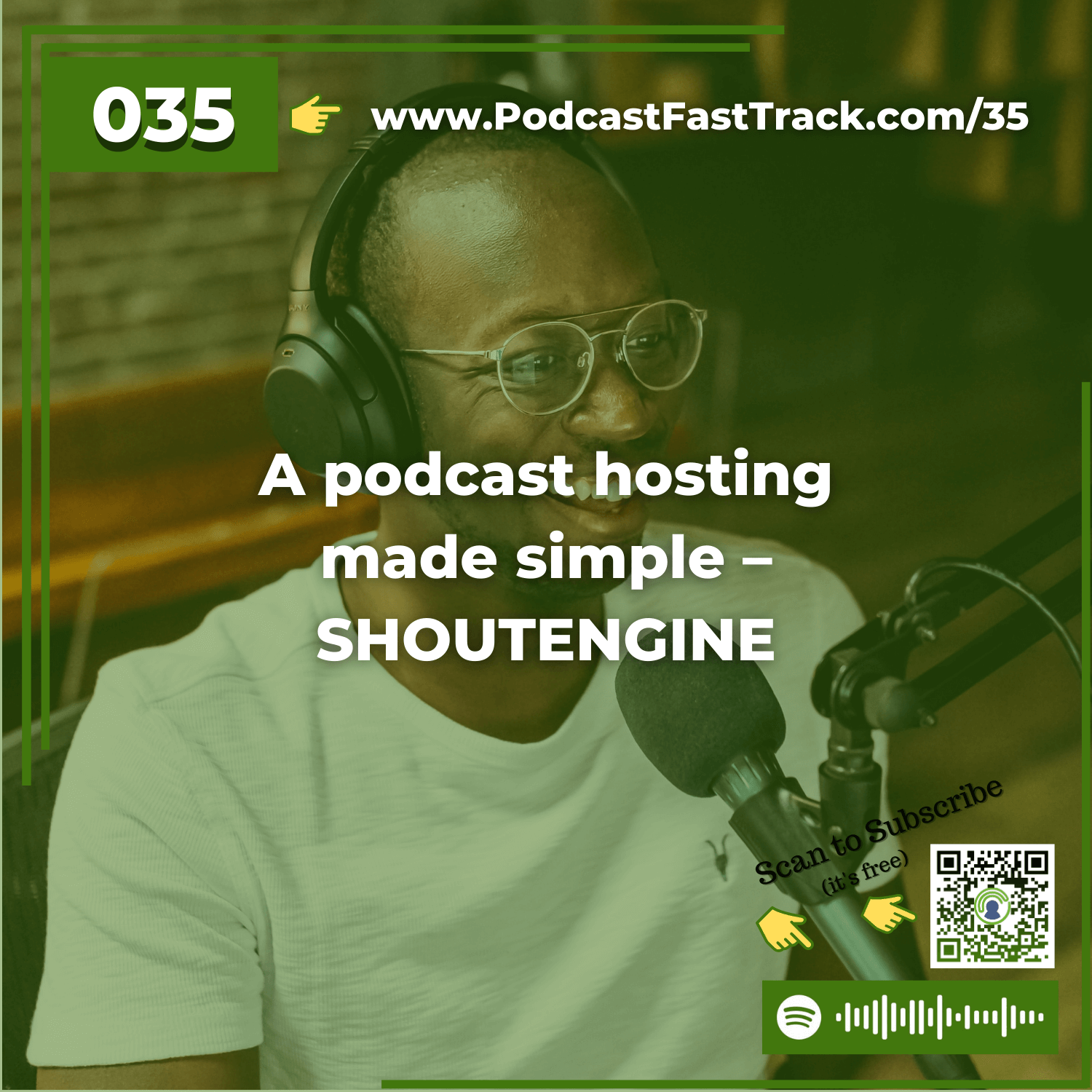
Ep 3535: A podcast hosting made simple – SHOUTENGINE
Podcast Hosting is one of the basic things you need to get in place if you're going to start a podcast.And there's lots of great services out there.LibsynBlubrryAmazon S3 (OK, it's not a podcast focused media host, but it can be used)and othersToday's episode is focused on a relative newcomer to the growing list of podcast hosting solutions out there, ShoutEngineChris Hayes, one of the founders of Shout Engine says that he got started building their media hosting platform because he was a bit... uhhhh... miffed about the way stats were counted in traditional platforms.What has resulted is a VERY accurate accounting of downloads and listens for each ShoutEngine hosted episode, an amazingly strong SEO optimization that often gets Shout Engine hosted episodes ranked very, very high in Google and other engines, AND a hosting platform that is very simple, easy to use, and FREE up to a pretty substantial level.They'll also give you a basic but modern-looking webpage that you can use for your podcast website.And if you move into a paid account, you won't pay for your hosting space, only bandwidth.It's a pretty intriguing idea and you'll enjoy hearing how Shout Engine works. You just might want to try out one of their free accounts to take it for a spin (I think I'll be doing that soon).I think this is a great option for anyone, but especially for those who are not sure if podcasting is something they want to really invest in.ShoutEngine's free account option would allow you to try it out on a substantial level to see if podcasting is something you want to stick with over the long haul.Subscribe to Podcastification Here!
Ep 3333: Podfading: What I’ve learned working with over 20 clients
https://www.PodcastFastTrack.com/podfadingThe Podfading spectre is alive and well.I've done my share of sporadic publishing of my show. If you've listened for any amount of time, you know that to be true.On this episode of Podcastification I'm going to chat a bit about the things I've learned from my personal experience and the interactions I've had with over 20 clients in my podcast production and show notes business.There's a lot more to podfading than you think, and I think there are even some ways it can be a good thingFind out more on this episode.Subscribe to Podcastification Here!
Ep 3232: Podcast music that is LEGAL for you to use!
http://www.PodcastFastTrack.com/GetSomeMusicPodcast music is something that makes a show stand out... in good ways and bad ways.Your podcast can STAND OUT in a bad way if YOU USE COPYRIGHTED MUSIC AND GET SUED.Your podcast can STAND OUT in a good way if you use music that makes your audience think of you, and ONLY YOU!So where can you find podcast music that is legal and gets you noticed in the good way?That's what I'm going to cover on this episode of Podcastification... here's the links to the sites I mention:ROYALTY FREE MUSIC (means you pay a small fee, download the music, and use it. But others can use it too)www.InstantMusicNow.comwww.PartnersInRhyme.comwww.Opuzz.comwww.NeoSounds.comwww.MusicRadioCreative.comCUSTOM MUSIC (means you pay for something that is only for you... often you'll have to pay extra for a license to own it as well)www.PodcastThemes.comwww.PodcastFastTrack.com/contactWe do custom podcast music based on tracks you like. You get:Two 30 second pieces to choose fromYou choose one of the piecesThey'll never be sold to anyone elseYou get a license to use it how you want, foreverwe do with the podcast music track you didn't choose?We keep them in a "hopper" for people to buy at $99 per track. Same usage rights. Same sole ownership rights.If you'd like to listen to them, you can go here to do that!Subscribe to Podcastification Here!
Ep 3131: 1 thing you should ALWAYS mention on your podcast episodes
http://www.PodcastFastTrack.com/AlwaysDoThisToday I'm going to tell you to do something every single time you publish a podcast episode that I have NOT always done.That's part of the force behind why I think this is so important.If I don't always do it, I'm pretty sure you don't either...and it's a powerful way you can help your audience share your episode with people in their circles.1 thing you should ALWAYS do on your #podcast episodesAre you curious? You should be... this is good stuff.I'll give you a little hint...It has to do with podcast apps.You may not know it even exists.It has the potential to get your show "out there" where people can find it.Want to know more? Listen in...And THANKS for listening... I'd love to hear your comments below.Subscribe to Podcastification Here!

Ep 3030: Crafting GREAT Episode Titles
Episode Titles are a lot more important than many podcasters think...Most of us are done with:blocking out the time to recordscheduling interviewsdoing the recordingpost recording workoptimizing and tagging the audiouploading to our media hostAnd THEN we think about what to call this thing we just recorded.But episode titles deserve and NEED much more attention than that.In this episode I'm going to give you 5 thoughts on why your podcast episode titles are much more important than you think.I'd love to hear your comments below!Subscribe to Podcastification Here!
Ep 2828: YET ANOTHER way to repurpose your old podcast audio
Is your old podcast audio doomed to obscurity?As you may know from listening to previous episodes of Podcastification, one of the things I absolutely HATE about podcasting is that I create this great audio content (one of my shows has over 90 episodes of past interviews and instruction) and once it has it's initial blast of buzz, it's gone into the realms of internet obscurity.I hate that. But I love it at the same time.Because it gives ME the opportunity, the challenge, the HIGH CALLING to get those episodes BACK into the light of day - somehow.In this episode of Podcastification I'll be revealing to you ONE MORE way that you and your team can get your old podcast content repurposed to be of benefit to your audience once again.It's short - and worth listening to.And if you'd like to talk to me about doing this very thing for you... it's part of what my team does. You can contact me at Carey(at)PodcastFastTrack(dot)comSubscribe to Podcastification Here!
Ep 2727: The one hack to “must listen” podcast interviews
If you really want to be a top guest interviewer, this is all you need.Honestly.I've been doing podcast interviews for some time now and this tip somehow alluded my notice.Until I read about it on the Vimeo blog. You can find the post that inspired this mini-episode HERE.So listen in to this episode of the podcast to discover this simple trick to make your interviews engaging and powerful.Subscribe to Podcastification Here!
Ep 2626: Increasing the lifespan of your podcast episodes with social media
One of the things I HATE about podcasting is that my episodes might have a good run of listens when they're first released...And then they seem to drop off the face of the earth. I've come to realize that the content I'm creating deserves a longer life-span than that. And it's up to me to make sure it continues to add value to the lives of the audience I'm trying to serve.In this episode of Podcastification I'm going to explain how I go about using social media, and social media management systems to schedule out my content in a way that keeps it breathing long after the initial "splash" of it's publication date. It's not a perfect system and I'm still working out things every week, but I believe it will help you.Resources mentioned in this episode:Google SheetsHootsuiteBufferEdgareClincherContact me with your tips, tricks and suggestions about reviving your old podcast content. Carey (at) PodcastFastTrack (dot) com.And if you're a social media expert who knows how to make this stuff work incredibly well, contact me. I'd love to feature you on the show!
Ep 2525: Who listens to podcasts? Survey results you can use to determine your podcasting strategy!
Podcasts are THE new media of the masses... and it's only growing!That's my interpretation of the results Edison research released from their January/February 2015 survey.Why would I say that?Because the number of people listening to podcasts is growing every year.Because those who do listen, usually listen to as many as 6 podcasts each week.It's a survey filled with insights regarding the general target market of EVERY podcaster...and it gives plenty of info on how you and I can increase the likelihood that our podcast is found and listened to by people who WANT the niche information we have to distribute.In this episode, I outline the findings of the survey, and what I think it means for podcasters. The Podcast Consumer 2015 from Edison ResearchSubscribe to Podcastification Here!
Ep 2323: Show notes: Step 3 – Writing social media blurbs to promote your podcast (and how to craft a great title)
This is the 4th of 3 posts on "SHOW NOTES" - hear the previous entries here(Part 1, Part 2, Part 3)Our show notes creation also includes social media blurbs...That's what we call them anyway.These are a combination of tweets and paragraphs, based on the episode content that we'll use to drive traffic to that specific episode.Do you get what we're trying to accomplish here?We've already produced a great audio episodeWe've already written great SEO-optimized show notesWe've got to do MORE than just create it, publish it, and then let it languish in internet obscurity! We've got to promote the show!We choose to do this for every one of our show notes clients WHILE we're creating the show notes themselves because it's the most natural time to do it.And our SECRET SAUCE is that much of our show notes material can be REPURPOSED (one of our favorite words) into the social media shares.So we're not really creating new stuff for social media, just reusing and modifying the stuff we've just made when creating our show notes.Do you follow?Here's an example of how we create our social media blurbs from our already existing show notes content:This example is taken from the show notes we produced for one of our clients - Scott Voelker who does an Amazing show called "The Amazing Seller."Here's a paragraph and header taken from the show notes we created for one of Scott's episodes:WHY WOULD AN AMAZON SELLER WANT TO SET UP HIS OWN ECOMMERCE STORE?Steve Chou thinks it’s a must for every Amazon seller to eventually move beyond Amazon to set up their own ecommerce store. There are many reasons, but two of the greatest are #1 – the ability to create your own promotional content, and #2 – the ability to capture your customer information and follow up on them during and after the sale. He’s found that ability alone to be a significant source of conversions for his products. If you’ve been thinking about setting up your own ecommerce sales platform for sales outside of Amazon, don’t miss this episode.To create a "social media blurb" for from this paragraph, it's a bit of copy and paste and a dab of reformatting to include hashtags. Below is our finished "social media blurb."Why would an Amazon seller want to set up his own #EcommerceStore? Steve Chou thinks it’s a must for every #AmazonSeller to eventually move beyond #Amazon to set up their own #ecommerce store. There are many reasons, but two of the greatest are NUMBER 1 – the ability to create your own #PromotionalContent, and NUMBER 2 – the ability to capture your customer information and #FollowUp on them during and after the sale. He’s found that ability alone to be a significant source of #conversions for his products. If you’ve been thinking about setting up your own ecommerce #SalesPlatform for sales outside of Amazon, don’t miss this episode.As you can see, we did a few basic things to make a social media post from our show notes paragraph:We removed the heading formatting so we could include the heading as part of the...
Ep 2222: Podcast Show notes – Step 2 to making them epic!
Quality show notes matter!Two episodes ago, I tried to convince you that you need to take the time to create quality show notes. If you missed that episode, you can go to www.PodcastfastTrack.com/20 to hear my reasoning.In the last installment of Podcastification I showed you the first step my Podcast Fast Track team takes to begin the show notes creation process. It included:Audio editing & creation of a bullet point outline of the episodeKeyword researchIf you missed that episode, you can find it at www.PodcastFastTrack.com/shownotes2Today I'm going to take you into the next step of our show notes creation process - The 500 word summary of the audio content.Remember, if you've followed my formula so far (covered in the last two episodes), you've already got 2 vital steps done:You've got a bullet-point outline of the audio - which will come in very handy at this point.And you've got a list of keywords to focus on when writing - which will also be very instrumental in creating a great summary of the audio.So let's dive in...Why include a 500 (or more) word summary in the show notes?The main reason is really two reasons:ONE: To give your readers a true TEASER (keep that word in mind... )a TEASER of what they will hear in the audio content!You want your show notes to draw you reader IN to becoming not just a reader, but a LISTENER to the audio, which is where the true value is.500 words is about right to do that in a way that reveals JUST ENOUGH, but NOT TOO MUCH.TWO: 500 words is just about right to get some search engine attention.Any shorter, it might be seen as an invaluable resource.Any longer, it could be TMI (too much information).500 words is just like the baby bear's porridge that Goldilocks ate... JUUUUSSSTTTT RIIIIIGGTTT!And before you get too anxious about the word count... let me put your mind at ease: WE NEVER COUNT THE WORDS!500 is our target. We write what we need to write. We usually go over or under just a tiny little bit.So relax.What to include in the 500 word summary for your show notes...There's a handful of important things you need to include in your show notes. We choose to include most of these in our 500 word summary:Keywords (remember the keyword list from the last episode?) You're going to include them in your summary.Deep links (that's links to other pages on your website... just in case you didn't know).Outbound links (that's links to other reputable web pages or resources).Why do we include these things?KEYWORDS - it's obvious. We're trying to get the show notes post to rank for organic search traffic which in turn might lead to new listeners/followers.DEEP LINKS - linking throughout your own website to RELEVANT content improves your SEO juice.OUTBOUND LINKS - again, SEO is improved if you demonstrate that you're writing for your readers, providing them value, even if that value is NOT ON YOUR WEBSITE! But make sure the outbound links you include are to reputable sites, not some junky, spammy, ad-filled site.HEADINGS - Why? We want the post to be scannable (since most people nowadays scan websites instead of reading them). Headings break up the content, highlighting some of the most important topics (hint: keywords), and ENTICING the readers to become listeners.SHORT PARAGRAPHS: Did you get the operative word there? SHORT! We put these under each heading as mini-blurbs of what the heading-topic covers, and we do our darndest to write it in a way that makes the reader WANT TO LISTEN...
Ep 2121: Show notes: Step 1 to making them epic
There is a two-fold problem when it comes to writing truly epic show notesGood show notes have to be optimized, which takes a certain degree of expertise.As with any blog post or web page, optimization includes some or all of the following:Keyword research (the most time-consuming part)Formatting that makes best use of those keywords and related phrasesProper use and optimization of imagesFormatting that is easy to scan, so readers can find exactly what they're looking for.All of that takes extra time, which most podcasters don't have.I know the headaches of being a part-time podcaster. I began doing my first podcast as part of a side-hustle while I was working full time at another job.I also know the headache of having to do something like show notes when there appear to be so many other pressing things to make my full-time business more profitable and effective.So if you want to do quality show notes, there are only two solutions:You figure out a system that enables you to do the job in the least amount of time possible.You outsource it.I don't know any other solutions.This episode of Podcastification is all about the first of those two options. I want to equip you by sharing the system the Podcast Fast Track team uses to write quality show notes.So, here we go into the process...Create a bullet point outline of the episode as you do the edits on your recording.I know there are a variety of approaches to recording a podcast. Some of you create a bullet point outline to begin with that serves as the talking points of your episode. I've talked about how to do that that on a previous episode. You can find that at www.PodcastFastTrack.com/PodcastScript. If that's how you approach your podcast recording, you've already got this step done. Congratulations!The reason the Podcast Fast Track team pulls out a bullet point outline first is because it's the easiest and most effective thing to do while editing.Main topics are easy to hear and write down on fast speed without losing our place (yes, we use fast play speed while editing).This enables us to get a firm grasp of the entire episode's content the first time through, which will enable us to do our keyword research before we write the full show notes.Did you notice that I said we do all this while editing?That may sound like crazy multi-tasking, and in one sense it is. We search high and low to find people skilled at both audio production and writing so we can optimize our process in this way. If you know someone like that, I'd love to hear from them ([email protected]). Making this a high priority enables us to make the entire process faster without sacrificing quality.If you're going to take this approach (pulling out bullet points while editing) , it will require you to develop the skill of listening for audio that needs to be edited while you ALSO listen for changes in topic. You can do it, it's really not all that hard. After 2 or 3 times, you'll have it down. A tip to make it easier is this: On interview style shows, the questions the host asks usually indicate a topic worthy of its own bullet point.One other thing:The Podcast Fast Track team also inserts [TIME STAMPS] on the bullet point outline. That means one additional...

Ep 2020: Show notes: The top 4 reasons your podcast needs them
Creating quality show notes for a podcast episode takes time... is it worth it?I've heard all kinds of opinions about the subject...In Facebook groupsGoogle Plus communitiesOn actual podcasts about podcastingThe truth is there's no one-size-fits-all answer.But as a podcast producer whose company PROVIDES SHOW NOTES for many of my clients, I'm going to try to convince you that there is more reason TO create show notes than there is NOT to have show notes.Here are my top 4 reasons you should consider show notes a necessity.Show notes provide text-based content for search engines to find and display for people searching for the topics you cover in your show.In case you didn't know, Google, Bing, Yahoo, and other search engines don't have the ability to crawl through the audio of your podcast and pull out keywords and topics in order to discover what your episode is about.They rely on YOU to tell them what the audio is about, so that they can in turn tell the people searching for those topics.That's one of the most important things good show notes do.Now that doesn't mean that you can any old thing onto your site as show notes and expect the search engines to feature it.You have to employ proper web-writing techniques that optimize your show notes for search engine ranking... which IS part of the difficulty of writing good show notes (which I'll address more fully in a moment).But if you take the time to do that, you'll be creating the most organic way for people to find your episodes and become familiar with you and your podcasting brand.On a side note, show notes are one more source of content. It's like another hook in the water. The more content you have out there, the greater your chances of landing that big client or raving fan.Show notes provide one of the simplest ways for your listeners to locate the resources you mention.The reason you're producing a podcast in the first place is to provide value to your listeners - right?It's of tremendous value to make it easy for your listeners to benefit from the things you highlight or promote on your show. Here are some examples:Show notes are an incredible opportunity for you to funnel listeners to your own products and services through easily clickable links.It's a great way to include affiliate links to relevant resources, which is a nice source of additional income for you (just make sure you disclose that they ARE affiliate links).Show notes enable you to feature the resources of the guests you have on your show. Not only is that good form, it's a great way to nurture the connections you're making with people, which only serves to advance your cause in the end.Now, some people have said,I include all that stuff in the description of my actual MP3 file already. My listeners can find that information there.That's a valid response, but let me ask you a couple of questions related to that:Are you telling your listeners that those resources are embedded on every episode you publish? You should be.You've already created a version of show notes to put IN the description of your MP3 file. Why not simply copy and paste it into a show notes page for that episode so you can get the natural SEO value of having another piece of content on the web?Have you considered that some of your listeners may actually LIKE to do things on the web instead of through the metadata of the file itself? I think it's better not to force-feed your listeners the format YOU prefer, give them options! It's about THEM, after all.All that to say... show notes are one of the most natural ways for...
Ep 1919: Better podcast audio from a bad room, 5 Tips to improve it NOW
A bad recording space can ruin your podcast audio.Yes, I said, "ruin" it.What makes a room a bad place to record? There are many things but here's a list of the TOP 3 room issues, that I'm going to help you address in this episode:A large room.Lots of hard surfaces in the room (walls, floors, furniture, glass, windows, etc.).A hardwood or tile floor.All those and more cause the sound waves your voice is producing to bounce around the room, creating echoes and residual noise that your microphone can (and will) capture.Once I've stated these 3 issues so clearly, the solutions to them are pretty obvious - but I'm going to walk through my favorite ways to solve them.Then before we finish, I'm going to cover some extra steps you can take to take serious control of your sound quality.1. Get out of that large roomThink of it this way:The more space there is between your mouth and the walls of your room, the more distance the sound wave has to travel.And as sound waves travel, they get wider, like ripples in a pond.That means by the time they hit that wall 15 feet across from you, they have a LARGER profile.Then they bounce off the wall and head toward another.Eventually you'll have lots of large sound waves, bouncing from wall to wall, and into each other, causing an echoing nightmare from an audio quality perspective.The solution is simple: Move your recording space into a smaller room.The less square footage, the better.2. Get rid of the hard surfacesOf course you can't remove walls and windows, but you can add things to the room to make them less hard.Simple things like:Wall hangings, tapestries, curtains, canvas pictures, etc.Overstuffed furniture instead of "hard" furniture.Place a thin blanket over your desk surface.Get creative here. Anything you can do to make hard surfaces soft will make your room a better recording space.Some people go all the way and purchase acoustic foam to hang on the walls.And it doesn't have to be expensive stuff. You can use eggshell type foam mattress toppers if that's all you can find.It may not be "studio quality" foam, but it beats the hard wall you have now.In all honesty, that's what I've got hanging on my walls right now.TRUE STORY: When I first began podcasting the only place I could set up my desk and studio was in our walk-in closet. I didn't know it at the time, but that was the best move I could have made, acoustically speaking. The hanging clothes and small space made it an ideal place to record.3. Cover the floorIf the only thing you did to improve your podcast's sound quality was to cover your hardwood or stone floor with an area rug, you'd be amazed at the difference it makes.And it doesn't have to be a hideous shag rug, just a normal area rug will do the trick.When you do this you're eliminating the effect of one of the most sound-reflective hard surfaces in your room.The echo will diminish. The "room noise" will decrease.Guaranteed.Extra steps you can take to improve the sound quality of your podcast studioThese extra steps have to do with changes you can make to the equipment you use.You might be thinking about the dollar signs the moment you hear that, but I'm going to give you a couple of options that don't have to be expensive.Change your microphoneYou don't necessarily need an expensive microphone, but you do need the right kind.There are two basic kinds of microphones - condenser microphones and dynamic microphones.What you want for podcasting is a dynamic microphone.The reason is in
Ep 1818: A little known shortcut for Libsyn and WordPress users that will save you time
Libsyn is one of the biggest names in podcast hosting. Wordpress is one of the biggest names in websites.Put them together and what have you got? A great combination of experience, efficiency, and effectiveness in getting your podcast audio out to the world.But most of you know that.Most podcasters who host their media files on Libsyn upload their file, add the title and description fields, and then publish the episode, grab the link, and insert it into their Wordpress site.That's great. It works great. No problems.However, if you're doing it that way you might have noticed that you're essentially posting your content twice - once to Libsyn, then you copy the download link and paste it in on your Wordpress site along with another copy of your show notes or blog post?As I said, that's great. It works great. No problems.But what would it do for your workflow if I told you about a way you could publish once on Libsyn, and not even have to touch your Wordpress site - and the content would publish there automatically?For me, a solution like that would cut out an entire step and save me 5 to 10 minutes PER PODCAST EPISODE!That's exactly what Libsyn has created with what they call their "On Publish" solution.The good folks over at Libsyn have created a way that you can publish your entire blog post or show notes on their site, using the Libsyn interface and it will transfer directly to your Wordpress blog when you hit "publish."You can include images using a link from an external site (your website media library?) - and they will transfer over to your WP site.You can include clickable links - and they will transfer to your WP site intact.You can have it post to your WordPress site in "draft" status or according to a scheduled date and time.The post will also include the Libsyn player of your choice (Legacy, standard, or standard mini), customized to the size you want.And I even did an experiment using a the shortcode for the "Tweet This" plugin that I have installed on my WordPress site. Inserted the shortcode in my Libsyn post just like I would on my WordPress site (which requires you know the shortcode), and it worked beautifully.Almost every function you have within the WordPress dashboard can be set up in Libsyn so that when the post publishes on your WordPress site, it's just like you want it.How do you set this up within your Libsyn account?It's a bit to involved for me to walk through every step of it in this episode, but I'll tell you that it is done through the "Destinations" section of the Libsyn interface, and you'll have to install an additional plugin to make the player render properly on your site.But I don't want to leave you in that kind of a lurch, so I'm going to point you to a great video tutorial the folks at Libsyn have created to walk you through this amazing feature. One little disclaimer...Though all this sounds wonderful in terms of time savings, and it is... it will require some front-end work on your part.If you're using Blubrry PowerPress to generate your feed you'll have to switch to the Libsyn feed entirely for the OnPublish option to work properly. The Libsyn support team will happily walk you through that process. You can contact them at support (AT) LibsynSupport.com.You will also need to set up what is known as a "301 redirect" which tells iTunes and the other directories that come looking for your old podcast feed, to go get it from Libsyn. Again, when you get to that step, the Libsyn team will be delighted to help you out. support (at) Libsyn.comSubscribe to...
Ep 1717: Recording Skype calls for podcast audio
**THIS EPISODE CONTENT IS OUTDATED**Skype is one of those applications that has changed the world.Seriously, think about it.Most people listening to this podcast didn't grow up with the ability to video conference with a person across the globe.Now, we do it almost daily.For podcasters, Skype has become a great asset, enabling us to connect with experts around the world for interviews and conversations, all with the click of a couple of buttons.Maybe you're new to podcasting and don't know how to record a call using Skype.Maybe you're an old-timer who is considering a switch to a better option.In this episode I'm going to walk through some of the 3rd party applications that enable you to record Skype - both audio and video - and provide links to all of those resources so you can check them out and make up your own mind.Third party applications to record Skype calls.First, understand that when I say "third party" applications, I mean software programs that are not developed or distributed by the folks at Skype. These software packages come from other folks who have found a way to connect to Skype and record what is going on through it.Here's my list:Amolto Call Recorder for Skype - http://amolto.com/ - Windows onlyI've never used this program but it appears to be pretty good. With Amolto you can:Record Skype calls automaticallyMake your recordings any length of time (no limit)Record in lossless or compressed formatsAnd record in split-tracksThat's all in the free version. The paid version includes video recording and a bunch of other stuff for $29.99 per user. Find out more at http://amolto.comCallnote Premium Call Recorder - https://callnote.net/ - Windows and OSThis program is for Windows and MAC and records video as well as audio. Here's the features:Records Skype, Google Hangouts, Viber, and Facebook Audio and Video callsCan save your recordings to Evernote or DropboxCan share the call records on Facebook, Youtube, or EmailCan record a shared screen or chat from Skype callsYou can manage your recordings on your computerLimited to 30 audio/video recordings per month on the free versionPaid version is $9.95/year after a 14-day free trialEcamm Call Recorder for Skype - http://www.ecamm.com/mac - OS onlyThere are two versions to this one - demo and full. The demo version is free, but puts a "DEMO" watermark across your screen. The full version is $29.99 U.S.Demo version works for 7 days.Both versions record directly to your MACHD video recording qualitySplit screen mode for conversationsMP3 conversion capabilitiesTracks can be split after the callEvaer - http://www.Evaer.com - Windows onlyFree/trial version only allows 5 minute recording of video calls.Lifetime license is $19.95 and removes all restrictions.HD qualityRecords calls, screen sharing, and up to 10 way group Skype callsMany versions can be saved (audio only, video, etc.)Can adjust frame rates, etc.Save to MP4 or AVICan record in split audio channelsG-Recorder - http://g-recorder.com -...
Ep 1616: How to eliminate filler words in your podcast without editing
Um.... You know, like, those filler words.... uh... we all, like... use when we speak... are uh... practically... like, the worst!Almost every person who speaks uses filler words of one kind or another.It's mostly done out of habit and without us even realizing that we're doing it.When it comes to your podcast... those filler words can really become, like, irritating to your, um.... uh... those people who listen to your show!So how do you cut out those habitual filler words?That's what this show is all about.Most of you don't know my whole story. But that's OK, I'm about to fill you in on some of it.For over about 20 years I spent my life serving as a Pastor in a local church.The only reason that's important is that if you add up all the times I've spent before audiences, speaking, teaching, preaching, leading meetings, and all that... it's probably pretty close to the amount of words a woman uses in one day.Almost. :)So I've had a lot of practice learning how NOT to use filler words.That doesn't mean I'm in any way... uhh.... cured of the problem.It just means that I've learned some tricks to help me keep the filler words from filling those gaps in my speech that often get filled by filler words.And I'm about to tell you my top 6 ways to get rid of them.Getting rid of filler wordsTip #1: Assess your use of filler wordsYou can't get rid of something or stop doing something if you're not fully aware of its existence. So here are some ways you can go about analyzing how much you use filler words, and what filler words you're using.Ask someone close to you to point out how you use filler words. And don't get angry with them... you asked.Start paying attention to your conversations and make note of the frequency of your filler words.Make a mental list of the words you use to fill in spaces.Prioritize those words: Which one do you want to get rid of first? Make a choice and file it away in your brain as the first candidate for your "Filler word elimination project."Once you've got this figured out, you're ready to move on to tip #2.Tip #2: Take a moment to understand the REASONS behind your filler wordsIt's obvious that we don't use filler words because they are needed. So why do we use them?At times, our brains need time to catch up with our mouths.In other situations, we use them to communicate that we're still thinking. "Well, uhhhhhhh... I'm not too sure about that. Hmmmm.... can I get back to you?"But a third reason, and the one I think is most common among podcasters and other public speakers is this: We're uncomfortable with silence.That last one is HUGE. Silence feels negative to us, especially if we are the ones providing the content everyone else is supposed to listen to (like in a speech... or a podcast).But the reality is that silence is NOT a negative thing. Appropriately timed and placed silences... like that one, serve to keep attention and accentuate what we're saying.More on that one in a minute, let's move on to tip #3.Tip #3: Prepare moreI learned this one in my own public speaking experience. It's like a math or science formula where one side of the equation always, ALWAYS balances out the other:More preparation = less filler wordsLess preparation = more filler wordsSo ask yourself, "How prepared am I? Am I ready to record this podcast episode?"I'm not suggesting that you script out every word of your...
Ep 1515: 2 Simple ways to get the best sound quality on guest interviews
Sound quality really, really, really matters for your podcast show.If you want to know how much I believe that to be the case you should go back and listen to Podcastification episode #2 - www.PodcastFastTrack.com/2One of the most difficult places to ensure that the sound quality is the best it can be is when you are doing guest interviews or having a conversation with a guest to the show.When you introduce a person to your show who is not familiar with audio production or sound quality issues - you've just introduced a whole slew of variables into your show that can seriously impact the sound quality.Some of the more common sound quality issues a guest can introduce to your show are:They don't have a good microphone.The only microphone they have is a "phone" mic and it keeps rubbing against their shirt.They keep bumping the desk the mic is setting on or the microphone itself.Dogs, doorbells, cell phones, children, email sounds, etc.They don't speak into the microphone.They are too close to the microphone (pops, harsh "S" sounds, and other plosives - yes, that's what they're called).Their input volume is turned up too much.Etc., etc., etc.In this episode I'm going to take just a few moments to run through some of the simplest remedies to most of those problems.Remedy #1: Prepare your guestsIf your guest doesn't know anything about sound quality and what it takes to get good sound quality in an audio recording, it's your job as the host to kindly and briefly educate them.Now I know this is a contested point. I heard one podcaster say just a week or so ago that he doesn't want to add any additional burden to his busy guest's schedule by asking them to do anything extra before the recording. I get that - but I disagree.If the people you're interviewing care anything about their own brand and image, they will appreciate you helping them sound the very best they can for your audience - which may at least in part, become their audience after your interview.So what I usually do to prepare my guests is this: I send them a one-page PDF document that outlines some of the issues that I need them to take care of BEFORE we start recording. I know other podcasters who create a page on their website with the same information, to which they point their guests ahead of time.You can find a copy of my PDF document which you are free to tweak and make your own, HERE.But so you don't have to wait to download it... here's a quick blast through the document to give you an idea of the kinds of things I include:FOR MY GUESTSI can't thank you enough for being willing to come on my show. I'm confident that your experience and expertise will be of great value to my listeners. I just wanted to give you a quick bullet list of things that you can do to prepare for our conversation. I want you and your brand to be represented in the best possible light, so please read through the list below and make any of the suggested adjustments you are able to make prior to our conversation. Following these suggestions will enable us to make the most of our time.Visit the necessary "personal room" before our scheduled time to chat.Have a glass of water nearby during our chat… you'll probably need it.If you think you might reference any websites or links, please have them open and ready so you don't have to hunt for them during the conversation.Turn off all non-essential programs on your computer to enable our recording to happen with less potential for technical...
Ep 1414: How to create call to action links for your podcast
It's frustrating when you're listening to a podcast while driving or jogging and the host mentions a link of interest or a call to action and you have no way of grabbing it for later!You know what I mean?You've got to go back and listen to the episode or go to the podcast website and hunt down the shownotes in order to find that link.What if there were an easier way? As you might imagine, there is. It's a method that makes the links mentioned in a podcast episode LIVE, so the listener can click on them immediately and go right to the site!How do you get this great functionality? You've probably already got it and may not know it.It's in the description that you add to the tags of your actual mp3 file, or in the description that you include when you post the file on your media host.How does it work? I'm about to tell you...But before I get into that I want to thank someone who left a rating and review on iTunes - NancyBeginnings - thanks so much for your kind words. It's my prayer that the show continues to be helpful to you!The power of links within your media file descriptionMost podcasting apps, or pod-catchers as some folks call them, have developed the functionality to allow links that are included in an audio file's description, to be "live" within their app.That means that if someone hears a link you mention on your show - say it's your show notes page - and they want to check it out, all they have to do is check out the description of that episode and there are the live links they can click to go directly there.No more waiting!No more jotting down notes to remind you about links you need to visit later!You can go right to the link the minute you hear it.But what does this mean for YOUR show's call to action?It means that if you're smart - and you're listening to this show so I know you are - you'll add links to your mp3 file descriptions and media host accounts so that your listeners can go directly to your links.It means...It's really a pretty simple thing, wouldn't you say?Here are my "best practice" tips for including these kinds of links in your show's call to action#1 - Be sure you have a call to actionDon't just pump out audio - encourage your listeners to do something with it. Some of the best things they can do center around community and interaction.Take action on one point you gave in the show and let you know about it on the show notes page (Here's a link you can provide in the description).What would they add to your list of tips (Provide the link for them to tell you).What is their experience regarding the topic you've covered (Provide a link in the description for them to tell you about it).What was helpful about what you shared? (Again, provide them a link to let you know).The more you are able to become a "real person" to your listeners by relating and interacting with them, the more they are going to know, like, and trust you - which is the main obstacle to getting a raving fan base for your podcast.So make sure you have a call to action - and give them specific links to use to take that action.#2 - Include the actual link, not just an "anchor-text" linkDo you know what an "anchor text" link is? It's a link that is coded into the text so that you only see the text with an underlined hyperlink and not the actual link (http://....)Anchor text links are cool for web writing but are not always the best on a practical level for the kind of thing we're talking about here.Here are some reasons why...Not all podcatchers (podcast apps) can read the link that is behind an "anchor text" link. So you'll want to include the full link or a short link to it just to be...
Ep 1313: How to use and set explicit tags for your podcast and its episodes
The explicit tag for your podcast is a really big dealFree speech is a big deal in the U.S. - which is where I'm broadcasting from, and I'm not one to say that you or anybody else can't say whatever you want to say in whatever way you want to say it.BUT it's only common sense to realize that people or companies who provide the platforms upon which you say what you want to say in the way you want to say it have THEIR right to limit what you say over THEIR platform.Did you get that? It's THEIR platform. They get to make the rules - and they do. They have created criteria you must agree to if you're going to use their platforms to make your content available to people.For some reason it's easy to forget that web services like Apple Podcasts and Stitcher, and even Facebook for that matter, are THOSE kinds of platforms. But they are.Today's episode is focused exclusively on the "explicit" tag in Apple Podcasts.You may think this doesn't apply to you... after all, you keep your show clean all the way around. That's great. You may be right that you'll never have to deal with this issue at all.But what if some day you have a guest on your show who's native language in the 4-letter-word? What are you going to do then?Some folks would beep out every instance. That's cool if that's what you want to do.But what if it's not as bad as all that? What if they only use one or two colorful words and they actually lend to the emphasis or context of what they're saying?That might be a good time for you to know how to use the "explicit" tags the right way, on an episode-level. That way you can label that ONE episode "explicit" and the rest can keep their "no rating" or "clean rating" tag intact.Did you know you could do that? Label JUST ONE episode with "explicit" and leave the rest of your show non-labeled or clean?You can. Keep listening and I'm going to tell you how to do it using two of the most popular avenues - Libsyn and Blubrry.Before we get into the details, let me say this:I'll be referring to some very specific functions inside the Libsyn interface and the Blubrry PowerPress plugin - and being an audio podcast I'm going to do my very best to describe exactly how you can find them. But in case you need to see the visual or re-check what I say, you can find all those sorts of things in the show notes for this episode. They'll be at www.PodcastFastTrack.com/13 OR www.PodcastFastTrack.com/explicittag.OK - let's get goingWhy the "explicit" tag is importantI covered this a bit in the last episode but let me quickly sum up...The "explicit" tag's main use is two-fold:It's a "heads-up" to potential listeners that they may get an earful of colorful language or topics in your showBut more importantly: It's used by the iTunes search filters to make the "parental controls" of the directory work.I'm not going to go into a lot of detail about that but I will quickly tell you that if a parent sets their parental controls in iTunes to block explicit content and little Johnny downloads your show that is NOT tagged as "explicit" but it DOES indeed have explicit content - you've just made an enemy.And they may complain to iTunes.And your show may get the boot.Find out more about iTunes Parental controlsOK, let's move on...What qualifies as "explicit" and what doesn't qualify as "explicit"?Some people are a bit confused about this, so let's do what we can to clear it up.Is one F-bomb considered explicit? What about the S-word, or the A-word, or a reference to the sex act?It does get a bit fuzzy when you boil it down like that. And Apple doesn't give us any kind of specifics to tell us what THEY mean by explicit.So......
Ep 1212: Get featured in Apple’s podcasts app – maybe
The content on this page is outdated. Apple has a NEW approach to this topic that is shrouded in mystery. Sorry ):How would you like your podcast to be featured in Apple's "Podcasts" app?It could be. Maybe. Possibly.Of course the powers that be at the big fruit-endowed building in Cupertino, California are not about to let common mortals like you and me know exactly how they go about determining which shows are featured in their inbred... I mean, native podcast app.But did you know... DID YOU KNOW that they do in fact tell us how we can increase the chances of our shows being featured there?Really... I found everything I'm about to tell you on one of their LONG, SMALL-PRINT, IMAGELESS web pages. (https://www.apple.com/itunes/podcasts/specs.html)But to save you the endless scrolling and the fine print - yes, it is VERY fine print on those Apple webpages...I'm going to give U the skinny on how 2 get UR podcast featured on Apple's "Podcasts" appHow to get your show featured in Apple's "Podcasts" appEverything I'm about to cover has to do with the information and items you provide to Apple when you submit your podcast. The good news is that if you've already submitted your podcast, you can always go back and update it.Yes, you can. So if you hear something in the following tips that you think will enhance your podcast listing, get to it!Here we go!Produce compelling, new, or unusual contentCompelling: evoking interest, attention, or admiration in a powerfully irresistible way.In other words, your show has to be interesting. So don't put together a ho-hum, run-of-the-mill podcast and then hold your breath waiting for it to show up in the features section of the Podcasts app.You'll pass out before it shows up.Here's a great example of something compelling, new, or unusual. Granted, it's produced by a Public Radio station with a staff, and budget, and other stuff you may not have. But maybe instead of viewing those as obstacles, you could look at them as opportunities for you to get creative and excel in new ways.Anything's possible... Take my situation as an example:Just over two years ago I was a full-time employee. Now I'm a self-employed podcast producer, entrepreneur, and author.I'd never have dreamed it could be so.But let's get back to your podcast and the Podcasts app...Attractive, original cover artYou've probably heard this mentioned before but it is worth repeating.Think about it... what gets YOUR attention when you're scrolling through the iTunes store looking for a new podcast?COVER ART!The ones that have a boring, generic headshot, or text so small you couldn't read it with a microscope simply get skipped over.It's not intentional. Nobody's prejudiced against those podcasters.There's simply no eye-candy, no bling, no make-me-check-this-out podcast graphics 2 lure you inAnd when it comes to what Apple considers "attractive and original" cover art...
Ep 1111: Batch recording your podcast – save time, record better
How to do batch recordings to stay organized and save timeThis episode is hands-on practical. If you apply the information you find in this episode, you'll find yourself having more time to do other things.So... enough is enoughHere's my tips for doing batch recordings effectively12 steps to effective batch recordingRefresh your mindset about your podcast. Before you start any of this work, remind YOURSELF why you are doing the podcast in the first place. What is it you are trying to accomplish - for your listeners and your business? You need to be in that mode when you record.Scheduling matters a lot. Examine your weekly schedule and block out the time to do the number of episodes you desire to do each time. Set it at a realistic time during the week, and make it non-negotiable. Make sure you schedule enough time to record and edit (I'll explain why you should do both a bit later)Outline each episode. Your style is relaxed enough, you don't need a script. But an outline will give you the peace of mind to know you're not going to miss important things. Insert your ratings/reviews, announcements, etc.Think ahead as you write the outline. When will the episode you're outlining actually publish? Is there anything date-specific you'll want to mention on that episode? What about show notes links? Do they need to be mentioned? Have you set those up so that you have the specific links to mention? Do you have all your resources available (stats, listener recordings, links you want to mention)? You get the idea.Save your outline as a template. You know about templates. It's an incredible time-saver for batch recording. That way you don't have to re-write our re-outline your intro/outro, or things that are the same most of the time.Let others in the house/building know you'll be recording. Obviously, you want as few inturruptions and outside noises as possible.Do some push-ups before you start batching. Sit-ups, jumping-jacks, whatever. I've found the adrenaline helps me get into an excited, "ready" mode that makes for great recordings.#PODCASTING TIP: Do some push-ups before you start your recordings. Find out why?Before you record, pause and get your mind right. Once you get started, you'll get into a flow. But between episodes take a second to pause, take a deep breath, look over your outline for the upcoming recording, and get your mind centered on that content.Pause when needed as you record. There's no reason you have to get everything right in one take. Pause if you need to in order to collect your thoughts (without pressing the pause or stop button on your recorder). The blank space you see visually will enable you do the editing of that gap very easily. If you're having someone do your editing, the same will apply.Stop and say it again. Along the lines of the previous point, if you don't like the way you said something - pause, clap your hands near the mic (leaves a big visual spike on the wav form to show you the obvious editing point) and restate it the way you want it. Again, with the ability to edit, you don't have to get it right the first time.#podcasting tip: Clap your hands near the mic to create a visual edit point. More in this episodeDo your editing as part of your batching. With the content for the episodes fresh on your mind, you'll do better edits. So do them right away. If you pass on the editing to someone like me :) this won't apply. That's why in the first point I said you should set aside enough time to record and edit.Set the date for your next batch...
Ep 1010: How to go about repurposing your old podcast episodes
You've created so many episodes of incredible content over the years:Guest interviewsTeaching segmentsTricks of the tradeStep by step tutorialsAll of that and more... such great content you've produced over the years.It's a pity that it could be sitting on some server, at the bottom of your archives, seldom being heard any longer.How do you jump-start all that great, older content you have in your archives?Through repurposing!What is repurposing?I don't want to assume that you know what I'm talking about, so here's my best stab at a definition:REPURPOSING: The re-use of older content or material.So, imagine looking through your podcast show archives... you might have 100, 200, or even 900 shows in there.You want to figure out how to get the evergreen stuff (the content that still applies and will always apply) - into the airwaves again so that more people can benefit.And I've got just the way for you use your old podcast audio in new ways.I want to walk you through this idea I've had for reusing older podcast audio - and I want to challenge you to consider doing it yourself.I'm even going to include an example of what it might sound like, using some audio from one of my old podcast episodes.So stay tuned... you're going to love this!Repurposing old content can be challengingBefore we move ahead, we need to be honest about the difficulties you're going to face if you try to repurpose your old podcast episodes.You don't want your current audience to feel like you talk about the same things over and over... and repurposing sounds kind of like that. What if they've heard the episode before? What if it seems like "old stuff" to them?Those are very real concerns.But you also have to realize that there are also people who haven't followed you for very long. For them, repurposing could enable them to hear that content for the very first time. You don't want to withhold valuable, helpful information to potential new customers, clients, or listeners, just because you're afraid someone else might have heard it before - do you?Could there be a way to walk that balance between boring the old timers and inspiring the new ones?I believe there is.The Quick Tips podcast repurposing strategyI call this the "Quick Tips" strategy because I picture repurposing that old content in short, powerful, inspirational sound bytes.Imagine quotes from past guests, from yourself, from webinars or teachings that motivate and inspire people.They can serve as reminders, quick calls to action, productivity prompters that your listeners need to hear again.If you're willing to serve as an inspiration and motivation to your listeners in an whole new way... keep listening.EVALUATE YOUR OLD CONTENTLet's imagine for a second that you do an interview style show.Over the years, you've interviewed industry leaders, big names in your niche who have tons of knowledge and expertise to share with your audience.If you were to pull out one of those old episodes and give it a listen again, how much of the content of that one episode do you think would still be applicable to your audience today?10%?30%?50%?80%?Unless the sole focus of your conversation with that guest was the launch of a particular product, service, or book, my educated guess is that you'll be closer to the 80% mark when it comes to that episode's relevance for today.Even if I'm being totally unrealistic in my estimation and you only come up with 50% relevance, you've got to stop and think through what that means for you and your audience.You've got 50 to...
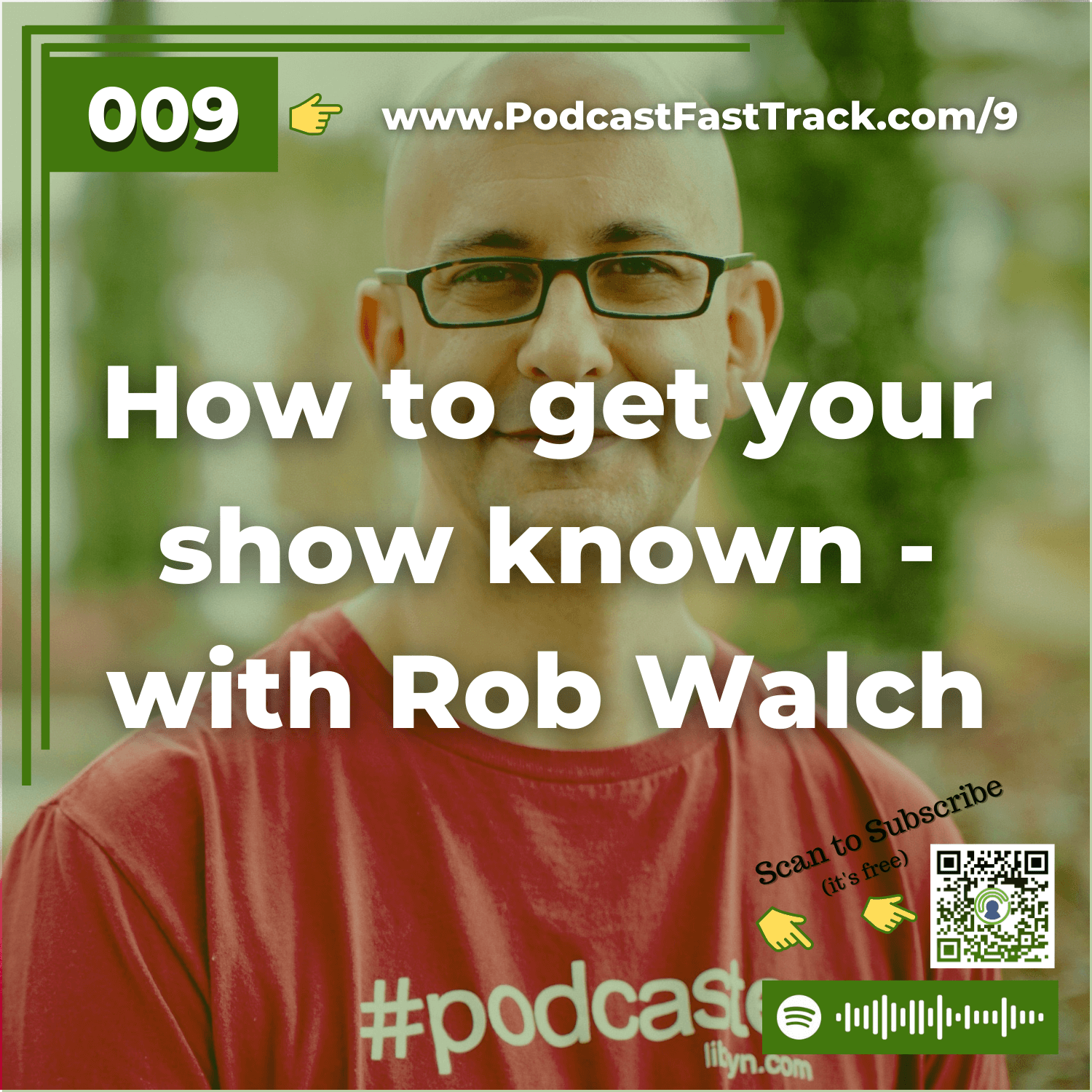
Ep 99: More about Spotify podcasts and getting your show known, with Rob Walch of Libsyn
This episode's content is outdated. :(Subscribe to Podcastification Here!
Ep 88: Spotify podcasts… how can you get on board?
The content of this post is now outdated! See current status of getting your show onto Spotify here.Subscribe to Podcastification Here!
Ep 77: Should you use a podcast script?
When I was 8 years old I didn't know anything about a "podcast script."I mean come on, podcasting didn't even exist then. But that's when I first learned what a script was. I was in my first "real" play. A drama my church was putting on and somehow I got the lead children's part.To me, the script was like a road map - a very clear outline of exactly what was going to happen in the play.Who does what, when.Who stands where.Who says what and when they say it.Can you imagine what it would be like if you tried to put on a drama but didn't have a script?How would the actors know what it was about? How would they know how to act in conjunction with each other?How would they know where the play was headed?For a play, a script is a "must have."What about for your podcast? Should you use a podcast script?There's a lot of debate about whether podcasts should be scripted and I understand why.Everybody has their own idea of what makes for a "good" podcast.But I think you and I should approach the issue from an entirely different angle.Whether or not you use a podcast script has nothing to do with what will make your podcast "good" or "bad."It depends solely on the PURPOSE of your podcast.Let's look at a handful of podcast "types" to see if a podcast script would be helpful in each caseTHE LAID BACK PODCASTThere are shows out there that are intended to be informal, laid back, and easy going.Often there are a couple of hosts who banter back and forth to make for a "fun" and relaxed atmosphere to the show.There's a certain appeal to those shows because they tend to be more entertaining.If a show like that may feel like it doesn't have much structure, but you can be sure they're at least going by an outline, but not a script.That sort of loose direction allows for the free-flowing nature of the show that listeners enjoy.THE INTERVIEW PODCASTYou know about these shows... there are thousands of them out there.Somebody is featured as a "guest" and someone else asks them questions.It's similar to the "laid back" show in that the outline is in the questions the host asks the guest.Good interview shows benefit from the structure of the questions/outline while allowing for the flexibility that makes the show interesting and interactive.If you need some tips on how to be a better interviewer, I've written about that before.If you're doing an interview podcast, a script may be helpful, but could also serve as a straight-jacket, making the show far too wooden and inflexible.THE "SALES" OR "LEAD GENERATION" PODCASTSome of the podcasts out there are produced by a brand-name or company in hopes that their show will generate leads or sales for the company.You know the kind I mean.They often cover information related to their product or niche and include a soft sell encouraging you to check out their product.Should this kind of show use a script?I think this kind of show could definitely benefit from a podcast script for these reasons:Just like a sales letter or brochure, you want to make sure you include the benefits of your product very clearly and persuasively.You want to ensure that you don't forget anything vital to your product that might induce a prospect to give it a whirl.Your podcast is serving as audio sales copy. SALES COPY. It needs to be crafted to persuade and convince, not spoken on a whim or off the cuff.A podcast script seems a no-brainer...