Microsoft Cloud IT Pro Podcast
434 episodes — Page 3 of 9
Episode 338 – Wrangle your inbox after vacation
In Episode 338, Ben comes back from vacation which prompts Scott to start a discussion on mailbox management tips before they move on to some changes in the Apple Developer Program that could impact your users. Then they close out with some Azure announcements for AKS. Like what you hear and want to support the show? Check out our membership options. Show Notes One Email Rule – Have a separate Inbox and an Inbox CC to reduce email stress. Guaranteed. End meetings early or start late Support Tip: iOS/iPadOS 17 Beta with Microsoft Intune iOS 17 developer beta is open to anyone – here’s how to download it now Classic Exchange admin center in Exchange Online Final Deprecation of Classic Exchange Admin Center (EAC) in Exchange Online Introducing the Azure Linux container host for AKS Transforming containerized applications with Azure Container Storage-now in preview What is Azure Container Storage? Preview Video https://youtu.be/0zXgEOs7Z40 About the sponsors Intelligink utilizes their skill and passion for the Microsoft cloud to empower their customers with the freedom to focus on their core business. They partner with them to implement and administer their cloud technology deployments and solutions. Visit Intelligink.com for more info.

Episode 337 - Secure your Office 365 tenant and protect your users Episode 337 – Secure your Office 365 tenant and protect your users
In Episode 337, Ben and Scott through recommendations for securing your Office 365 tenants and admin accounts. They also address a listener question on how you can address the disparities in logging and metrics collections when you’re using multiple SaaS products. Like what you hear and want to support the show? Check out our membership options. Show Notes CollabCon Conference 2023 Manage emergency access accounts in Azure AD Securing privileged access for hybrid and cloud deployments in Azure AD Conditional Access authentication strength is now Generally Available! Learn about data loss prevention Microsoft Sentinel data connectors Hybrid Cloud with AWS Video https://youtu.be/TMKm9lcaQE0 About the sponsors Intelligink utilizes their skill and passion for the Microsoft cloud to empower their customers with the freedom to focus on their core business. They partner with them to implement and administer their cloud technology deployments and solutions. Visit Intelligink.com for more info.
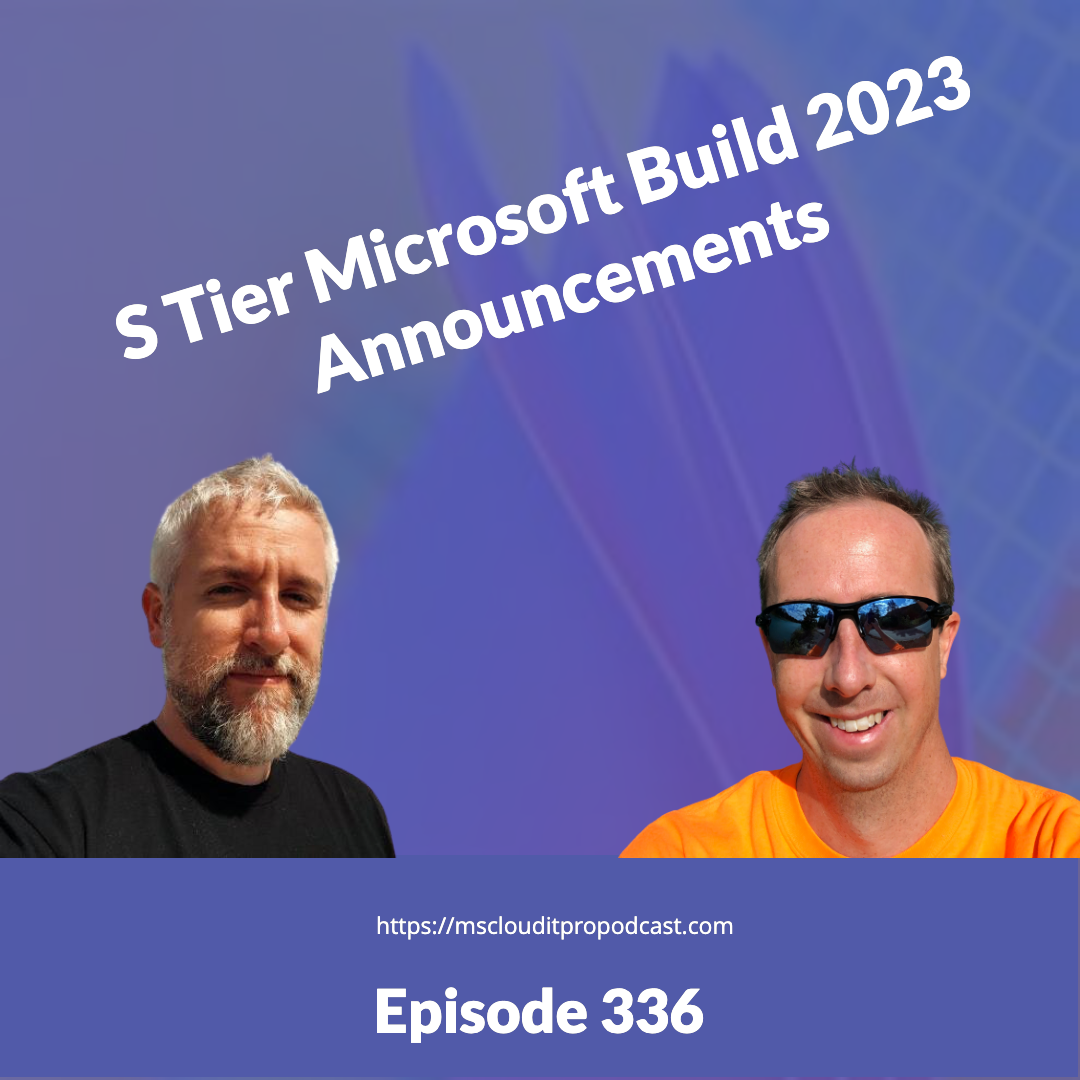
Episode 336 – S Tier Microsoft Build 2023 Announcements
In Episode 336, Ben and Scott discuss some of the marquee announcements from Microsoft Build 2023. Like what you hear and want to support the show? Check out our membership options. Show Notes Build Book of News Full Keynote | Satya Nadella at Microsoft Build 2023 Microsoft’s Azure AI Studio lets developers build their own AI ‘copilots’ Copilot in Power BI technical preview Introducing Microsoft Fabric and Copilot in Microsoft Power BI Microsoft Fabric licenses Microsoft launches Fabric, a new end-to-end data and analytics platform What is Microsoft Fabric? Microsoft Fabric terminology Video https://youtu.be/0ml2d1OutRE About the sponsors Intelligink utilizes their skill and passion for the Microsoft cloud to empower their customers with the freedom to focus on their core business. They partner with them to implement and administer their cloud technology deployments and solutions. Visit Intelligink.com for more info.
Episode 335 – The vagaries of Office 365 licensing
In Episode 335, Ben and Scott discuss some of the trials and tribulations of Office 365 and Microsoft 365 licensing. Specifically, some intricacies around Microsoft Defender for Office 365. Like what you hear and want to support the show? Check out our membership options. Show Notes Vague documentation on licensing #12003 Manage who can create Microsoft 365 Groups Get started using Attack simulation training Microsoft Defender for Office 365 service description – Licensing terms Retiring the AWS Documentation on GitHub Preview: Automatic Scaling for App Service Web Apps Testing reachability of Azure Load Balancer frontend IPv4 address with ping Video https://youtu.be/oOqXXVX-1Z4 About the sponsors Intelligink utilizes their skill and passion for the Microsoft cloud to empower their customers with the freedom to focus on their core business. They partner with them to implement and administer their cloud technology deployments and solutions. Visit Intelligink.com for more info.
Episode 334 – Converged Authentication Methods in Azure AD
In Episode 334, Ben and Scott take a detour into automating your home video devices/security cameras with Scrypted and then get back on track with some enhancements in Azure AD authentication methods and Microsoft Intune. Like what you hear and want to support the show? Check out our membership options. Show Notes Scrypted Google’s new Pixel Tablet is a $500 slate for the home Azure Active Directory Gets ‘Converged’ Management for Authentication Methods Modernizing Authentication Management Microsoft Intune: iOS Web enrollment Enrollment guide: Enroll iOS and iPadOS devices in Microsoft Intune Video https://youtu.be/MjMJSIFRUFs About the sponsors Intelligink utilizes their skill and passion for the Microsoft cloud to empower their customers with the freedom to focus on their core business. They partner with them to implement and administer their cloud technology deployments and solutions. Visit Intelligink.com for more info.
Episode 333 – Azure AD and LAPS in Preview
In Episode 333, Ben and Scott talk about some more strange choices coming from the Microsoft Edge team before they discuss the new preview of Azure AD LAPS (with and without Intune). Like what you hear and want to support the show? Check out our membership options. Show Notes Microsoft Teams Plans to Make Users Open Links in Edge Arc is coming to Windows in 2023 THE BROWSER COMPANY IS BUILDING A SWIFT DEVELOPMENT TOOLCHAIN FOR WINDOWS Android vs. Apple Market Share: Leading Mobile Operating Systems (OS) (May 2023) Compare Power BI Desktop and the Power BI service Get started with Windows LAPS and Azure Active Directory Using Microsoft Intune for Local Administrator Password Management Windows LAPS supported platforms and Azure AD LAPS preview status Microsoft Intune support for Windows LAPS Azure AD Certificate-Based Authentication (CBA) on Mobile now Generally Available! Everything New In Home Assistant 2023.5! Video https://youtu.be/ctrSyu-4TTg About the sponsors Intelligink utilizes their skill and passion for the Microsoft cloud to empower their customers with the freedom to focus on their core business. They partner with them to implement and administer their cloud technology deployments and solutions. Visit Intelligink.com for more info.
Episode 332 – Copilot coming to a Microsoft 365 tenant near you
In Episode 332, Ben and Scott dive into the recent announcements around Microsoft 365 Copilot and its impending integration into the entirety of the Microsoft 365 product suite. Like what you hear and want to support the show? Check out our membership options. Show Notes Bluesky Social Microsoft Posts In-Product Ads in SharePoint Online Stop in product messaging (Microsoft Conference) Introducing Microsoft 365 Copilot—A whole new way to work What is the #CollabTalk TweetJam? How to build your first app using Power Apps | Automatically with Copilot or from scratch GitHub Copilot for the Windows systems administrator AI Made this VLOG Amazon CodeWhisperer Dangers of AI Hallucinations: How Wrong Answers Can Lead to Legal Liability and Mitigate Them Video https://www.youtube.com/watch?v=ZahDzG8KVC8 About the sponsors Intelligink utilizes their skill and passion for the Microsoft cloud to empower their customers with the freedom to focus on their core business. They partner with them to implement and administer their cloud technology deployments and solutions. Visit Intelligink.com for more info.
Episode 331 – SharePoint 2013 Workflow retirement
In Episode 331, Ben and Scott dive into the announcement of the retirement of SharePoint 2013 Workflows and the release of SharePoint Workflow Manager for SharePoint Server 2013, 2016, 2019 and Subscription Edition. Like what you hear and want to support the show? Check out our membership options. Show Notes Starship Flight Test Move SharePoint Designer Workflows to Power Automate SharePoint 2013 workflow retirement Guidance: Migrate from classic workflows to Power Automate flows in SharePoint Nintex unveils Workflow plan amid Microsoft retiring product Microsoft 365 Assessment tool Announcing the release of SharePoint Workflow Manager for SharePoint Server Install and configure workflow for SharePoint Server Announcing the release of SharePoint Workflow Manager for SharePoint Server What is an on-premises data gateway? Video https://youtu.be/cFizTtGcWV0 About the sponsors Intelligink utilizes their skill and passion for the Microsoft cloud to empower their customers with the freedom to focus on their core business. They partner with them to implement and administer their cloud technology deployments and solutions. Visit Intelligink.com for more info.
Episode 330 – Home Assistant Geek Out
In Episode 330, Ben and Scott talk about Home Assistant and how it fits into their home automation workflows. Like what you hear and want to support the show? Check out our membership options. Show Notes How to Create a Home Assistant Dashboard Wall Mounted Dashboard for Home Assistant! (Fire Tablet + Fully Kiosk) Home Assistant Community Store (HACS) Inovelli SMART 2-1 SWITCH (ON/OFF OR DIMMER) Lutron Caséta Wireless Smart Lighting Dimmer Switch and Remote Kit | P-PKG1W-WH Video https://youtu.be/_eMm-RBc3Uo About the sponsors Intelligink utilizes their skill and passion for the Microsoft cloud to empower their customers with the freedom to focus on their core business. They partner with them to implement and administer their cloud technology deployments and solutions. Visit Intelligink.com for more info.
Episode 329 – Catching up on news
In Episode 329, Ben and Scott talk about some old (but new to them) enhancements to Microsoft Intune that allow for the import of ADMX and ADML administrative templates, availability of Windows 365 Cloud PC preview for Frontline workers, and avatars for Teams coming to public preview. Like what you hear and want to support the show? Check out our membership options. Show Notes UniFi Gateway – WAN Load Balancing and Failover Flux Keyboard Windows 365 offers flexibility from the office or home to the frontline Import custom ADMX and ADML administrative templates into Microsoft Intune (public preview) Windows 365 Frontline available in public preview Avatars for Microsoft Teams in Public Preview Video https://youtu.be/DBdTc05VqWQ About the sponsors Intelligink utilizes their skill and passion for the Microsoft cloud to empower their customers with the freedom to focus on their core business. They partner with them to implement and administer their cloud technology deployments and solutions. Visit Intelligink.com for more info.
Episode 328 – Get hands-on with the new Microsoft Teams
In Episode 328, Ben and Scott talk through the upcoming deprecation of remote PowerShell sessions (RPS) for Exchange Online, some changes to how you’ll get to Azure AD using Entra in the Microsoft 365 Admin Center, and how to enable the new Microsoft Teams client. Then Scott brings Ben up to speed on strategies to make sure you’re getting notified of service retirements and deprecations for Azure. Like what you hear and want to support the show? Check out our membership options. Show Notes Announcing Deprecation of Remote PowerShell (RPS) Protocol in Exchange Online PowerShell Deprecation of Remote PowerShell in Exchange Online – Re-enabling or Extending RPS support Azure AD Admin Center Moves to Microsoft Entra Admin Center Enable the new Microsoft Teams toggle for your organization The new Microsoft Teams desktop client Try the new Microsoft Teams Classic subscription administrator roles Video https://youtu.be/K0uzCqz2p_I About the sponsors Intelligink utilizes their skill and passion for the Microsoft cloud to empower their customers with the freedom to focus on their core business. They partner with them to implement and administer their cloud technology deployments and solutions. Visit Intelligink.com for more info.
Episode 327 – The Loop app is not enabled in your organization
In Episode 327, Ben and Scott talk through the new Microsoft Loop app which has entered public preview.           Like what you hear and want to support the show? Check out our membership options. Show Notes Learn how to enable the Microsoft Loop app, now in Public Preview Use Loop components in Outlook You can now try Microsoft Loop, a Notion competitor with futuristic Office documents https://twitter.com/benstegink/status/1639074039850479616?s=20 https://twitter.com/EricaToelle/status/1638766066745888769?s=20 SharePoint Online Admin cannot access the Content Type Hub Microsoft Loop is coming to OneNote “very soon” Video https://youtu.be/-m5hkg3vadM About the sponsors Intelligink utilizes their skill and passion for the Microsoft cloud to empower their customers with the freedom to focus on their core business. They partner with them to implement and administer their cloud technology deployments and solutions. Visit Intelligink.com for more info.
Episode 326 – Using Microsoft Teams to run study groups
In Episode 326, Ben and Scott take on a listener question about ways to run study groups using Microsoft Teams to study for certifications (or really anything else you’d get a group together to learn). Next, they tackle the newly announced Microsoft 365 Copilot service. Like what you hear and want to support the show? Check out our membership options. Show Notes Build5Nines/exam-assessments MicrosoftLearning/AZ-104-MicrosoftAzureAdministrator MicrosoftLearning/AZ-104-MicrosoftAzureAdministrator Microsoft Azure Master Class v2 Learn Azure app Modern Work (Microsoft 365) Technical Skilling Content Survey Needs YOUR Input! Mentimeter Introducing Microsoft 365 Copilot – your copilot for work Raspberry Pi Brings ChatGPT AI to Clippy Explaining the Microsoft 365 Copilot System Introducing Microsoft Dynamics 365 Copilot, the world’s first copilot in both CRM and ERP, that brings next-generation AI to every line of business Hallucinations Could Blunt ChatGPT’s Success OpenAI says the problem’s solvable, Yann LeCun says we’ll see Microsoft lays off team that taught employees how to make AI tools responsibly Video https://youtu.be/liKGHwQMGJo About the sponsors Intelligink utilizes their skill and passion for the Microsoft cloud to empower their customers with the freedom to focus on their core business. They partner with them to implement and administer their cloud technology deployments and solutions. Visit Intelligink.com for more info.
Episode 325 – How do I migrate from SharePoint Online to Azure blob storage?
In Episode 325, Ben and Scott talk through their experiences with Loop as it approaches its impending public preview and then dive into a question about how to approach a migration from SharePoint Online to Azure blob storage. Like what you hear and want to support the show? Check out our membership options. Show Notes Overview of Loop components in Teams Microsoft Loop App to Launch in Public Preview This Month Manage Loop experiences (Loop app and Loop components) in SharePoint Copy file from SharePoint Online How To Call Logic App Synchronously From Azure Data Factory Transfer Files from SharePoint To Blob Storage with Azure Logic Apps Copy large files from SharePoint to Azure Blob Storage using Power Automate Episode 128 – Automating SharePoint Online with Flow, PowerShell, and Azure Episode 280 – Azure Storage or SharePoint for my files? About the sponsors Intelligink utilizes their skill and passion for the Microsoft cloud to empower their customers with the freedom to focus on their core business. They partner with them to implement and administer their cloud technology deployments and solutions. Visit Intelligink.com for more info.
Episode 324 – Have your cake and it eat too with VMSS Flex
In Episode 324, Ben and Scott talk through some more fun with ChatGPT and how it can point you in the wrong direction even for code snippets. Then they dive into Azure Virtual Machine Scale Sets and orchestration modes including VMSS Flex. Like what you hear and want to support the show? Check out our membership options. Show Notes Microsoft has been secretly testing its Bing chatbot ‘Sydney’ for years Introducing the AI Mirror Test, which very smart people keep failing Orchestration modes for Virtual Machine Scale Sets in Azure FAQ for Azure Virtual Machine Scale Sets About the sponsors Intelligink utilizes their skill and passion for the Microsoft cloud to empower their customers with the freedom to focus on their core business. They partner with them to implement and administer their cloud technology deployments and solutions. Visit Intelligink.com for more info.
Episode 323 – Managed Identities, Azure Automation, and the Microsoft Graph
In Episode 323, Ben walks Scott through a recent customer project with Microsoft Graph, Azure Automation, and Logic Apps. It turns out that working with Microsoft Graph and Managed Identities gets a little confusing once you start throwing delegated vs application permissions into the mix. Like what you hear and want to support the show? Check out our membership options. Show Notes Using the Microsoft Graph SDK for PowerShell with Azure Automation Microsoft Graph throttling guidance Get-MgUserPresence Tutorial: Access Microsoft Graph from a secured .NET app as the app Microsoft Graph permissions reference AzureAD/MSAL.PS About the sponsors Intelligink utilizes their skill and passion for the Microsoft cloud to empower their customers with the freedom to focus on their core business. They partner with them to implement and administer their cloud technology deployments and solutions. Visit Intelligink.com for more info.
Episode 322 – The communities, they are a changin’
In Episode 322, Ben and Scott talk about the announced rebranding of Yammer to Viva Engage, a new admin center for Viva Engage, and the retirement of Run-As accounts. Oh, and please reach out to Ben and congratulate him on his newly minted MVP status! 🎉 Like what you hear and want to support the show? Check out our membership options. Show Notes Build connections with Games for Work, a new Microsoft Teams app Neat Frame Microsoft Dumps Yammer Brand Introducing Microsoft Viva Engage M365 Changelog: Multiple Yammer Networks Within Single Tenant No Longer Supported (1:Many Mode) Introducing OneDrive customer office hours New Admin Center for Viva Engage How Microsoft Security wants to help you take your fandom and turn it into global influence! Ben’s a MVP! Microsoft Retires Azure Automation Run As Accounts in September 2023 About the sponsors Intelligink utilizes their skill and passion for the Microsoft cloud to empower their customers with the freedom to focus on their core business. They partner with them to implement and administer their cloud technology deployments and solutions. Visit Intelligink.com for more info.
Episode 321 – ChapGPT comes to Bing
In Episode 321, Ben takes Scott through his current experience with the new Bing experience and ChatGPT integration. Then they talk about a quirk in the retirement/not retirement for free Teams business users and close out with the recently announced support for Multimedia Redirection (MMR) on Azure Virtual Desktop and Windows 365 Cloud PC. Like what you hear and want to support the show? Check out our membership options. Show Notes Windows 10 Home and Pro Tune in today: Learn Live experts are ready to accelerate your skilling Learn Live: Azure Core IaaS Study Hall Hands-on with the new Bing: Microsoft’s step beyond ChatGPT ChatGPT vs the ‘new Bing’: Check out their very different answers to 20 questions GitHub Copilot Get Started with GitHub Copilot with VSCode and Python Extension Microsoft will wipe free Teams business users’ data if they don’t upgrade to a paid tier Say goodbye to Microsoft Teams Free (classic) and hello to Microsoft Teams (free) Announcing General Availability of Multimedia Redirection (MMR) on Azure Virtual Desktop Multimedia Redirection (MMR) on Windows 365 general availability Understanding multimedia redirection for Azure Virtual Desktop Microsoft Visual C++ Redistributable latest supported downloads About the sponsors Intelligink utilizes their skill and passion for the Microsoft cloud to empower their customers with the freedom to focus on their core business. They partner with them to implement and administer their cloud technology deployments and solutions. Visit Intelligink.com for more info.
Episode 320 – Teams Premium is here
In Episode 320, Ben and Scott get a little sidetracked and talk about their monitor setups, frustrations with Twitter and where we are on Mastodon, and then close out on Teams Premium. Like what you hear and want to support the show? Check out our membership options. Show Notes Learn Live: Azure Core IaaS Study Hall Apple 2021 iPad Mini (Wi-Fi, 64GB) – Space Gray LG 28MQ780-B 28 Inch SDQHD (2560 x 2880) Nano IPS DualUp Monitor with Ergo Stand, DCI-P3 98% (Typ.) HDR10, USB Type-C (90W PD) – Black LG C2 Series 42-Inch Class OLED evo Gallery Edition Smart TV OLED42C2PUA, 2022 – AI-Powered 4K, Alexa Built-in Dell UltraSharp U4320Q 42.5″ 4K UHD LED LCD Monitor – 16:9 – Black Nuphy Air 75 – Get 10% off any order from Nuphy Why Twitter users are upset about the platform’s latest change Twitter replaces its free API with a paid tier in quest to make more money Follow us on Mastodon: https://techhub.social/@BenStegink https://mastodon.social/@ciphertxt https://techhub.social/@msclouditpro Microsoft Teams Premium: Cut costs and add AI-powered productivity The better way to meet—Microsoft Teams Premium Microsoft Teams Premium licensing Microsoft Teams Premium – Overview for administrators About the sponsors Intelligink utilizes their skill and passion for the Microsoft cloud to empower their customers with the freedom to focus on their core business. They partner with them to implement and administer their cloud technology deployments and solutions. Visit Intelligink.com for more info.
Episode 319 – Taking a peek at the Microsoft 365 roadmap
In Episode 319, Ben and Scott talk through a fun new way to keep up with updates to the Microsoft 365 roadmap using Office 365 Roadmap watch and them discuss a new item on the roadmap – explicit recording consent for Teams Meetings. Next up they get into IPv6 support coming to conditional access in March 2023 and some changes coming to Azure reservations now that Savings plans for compute are here. Like what you hear and want to support the show? Check out our membership options. Show Notes Office 365 Roadmap Watch https://feeds.feedburner.com/Office365RoadmapWatcher Azure Timeline Microsoft Teams: Explicit Recording Consent for Teams meetings Azure AD IPv6 Support Comes in March 2023 IPv6 Support in Azure Active Directory General Availability: 5 GB Put Blob Self-service exchanges and refunds for Azure Reservations What is Azure savings plans for compute? Episode 305 – Azure Savings Plans for compute About the sponsors Intelligink utilizes their skill and passion for the Microsoft cloud to empower their customers with the freedom to focus on their core business. They partner with them to implement and administer their cloud technology deployments and solutions. Visit Intelligink.com for more info.
Episode 318 – Application Health Extension and Azure Automation in VS Code
In Episode 318, Ben and Scott talk about the Defender debacle from last week and then get into some new Azure previews, including rich application health states with Virtual Machine Scale Sets, the Azure Automation extension for VS Code, and the latest preview of change tracking and inventory management with the Azure Monitor Agent. Like what you hear and want to support the show? Check out our membership options. Show Notes Latest Defender Update KB2267602 Bug Deletes Shortcuts Security intelligence updates for Microsoft Defender Antivirus and other Microsoft antimalware Using Application Health extension with Virtual Machine Scale Sets Public Preview of Azure Automation extension for Visual Studio Code Runbook authoring through VS Code in Azure Automation Overview of change tracking and inventory using Azure Monitoring Agent (Preview) Migrate to Azure Monitor Agent from Log Analytics agent About the sponsors Intelligink utilizes their skill and passion for the Microsoft cloud to empower their customers with the freedom to focus on their core business. They partner with them to implement and administer their cloud technology deployments and solutions. Visit Intelligink.com for more info.
Episode 317 – Microsoft 365 Groups (Conversations) Migration Pain
In Episode 317, Ben walks Scott through some of his trials and tribulations with migrating contents to and from Microsoft 365 Groups (Conversations) mailboxes. Like what you hear and want to support the show? Check out our membership options. Show Notes Perform a Google Workspace (formerly G Suite) migration to Microsoft 365 or Office 365 BitTitan MigrationWiz Office 365 Groups vs. Shared Mailboxes Microsoft 365 Group to Microsoft 365 Group Mailbox (Conversations) Migration Guide Export Content search results Exporting individual messages or PST files Use network upload to import your organization’s PST files to Microsoft 365 Folders and Rules Support for Microsoft 365 Groups in Outlook Manage Folders and Rules feature in Microsoft 365 Groups Windows Defender – ASRFalsely blocking and removing applications About the sponsors Intelligink utilizes their skill and passion for the Microsoft cloud to empower their customers with the freedom to focus on their core business. They partner with them to implement and administer their cloud technology deployments and solutions. Visit Intelligink.com for more info.
Episode 316 – Azure DevOps or GitHub?
In Episode 316, Ben and Scott talk about the continued fallout from the Rackspace ransomware attack as well as some other recent hacks from LastPass and CircleCI. Then they get into their topic of the day – Azure DevOps or GitHub and which one they prefer for different tasks. Like what you hear and want to support the show? Check out our membership options. Show Notes Rackspace: Ransomware attack caused by zero-day exploit Microsoft Exchange Server Elevation of Privilege Vulnerability More than 200 million Twitter users’ email addresses leaked by hackers LastPass – Notice of Recent Security Incident CircleCI security alert: Rotate any secrets stored in CircleCI (Updated Jan 6) ‘;–have i been pwned? Azure DevOps documentation GitHub documentation Microsoft acquires GitHub New year, new GitHub: Announcing unlimited free private repos and unified Enterprise offering About the sponsors Intelligink utilizes their skill and passion for the Microsoft cloud to empower their customers with the freedom to focus on their core business. They partner with them to implement and administer their cloud technology deployments and solutions. Visit Intelligink.com for more info.
Episode 315 – Loop makes me loopy
In Episode 315, Ben takes Scott on a tour of Microsoft Loop and how it is working across Teams, Outlook and Word. Then they close out the episode with what tools they are using for personal work task management. Like what you hear and want to support the show? Check out our membership options. Show Notes Microsoft Loop: Flexible Canvas App First things to know about Loop components Use Loop components in Word for the web Microsoft Whiteboard set to get Copy/Paste support for Loop Components Jira Work Management About the sponsors Intelligink utilizes their skill and passion for the Microsoft cloud to empower their customers with the freedom to focus on their core business. They partner with them to implement and administer their cloud technology deployments and solutions. Visit Intelligink.com for more info.
Episode 314 – Microsoft Teams Premium Preview
In Episode 314, Ben and Scott have a quick follow-up on the Rackspace Hosted Exchange ransomware attack (TL;DR; if you haven’t migrated to Exchange Online, do it now), a post-mortem that was published on the Azure PowerShell and PowerShell 7.3 compatibility issue that cropped up in Nov, and then discuss Microsoft Teams Preview. Like what you hear and want to support the show? Check out our membership options. Show Notes Hosted Exchange Issues Episode 313 – Pour one out for the SREs at Rackspace Post-mortem: Azure PowerShell and PowerShell 7.3 compatibility issue Update to the latest version of Microsoft Edge on macOS Microsoft Teams Premium preview now available Microsoft Makes 30-Day Test Licenses Available for Teams Premium Microsoft Teams Premium licensing About the sponsors Intelligink utilizes their skill and passion for the Microsoft cloud to empower their customers with the freedom to focus on their core business. They partner with them to implement and administer their cloud technology deployments and solutions. Visit Intelligink.com for more info.
Episode 313 – Pour one out for the SREs at Rackspace
In Episode 313, Ben and Scott discuss the ongoing fallout from the ransomware attack that took down the hosted Exchange environment at Rackspace in December. Like what you hear and want to support the show? Check out our membership options. Show Notes Hosted Exchange Disruption Rackspace blames ransomware attack for ongoing Exchange outage Rackspace Cloud Office suffers destructive security breach Episode 108 – Backup and Recovery in Office 365 About the sponsors Intelligink utilizes their skill and passion for the Microsoft cloud to empower their customers with the freedom to focus on their core business. They partner with them to implement and administer their cloud technology deployments and solutions. Visit Intelligink.com for more info.
Episode 312 – Gift ideas for the geek in your life
In Episode 312, Ben and Scott take a break from Azure and Office 365 to talk about gifts that you can get for the geek in your life. With the holidays coming up, we cover some of our favorite tech toys for our desks and travel. Like what you hear and want to support the show? Check out our membership options. Show Notes uBlock Origin extension (Edge/Chrome) Elgato Stream Deck Elgato Stream Deck+ Elgato Stream Deck MK.2 Elgato Stream Deck XL Elgato Stream Deck Mini Elgato Stream Deck Pedal Episode 299 – Scott’s Ode to the Stream Deck Macro Pads on Amazon Aviator cables Keyboards NuPhy Air75 Logitech MX Mechanical Mini Wireless Keychron K2 Logitech MX Master 3S Power adapters Universal Travel Power Adapter- EPICKA All in One Worldwide International Wall Charger AC Plug Adaptor with Smart Power USB for USA EU UK AUS Cell Phone Laptop (4 USB + Type C – White + Grey) Anker power banks CalDigit Thunderbolt 4 hubs OWC USB-C Travel Dock E Books One Second After One Year After The Final Day Managing Humans: Biting and Humorous Tales of a Software Engineering Manager Engineering Management for the Rest of Us Webcams insta360 Link Elgato Facecam Elgato Facecam Pro Continuity camera mounts About the sponsors Intelligink utilizes their skill and passion for the Microsoft cloud to empower their customers with the freedom to focus on their core business. They partner with them to implement and administer their cloud technology deployments and solutions. Visit Intelligink.com for more info.
Episode 311 – Entra all the things
In Episode 311, Ben and Scott discuss some of the latest announcements around Microsoft Entra including the GA of Workload identities and upcoming changes to the Entra and Azure AD portal experiences. They close out with some tips for how to quickly access multiple portal landing pages and management experiences using [cmd.ms]. Like what you hear and want to support the show? Check out our membership options. Show Notes Microsoft Entra Workload Identities Microsoft Entra Workload Identities now generally available What are workload identities? Workload identity federation New Admin Center Unifies Azure AD with Other Identity and Access Products [cmd.ms] Address bar autocomplete About the sponsors Intelligink utilizes their skill and passion for the Microsoft cloud to empower their customers with the freedom to focus on their core business. They partner with them to implement and administer their cloud technology deployments and solutions. Visit Intelligink.com for more info.
Episode 310 – Azure Quota API and Bastion shareable links
In Episode 310, Ben and Scott discuss the preview of a new API for managing your Azure resource quotas using the Azure Quota Service API. They also discuss shareable links in Azure Bastion and how they can be created, managed, and the user experience for them. Like what you hear and want to support the show? Check out our membership options. Show Notes Microsoft Edge Freezes in Office 365 Outlook With Overlays – Mac OS Clear Session Chrome Extension Azure Quota Service API Create a shareable link for Bastion – preview About the sponsors Intelligink utilizes their skill and passion for the Microsoft cloud to empower their customers with the freedom to focus on their core business. They partner with them to implement and administer their cloud technology deployments and solutions. Visit Intelligink.com for more info.
Episode 309 – Cross-tenant migrations for Exchange and OneDrive
In Episode 309, Ben and Scott talk through some of the difficulties with the customer adoption and training aspects of Microsoft Teams, the GA of PowerShell 7.3 and some rough edges you might encounter with Azure PowerShell cmdlets, and then close with a discussion on cross-tenant migration for Exchange Online and OneDrive for Business. Like what you hear and want to support the show? Check out our membership options. Show Notes Microsoft Teams Tools for Driving Adoption Teams adoption flipbook Teams Customer Success Kit PowerShell 7.3 General Availability GenericArguments[0] … violates the constraint of type ‘T’ error since PowerShell 7.3.0.5 preview #18721 Cross-tenant User Data Migration is Now Generally Available Cross-tenant OneDrive migration Cross-tenant mailbox migration ShareGate: Microsoft Teams Migration About the sponsors Intelligink utilizes their skill and passion for the Microsoft cloud to empower their customers with the freedom to focus on their core business. They partner with them to implement and administer their cloud technology deployments and solutions. Visit Intelligink.com for more info.
Episode 308 – Microsoft Purview In-place Data Share for Azure Storage with Priya Shetty
In Episode 308, Priya Shetty – Principal Product Manager – Azure Storage – joins Scott to talk all things Microsoft Purview In-place Data Share for Azure Storage. They cover data share use cases and scenarios for Azure Storage, data share feature capabilities, how it fits into Microsoft Purview, and describe the experience and how to deploy your first data share. New to Microsoft Purview? Check out our previous episodes: Episode 294 – Microsoft Purview with Erica Toelle Episode 295 – The artist formerly known as Azure Purview Episode 296 – Microsoft Purview data loss prevention Like what you hear and want to support the show? Check out our membership options. Show Notes Azure Storage in-place data sharing with Microsoft Purview (preview) Deployment and configuration demo Quickstart: Share and receive Azure Storage data in-place with Microsoft Purview Data Sharing (preview) Microsoft Ignite session: No data silos with Azure Blob Storage About our guest Priya Shetty (LinkedIn) is a Principal Product Manager with Azure Storage. She is passionate about all things data and empowering customers’ data-driven journeys on Blob and Data Lake Storage.           About the sponsors Intelligink utilizes their skill and passion for the Microsoft cloud to empower their customers with the freedom to focus on their core business. They partner with them to implement and administer their cloud technology deployments and solutions. Visit Intelligink.com for more info.
Episode 307 – Office connections to online services FUD
In Episode 307, Ben and Scott talk about some more deprecations starting with the deprecation of converting DLs to M365 Groups, changes to the support matrix for Office clients when it comes to connecting to online services, and the retirement of Azure MFA Server. Like what you hear and want to support the show? Check out our membership options. Show Notes Deprecating Conversion of Distribution Lists to Microsoft 365 Groups Office and Microsoft 365 Apps Deployment & Update Management 2022 Microsoft Spreads FUD on Office Connections to Microsoft 365 Services Office versions and connectivity to Microsoft 365 services Windows and Office configuration support matrix Azure Multi-Factor Authentication Server will be deprecated 30 September 2024 Migrate from MFA Server to Azure AD Multi-Factor Authentication About the sponsors Intelligink utilizes their skill and passion for the Microsoft cloud to empower their customers with the freedom to focus on their core business. They partner with them to implement and administer their cloud technology deployments and solutions. Visit Intelligink.com for more info.
Episode 306 – Testing Azure Arc using Azure VMs
Techtober has wrapped and we’re making one last push at fundraising for Girls Who Code. Go to https://give.girlswhocode.com/msclouditpro and donate today to help ensure girls continue to have access to our educational experiences, programming, and incredible sisterhood. Because when you teach a girl to code, she’ll change the world. In Episode 306 Ben and Scott talk about Azure Arc and how you can get started testing it using Azure VMs – either regular VMs with minimal customization or using the Azure Arc Jumpstart project to kickstart your learning all of the Arc-enabled services. Like what you hear and want to support the show? Check out our membership options. Show Notes MS Cloud IT Pro Podcast fundraiser for Girls Who Code Passwordless authentication options for Azure Active Directory Yubico – YubiKey 5C NFC – Two Factor Authentication USB and NFC Security Key, Fits USB-C Ports and Works with Supported NFC Mobile Devices – Protect Your Online Accounts with More Than a Password Automation Hybrid Runbook Worker overview Evaluate Azure Arc-enabled servers on an Azure virtual machine Azure Arc Jumpstart Jumpstart ArcBox – Overview HYPER-V NESTED VMS IN AZURE About the sponsors Intelligink utilizes their skill and passion for the Microsoft cloud to empower their customers with the freedom to focus on their core business. They partner with them to implement and administer their cloud technology deployments and solutions. Visit Intelligink.com for more info.
Episode 305 – Azure Savings Plans for compute
It is Techtober and we’re fundraising for Girls Who Code. Go to https://give.girlswhocode.com/msclouditpro and donate today to help ensure girls continue to have access to our educational experiences, programming, and incredible sisterhood. Because when you teach a girl to code, she’ll change the world. In Episode 305, Ben and Scott dive into Azure Savings Plans for compute and how they differ from compute reservations. Like what you hear and want to support the show? Check out our membership options. Show Notes MS Cloud IT Pro Podcast fundraiser for Girls Who Code What are Azure savings plans for compute? Azure Hybrid Benefit Not sure if this is allowed to post but I’m looking for some help with OneDrive. Details are below.. thanks in advance for any guidance! SharePoint limits Restrictions and limitations in OneDrive and SharePoint About the sponsors Intelligink utilizes their skill and passion for the Microsoft cloud to empower their customers with the freedom to focus on their core business. They partner with them to implement and administer their cloud technology deployments and solutions. Visit Intelligink.com for more info.
Episode 304 – Coming down from the Ignite high
It is Techtober and we’re fundraising for Girls Who Code. Go to https://give.girlswhocode.com/msclouditpro and donate today to help ensure girls continue to have access to our educational experiences, programming, and incredible sisterhood. Because when you teach a girl to code, she’ll change the world. In Episode 304, Ben and Scott catch up some news from Ignite, talk about the announced retirement of the Azure Service Manager (classic) APIs, some upcoming breaking changes to the Azure CLI and Azure PowerShell, and then get a little ranty as they talk about the Office –> Microsoft rebranding that was recently announced. Like what you hear and want to support the show? Check out our membership options. Show Notes MS Cloud IT Pro Podcast fundraiser for Girls Who Code Microsoft Ignite Microsoft Ignite 2023 Microsoft Cloud and AI chief Scott Guthrie on what’s new and next for Microsoft Cloud customers Azure classic resource providers will be retired on 31 August 2024 Azure CLI Ignite 2022 Announcements Blog Azure PowerShell Ignite 2022 announcements Microsoft Office will become Microsoft 365 in major brand overhaul Microsoft Office is changing to Microsoft 365 Microsoft 365 is NOT Office 365 Conditional Access: Require an authentication strength for external users Conditional Access authentication strength (preview) About the sponsors Intelligink utilizes their skill and passion for the Microsoft cloud to empower their customers with the freedom to focus on their core business. They partner with them to implement and administer their cloud technology deployments and solutions. Visit Intelligink.com for more info.
Episode 303 – We don’t talk about Viva
It is Techtober and we’re fundraising for Girls Who Code. Go to https://give.girlswhocode.com/msclouditpro and donate today to help ensure girls continue to have access to our educational experiences, programming, and incredible sisterhood. Because when you teach a girl to code, she’ll change the world. In Episode 303, Ben and Scott run through some pre-Ignite service retirement announcements for Unmanaged Disks and Azure Load Balancer Basic. Then they get into Microsoft Viva and do a quick review of some of the new features announced at Power Platform Conference. Like what you hear and want to support the show? Check out our membership options. Show Notes MS Cloud IT Pro Podcast fundraiser for Girls Who Code Azure unmanaged disks will be retired on 30 September 2025 Azure Basic Load Balancer will be retired on 30 September 2025—upgrade to Standard Load Balancer Azure Firewall Basic now in preview What is Azure Firewall Manager? Employee Experience and Engagement | Viva Announcing Answers in Microsoft Viva Episode 245 – When Good Viva Topics Go Bad People in Microsoft Viva – Putting people at the center of the employee experience. Why Google kills its own products Google is shutting down Stadia About the sponsors Intelligink utilizes their skill and passion for the Microsoft cloud to empower their customers with the freedom to focus on their core business. They partner with them to implement and administer their cloud technology deployments and solutions. Visit Intelligink.com for more info.
Episode 302 – Picking the right Azure VM
In Episode 302, Ben and Scott follow up on Microsoft Dev Box pricing from the latest Two the Cloud stream before diving into how to decipher Azure VM naming and pick the VMs to run your workloads in Azure. Like what you hear and want to support the show? Check out our membership options. Show Notes Microsoft Dev Box Pricing Windows 365 Enterprise Plans and Pricing What is Azure Virtual Desktop? Sizes for virtual machines in Azure Azure virtual machine sizes naming conventions Azure compute unit (ACU) Microsoft Azure VM Selector Best Practice: Right-size VMs About the sponsors Intelligink utilizes their skill and passion for the Microsoft cloud to empower their customers with the freedom to focus on their core business. They partner with them to implement and administer their cloud technology deployments and solutions. Visit Intelligink.com for more info.
Episode 301 – Git comes to Power Apps
In Episode 301, Ben and Scott talk through some of the announcements from the Microsoft Power Platform Conference, including native co-authoring for canvas apps using Git repositories and named formulas in Power Fx. Like what you hear and want to support the show? Check out our membership options. Show Notes Hurricane Ian Power Apps brings collaboration to center stage with 3 big announcements The new sidebar in Microsoft Edge helps you multitask smarter 🎈✨Setup co-authoring using Git for Power Apps Co-authoring in canvas apps (experimental) What is Microsoft Power Fx? Power Fx: Introducing Named Formulas About the sponsors Intelligink utilizes their skill and passion for the Microsoft cloud to empower their customers with the freedom to focus on their core business. They partner with them to implement and administer their cloud technology deployments and solutions. Visit Intelligink.com for more info.
Episode 300 – Friends don’t let friends buy M365 from GoDaddy
In Episode 300, Ben and Scott dive into why you might want to reconsider purchasing your M365 licenses and tenant from GoDaddy. Like what you hear and want to support the show? Check out our membership options. Show Notes Fried Tequila Shots – LemonsforLulu.com Uber Investigating Breach of Its Computer Systems – The New York Times (nytimes.com) What is the text that’s written when I press it? : yubikey (reddit.com) Touch triggered OTP (yubico.com) Why You Should Not Use GoDaddy for Microsoft 365 | CSolutions (csolutionsit.com) Defederating GoDaddy 365 – (tminus365.com) Change your SharePoint domain name – SharePoint in Microsoft 365 | Microsoft Docs About the sponsors Intelligink utilizes their skill and passion for the Microsoft cloud to empower their customers with the freedom to focus on their core business. They partner with them to implement and administer their cloud technology deployments and solutions. Visit Intelligink.com for more info.
Episode 299 – Scott’s Ode to the Stream Deck
In Episode 299, Ben lets Scott tell him all about his love of the Stream Deck and how he uses it to make remote work easier. Like what you hear and want to support the show? Check out our membership options. Show Notes Azure Windows Virtual Machine Activation: two new KMS IP addresses (…and why you should care) – Microsoft Tech Community Automatically allow traffic to Office 365 endpoints on Azure Firewall (microsoft.com) Stream Deck on Amazon GitHub – BarRaider/streamdeck-worldtime: Shows the time in different cities around the world Audio Switcher – Plugins (elgato.com) Control Center – Plugins (elgato.com) Philips Hue – Plugins (elgato.com) Home Assistant – Plugins (elgato.com) Elgato Stream Deck — Smart Profiles – Elgato Stream Deck – Nerd or Die streamdeck-iconpack-fluentui-system-icons/README.md at main · czottmann/streamdeck-iconpack-fluentui-system-icons · GitHub Touch Portal – Remote macro control deck for PC and Mac OS for streamers, content creators and other professionals (touch-portal.com) About the sponsors Intelligink utilizes their skill and passion for the Microsoft cloud to empower their customers with the freedom to focus on their core business. They partner with them to implement and administer their cloud technology deployments and solutions. Visit Intelligink.com for more info.
Episode 298 – Clearing the deck for Ignite
In Episode 298, Ben and Scott talk through some of the recent GA announcements, including Change Analysis, Managed Grafana, and Ampere Altra processor availability. Like what you hear and want to support the show? Check out our membership options. Show Notes Basic Authentication Deprecation in Exchange Online – September 2022 Update – Microsoft Tech Community Yeah… disabling basic auth for Autodiscover actually breaks Autodiscover. Only Basic Auth is supported today. Change Analysis GA announcement – Microsoft Tech Community Get resource changes – Azure Resource Graph | Microsoft Docs Elevate your visualizations with Azure Managed Grafana—now generally available | Azure Blog and Updates | Microsoft Azure What is Azure Managed Grafana? | Microsoft Docs Azure Virtual Machines with Ampere Altra Arm–based processors—generally available | Azure Blog and Updates | Microsoft Azure Overview of the Dplsv5 and Dpldsv5-series sizes – Azure Virtual Machines | Microsoft Docs Enterprise-grade edge in Azure Static Web Apps | Microsoft Docs Azure Data Explorer supports native ingestion from Amazon S3 Microsoft opens first global datacenter region in Qatar, bringing new opportunities for a cloud-first economy – Middle East & Africa News Center About the sponsors Intelligink utilizes their skill and passion for the Microsoft cloud to empower their customers with the freedom to focus on their core business. They partner with them to implement and administer their cloud technology deployments and solutions. Visit Intelligink.com for more info.
Episode 297 – Microsoft Teams, Planner, and PowerApps Rough Edges
In Episode 297, Ben and Scott talk about some of the rough edges with Planner, Teams, and Microsoft PowerApps before they transition to some PowerShell weirdness with management plane and data plane operations in Azure Storage. Like what you hear and want to support the show? Check out our membership options. Show Notes dbx 286s Microphone Preamp & Channel Strip Processor, Mono 4-Way Rode Rodecaster Pro II Podcast Production Console Integrate your Teams Power Apps with Planner (contains video) – Power Apps | Microsoft Docs April Dunnam – The Developer’s Guide to the Power Platform Galaxy – YouTube Deep Linking in Teams Embedded Power Apps – YouTube Embed an app in Teams – Power Apps | Microsoft Docs Microsoft 365 Roadmap – Planner | Microsoft 365 Remove-AzRmStorageContainer (Az.Storage) | Microsoft Docs Remove-AzStorageContainer (Az.Storage) | Microsoft Docs About the sponsors Intelligink utilizes their skill and passion for the Microsoft cloud to empower their customers with the freedom to focus on their core business. They partner with them to implement and administer their cloud technology deployments and solutions. Visit Intelligink.com for more info.
Episode 296 – Microsoft Purview data loss prevention
In Episode 296, Ben and Scott continue their whirlwind tour of Microsoft Purview by turning their attention to the data loss prevention capabilities that fall under the Purview banner. They talk through what you can do with DLP policies and things to consider as you start to configure them. Like what you hear and want to support the show? Check out our membership options. Show Notes How the Graph X-Ray Tool Helps PowerShell Developers (office365itpros.com) Microsoft Purview- Paint By Numbers Series (Part 0) – Overview – Microsoft Tech Community Learn about data loss prevention – Microsoft Purview (compliance) | Microsoft Docs Using Endpoint DLP – Microsoft Purview (compliance) | Microsoft Docs Learn about the default DLP policy in Microsoft Teams (preview) – Microsoft Purview (compliance) | Microsoft Docs Get started with the default DLP policy – Microsoft Purview (compliance) | Microsoft Docs Get started with the DLP Alerts dashboard – Microsoft Purview (compliance) | Microsoft Docs About the sponsors Intelligink utilizes their skill and passion for the Microsoft cloud to empower their customers with the freedom to focus on their core business. They partner with them to implement and administer their cloud technology deployments and solutions. Visit Intelligink.com for more info.
Episode 295 – The artist formerly known as Azure Purview
In Episode 295, Ben and Scott follow up last weeks episode on Microsoft Purview and dive into the Azure side of it – Data Map, Data Catalog, In-place Data Share, and Data Estate Insights. Like what you hear and want to support the show? Check out our membership options. Show Notes Introduction to Microsoft Purview governance solutions – Microsoft Purview | Microsoft Docs Microsoft Purview governance portal Elastic data map – Microsoft Purview | Microsoft Docs Microsoft Purview Data Map supported data sources and file types – Microsoft Purview | Microsoft Docs Pricing – Microsoft Purview | Microsoft Azure About the sponsors Intelligink utilizes their skill and passion for the Microsoft cloud to empower their customers with the freedom to focus on their core business. They partner with them to implement and administer their cloud technology deployments and solutions. Visit Intelligink.com for more info.
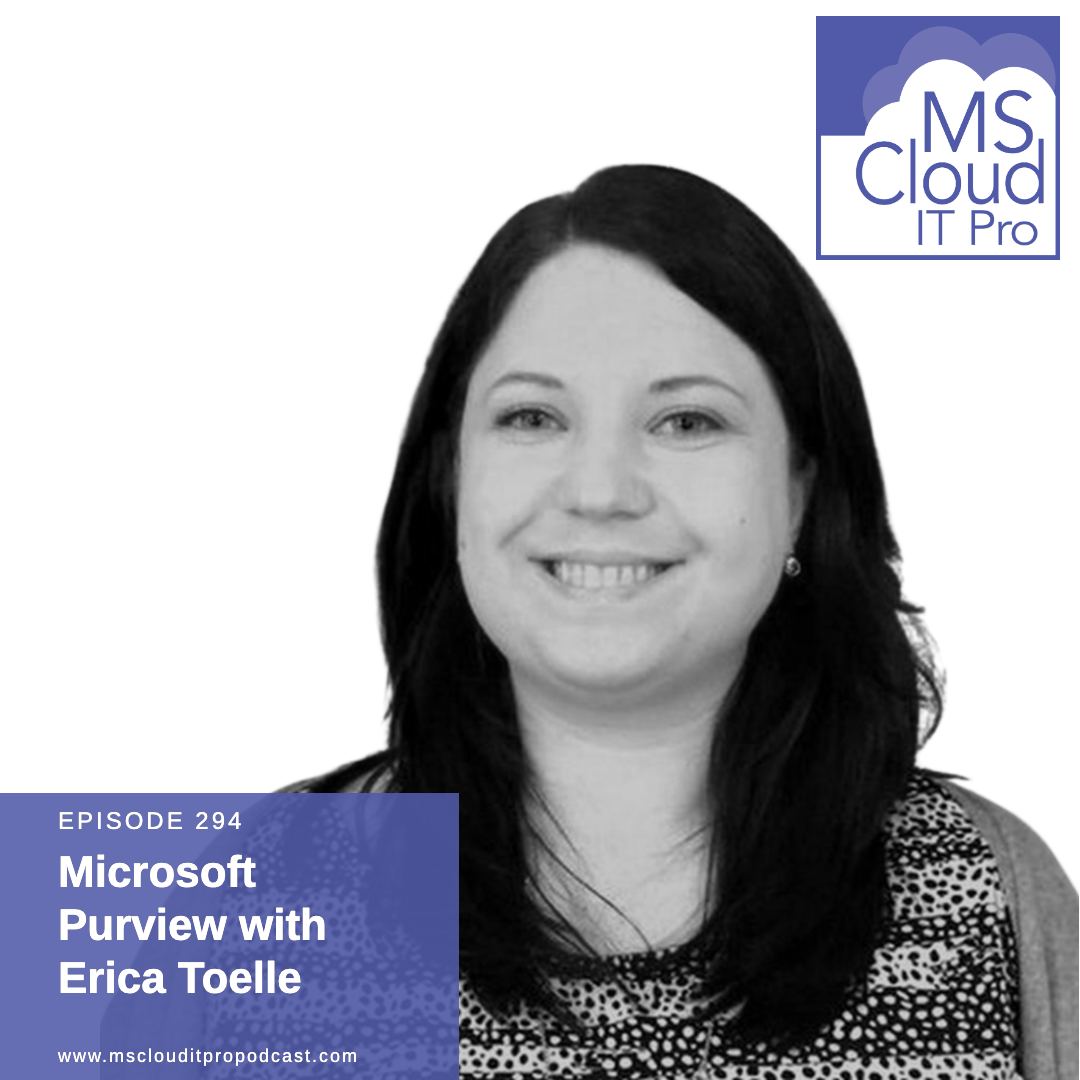
Episode 294 – Microsoft Purview with Erica Toelle
In Episode 294, Ben sits down for a chat with Erica Toelle about Microsoft Purview. They start out by discussing Information Governance and Data Lifecycle Records Management in general and how it can impact your business. From there, they move into some of the specific features within Microsoft Purview that can help you with your Information Governance, Information Lifecycle Management, and other Compliance needs your organization may have for data stored in Microsoft 365. Like what you hear and want to support the show? Check out our membership options. Show Notes The future of compliance and data governance is here: Introducing Microsoft Purview – https://www.microsoft.com/security/blog/2022/04/19/the-future-of-compliance-and-data-governance-is-here-introducing-microsoft-purview/ What is Microsoft Purview? https://docs.microsoft.com/purview/purview Learn about data lifecycle management – https://docs.microsoft.com/microsoft-365/compliance/data-lifecycle-management?view=o365-worldwide Retention policies and retention labels – https://docs.microsoft.com/microsoft-365/compliance/retention?view=o365-worldwide Adaptive Scopes – https://docs.microsoft.com/microsoft-365/compliance/retention?view=o365-worldwide#adaptive-or-static-policy-scopes-for-retention Collecting the version shared in a cloud attachment (preview) – https://docs.microsoft.com/microsoft-365/compliance/advanced-ediscovery-cloud-attachments?view=o365-worldwide#collecting-the-version-shared-in-a-cloud-attachment-preview Sensitivity Labels – https://docs.microsoft.com/microsoft-365/compliance/sensitivity-labels?view=o365-worldwide About Erica Toelle Erica Toelle is a senior product marketing manager on the Microsoft Purview product team. Her focus is on growing the data lifecycle and records management business and listening to customers and partners to make our solutions better. Erica is a long-time member of the SharePoint and Microsoft 365 community, a former Microsoft MVP, a published author, and a recognized expert in the information governance area. Twitter: https://twitter.com/ericatoelle Uncovering Hidden Risks Podcast: https://www.uncoveringhiddenrisks.com/ LinkedIn: http://linkedin.com/in/ericatoelle Compliance Books: https://t.co/awQpXn2wlY About the sponsors Intelligink utilizes their skill and passion for the Microsoft cloud to empower their customers with the freedom to focus on their core business. They partner with them to implement and administer their cloud technology deployments and solutions. Visit Intelligink.com for more info.
Episode 293 – I have a story to share
In Episode 293, Ben and Scott talk through some weird behaviors you can encounter when you’re using OneDrive for Business and Known Folder Move when it comes to PowerShell modules and then dive into some of the announcements from Microsoft Inspire. Like what you hear and want to support the show? Check out our membership options. Show Notes Microsoft OneDrive to support stories, but only for friends and family | Windows Central Photo story (microsoft.com) Microsoft Defender for Individuals | Microsoft Security Installing PnP PowerShell | PnP PowerShell OneDrive Known Folders and PowerShell Module Installations – Office 365 for IT Pros (office365itpros.com) about Modules – PowerShell | Microsoft Docs Your home for Microsoft Inspire Announcing Microsoft Viva Engage – Microsoft Tech Community Introducing Viva Engage – Microsoft Tech Community The things you and your organization need to know about Viva Engage, Yammer and the Communities app (linkedin.com) Employee Experience and Engagement | Microsoft Viva Microsoft Viva Sales Microsoft simplifies Endpoint Manager enrollment for Apple updates About the sponsors Intelligink utilizes their skill and passion for the Microsoft cloud to empower their customers with the freedom to focus on their core business. They partner with them to implement and administer their cloud technology deployments and solutions. Visit Intelligink.com for more info.
Episode 292 – Cross-region Load Balancer and Premium SSD v2
In Episode 292, Ben and Scott discuss some tips and tricks for macOS with OneDrive Known Folder Move and how to launch dedicated Microsoft Edge profiles before they get into Premium SSD v2 and Cross-region Load Balancer. Like what you hear and want to support the show? Check out our membership options. Show Notes Apple silicon support in GA and KFM for macOS in Public Preview – Microsoft Tech Community Redirect and move Windows known folders to OneDrive – OneDrive | Microsoft Docs Launch Microsoft Edge Profiles Opens a specific Microsoft Edge profile by name on macOS · GitHub Azure Premium SSD v2 Disk Storage in preview Premium SSD v2 (preview) Managed Disks pricing Generally available: Azure Gateway Load Balancer How Microsoft Azure Cross-region Load Balancer helps create region redundancy and low latency Cross-region load balancer (Preview) About the sponsors Intelligink utilizes their skill and passion for the Microsoft cloud to empower their customers with the freedom to focus on their core business. They partner with them to implement and administer their cloud technology deployments and solutions. Visit Intelligink.com for more info.
Episode 291 – I have a bandwidth problem
In Episode 291, Ben and Scott lament the state of broadband in the US and the evil of bandwidth caps, how to wrangle permission scopes with the Microsoft Graph, and how an issue with conditional access policies can impact Windows client activation. Like what you hear and want to support the show? Check out our membership options. Show Notes Comcast to impose home internet data cap of 1.2TB in more than a dozen US states next year – The Verge Which Internet Service Providers Have Data Caps? Home Assistant Two The Cloud – YouTube Find Azure AD and MSOnline cmdlets in Microsoft Graph PowerShell | Microsoft Docs Update-MgUser (Microsoft.Graph.Users) | Microsoft Docs Microsoft Graph permissions reference – Microsoft Graph | Microsoft Docs Permissions availability status | Microsoft Docs PnP PowerShell Read SharePoint List Items Using CAML Query | PnP Samples Windows 10/11 Subscription Activation Multifactor authentication Troubleshoot Windows virtual machine activation problems in Azure – Virtual Machines | Microsoft Docs About the sponsors Intelligink utilizes their skill and passion for the Microsoft cloud to empower their customers with the freedom to focus on their core business. They partner with them to implement and administer their cloud technology deployments and solutions. Visit Intelligink.com for more info.
Episode 290 – Moving from a Microsoft 365 Admin to MSP
In Episode 290, Ben and Scott discuss how you can transition from a Microsoft 365 administrator at a single organization to becoming a managed service provider or a consultant who helps customers implement Microsoft 365. Like what you hear and want to support the show? Check out our membership options. Show Notes Dynamic X and Y Axis in Power BI visuals? Yes please! Migration tools for Log Analytics Agent to Azure Monitor Agent How to Sell Microsoft 365 as a Managed Service The MSP’s Guide to Selling M365 Microsoft Partner Network Cloud Solution Provider (CSP) About the sponsors Intelligink utilizes their skill and passion for the Microsoft cloud to empower their customers with the freedom to focus on their core business. They partner with them to implement and administer their cloud technology deployments and solutions. Visit Intelligink.com for more info.
Episode 289 – Windows Admin Center comes to Azure
In Episode 289, Ben and Scott dive into announcements for Windows Admin Center for ARC-enabled servers, Azure Gateway Load Balancer [maybe] reaching GA, OAuth 2.0 client credential flow for POP, and IMAP and Exchange Online, and kind-of/sort-of nested groups in Azure AD. Like what you hear and want to support the show? Check out our membership options. Show Notes Preview of Windows Admin Center for Azure Arc-enabled infrastructure Manage Azure Arc-enabled Servers using Windows Admin Center in Azure Gateway Load Balancer (Preview) Announcing OAuth 2.0 Client Credentials Flow support for POP and IMAP protocols in Exchange Online Use client credentials grant flow to authenticate IMAP and POP connections Microsoft identity platform and the OAuth 2.0 client credentials flow Create “nested” groups with Azure AD Dynamic Groups Group membership in a dynamic group (preview) in Azure Active Directory About the sponsors Intelligink utilizes their skill and passion for the Microsoft cloud to empower their customers with the freedom to focus on their core business. They partner with them to implement and administer their cloud technology deployments and solutions. Visit Intelligink.com for more info.