
Mac Geek Gab — Apple Tips, Tricks, and Troubleshooting
1,162 episodes — Page 3 of 24
Ep 1062Where Has All My Free Space Gone?
Struggling with your iPhone’s keypad? Discover a hidden trick to paste phone numbers directly into the dial pad. This Quick Tip is just the beginning of what you’ll learn in this episode! Join Dave and Adam as they dive into listener tips, questions, and the occasional tech rabbit hole. From the nuances of using ellipses on your Mac to the mysteries of disappearing free space, they cover it all. Plus, get insights into the latest Apple announcements, including the new M4 Mac Mini and iMac. In this episode’s Cool Stuff Found, explore a 3-in-1 portable charging station and a revolutionary ear-cleaning tool. Whether you’re a tech enthusiast or just looking for practical advice, there’s something here for everyone. Don’t miss out on these valuable insights and tech tips. Click play and make sure you Don’t Get Caught without the latest knowledge from Mac Geek Gab! 00:00:00 Mac Geek Gab 1062 for Monday, November 4th, 2024 00:02:00 November 4th: Use Your Common Sense Day 00:03:15 Police Code 10-62 = Subject possibly wanted 00:04:25 MGG Monthly Giveaway – OWC Express 1M2 SSD Enclosure for November, 2024 Quick Tips 00:00:01 Joe-QT-You can always paste a phone number in on the iPhone…but it’s hidden 00:05:22 Todd-1060-Ellipses (sometimes) happen automatically (bonus: Option-Semicolon) 00:08:20 Lawyer Jeff-QT-Reset Launch Services to clear-up Mac App Store updates list /System/Library/Frameworks/CoreServices.framework/Frameworks/LaunchServices.framework/Support/lsregister -kill -r -domain user 00:10:12 Web apps and links in macOS 15 00:17:35 Alex-QT-354-Don’t forget about Pages and Numbers Versioning 00:21:40 Jose-QT-Drag and Drop Text into Reminders or Notes on iPhone Yoink (also in Setapp) 00:27:00 Fixed vs. Rotating Private Wi-Fi Addresses in iOS 18, macOS 15 Sequoia, etc 00:31:00 John-QT-Set camera button to activate on double-press to avoid accidents Settings > Camera > Camera Control Halide Camera Sponsor 00:33:33 SPONSOR: Coda, the one Doc to rule them all. Bring your text and tables together! Sign up at Coda.io/mgg for FREE. Show Business 00:42:37 MGG Premium Listener Contribution Appreciation Moment Your Questions Answered and Tips Shared! 00:35:19 Adam’s Ember Mug, Apple Login 00:45:17 Apple’s Week of Releases 00:46:49 Joe-New Mac mini M4 coming…start fresh or Migration Assistant? How about pre-migration cleanup? CleanMyMac’s Uninstaller and Space Lens ChronoSync BackBlaze Time Machine 00:55:42 Eduardo-The M4 Desktop Conundrum: iMac vs. Mac mini Luna Display 01:02:44 Terry-Where has all my free space gone? Adam Sings! tmutil listlocalsnapshots / Cool Stuff Found 01:10:58 CSF-INIU 3-in-1 Wireless Charging Travel Pad & Stand 01:15:09 CSF-Bebird EarVision Cleaning with your iPhone now with a gyroscope 01:19:08 AirPods Pro gen2 Adaptive Noise Canceling 01:21:26 Protect Your Hearing Robert Scovill on Gig Gab 01:25:23 MGG 1062 Outtro MGG Monthly Giveaway – OWC’s Express 1M2 SSD Enclosure for November, 2024 Bandwidth Provided by CacheFly MGG Merch is Available! Mac Geek Gab YouTube Page Mac Geek Gab Live Calendar This Week’s MGG Premium Contributors MGG Apple Podcasts Reviews [email protected] 224-888-GEEK The Mac Geek Gab iPhone app Active MGG Sponsors and Coupon Codes List BackBeat Media Podcast Network

Ep 1061Naked (iPhone) and Not Afraid
Are you overwhelmed by endless notifications? Discover a game-changing Quick Tip from listener Dennis that will save you time and sanity. Plus, learn how to streamline your calendar management with a simple trick that could revolutionize your daily routine. In this episode, join Adam Christianson and Dave Hamilton to explore practical solutions for managing your digital life. From optimizing your CarPlay experience with clever calendar hacks to mastering file sorting in Finder, we’ve got you covered. Whether you’re a tech novice or a seasoned pro, these insights will enhance your productivity. But that’s not all! You’ll find Cool Stuff Found, like Drive DX for monitoring your SSD’s health, and get the latest scoop on WiFi 7 routers. Plus, check out a leather iPhone case that might just change your mind about going caseless. Don’t Get Caught missing out on these invaluable tips and tricks. Click play and transform your tech experience with Mac Geek Gab! 00:00:00 Mac Geek Gab 1061 for Monday, October 28th, 2024 October 28th: International Animation Day Police Code 10-61 = Personnel in vicinity / Not wanted MGG Monthly Giveaway – Eternal Storms with Yoink AND Screenfloat for October, 2024 Quick Tips 00:00:01 Dennis-QT-Press-and-hold OK to accept all calendar notifications 00:03:23 Doug-QT-Add events to the calendar so they’re usable with CarPlay 00:06:53 Jim-QT-Re-sorting items in the Finder How to add a column to a Finder window Sponsors 00:15:24 SPONSOR: OWC Express 1M2 – The fastest single portable drive — up to 3,151 MB/s — purposefully built to maximize the performance capabilities of today’s and tomorrow’s USB4-equipped Mac models. 00:17:12 Podcast: Grumpy Old Geeks. Hosts Jason DeFillippo & Brian Schulmeister Brian have over 50 years of experience as Internet industry pros. Tune in every Saturday for a heaping helping of the real deal on our technological future at GOG.show. Followups on Notes and Focus 00:18:42 Supersuckers’ Creepy Jackalope Eye Video 00:19:15 Steve-1060-Cable type matters when connecting a new iPhone to an old Mac Use OWC’s USB-C Cables Quality inexpensive cables from Monoprice Anker USB-C cables 00:30:24 iOS 18.2 Beta allows ChatGPT integration and will allow you to login to a paid account if you use one. Cheap…and worth it! 00:32:35 Seth-1060-You can shut off the display with a Focus Filter 00:33:20 James-CSF-1060–Notebooks stores your notes as flat files Ulysses Marked 00:40:53 n-Scott-1060-Backup the Notes data folder to backup all Notes SyncTime [home]/Library/Group Containers/group.com.apple.notes Show Business 00:44:26 MGG Reviews 24-Oct-2024 Your Questions Answered and Tips Shared! 00:46:43 Sara-How best to automate renaming attachments? Hazel ChatGPT: write an Applescript to take the first attachment of the selected message in Apple Mail and save it with the filename being the current date and the subject line of the email 00:54:54 Ian-macOS Upgrade Keeps Failing…what to do next? 01:00:28 Michael-Which Wi-Fi 7 Router to buy today? eero Max 7 UniFi U7 Pro Max UniFi Cloud Gateway Max Cool Stuff Found 01:13:36 Raymond-CSF-DriveDx for tracking your SSD’s lifespan 01:14:52 CSF-Mujjo Full Leather Case for iPhone 16 Belkin iPhone Tempered Glass Screen Protector Adam is Naked and Not Afraid 01:23:50 MGG 1061 Outtro MGG Monthly Giveaway – Eternal Storms with Yoink AND Screenfloat for October, 2024 Bandwidth Provided by CacheFly Pilot Pete’s Aviation Podcast: So There I Was (for Aviation Enthusiasts) Dave’s Business Brain (for Entrepreneurs) and Gig Gab (for Working Musicians) Podcasts MGG Merch is Available! MGG Apple Podcasts Reviews [email protected] 224-888-GEEK Active MGG Sponsors and Coupon Codes List BackBeat Media Podcast Network
Ep 1060Can You Spatchcock a Jackalope?
Ever wondered how to make your reminders more organized? This episode kicks off with a Quick Tip from listener Joe, revealing a nifty trick to indent items in your iOS notes. Just slide an entry to the right, tap the indent area, and voilà—your list is now neatly structured! In this episode, Adam, Pete, and Dave dive into a variety of tech tips and discussions. From troubleshooting AirPlay 2 issues by reserving IP addresses to exploring the nuances of iPad upgrades, there’s something for every Apple enthusiast. They also tackle the intricacies of managing DHCP reservations and share insights on optimizing your home network for seamless connectivity. But that’s not all! The team delves into the world of photo organization in the Photos app, shares a Don’t Get Caught story about the pitfalls of syncing music libraries, and offers a solution for those pesky calendar reminders that clutter your schedule. Don’t miss out on these valuable insights and tech tips. Click play and join the conversation—just remember, whatever you do, “Don’t Get Caught” without your tech in check! 00:00:00 Mac Geek Gab 1060 for Monday, October 21st, 2024 October 21st: National Apple Day Police Code 10-60 = Squad In Vicinity MGG Monthly Giveaway – Eternal Storms with Yoink AND Screenfloat for October, 2024 00:02:46 Upgrading an iPad New iPad mini with A17 Quick Tips 00:00:01 Joe-QT-Slide to indent Reminders 00:07:11 Bruce-QT-Access Unencrypted Login – NeverSSL.com Or captive.apple.com 00:10:01 Todd-QT-Managing the Always-On Display During Sleep Time 00:13:45 Adam-QT-123 Swipe to Punctuate Linus Tech Tips 00:18:02 Andrew-QT-Setup DHCP Reservations for your AirPlay Speakers Netgear Orbi Mesh 00:26:47 Alex-QT-You can re-order Photos in an album 00:28:16 Todd-QT-You can keep Scheduled Reminders from Appearing on your calendar 00:30:41 Kurt-QT-1058-Use Terminal to retrieve data off of failing drives rsync cp brew install ddrescue Sponsors 00:34:01 SPONSOR: 1Password Extended Access Management solves the problems traditional IAM and MDM can’t touch. It’s security for the way we work today. Don’t Get Caught 00:35:27 Jürgen-DGC-A Tale of Woe! Don’t Get Caught Without a Backup 00:41:29 Todd-DGC-There’s No Easy Way to Backup (and Restore) Notes 00:46:15 Andrew-DGC-Velcro Backup Drives to your monitor. 00:52:08 Joe-?/DGC-iPhone 16ProMax and Ventura Compatibility issues? Reset iPhone/Mac “Trust” Settings: Settings > General > Transfer or Reset iPhone > Reset > Reset Location & Privacy Your Questions Answered and Tips Shared! 00:59:56 Andy-What is the Apple Vision Pro for? And whom? Have we hit the Four-Way-Stop moment with Smartphones yet? 01:17:42 Zoe-How do I tell my Mac to mirror the correct iPhone? 01:19:27 MGG 1060 Outtro MGG Monthly Giveaway – Eternal Storms with Yoink AND Screenfloat for October, 2024 Bandwidth Provided by CacheFly Pilot Pete’s Aviation Podcast: So There I Was (for Aviation Enthusiasts) Dave’s Business Brain (for Entrepreneurs) and Gig Gab (for Working Musicians) Podcasts MGG Merch is Available! Mac Geek Gab YouTube Page Mac Geek Gab Live Calendar This Week’s MGG Premium Contributors MGG Apple Podcasts Reviews [email protected] 224-888-GEEK The Mac Geek Gab iPhone app Active MGG Sponsors and Coupon Codes List BackBeat Media Podcast Network
Ep 1059Malicious Mischief...and Cool Stuff Found
Get ready for an episode packed with tech treasures and troubleshooting tips! Join hosts Dave Hamilton, Adam Christianson, and Pilot Pete as they dive into the latest “Cool Stuff Found”—from the handy Itsycal calendar app for your Mac menu bar to the innovative Zen Browser, a new Firefox-based browser. Discover Spot Hero for finding parking spots, the Jackery solar generator for your power needs, and Flight Board for up-to-the-minute flight information. Plus, learn how the “Stop the Madness” browser extension can re-enable those pesky disabled features on websites! In this episode, the hosts tackle common tech challenges with their “Don’t Get Caught” segment. Learn how to check Little Snitch rules for blocked traffic and unhide hidden desktop files using Terminal commands. Struggling with Apple Watch battery issues? They’ve got you covered with tips on resetting sync data and identifying misbehaving apps. And for iPhone users, explore the new iOS feature that optimizes battery health by limiting charging to 80-85%. But that’s not all—tune in for general tech tips on battery storage, experimenting with technology, and solving self-inflicted tech problems. Plus, hear about exciting giveaways and other podcast projects. Whether you’re a tech novice or a seasoned geek, this episode is your go-to guide for staying informed and entertained! 00:00:00 Mac Geek Gab 1059 for Monday, October 14th, 2024 October 14th: National Online Bank Day 00:06:30 Police Code 10-59 = Convoy Escort / Security Check (or Malicious Mischief!) 00:07:12 MGG Monthly Giveaway – Eternal Storms with Yoink AND Screenfloat for October, 2024 00:02:07 Of Hurricanes (and Northern Lights) …but don’t turn all the lights off in the cockpit 00:07:48 September MGG Giveaway Winners: Gary Apter Rob van Koningsbruggen Jeff Murphy Roger Harmon Alexander Podosenov Cool Stuff Found 00:00:01 Ben-CSF-Amnesia eliminates macOS 15’s Monthly Reminders (and Allison!) 00:08:22 Andrew-CSF-ItsyCal puts a calendar in your menubar 00:10:04 Judy-CSF-NeoFinder to catalog my drives, PDFelement to OCR EjectBar 00:11:25 Sccrhallways-CSF-Zen Browser is Arc-like, but based upon Firefox 00:13:47 Spot Hero-CSF-Great way to find economical parking close to your city destination 00:15:59 Jackery Solar Generator 2000 Plus Kit (6kWh) 00:23:51 Flight Board-CSF-(iOS) See all gates (Arr & Dep) for flights to / from any airport. Track Flights & More (free & Pay options) FlightAware Flighty 00:27:59 Christian-More about SSD Lifespan 00:31:53 CSF-Halloween Movie – Beetlejuice Beetlejuice I Am Alone by Lydia Deetz Sponsor 00:34:22 SPONSOR: BBEdit, the power tool for text from Bare Bones Software; now with integrated Notebooks and extended language support. MOAR Cool Stuff Found 00:36:46 Ed-CSF-XKPasswd.net to create long but memorable passwords Allison-CSF-XKPasswd.net Beta site…new and improved! 00:39:13 Bob-CSF-PlugBug with FindMy makes sure you don’t leave your power behind 00:42:40 n-Todd-CSF-Onvis Smart Button, 5-Keys Smart Switch 00:46:01 Jason-CSF-StopTheMadness to tame websites in Safari 00:48:31 Serge-CSF-MU Notifier new from MacUpdate.com Show Business 00:50:01 MGG Reviews 2024-Oct-10 and You, too, can review MGG! 00:52:20 MGG Premium Listener Contribution Appreciation Moment Don’t Get Caught 00:55:30 Tim-DGC-Be aware of apps that might block traffic 01:01:04 Todd-DGC-Setting the Terminal to Hide Your Desktop sudo chflags -R nohidden ~/Desktop Your Questions Answered and Tips Shared! 01:03:42 Gary-I reset my Apple Watch and now the battery life is very low Apple Watch Battery Replacement 01:14:13 iOS 18’s Max Charge Settings CarLinkit 5.0 Adapter 01:19:55 MGG 1059 Outtro MGG Monthly Giveaway – Eternal Storms with Yoink AND Screenfloat for October, 2024 Bandwidth Provided by CacheFly Pilot Pete’s Aviation Podcast: So There I Was (for Aviation Enthusiasts) Dave’s Business Brain (for Entrepreneurs) and Gig Gab (for Working Musicians) Podcasts MGG Apple Podcasts Reviews [email protected] 224-888-GEEK The Mac Geek Gab iPhone app Active MGG Sponsors and Coupon Codes List BackBeat Media Podcast Network
Ep 1058Flashlight Tweaks, iPad Tips, Drive Fixes, and More
Are you the go-to tech support for your family? Tired of dealing with 100+ open Safari tabs on your relatives’ iPhones? We’ve got a Quick Tip that will save you time and sanity. Learn how to close all those tabs in one swift move and keep your family’s devices running smoothly. In this episode, Adam Christianson, Dave Hamilton, and Pilot Pete dive into practical tips for managing your Apple devices, like using the new flashlight features in iOS 18 and setting up a multi-user iPad for smart home control. Plus, discover how to disable those pesky monthly security reminders in macOS 15 Sequoia with a nerdy terminal trick. Your three favorite geeks also explore listener solutions for syncing files across multiple Macs and discuss the best ways to record calls on Facebook Messenger. And don’t miss the segment where they share a lifesaving tip about loading your driver’s license into your iPhone wallet. Don’t get caught missing out on these essential tech tips and tricks. Click play and learn at least five new things with us today! 00:00:00 Mac Geek Gab 1058 for Monday, October 7th, 2024 October 7th: International Podcast Day Police Code 10-58 = Direct Traffic MGG Monthly Giveaway – Eternal Storms with Yoink AND Screenflow for October, 2024 Quick Tips 00:00:01 Mac+1984-QT-Closing all iOS Safari Tabs 00:04:12 Marty-QT-iOS 18’s Flashlight lets you control beam width and brightness 00:06:31 Michael-QT-Disable macOS 15 monthly security reminders by manually setting the reminder date in Terminal 00:08:27 Andrew-1057-Setting up an iPad for the House 00:09:59 Jeff-1057-Use iOS 18’s per-app FaceID requirement to manage the multi-use Kitchen iPad 00:13:28 Ken-1057-Control Center’s power button also disables FaceID until passcode is typed 00:15:15 You, too, can review MGG! Don’t Get Caught 00:19:21 Todd-DGC-Digital Driver’s License worked through TSA! 00:24:34 Disney Strategies for Geeks Use Disney’s Lightning Lane Sponsors 00:37:38 SPONSOR: Coda, the one Doc to rule them all. Bring your text and tables together! Sign up at Coda.io/mgg for FREE. 00:39:08 SPONSOR: Glean, The Work AI platform connected to all your data. Find, create, and automate anything with the platform that understands the data, people, processes, and context specific to your work. Get 15% off your first year at Glean.com/mgg. Your Questions Answered and Tips Shared! 00:40:42 zBob-How to resize Thumbnails in photos on iOS 18? 00:44:57 What good is Apple Intelligence TODAY? Conversational Siri Notification Summaries Email Summaries Cleaning up Photos 00:49:28 Phil-My 4TB Seagate drive is clicking…what to do? Oh no…The Click of Death Spinrite might help Cook a hard drive in the oven DriveSavers 00:58:47 Fernando-Best Way to Sync Files Between 2 or more Macs Resilio Sync Rclone Syncthing Gladinet rsync 01:02:52 Michael-How can I use calendar events to set Focus modes? Use Shortcuts to Automate Focus Modes Based Upon Calendar Events – From Reddit 01:07:22 Anisa-How to record audio and video of Facebook Messenger calls 01:12:35 MGG 1058 Outtro MGG Monthly Giveaway – Eternal Storms with Yoink AND Screenflow for October, 2024 Bandwidth Provided by CacheFly Pilot Pete’s Aviation Podcast: So There I Was (for Aviation Enthusiasts) Dave’s Business Brain (for Entrepreneurs) and Gig Gab (for Working Musicians) Podcasts MGG Merch is Available! Mac Geek Gab YouTube Page Mac Geek Gab Live Calendar This Week’s MGG Premium Contributors MGG Apple Podcasts Reviews [email protected] 224-888-GEEK The Mac Geek Gab iPhone app Active MGG Sponsors and Coupon Codes List BackBeat Media Podcast Network

Ep 1057It's Not a Problem...Until It Is
In the ever-evolving world of technology, staying updated with the latest features can be both exciting and overwhelming. Apple’s latest operating systems—iOS 18, iPadOS 18, macOS, and watchOS—are packed with hidden gems that can enhance your user experience. In this episode of Mac Geek Gab, hosts Dave Hamilton, Adam Christianson, and Pilot Pete dive into some of these lesser-known features, offering practical tips and insights to help you make the most of your Apple devices. Quick Tip: Math Calculations in Text Messages Listener Tim kicks off the episode with a quick tip that might just change the way you handle math on your Apple devices. With the latest OS updates, you can now perform math calculations directly within text messages. Simply type your equation, and when you hit the equal sign, you’ll have the option to either display the result or keep the equation as is. This feature is available across iOS, iPadOS, and macOS, making it a handy tool for quick calculations on the go. Discovering Hidden Features in iOS 18 The hosts delve into some of the hidden features in iOS 18 that you might have missed. For instance, Martin shares a tip about a new power button in the Control Center, allowing you to turn off your iPhone without the usual button gymnastics. This software button is a welcome addition, simplifying the process of powering down your device. Another noteworthy feature is iPhone mirroring, which Doug highlights as a game-changer for multitasking. This feature allows you to interact with your iPhone via your laptop, using your keyboard and mouse for apps that don’t have Mac or web equivalents. It’s a convenient solution for those moments when your phone is charging across the room. Embracing the Future with Spatial Photos and Videos Taryn brings attention to the spatial or 3D camera feature in the new iPhone 16 models. This feature allows you to capture spatial videos and photos, creating immersive memories that can be experienced in 3D. While the Apple Vision Pro might not be on everyone’s immediate purchase list, the ability to capture 3D images of loved ones is a compelling reason to consider upgrading your device. Fitness and Fun with Vision Pro Adam shares his experience with a new app for the Vision Pro called Beat, Punch, Fun and Fitness. This app combines rhythm-based boxing with fitness tracking, offering a fun and immersive way to exercise. With features like integration with your Apple Music library, it’s a versatile app that adds a new dimension to your workout routine. Navigating the Challenges of Upgrading The episode also touches on the challenges of upgrading to new OS versions. Listener Steve shares his experience of running into storage issues while updating his iPhone SE 2 to iOS 18. His story serves as a reminder to always check your backups and ensure they are current before attempting major updates. Security Tips: Don’t Get Caught In a new segment called “Don’t Get Caught,” the hosts discuss potential pitfalls and how to avoid them. From managing Mac addresses after OS upgrades to understanding the implications of Apple’s stolen device protection, these tips are designed to help you navigate the complexities of modern technology without getting caught off guard. Setting Up a Home Automation Hub Listener Deke poses an interesting question about setting up a dedicated iPad for home automation. The hosts explore various solutions, including using screen time settings to restrict access to personal data while allowing control of home automation apps. This discussion highlights the flexibility of Apple’s ecosystem in creating customized solutions for smart home management. The Lifespan of SSDs: What You Need to Know Larry’s question about the lifespan of SSDs sparks a discussion on the durability and longevity of solid-state drives. While SSDs do have a finite number of write cycles, the hosts reassure listeners that with proper backup strategies, the risk of data loss is minimal. They also touch on tools like Micromat’s Lifespan, which can help monitor the health of your SSD. Conclusion This episode of Mac Geek Gab is a treasure trove of tips and insights for Apple enthusiasts. Whether you’re looking to unlock hidden features, enhance your fitness routine, or navigate the challenges of upgrading, the hosts provide valuable advice to help you get the most out of your Apple devices. For more tips and discussions, be sure to listen to the full episode and explore the wealth of knowledge shared by Dave Hamilton, Adam Christianson, and Pilot Pete. Chapters and Timestamps 00:00:00 Mac Geek Gab 1057 for Monday, September 30th, 2024 September 30th: International Podcast Day Police Code 10-57 = Hit and Run Accident / Missing Person It’s an incident, not necessarily an accident 00:02:32 MGG Monthly Giveaway – 1Focus for September, 2024 AppleOS 2024 Tips and Features (iOS 18, iPadOS 18, macOS
Ep 1056Beware Alert Blindness
In this week’s Mac Geek Gab, Dave, Pilot Pete, and Adam Christianson drop some seriously useful Quick Tips to enhance your Apple experience. From safeguarding your Venmo transactions to mastering Mac keyboard symbols via the Emoji keyboard, you’ll find yourself armed with powerful tricks. Perry’s tip on using Shazam to get music info from Apple Music or Spotify is a game-changer, and JMM’s hack to automate your Bluetooth Mac lock with BetterTouchTool is pure genius. Plus, get a sneak peek into the world of macOS 15’s alert fatigue and discover how Math Notes helps you adjust handwritten numbers effortlessly. Diving into AppleOS 2024, the hosts explore upgrades across iOS 18, iPadOS 18, macOS 15, and visionOS 2.0. With highlights like the bilingual keyboard on iOS, a smarter Control Center, and RCS support coming soon to Mint Mobile, you’ll stay ahead of the curve. Plus, visionOS 2.0’s new feature to convert any photo into spatial photos is one you don’t want to miss. The team wraps up with some Cool Stuff Found, including Zed for quick text file edits and NoMachine as a slick VNC alternative. Don’t get caught without these awesome tricks up your sleeve! 00:00:00 Mac Geek Gab 1056 for Monday, September 23rd, 2024 September 23rd: Education Technology Day Police Code 10-56 = Intoxicated Pedestrian Quick Tips 00:00:01 n-Joe-QT-Beware your public Venmo transactions 00:04:46 n-PorthosJon-QT-Trick for finding Mac Keyboard symbols in Emoji keyboard 00:11:30 Perry-QT-Get Music Info – Apple Music & Spotify with Shazam 00:14:02 JMM-QT-Use Better Touch Tool to control your Bluetooth Mac Lock Automation 00:15:18 Todd-QT-Finding an Apple ID for Screen Sharing 00:17:00 macOS 15 May Begin to Cause More Alert Fatigue 00:21:27 GregDulwich-QT-Math Notes lets you slide to adjust numbers you’ve handwritten 00:23:12 Use ChatGPT iOS App’s Voice Mode on Your iPhone 00:26:34 Have ChatGPT analyze a PDF for you 00:29:14 Rick-QT-1052-Play Podcasts from Oldest to Newest Overcast Downcast Sponsors 00:37:43 SPONSOR: 1Password Extended Access Management solves the problems traditional IAM and MDM can’t touch. It’s security for the way we work today. AppleOS 2024 (iOS 18, iPadOS 18, macOS 15, visionOS 2.0) 00:39:33 Have you upgraded to AppleOS 2024 yet? If so, which devices did you NOT upgrade? 00:42:18 macOS 15 Run `brew doctor` Safari 18 & WordPress 00:48:56 iOS 18 RCS on iOS on Mint Mobile Coming in “a few months” 00:52:28 iOS 18 Photos Changes 00:54:36 JG-QT-iOS 18 Allows adding any App to Control Center 00:55:10 iOS 18 lets you choose a preferred HomeKit hub 00:58:03 Wilko-CSF-iOS 18 Allows Bilingual Keyboard Option 00:59:48 visionOS 2.0 Converting any photo to spatial photos 01:01:19 PP-Changes to Apple’s ToS Cool Stuff Found 01:05:14 PorthosJon-CSF-Zed for quick editing text-files 01:06:02 Alex-CSF-NoMachine instead of running VNC 01:12:52 MGG 1056 Outtro Bandwidth Provided by CacheFly Follow us on Mastodon Mac Geek Gab on Mastodon Adam Christianson on Mastodon Dave Hamilton on Mastodon Pilot Pete on Mastodon Mona for Mastodon (for Mac, iPhone, iPad) Adam Christianson on X/Twitter Pilot Pete’s Aviation Podcast: So There I Was (for Aviation Enthusiasts) Dave’s Business Brain (for Entrepreneurs) and Gig Gab (for Working Musicians) Podcasts MGG Merch is Available! Mac Geek Gab YouTube Page Mac Geek Gab Live Calendar This Week’s MGG Premium Contributors MGG Apple Podcasts Reviews [email protected] 224-888-GEEK The Mac Geek Gab iPhone app Active MGG Sponsors and Coupon Codes List BackBeat Media Podcast Network
Ep 1055Downloads In The Cloud
The tips start flowing fast, like using Pages’ Presenter Mode for presentations, multi-finger select on iPhone, and disabling 1Password’s auto-login on specific items. Adam Christianson and Dave Hamilton also explore the importance of keeping eero Plus security settings active after updates and highlight iOS 18’s new “Pinned Collections” feature for favorite photos. For the more tech-savvy, the discussion digs into the mystery of download folder chaos with tips from John, Jeff, and Kirit, suggesting ways to unify your Downloads folder with iCloud or Hazel. Security takes center stage later on, tackling disconnecting drives, Find My Mac’s reliability, and password management tips that balance safety and convenience. All this and SO much more. Press play, enjoy, and don’t get caught! 00:00:00 Mac Geek Gab 1055 for Monday, September 16th, 2024 September 16th: National Tattoo Story Day 00:02:31 Which iPhones did we order? Adam: iPhone 16 Pro – Black, 256GB, AirPods Pro gen2 Dave: iPhone 16 Times 2 – Pink and Ultramarine, both 256GB Pete: iPhone 16 Pro? Quick Tips 00:00:01 Val-QT-Use Pages’ Presenter Mode for…Presentations! 00:13:02 Bill-QT-Use multi-finger select on iPhone and iPad keyboard 00:15:20 Steph G-QT-Disable 1Password Auto-Login on a Per Item Basis 00:23:29 Derek-QT-1054-Customized Shortcut for Action Button 00:26:10 Mike (from Carbon Copy Cloner!)-1048-Not all snapshots are created equal 00:30:31 Scott-QT-eero Plus subscribers need to re-enable Security and Ad Blocking after software updates 00:32:20 iOS 18 Photos Favorites is in “Pinned Collections” 00:35:13 MGG August Giveaway Winners Peter Horan Tim Kobler Chris Westergaard Ben Rosenthal Kirk Moss MGG September Giveaway: 1Focus!, the App & Website Blocker that helps keep you focused on your Mac. Unifying The Downloads Folder 00:40:25 John-QT-1053-Linking iCloud and macOS Downloads folders via Alias 00:41:57 Jeff-1051-Unifying the Downloads Folder the easy way Downloads in the Cloud 00:43:47 Kirit-QT-Use Hazel to Tame Your Download Folder(s) ChronoSync Resilio Sync Your Questions Answered and Tips Shared! 00:49:05 Jeremy-Help Diagnosing Disconnecting Drives Isolation Testing Show Business 00:59:01 MGG Premium Listener Contribution Appreciation Moment MOAR Questions Answered & Tips Shared 01:02:05 Joe-Is Find My Mac safe enough? The Security vs. Convenience Continuum Musing on login security…and its holes 01:15:29 MGG 1055 Outtro Bandwidth Provided by CacheFly Pilot Pete’s Aviation Podcast: So There I Was (for Aviation Enthusiasts) Dave’s Business Brain (for Entrepreneurs) and Gig Gab (for Working Musicians) Podcasts MGG Apple Podcasts Reviews [email protected] 224-888-GEEK The Mac Geek Gab iPhone app Active MGG Sponsors and Coupon Codes List BackBeat Media Podcast Network
Ep 1054The Keynote For The Rest of Us
This week’s Mac Geek Gab dives into Apple’s Glowtime event, with Jeff Gamet, Pilot Pete, Adam Christianson, and Dave Hamilton debating their next Apple purchases. Everyone’s eyeing the iPhone 16 Pro, but there’s a tug-of-war between the Pro and the regular iPhone 16. With new features like the camera control button and iOS 18’s Apple Intelligence Summaries, they weigh the pros and cons. AirPods Pro Gen 2 get serious attention too, with their hearing aid features and active earplugs, sparking a discussion on managing hearing loss and breaking the stigma of wearing hearing aids. The Apple Watch Series 10’s upgrades, including a titanium option and faster charging, are tempting, but the team’s decisions are still up in the air. With the costs adding up, Jeff suggests checking Best Buy Open Box and Apple Refurbs to avoid overpaying. As the hosts navigate their potential purchases, their advice is clear: don’t get caught buying the wrong tech for your needs. 00:00:00 Mac Geek Gab 1054 for Monday, September 9th, 2024 September 9th: Wonderful Weirdos Day Special Guest Co-host: Jeff Gamet 00:02:01 Apple’s Glowtime Event 00:02:57 Do We Think We Know What We’re Buying? Adam: iPhone 16 Pro Pilot Pete: iPhone 16 Pro Max (Maybe), Apple Watch Series 10 (Daughter), AirPods Pro 2 Jeff: iPhone 16 Pro (Probably), Apple Watch S10 (Maybe) Dave: iPhone 16 Pro (Probably), AirPods Pro Gen 2 (Probably) 00:06:47 iPhone 16 & iPhone 16 Pro Camera Control Button (What about left-handed people?) Cases need to accommodate the capacitive nature of the Camera Control button 00:15:56 QT-Create shortcuts so the Action button does different things at night vs. during the day 00:17:54 Adam’s reasons for the iPhone 16 Pro iOS 18’s Apple Intelligence Summaries for Notifications 00:25:50 iPhone 16 vs. 16 Pro — Which to Buy? Computational Photography Personal Symantec Index (local LLM on iPhone) Sponsors 00:34:38 SPONSOR: 1Password Extended Access Management solves the problems traditional IAM and MDM can’t touch. It’s security for the way we work today. 00:36:09 SPONSOR: BBEdit, the power tool for text from Bare Bones Software; now with integrated Notebooks and extended language support. 00:37:47 AirPods Pro Gen 2 Hearing Aid, Hearing Test Active EarPlugs Managing Hearing Loss Tinnitus Reducing the Stigma of Wearing Hearing Aids TheRightOne.com for replacement AirPods 00:50:14 AirPods Gen 4 & AirPods Max Comply Foam for AirPods The Keynote For The Rest of You (also, Cerumen is Not to Be Shared) 00:56:45 Apple Watch Series 10 Titanium: $300 surcharge Health and Fitness forefront Apple Watch S10 Gets a Speaker 30minutes to 80% charge 01:05:06 AppleCare+ Month-to-Month 01:06:33 Do We Still Know What We’re Buying? Check Best Buy Open Box and Apple Refurbs Adam: Still iPhone 16 Pro, adding AirPods Pro Gen 2 Pilot Pete: Changing to iPhone 16 Pro (Maybe), Apple Watch Series 10 (Daughter), Already has AirPods Pro Gen 2 Jeff: iPhone 16 Pro (Probably), Apple Watch S10 (Changing to Probably Not), Possibly adding AirPods Pro Gen 2 Dave: iPhone 16 Pro (Probably, but maybe just iPhone 16), AirPods Pro Gen 2 (Definitely) 01:17:16 MGG 1054 Outtro Bandwidth Provided by CacheFly MGG Merch is Available! Mac Geek Gab YouTube Page Mac Geek Gab Live Calendar This Week’s MGG Premium Contributors MGG Apple Podcasts Reviews [email protected] 224-888-GEEK The Mac Geek Gab iPhone app Active MGG Sponsors and Coupon Codes List BackBeat Media Podcast Network
Ep 1053Master Focus Modes, Action Button Tricks, and Screenshot Management
Get ready to level up your Mac game! In this week’s Mac Geek Gab, Dave Hamilton, Pilot Pete, and Adam Christianson dive into quick tips that’ll have you mastering shortcuts like a pro. From rotating photos directly in Finder with Command-L and Command-R to creating custom action buttons for screenshotting and emailing in one swift move, you’re set to save time and simplify your workflow. Plus, learn how to pause media playback the moment you connect to CarPlay and keep your downloads neatly organized in one iCloud folder. Don’t get caught missing out on these productivity hacks! They’ve also got your questions covered, from prioritizing focus modes to understanding how Passkeys work. Struggling with sending attachments to Android users? They’ve got solutions. And when it comes to cool stuff found, discover how to toggle Mac’s Low Power Mode, why the Blackmagic Camera might outshine Filmic Pro, and how Lightshot makes screenshots a breeze. Whether you’re a seasoned geek or just getting started, this episode is packed with tips and tools to keep you ahead of the curve—don’t get caught behind! 00:00:00 Mac Geek Gab 1053 for Monday, September 2nd, 2024 The MGG Merch Store is Live! 00:02:18 September 2nd: Calendar Adjustment Day Quick Tips 00:00:01 Zang74-QT-Rotate Photos Directly in the Finder with Command-L and Command-R 00:05:40 Todd-QT-1049-Privacy and Security to Save a Step with running shortcuts! 00:12:27 Bern-QT-Create an Action Button Shortcut to Take a Screenshot and Email it To Yourself 00:13:48 Kirit-Create Shortcut to Pause Media Playback Immediately Upon Connecting to CarPlay 00:16:20 Andrew-QT-1051-Standardize on one, iCloud Downloads Folder 00:20:27 Doug-1051-Home Videos live in your iTunes Media Folder 00:23:34 Andrew-QT-Drag and Drop from Apple Mail to Other Mac Apps Thunderbird Spark Sponsors 00:31:39 SPONSOR: Coda, the one Doc to rule them all. Bring your text and tables together! Sign up at Coda.io/mgg for FREE. Your Questions Answered and Tips Shared! 00:33:24 Tony-How do I prioritize focus modes? 00:39:32 Drewski-Attachments Send Intermittently To Android Users Driven From Insanity in Real Time 00:49:41 James-Q-How do Passkeys work? YubiKey 00:55:01 Gordon-iCloud+ Email Custom Domain SMTP2Go 01:00:48 Tony-What’s the best way to quickly toggle my VPN on iPhone? prefs:root=VPN Cool Stuff Found 01:04:04 Joe-CSF-Cooldown to Toggle Mac’s Low Power Mode 01:05:15 Jim-CSF-1051–BlackMagic Camera is better than Filmic Pro 01:09:48 Steve-CSF-Blackmagic Camera 2.0 Adds Multi-iPhone Control Davinci Resolve 01:12:56 Steven-CSF-1051–Lightshot Screenshot for Easy Screenshots 01:14:22 Rob-CSF-YoLink LoRA 900MHz Smart Temperature Sensor 01:18:31 MGG 1053 Outtro Bandwidth Provided by CacheFly Follow us on Mastodon Mac Geek Gab on Mastodon Adam Christianson on Mastodon Dave Hamilton on Mastodon Pilot Pete on Mastodon Mona for Mastodon (for Mac, iPhone, iPad) Adam Christianson on X/Twitter Pilot Pete’s Aviation Podcast: So There I Was (for Aviation Enthusiasts) Dave’s Business Brain (for Entrepreneurs) and Gig Gab (for Working Musicians) Podcasts MGG Merch is Available! Mac Geek Gab YouTube Page Mac Geek Gab Live Calendar This Week’s MGG Premium Contributors MGG Apple Podcasts Reviews [email protected] 224-888-GEEK The Mac Geek Gab iPhone app Active MGG Sponsors and Coupon Codes List BackBeat Media Podcast Network
Ep 1052Cool Stuff Found: Tools and Gadgets to Keep You Geeked Out
This week’s Mac Geek Gab is a goldmine of cool stuff found, perfect for every Mac user and tech enthusiast. Dive into tools like the Mac Media Key Forwarder to keep your play/pause controls in check, MacWhisper’s latest updates, and iStat Menus 7 for ultimate system monitoring. Whether you’re compressing PDFs with Lightweight PDF, substituting TextExpander with TypeItForMe, or managing your VPN with Public IP, these tips will keep your Mac running smoothly. Plus, for the speed readers out there, OutRead is your new go-to app, and Scroll Reverser will help you fine-tune your mouse and trackpad experience. For podcasting pros, this episode is packed with essentials. Auphonic ensures your audio levels are perfectly balanced, while apps like Overcast and Pocket Casts keep you connected to your favorite shows. The Apple Maps web beta and PurePort USB-C cleaning tools also make an appearance, rounding out the list of must-haves. And for the true geeks, LocalSend offers cross-platform sharing, TailDrive integrates TailScale into your Files app, and AltStore.io opens up new possibilities with easy iPhone sideloading. Don’t forget Pete’s PopPic for 3D photos and Dave’s CellHelmet MagSafe squishy grip—these are the tools that’ll keep you ahead of the tech curve. Remember, don’t get caught without these essentials! 00:00:00 Mac Geek Gab 1052 for Monday, August 26th, 2024 August 26th: National Webmistress Day The MGG Merch Store is Live! Cool Stuff Found for Your Mac 00:00:01 Ben-CSF-1048–Mac Media Key Forwarder to ensure play/pause always controls Music. 00:02:15 August 26th: National Webmistress Day 00:03:25 rnDoug-CSF-Session, a Private Messaging App 00:06:46 Lee-CSF-MacWhisper has had some killer updates lately 00:10:02 Steven-CSF-TypeItForMe as a Subscription-less TextExpander Substitute Documents by Readdle 00:14:23 GadgetComa-CSF-iStat Menus 7 Is Out! (also in Setapp) Stats for Mac (free) 00:20:43 Ben-CSF-1033–Lightweight PDF to compress PDFs in place 00:23:07 JanLandy-CSF-Public IP to keep your IP in the menubar (helpful for VPN users) 00:26:53 Rod L-CSF-Scroll Reverser and MOS to manage scroll direction for Mouse and Trackpad 00:29:28 Pascal-CSF-plistWatch to Monitor Plist changes in Real-Time 00:30:46 CSF-OutRead – Mac, iOS Speed Reading App – up your reading productivity Cool Stuff Found for Podcasting 00:35:05 And also Apple Podcasts on the Web now, too 00:36:22 Bob-What’s everyone using for a Podcast Player app? Overcast Pocket Casts Downcast Fountain.fm 00:43:45 Auphonic for Podcast Loudness Normalization and More 00:55:34 Randy-CSF-VMWare Fusion Pro 13 free for Personal Use 00:46:44 RandyWalker-CSF-Apple Maps on Web (beta) Report Corrections to Apple Maps Show Business 00:53:26 MGG Premium Listener Contribution Appreciation Moment Fountain.fm Cool Stuff Found for Charging Your Devices 00:56:46 Ben-CSF-1050–PurePort USB-C for Cleaning Your USB-C Ports 00:58:06 Kirit-CSF-1050–Cleaning Kit for USB-C Ports and More 01:01:09 Chris-CSF-Magnilink 360 PRO Charging Cables to Ward Off Lightning Bunnies Cool Stuff Found for Geeky Folks 01:04:35 Bruce-CSF-LocalSend Cross Platform Sharing – App Store Free! 01:06:30 Grumpy-CSF-TailDrive: TailScale Integration within the Files App 01:07:47 MackiePie-CSF-AltStore.io allows Sideloading on iPhone for all Cool Stuff Found — Hosts’ Choice 01:10:14 Pete’s Choice: CSF PopPic 3d Photo creator with camera OR Portrait shot photos 01:12:09 Adam’s Choice: Mark-CSF-iPhone Photog Awards – I didn’t know! 01:14:04 Dave’s Choice: CSF-CellHelmet MagSafe squishy grip 01:16:48 MGG 1052 Outtro Bandwidth Provided by CacheFly Adam Christianson on X/Twitter Pilot Pete’s Aviation Podcast: So There I Was (for Aviation Enthusiasts) Dave’s Business Brain (for Entrepreneurs) and Gig Gab (for Working Musicians) Podcasts MGG Merch is Available! Mac Geek Gab YouTube Page Mac Geek Gab Live Calendar This Week’s MGG Premium Contributors MGG Apple Podcasts Reviews [email protected] 224-888-GEEK The Mac Geek Gab iPhone app Active MGG Sponsors and Coupon Codes List BackBeat Media Podcast Network
Ep 1051Important Tidbits of Now Useless Information (and Some Useful Ones, Too!)
In this week’s Mac Geek Gab, you’re diving deep into the world of Mac tips and tricks with Dave Hamilton, Pilot Pete, and Adam Christianson. From the best screen capture tools to mastering macOS reinstallation, you’ll get insights on how to streamline your Mac experience. Learn how to keep screenshots organized, manage HDR on your iPhone, and discover handy utilities like Shottr and OnyX that can make your workflow smoother. Plus, if you’re worried about getting caught without a backup, Adam shares a close call that underscores the importance of always being prepared. Don’t get caught missing out on how to adjust photo timestamps on your Mac or record videos with your AirPods. Your three favorite geeks answers listener questions, providing practical solutions like using MetaImage for metadata edits and Filmic Pro for capturing top-quality audio with your iPhone. Whether you’re automating drive mounting or keeping your Synology Docker containers up-to-date, these tips ensure you’re always a step ahead in the tech game. 00:00:00 Mac Geek Gab 1051 for Monday, August 19th, 2024 August 19th: National Aviation Day Quick Tips 00:00:01 Makay-QT-Remember that CONTROL sends Screenshots to the Clipboard 00:02:20 More Screen Capture Options Shottr CleanShot X OnyX for configuring screenshots’ saving location Important Tidbits of Now Useless Information 00:11:42 Raymond-QT-Reinstalling macOS the Apple Way How to download and install macOS 00:18:10 Grumpy-You can still buy an unlocked phone with Apple financing Follow-Ups 00:22:13 Scott-CSFR-1049–BLE Unlock solves the selective unlock problem 00:25:24 Ben-1049-Lock Your Mac with the right key combinations 00:27:01 Managing HDR on iPhone 00:30:41 Raph-1047-Adam encoded DVD collection MakeMKV (MakeMKV on BluRay) Mac DVD Ripper Pro 00:35:17 Peter-1049-Mount drives with automation and smart home! 00:39:14 Michael-CSF-1049-Jettison from St. Clair ejects disks automatically Sponsors 00:40:55 SPONSOR: 1Password Extended Access Management solves the problems traditional IAM and MDM can’t touch. It’s security for the way we work today. Your Questions Answered and Tips Shared! 00:42:52 Joe-How do I adjust the timestamp of Photos on my Mac? MetaImage – Edit Image Metadata from SetApp 00:47:08 Nicole-How do I record videos with audio from my AirPods on my iPhone? Filmic Pro 00:52:04 Adam Almost Got Caught…Backups Saved The Day! Plex Pass 01:00:58 Crazy Ninja Papa & rnDoug-Use Watchtower to Update Your Synology Docker Containers Marius Hosting’s IP Block Lists 01:10:34 Bob-Does Dynamic Wallpaper Slow Down my Mac? 01:17:08 MGG 1051 Outtro Bandwidth Provided by CacheFly Follow us on Mastodon Mac Geek Gab on Mastodon Adam Christianson on Mastodon Dave Hamilton on Mastodon Pilot Pete on Mastodon Mona for Mastodon (for Mac, iPhone, iPad) Adam Christianson on X/Twitter Pilot Pete’s Aviation Podcast: So There I Was (for Aviation Enthusiasts) Dave’s Business Brain (for Entrepreneurs) and Gig Gab (for Working Musicians) Podcasts MGG Merch is Available! Mac Geek Gab YouTube Page Mac Geek Gab Live Calendar This Week’s MGG Premium Contributors MGG Apple Podcasts Reviews [email protected] 224-888-GEEK The Mac Geek Gab iPhone app Active MGG Sponsors and Coupon Codes List BackBeat Media Podcast Network
Ep 1050Beware The Lightning Bunnies
Celebrate IBM PC Day with a tech-packed Mac Geek Gab episode? Sure…why not? Adam Christianson and Dave Hamilton start with some fun tangents about how the IBM PC relates to Steve Jobs, Apple, Bill Gates, and the art of leadership. Packed with Quick Tips, you’ll learn how to streamline your digital life, like using Do Not Disturb for event durations, and swiping right in Messages for instant replies. Whether you’re curious about mice vs. trackpads, or how to prevent butt dials with upside-down iPhones, this episode covers it all. From cleaning out Lightning port bunnies to setting up secure networks for your IoT devices, this episode tackles the mysteries of tech with practical advice. Get the scoop on iOS 18’s flashlight tweaks and upcoming RCS support, then dive into listener questions about bandwidth needs, smart home devices, and managing your Photos library. Don’t get caught without the latest tips—whether you’re protecting your personal data or optimizing your smart home, Mac Geek Gab has you covered! 00:00:00 Mac Geek Gab 1050 for Monday, August 12th, 2024 August 12th: IBM PC Day 00:02:01 About IBM PC Day… and then some tangents about Steve Jobs, IBM, Bill Gates, and leadership in general Quick Tips 00:00:01 Marty-QT-Choose Do Not Disturb for event durations so you don’t forget! 00:08:15 Grumpy-QT-Swipe right in Messages for Instant Reply And swipe left for time stamps! 00:10:00 Does anyone still use a mouse instead of a trackpad? Or how about a trackball? 00:15:26 Tony-QT-Rename your iCloud Downloads folder to limit confusion Addressing (if not Answering) the Mysteries Of The Universe 00:19:47 Joe-QT-1003-Upside down iPhones don’t butt dial 00:22:36 Cleaning out the Lightning (and USB-C) Bunnies 00:26:02 Use Chrome to Enter MGG August Giveaway for Camo 00:31:14 DLH-iOS 18 flashlight can set brightness AND beam width! 00:36:38 DLH-QT-RCS Support Coming to iOS 18 is carrier dependent Sponsors 00:40:13 SPONSOR: BBEdit, the power tool for text from Bare Bones Software; now with integrated Notebooks and extended language support. Show Business 00:41:46 MGG Premium Listener Contribution Appreciation Moment Your Questions Answered and Tips Shared! 00:44:20 Andy-How much bandwidth is enough? 00:56:14 Chris-Smart Home Devices Aren’t Acting Smart after Router Change TP-Link Deco AX3000 01:03:15 Clif-Be aware of your employer’s data privacy policies before you put personal data on your work devices 01:04:03 Clif-Should I setup a secure network for my IOT devices? 01:13:22 Felix-How do I move my Photos library back to my Mac from an external drive? PowerPhotos 01:22:16 Paul-CSF-iCloudPD to Download iCloud Photos to Your Synology 01:24:33 MGG 1050 Outtro Bandwidth Provided by CacheFly Dave’s Business Brain (for Entrepreneurs) and Gig Gab (for Working Musicians) Podcasts MGG Merch is Available! Mac Geek Gab YouTube Page Mac Geek Gab Live Calendar This Week’s MGG Premium Contributors MGG Apple Podcasts Reviews [email protected] 224-888-GEEK The Mac Geek Gab iPhone app Active MGG Sponsors and Coupon Codes List BackBeat Media Podcast Network

Ep 1049As If It Were a Swarm Of Bees!
Dive into this week’s Mac Geek Gab episode 1049 with Pilot Pete, Adam Christianson, and Dave Hamilton, where you’ll uncover some savvy Quick Tips to make your tech life smoother. Learn how to prioritize app downloads on your iPhone, master the iOS gesture for selecting multiple items, and tackle the pesky Mail app message about network preferences. You’ll also get a taste of Terminal Geekery with essential commands like ‘pwd’ and ‘cd’ to streamline your workflow. Don’t get caught missing these tips! Then your three favorite geeks address listener questions and geek challenges, such as mounting external drives, selectively unlocking your Mac with Apple Watch, and whether it’s time to switch from Eero to UniFi. A detour into coffee makers reveals the Philips 4400 with LatteGo as an “open source” standout. Plus, get advice on avoiding Amazon Basics UPSes, upgrading to MacOS Sonoma, and safeguarding your data from web-based tools. Always stay ahead with Mac Geek Gab—Don’t Get Caught! 00:00:00 Mac Geek Gab 1049 for Monday, August 5th, 2024 August 5th: National Dashcam Day Mac Geek Gab’s August Giveaway: Win a free license to Reincubate Camo! Quick Tips 00:03:53 Random isn’t always Random 00:05:49 Mike D.-QT-Prioritize App Downloads on iPhone and iPad 00:10:23 Alex-QT-iOS Select multiple items gesture 00:14:25 ATC-Mail App Displays ‘Your Network Preferences Prevent Content From Loading Privately’ Message 00:21:52 David-QT-1048-Reminder to Drag a File to get its path also! And now…a quick detour into Terminal Geekery with some helpful commands: pwd from the Terminal to display the working directory open . opens a Finder window with the current directory from the Terminal cd brings you to your default directory (on macOS, that’s usually your home folder) Sponsors 00:26:16 SPONSOR: Coda, the one Doc to rule them all. Bring your text and tables together! Sign up at Coda.io/mgg for FREE. Podcasts 00:28:06 Podcast: Grumpy Old Geeks. Hosts Jason DeFillippo & Brian Schulmeister Brian have over 50 years of experience as Internet industry pros. Tune in every Saturday for a heaping helping of the real deal on our technological future at GOG.show. Your Questions Answered and Tips Shared! 00:29:33 Terry-Mounting (or NOT) External Drives Prevent Automount of External Volume(s) on macOS Avoid as if it were a swarm of bees! EjectBar 00:38:33 Brian-How to selectively unlock my Mac with Apple Watch? ->Geek Challenge 00:44:28 Kent-I Got Caught Updating My Printer’s Firmware 00:47:32 Tangent: Coffee-Maker Talk! Keurig vs. Tassimo Open Source with Super Automatics Philips 4400 with LatteGo is what Dave has (look for it on sale!) 00:49:41 Neal-Would You Recommend Migrating from Eero to UniFi? UniFi Cloud Gateway Max Firewalla 01:01:43 PSA Against Amazon Basics UPSes 01:03:40 Paul-Q-Should I upgrade to Sonoma or Wait for MacOS 15? 01:11:04 Chris-Safari Issue in Sonoma Cool Stuff Found 01:16:11 Graham-CSF-TextPlus.com for a temporary SMS address 01:17:53 Jenna-CSF-ImageCompressor up to 50Mb files 01:19:26 Beware the web-based tools capturing your data 01:21:04 MGG 1049 Outtro Bandwidth Provided by CacheFly Pilot Pete’s Aviation Podcast: So There I Was (for Aviation Enthusiasts) Dave’s Business Brain (for Entrepreneurs) and Gig Gab (for Working Musicians) Podcasts MGG Merch is Available! Mac Geek Gab YouTube Page Mac Geek Gab Live Calendar This Week’s MGG Premium Contributors MGG Apple Podcasts Reviews [email protected] 224-888-GEEK The Mac Geek Gab iPhone app Active MGG Sponsors and Coupon Codes List BackBeat Media Podcast Network

Ep 1048Don’t Exposé Your Mac's Hidden Features
Dive into this week’s Mac Geek Gab with Dave Hamilton, Pilot Pete, and Adam Christianson as they share invaluable quick tips and answer your burning questions. Discover how to command-click your Dock icon or use Siri for timer math to streamline your workflow. Got a tech issue? It might be cosmic karma or solar flares at play! If you’re not satisfied with Apple’s trade-in assessment, listener Badger advises taking it to an Apple Store—justice matters over logic! Plus, learn to disable wallpaper-click-hides-everything, one-handed map zoom on iPhone, and more. Remember, Don’t Get Caught without these tips! As always, your questions were front and center. Wondering why your Mac’s free space didn’t grow after deleting files? Your three favorite geeks explain the mystery of APFS snapshots and recommend tools like CleanMyMac X and Carbon Copy Cloner. For those seeking the perfect portable Bluetooth speaker, the team shares their favorites, including the JBL Flip 6 and Go 3. Wi-Fi 6E mesh systems are also on the table, with top picks like Eero Pro 6E, Deco XE75 Pro, and Orbi Quad-Band 6E. Plus, cool stuff found this week includes Diptic for collages and Headway’s new CarPlay support. Tune in and Don’t Get Caught without your tech essentials! 00:00:00 Mac Geek Gab 1048 for Monday, July 29th, 2024 July 29th: National Lasagna Day Quick Tips 00:00:01 Jim-QT-Command-Click Dock Icon (and Spotlight Search) to Show in Finder 00:03:31 Jose-QT-Use Siri to do Timer Math for you 00:06:36 Are Karma or Solar Flares Causing Tech Issues? 00:10:00 Badger-QT-If you don’t agree with Apple’s trade-in reassessment, bring it into an Apple Store. Justice Matters Over Logic! 00:13:08 Andrew-QT-Disable the Wallpaper-Click-Hides-Everything Option 00:16:01 Jim-QT-Hold Command in Spotlight Search Results to see WHERE a file resides Exposé vs. Mission Control Don’t Exposé Your Tips 00:20:53 rnDoug-QT-One-handed Map Zoom on iPhone 00:22:16 Mark M-QT-Mute the sound in Safari from the URL Bar 00:23:20 Phone calls ringing on your Mac…or not? Sponsors 00:27:01 SPONSOR: Fastmail. Make email better for you with Fastmail. Try Fastmail free for 30 days and get 10% off your first year at Fastmail.com/mgg. Your Questions Answered and Tips Shared! 00:28:46 Adam-I Removed a Bunch of Files But My Free Space Didn’t Grow APFS Snapshots Empty Your Mac’s Trash CleanMyMac X Carbon Copy Cloner 00:37:59 Garry-1045-Eight is Not (always) Enough 00:41:35 Scott-What’s your favorite, portable Bluetooth Speaker that sounds good? JBL Flip 6 JBL Go 3 Sirius XM Top 1000 Classic Rock and Classic Country playlists 00:49:45 Chris (and many, many others)-QT-1047-Apple Watch Shuffle Mode Is Still There 00:51:23 Nick-Which Wi-Fi 6E Mesh should I get? Deco XE75 Pro Eero Pro 6E Orbi Quad-Band 6E Three-Pack Show Business 00:57:10 MGG Premium Listener Contribution Appreciation Moment Fountain.fm Cool Stuff Found 01:00:35 RandyWalker-CSF-BananaBin: A Playful reminder that it’s time to empty your trash ResEdit 01:01:44 QT-Use your hotel’s app to message for requests 01:05:34 CSF-Remote For Mac’s peer-to-peer mode 01:10:11 Enrico-CSF-Diptic for creating layouts and collages 01:10:53 CSF-Headway (in Setapp) now has CarPlay support 01:15:29 MGG 1048 Outtro Bandwidth Provided by CacheFly Pilot Pete’s Aviation Podcast: So There I Was (for Aviation Enthusiasts) Dave’s Business Brain (for Entrepreneurs) and Gig Gab (for Working Musicians) Podcasts MGG Merch is Available! Mac Geek Gab YouTube Page Mac Geek Gab Live Calendar This Week’s MGG Premium Contributors MGG Apple Podcasts Reviews [email protected] 224-888-GEEK The Mac Geek Gab iPhone app Active MGG Sponsors and Coupon Codes List BackBeat Media Podcast Network
Ep 1047World Brain Day Special: Backup Tips and Freezer Hacks
Get ready for Mac Geek Gab 1047 with Dave, Pilot Pete, and Adam Christianson, dropping knowledge on World Brain Day! Kick off with quick tips: forgetful moments? Use ChatGPT. It also helps summarize Zoom meeting notes. Pilot Pete then shows us how to manually select backup drives for Time Machine. Discover clever uses for your Apple Watch and streamline your clipboard with the Paste app. Get the lowdown on remote Bluetooth temp sensors for your fridge and freezers. Remember, “Don’t Get Caught” without these handy tricks! Tackle your tech questions head-on: Larry finds the best way to add album artwork to Apple Music, and your three favorite geeks help Mark master file syncing between home and work with Resilio Sync. Adam shares his experience migrating to a new Synology DS423+ and handling Plex. Jeffrey has his Apple Watch music woes solved, while Rand gets tips on managing email overload by using SaneBox. Don’t miss Cool Stuff Found, from de-reverb plugins to disposable email addresses, and DEVONthink’s email archive tools. Stay savvy and never get caught unprepared! 00:00:00 Mac Geek Gab 1047 for Monday, July 22nd, 2024 July 22nd: World Brain Day Quick Tips 00:00:01 QT-Use ChatGPT for those “What’s the word I forgot?” moments The Dad Jokes Are Strong With This One 00:02:54 BernSh-Use ChatGPT to summarize Zoom Meeting Notes Official ChatGPT Mac App 00:09:07 QT-If Multi Drives for Time Machine, Open System Settings > General > Time Machine > Right Click and Select Back Up to “This Disk” now 00:10:53 Stephen-QT-1041-Back Up Automations as Shortcuts 00:12:47 Harvey-QT-Use Apple Watch Mirroring in Winter to Keep Your Arms Warm 00:14:38 Scott-QT-1044-The “Paste” clipboard app optionally pastes as plain text Setapp 00:15:25 Bill-QT-Remote bluetooth temp sensors in freezers and fridge Sponsors 00:17:52 SPONSOR: 1Password Extended Access Management solves the problems traditional IAM and MDM can’t touch. It’s security for the way we work today. 00:19:46 SPONSOR: Zocdoc, the easiest way to find a great doctor and instantly book an appointment. Sign up for FREE at Zocdoc.com/MGG and download the app today. Your Questions Answered and Tips Shared! 00:21:14 Larry-How to get Album Artwork into Apple Music? MusicBrainz and Apple Music (/iTunes) Gracenote Database 00:28:25 Mark-How to sync files between home and work? Resilio Sync 00:35:12 Adam-Migrating to a new Synology DS423+ Plex 00:47:12 Jeffrey-My Watch Isn’t Playing All My Songs 00:52:11 Rand-What do you use to deal with a crush of emails you don’t want? SaneBox Cool Stuff Found 01:02:15 DLH-CSF-Waves Clarity Vx DeReverb Plugin fixed MGG 1046! 01:05:48 PP-CSF-10MinuteMail.com for a ‘disposable’ email address! 01:07:35 Kaylee-CSF-RDM on GitHub shows all possible resolutions as a menu item. 01:09:26 Bruce-CSF-Network Utility & more from Devon Technologies 01:10:47 Marco-CSF-Overcast gets an overhaul 01:13:13 Brett Terpstra-CSF-Use DEVONthink as an email archive tool 01:16:48 MGG 1047 Outtro Bandwidth Provided by CacheFly Pilot Pete’s Aviation Podcast: So There I Was (for Aviation Enthusiasts) Dave’s Business Brain (for Entrepreneurs) and Gig Gab (for Working Musicians) Podcasts MGG Apple Podcasts Reviews [email protected] 224-888-GEEK The Mac Geek Gab iPhone app Active MGG Sponsors and Coupon Codes List BackBeat Media Podcast Network
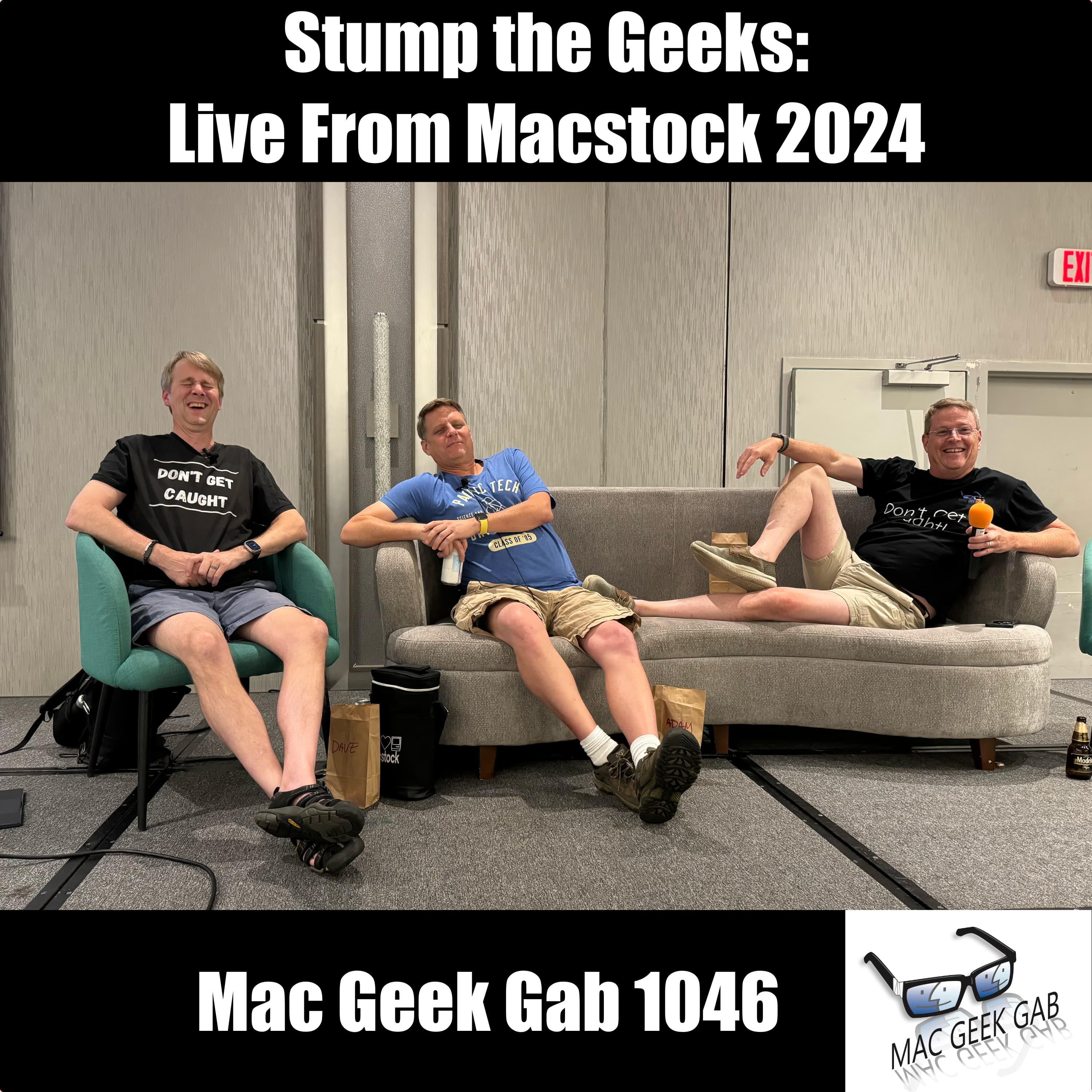
Ep 1046Stump the Geeks: Live From Macstock 2024
Dive into the geeky goodness with Dave Hamilton, Pilot Pete, and Adam Christianson as they tackle your toughest tech queries live from Macstock 2024 in Mac Geek Gab 1046. Kicking off with Kelly’s iPhone password reset dilemma, the Geeks also unravel Lynda’s persistent iPad security errors and John F. Braun’s elusive iCloud sync issue. Adam shares his take on Generative AI, and the gang faces more stumping questions from the audience, including disappearing contacts and failing photo shares on iPads. Don’t get caught without your command key know-how for iPads as the Geeks offer solutions to every tech hiccup. The episode heats up with discussions on opening links in Safari, mystery bags on stage, and creating malware shortcuts. Plus, get the scoop on using apps like ImageOptim and Squash for Mac to streamline your workflow. The Geeks’ Quick Tip on adding apps to your Finder Toolbar to shrink images is a game-changer. From practical tips to tackling tech challenges, this episode of Mac Geek Gab ensures you stay ahead of the curve and, most importantly, don’t get caught off guard. Special thanks to Roger Harmon for engineering and mixing the audio live, and to Allison Sheridan for our fantastic cover image. 00:00:00 Mac Geek Gab 1046 for Monday, July 15th, 2024 July 15th: National Be a Dork Day Flashbacks at Macstock Stump The Geeks…Live! Kelly – My iPhone keeps asking me to reset my password. Why? Lynda – I’m getting a security error regularly on my iPad. What is it? John F. Braun – Why won’t iCloud finish Syncing this one document…and which is it? Cirrus How does Adam Feel about Generative AI? Sponsors SPONSOR: Fastmail. Make email better for you with Fastmail. Try Fastmail free for 30 days and get 10% off your first year at Fastmail.com/MGG. SPONSOR: Coda, the one Doc to rule them all. Bring your text and tables together! Sign up at Coda.io/mgg for FREE. More Stumping! Gary- Contacts are Disappearing Photos on iPad Fails when Adding to a Share Opening Links in Safari “A problem repeatedly occurred” What else have you done recently? Why were there Mystery Bags on the stage and what are they? Pat – How do I use the command key with my iPad without a keyboard Creating Malware Shortcuts Quick Tip — Add an app to your Finder Toolbar to shrink images ImageOptim Squash for Mac MGG 1046 Outtro Bandwidth Provided by CacheFly Pilot Pete’s Aviation Podcast: So There I Was (for Aviation Enthusiasts) Dave’s Business Brain (for Entrepreneurs) and Gig Gab (for Working Musicians) Podcasts MGG Merch is Available! Mac Geek Gab YouTube Page Mac Geek Gab Live Calendar This Week’s MGG Premium Contributors MGG Apple Podcasts Reviews [email protected] 224-888-GEEK The Mac Geek Gab iPhone app Active MGG Sponsors and Coupon Codes List BackBeat Media Podcast Network
Ep 1045The Fast and the Curious: Turbocharge Your Storage and RAM
In this episode of Mac Geek Gab, you’ll dive deep into the need for speed with answers to Carsten’s question of NVMe Gen 5 versus Gen 4. You’ll learn the differences between NVMe, M.2, and SATA, and get the lowdown on essential peripherals like the Satechi Mac mini-shaped USB hub, OWC ThunderBlade, HyperDrive Next Snap-On USB-C SSD Enclosure, and HyperDrive Next USB4 SSD Enclosure. With this knowledge, you can ensure your Mac setup runs at peak performance. Terry’s question about whether 8GB of RAM is enough for a new Mac sparks a thorough discussion on the intricacies of swap versus real RAM, especially in the context of Apple’s Unified Memory architecture. Is more RAM always better, or does Apple’s innovative approach change the game? You’ll find out how to make the most of your Mac’s memory without overspending. Stay informed and Don’t Get Caught with insufficient RAM! Starting the episode, you’ll discover a range of handy Quick Tips to optimize your Apple experience. From Dustin’s tip on printing a website in Reader Mode to Dom Bettinelli’s reminder to re-enable iCloud Photos, these tips are packed with practical advice. Marty shares how to mirror your Apple Watch, while Mark M helps you identify Apple Silicon vs. Intel from just the keyboard. Gary warns about battery drain issues linked to the 1969 date, and there’s a crucial reminder to be aware of your VPN kill switch. Tony’s advice on enabling Apple Watch Water Lock to avoid errant taps and the emergency trigger function adds another layer of utility. These quick tips ensure you stay ahead of potential pitfalls and Don’t Get Caught off guard. Press play…and enjoy! 00:00:00 Mac Geek Gab 1045 for Monday, July 8th, 2024 July 8th: National Video Game Day Quick Tips 00:00:01 Dustin-QT-Printing a Website in Reader Mode 00:02:04 Dom Bettinelli-QT-Don’t Forget to re-enable iCloud Photos 00:07:20 Marty-QT-Apple Watch Mirroring 00:11:09 Mark M-QT-Identify Apple Silicon vs. Intel just from keyboard 00:14:13 Gary-QT-Beware battery drain and the 1969 date issue 00:19:49 Be Aware of Your VPN Kill Switch 00:26:15 Tony-QT-Enable Apple Watch Water Lock to Keep Errant Taps from Disturbing your Workouts 00:28:51 Press and Hold Side Button on Apple Watch to Trigger an Emergency Sponsors 00:31:04 SPONSOR: BBEdit, the power tool for text from Bare Bones Software; now with integrated Notebooks and extended language support. Your Questions Answered and Tips Shared! 00:32:41 Scott-Remote Mac Question Setup Apple Remote Desktop Apple’s TCP and UDP Ports Remote Access to Unmanned Mac Jump Desktop ($15) LogMeIn Screens and Screens Connect AnyDesk 00:44:56 David-Should I leave apps running all the time? Marco Arment’s Quitter 00:51:35 Carsten-The Need for Speed Difference between NVMe Gen 5 vs Gen 4 NVMe vs. M.2 vs. SATA Satechi Mac mini-shaped USB hub OWC ThunderBlade HyperDrive Next Snap-On USB-C SSD Enclosure HyperDrive Next USB4 SSD Enclosure 01:04:16 Terry-Is 8GB Enough for a new Mac? Swap vs. Real Ram…does it matter with Apple’s Unified Memory? Maybe not 01:18:02 MGG 1045 Outtro MacStock Coupon Code: MACGEEKGAB saves you $30! Bandwidth Provided by CacheFly Follow us on Mastodon Mac Geek Gab on Mastodon Adam Christianson on Mastodon Dave Hamilton on Mastodon Pilot Pete on Mastodon Mona for Mastodon (for Mac, iPhone, iPad) Adam Christianson on X/Twitter Pilot Pete’s Aviation Podcast: So There I Was (for Aviation Enthusiasts) Dave’s Business Brain (for Entrepreneurs) and Gig Gab (for Working Musicians) Podcasts MGG Merch is Available! Mac Geek Gab YouTube Page Mac Geek Gab Live Calendar This Week’s MGG Premium Contributors MGG Apple Podcasts Reviews [email protected] 224-888-GEEK The Mac Geek Gab iPhone app Active MGG Sponsors and Coupon Codes List BackBeat Media Podcast Network
Ep 1044Practicing The Shrug Shoulders Salute
Dive into Mac Geek Gab 1044, where you join Dave Hamilton, Pilot Pete, and Adam Christianson for a packed episode full of quick tips and expert answers. Todd kicks things off with a smart travel tip: log into your streaming services before you hit the road. Patrick introduces you to the power of Duck Duck Go Bangs, while Martin advises on disabling Spotlight in macOS 15 Dev Beta 1. PCUnix highlights the versatility of ChatGPT, and Bob shows you how to avoid junk data in online forms with a long press. Jane gets her questions about the Mac Photos App answered, DJ Mac learns to connect ChatGPT to Siri, and Jeremy finds a solution for screen recording troubles. Remember, don’t get caught unprepared with these savvy tips and tricks! The episode continues with Harvey solving the cut-and-paste dilemma, Bob discussing SSD write speeds, and Michael pondering Apple’s future shortcuts. You’ll also discover Cool Stuff Found like Robert’s Juicy Crumb for using a 5K iMac as a monitor and Brian’s update on the Keep-Downloaded option for iCloud Drive. Harvey rounds things off with a mention of MyScript Calculator. Packed with useful advice and cool discoveries, this episode ensures you stay ahead in the tech game. Don’t get caught missing out on these insights! 00:00:00 Mac Geek Gab 1044 for Monday, July 1st, 2024 July 1st: American Zoo Day Quick Tips 00:00:01 Todd-QT-Login to your streaming services BEFORE leaving on a trip 00:05:46 Patrick-QT-Duck Duck Go Bangs 00:08:45 Martin-QT-PSA – Disable spotlight on macOS 15 Dev Beta 1 00:10:29 PCUnix-QT-When using ChatGPT, remember you can ask it to summarize in any format you like Claude AI 00:13:40 Bob-QT-Avoid garbage data in online forms with long press 00:17:29 Todd-QT-You don’t need a Log My Weight shortcut anymore. Sponsors 00:21:42 SPONSOR: Ecamm Live is the all-in-one live streaming and video production studio for Mac Get one month free of Ecamm Live using promo code ‘macgeekgab’ at checkout. Your Questions Answered and Tips Shared! 00:23:10 Jane-Questions about Mac Photos App Repair Your Apple Photos Library PowerPhotos 00:30:30 DJ Mac-How do I connect ChatGPT to Siri today? Control Apple TV Volume from Your iPhone S-GPT Shortcut 00:41:15 Jeremy-Screen Recording Difficulties – Potential Alternative? Capto Screen Capture for Mac 00:48:47 Harvey-Cut and Paste yields Question Marks in an Unknown Font Pass4Wallet 00:55:56 Bob-1040-Varying SSD write speeds could be Garbage Collection 00:58:49 Michael-Will Apple Intelligence Help Shortcuts? 01:06:31 We Don’t Have Pink Slips Cool Stuff Found 01:07:41 Robert-CSF-Juicy Crumb – Hardware to use a 5K iMac as a monitor 01:10:48 Brian-CSF-New iOS and macOS have Keep-Downloaded Option for iCloud Drive folders and files 01:12:26 Harvey-CSF-MyScript Calculator already exists 01:15:00 MGG 1044 Outtro MacStock Coupon Code: MACGEEKGAB saves you $30! Bandwidth Provided by CacheFly Follow us on Mastodon Mac Geek Gab on Mastodon Adam Christianson on Mastodon Dave Hamilton on Mastodon Pilot Pete on Mastodon Mona for Mastodon (for Mac, iPhone, iPad) Adam Christianson on X/Twitter Pilot Pete’s Aviation Podcast: So There I Was (for Aviation Enthusiasts) Dave’s Business Brain (for Entrepreneurs) and Gig Gab (for Working Musicians) Podcasts MGG Merch is Available! Mac Geek Gab YouTube Page Mac Geek Gab Live Calendar This Week’s MGG Premium Contributors MGG Apple Podcasts Reviews [email protected] 224-888-GEEK The Mac Geek Gab iPhone app Active MGG Sponsors and Coupon Codes List BackBeat Media Podcast Network

Ep 1043Don’t Inception The Cloud
Dive into Mac Geek Gab 1043 with Dave Hamilton, Pilot Pete, and Adam Christianson as they unleash a treasure trove of Quick Tips and answers to your burning questions. Discover how long-pressing a key on macOS unveils accents and special characters, adding Shazam to your Control Center for instant music ID, and leveraging your iPhone for scanning documents. The trio also dives into the Setapp vs. Bundle models, explores using a 5K iMac as an external display, and offers insights on using software and hardware for enhanced screen extension. Tackle your backup concerns head-on with practical tips, such as using PowerPhotos for local photo backups and understanding Time Machine’s role in iCloud Photos Library backup. They discuss the safety of using Backblaze for iCloud Drive and how to recover data from a formatted SSD with tools like Disk Drill and Stellar for Mac. Get amped with Cool Stuff Found, featuring apps like CloudMounter and Cyberduck, and gadgets like the Tayasui Sketches app for Wacom users and high-end robovacs. Remember, “Don’t Get Caught” unprepared—stay savvy with Mac Geek Gab! 00:00:00 Mac Geek Gab 1043 for Monday, June 24th, 2024 June 24: Midsummer The MGG Discord Server is Live! The MGG Merch Store is Live! Quick Tips 00:00:01 Dave-QT-On macOS, long-press a letter on your keyboard to see accents and special versions with numbers beneath! PopChar 00:05:40 Uncle Jamie-QT-Add Shazam to Control Center Gracenote Database of Songs 00:09:18 Adam-QT-Scanning on your iPhone instead of Taking a Photo forScore Documents by Readdle 00:16:35 CSF-CloudMounter Cyberduck Transmit Forkflight 00:22:40 The Setapp vs. Bundle Models Sponsors 00:26:00 SPONSOR: Fastmail. Make email better for you with Fastmail. Try Fastmail free for 30 days and get 10% off your first year at Fastmail.com/MGG. 00:27:37 SPONSOR: Zocdoc, the easiest way to find a great doctor and instantly book an appointment. Sign up for FREE at Zocdoc.com/MGG and download the app today. Your Questions Answered and Tips Shared! 00:29:28 Dan-Can I use my 5K iMac as an External Display? Luna Display 00:35:40 Prof Josh-QT-Use Jump Desktop as an External Monitor OWC Headless Dongle macOS Screen Extension Backup Questions Answered and Tips Shared! 00:46:27 Jeff-What’s the Simplest Way to Backup Local Photos? PowerPhotos 00:53:02 Sandro-Does Time Machine back up my iCloud Photos Library? 00:54:49 John-Is it safe to use Backblaze to backup my iCloud Drive? Don’t Put Your Dropbox Folder in your Desktop or Documents folder 00:58:31 Andrew-How to recover data from a formatted SSD? Disk Drill Stellar for Mac Data Rescue Show Business 01:04:25 MGG Premium Listener Contribution Appreciation Moment Cool Stuff Found 01:07:42 Flying Pete’s Plane to Macstock! Use MACGEEKGAB to get $30 off your registration for Macstock 01:09:43 Pete-CSF-Tayasui Sketches (for Mac or iPad or iOS) Great when used with Wacom Wacom One 13 Touch Pen Display 01:12:27 Dave-CSF-Robovacs that Dave uses: Anker’s Eufy S1 Pro ($1,499…but it’ll come down) and Roborock QRevo ($769…or $899) 01:20:07 Adam-CSF-Have a Small Wins Bell 01:22:42 MGG 1043 Outtro MacStock Coupon Code: MACGEEKGAB saves you $30! Bandwidth Provided by CacheFly Pilot Pete’s Aviation Podcast: So There I Was (for Aviation Enthusiasts) Dave’s Business Brain (for Entrepreneurs) and Gig Gab (for Working Musicians) Podcasts MGG Merch is Available! MGG Apple Podcasts Reviews [email protected] 224-888-GEEK Active MGG Sponsors and Coupon Codes List BackBeat Media Podcast Network
Ep 1042Hey, 19!
Celebrate Mac Geek Gab’s 19th anniversary with Pilot Pete, Adam Christianson, and Dave Hamilton as they dive into quick tips, listener questions, and cool stuff found. The episode kicks off with a shoutout to World Tessellation Day and, of course, a a look forward to Mac Geek Gab beginning its twentieth year! The Quick Tips segment is packed with gems like using the Google app to recognize a song you hum, dragging icons from Control Center to the Menubar, and a discussion about the new owners of Bartender. Learn about the importance of unplugging your office for some tech therapy, backing up cloud-stored files with CCC Backup, and setting up Apple Pay for developers on macOS 15. Keep the pace up by slowing down Mission Control with a terminal command and using your Apple Watch to identify circuits. Dive deeper into listener questions with tips on configuring Safari’s “Open Links with Profile” list using Velja and Open In, and managing Time Machine on an existing external disk. Discover solutions for email archiving with Mail Steward, Google Workspace, and Mail Archiver X, and stop Maps from offering unwanted directions. In the Cool Stuff Found segment, check out the iOS 18 Beta App Compatibility Chart, Howard Oakley’s Mints, and the Pass2U Wallet for custom Apple Wallet passes. Remember, with Mac Geek Gab’s 19 years of wisdom, “Don’t Get Caught” without the latest tech insights and tricks! 00:00:00 Mac Geek Gab 1042 for Monday, June 17th, 2024 00:03:29 Hey, 19! June 17th: World Tesselation Day Mac Geek Gab’s 19th Birthday! First MGG First MacCast (and Adam’s first post announcing the new podcast) Quick Tips 00:00:01 Uncle Jamie-QT-Google App Can Recognize a Song you Hum 00:05:14 Mark M-QT-You can Drag Icons from Control Center to the Menubar 00:07:06 James-PSA-Bartender under new, mostly-silent, owners 00:13:18 Jedd-QT-I unplug everything in my office every six months…for therapy! 00:17:14 Grumpy-QT-CCC Backup has an option to back-up cloud-stored files like those on iCloud Drive 00:18:15 Chris-QT-Regarding the hassle of setting up ApplePay for developers …and related: macOS Sequoia will allow iCloud Sign-ins when Virtualized 00:22:18 Jim-QT-Use your Apple Watch to Identify Circuits 00:24:51 PorthosJon-QT-Slow down Mission Control/Spaces’ switching speed with Terminal Command defaults write com.apple.dock workspaces-edge-delay -float 2.0; killall Dock 00:30:22 JMM-PSA-iCloud Drive doesn’t back-up overwritten files Sponsors 00:33:14 SPONSOR: Ecamm Live is the all-in-one live streaming and video production studio for Mac Get one month free of Ecamm Live using promo code ‘macgeekgab’ at checkout. 00:34:50 SPONSOR: Coda, the one Doc to rule them all. Bring your text and tables together! Sign up at Coda.io/mgg for FREE. Your Questions Answered and Tips Shared! 00:36:25 Don-How do I configure Safari’s “Open Links with Profile” list? Velja Open In 00:43:56 Rick-Can I Use Time Machine on an Existing External Disk? 00:48:50 Deborah-What about Adam’s Email Archive? Mail Steward Google Workspace Mail Archiver X 00:59:21 Prof Josh-How do I stop Maps from offering me directions on where it thinks I want to go? Tideline Public House Cool Stuff Found 01:06:35 Adrian-CSF-iOS 18 Beta App Compatibility Chart 01:12:07 KiwiGraham-CSF-Mints from Howard Oakley 01:15:20 RandyWalker-CSF-Pass2U Wallet for putting your own passes/cards in Apple Wallet 01:20:19 MGG 1042 Outtro MacStock Coupon Code: MACGEEKGAB saves you $30! Bandwidth Provided by CacheFly Adam Christianson on X/Twitter Pilot Pete’s Aviation Podcast: So There I Was (for Aviation Enthusiasts) Dave’s Business Brain (for Entrepreneurs) and Gig Gab (for Working Musicians) Podcasts MGG Merch is Available! Mac Geek Gab YouTube Page Mac Geek Gab Live Calendar This Week’s MGG Premium Contributors MGG Apple Podcasts Reviews [email protected] 224-888-GEEK The Mac Geek Gab iPhone app Active MGG Sponsors and Coupon Codes List BackBeat Media Podcast Network

Ep 1041WWDC Keynote: AI is Fun, but Rush Was The Winner
Dive into this week’s Mac Geek Gab episode as Pilot Pete, Adam Christianson, and Dave Hamilton unpack the highlights from Apple’s WWDC Keynote. You’ll get the scoop on macOS Sequoia with its new iPhone mirroring feature and the much-anticipated password app coming to macOS. iOS 18 brings RCS support, satellite messaging, and the innovative “Send Later” feature in Messages. Plus, there’s the AI-based search and FaceTime’s remote control feature. You’ll also hear about watchOS 11’s new Vitals app and the exciting Double Tap API for developers. Don’t miss out on iPadOS 18’s long-awaited calculator and visionOS 2’s new gestures and travel mode. The discussion also touches on Apple’s push into AI with Apple Intelligence and their Private Cloud Compute Model, plus Xcode 16’s Swift Assist, making development smoother than ever. Stay ahead of the tech curve and remember, Always Be Performing and Don’t Get Caught unprepared in the fast-paced world of Apple updates. 00:00:00 Mac Geek Gab 1041 for Monday, June 10th, 2024 June 10th: National Black Cow Day 00:03:30 Dolby Atmos Sonos Beam 2 NVIDIA SHIELD Pro 00:06:15 macOS Sequoia Safari is the new Internet Explorer macOS iPhone Mirroring Password app coming to macOS 00:19:10 iOS 18 TV Time Messages in iOS 18 RCS Support Messages Via Satellite Send Later in Messages FaceTime Remote Control in a Device Offline Trail/Hiking AllTrails AI-based Search 00:37:43 Is Adam’s CPU slowing him down 00:38:58 watchOS 11 watchOS 11 Vitals App Double Tap API for developers 00:44:53 iPadOS 18 iPadOS 18’s new Calculator 00:50:08 tvOS Sponsors 00:51:39 SPONSOR: ExpressVPN – Stop missing out on great TV and get thousands of new shows with ExpressVPN, and get three extra months free at ExpressVPN.com/MGG 00:53:27 SPONSOR: BBEdit, the power tool for text from Bare Bones Software; now with integrated Notebooks and extended language support. 00:55:07 visionOS 2 New gestures Mouse Support Travel Mode (for Trains or Passenger Mode) 00:59:53 AI = Apple Intelligence Apple Private Cloud Compute Model 01:11:10 Xcode 16 Swift Assist 01:22:54 MGG 1041 Outtro Use code MACGEEKGAB to save $30 at MacStock 2024 Bandwidth Provided by CacheFly Follow us on Mastodon Mac Geek Gab on Mastodon Adam Christianson on Mastodon Dave Hamilton on Mastodon Pilot Pete on Mastodon Mona for Mastodon (for Mac, iPhone, iPad) Adam Christianson on X/Twitter Pilot Pete’s Aviation Podcast: So There I Was (for Aviation Enthusiasts) Dave’s Business Brain (for Entrepreneurs) and Gig Gab (for Working Musicians) Podcasts MGG Merch is Available! Mac Geek Gab YouTube Page Mac Geek Gab Live Calendar This Week’s MGG Premium Contributors MGG Apple Podcasts Reviews [email protected] 224-888-GEEK The Mac Geek Gab iPhone app Active MGG Sponsors and Coupon Codes List BackBeat Media Podcast Network
Ep 1040Form 1040-MGG for Your Itemized Tips
In this week’s Mac Geek Gab, dive into the latest Quick Tips and Cool Stuff Found that will keep your Mac life smooth and efficient. Time Machine gets a tweak with hourly, daily, and weekly options, while Zoom for Apple TV lets you disable Center Stage and manually control zoom and center. Learn about T-Mobile for international calls, using Google Voice, and the handy Digital Color Meter Mac app. Plus, find out how iCloud keeps backups of your contacts and fix that pesky Apple Pay double-click issue. The catchphrase “Don’t Get Caught” is your reminder to stay ahead of the curve with these essential tips. Listeners’ questions bring even more insights. Ralph wants to know why file copies slow down, and John seeks tips for narrowing search results on the Mac. We discuss moving OneDrive or iCloud Drive to an external drive, explore smart plug replacements for Wemo, and setting light or speaker volumes to specific percentages. Discover the budget-friendly Onn TV Box for streaming and AirReceiver for Android or Chromecast. Don’t miss out on reviews of microphones and grill thermometers, too! As always, Mac Geek Gab is your go-to source for the best Mac tips and tricks – don’t get caught without us! 00:00:00 Mac Geek Gab 1040 for Monday, June 3rd, 2024 June 3rd: Repeat Day (RePete day?) The MGG Merch Store is Live! Quick Tips 00:00:01 Joe-QT-Time Machine now has options for Hourly, Daily, and Weekly 00:03:19 TimeMachineEditor 00:05:48 QT-Zoom for Apple TV lets you disable Center Stage *and* then control zoom and center manually Reincubate Camo 00:09:23 Lew-QT-CSF- T-Mobile for International Calls – AnonymSMS for Texts Google Voice Yoink 00:12:20 Todd-QT-Digital Color Meter Mac App SIP (also part of Setapp) 00:16:15 QT-Use the eyedropper in Pages (an other apps) to set the color of your image/font 00:17:23 Mark-QT-iCloud Keeps Backups of your Contacts 00:19:55 Jeff-QT-Fixing Apple Pay Double Click -v- Touch issue. Apple’s Apple Pay Test Site 00:23:18 HuskerDiver-QT-Apple TV Aerial Screensaver Will Show You Location Descriptions You can also swipe on the remote to change Aerial locations NVIDIA SHIELD Sponsors 00:28:48 SPONSOR: LinkedIn Jobs. Go to LinkedIn.com/MGG and post your first job for free! Your Questions Answered and Tips Shared! 00:30:18 Ralph-Why do my file copies slow down to a crawl after a while? 00:41:25 John-QT and ?-Searches in Messages and Mail FindAnyFile Narrow Search Results on the Mac 00:51:08 Pete-Move OneDrive or iCloud Drive to an external drive in spite of macOS Limitations? Will iCloud Drive Cross SymLinks? (answer: probably not) TwelveSouth iMac Stands 01:01:57 Kim-Replacement for Wemo Switch? iDevices Switches and Smart Plugs LifX Bulbs Meross HomeKit Wyze 01:07:11 Set Lights (or speaker volume) to percentages Cool Stuff Found 01:07:58 Joe-CSF-1024-The Onn TV Box is a $20 4K Android TV Streaming Box 01:08:57 Andrew Woodward-CSF-AirReceiver for Android or Chromecast lets you AirPlay to non-Apple devices ($2.99) 01:10:00 Bart-CSF-Reminders MenuBar 01:11:06 JT-CSF-512 Audio Tempest for only $35 Earthworks ETHOS Dynamics vs. Condensers 01:18:31 CSF-MeatIt Plus Grill Thermometer 01:24:50 MGG 1040 Outtro Bandwidth Provided by CacheFly Follow us on Mastodon Mac Geek Gab on Mastodon Adam Christianson on Mastodon Dave Hamilton on Mastodon Pilot Pete on Mastodon Mona for Mastodon (for Mac, iPhone, iPad) Adam Christianson on X/Twitter Pilot Pete’s Aviation Podcast: So There I Was (for Aviation Enthusiasts) Dave’s Business Brain (for Entrepreneurs) and Gig Gab (for Working Musicians) Podcasts MGG Merch is Available! Mac Geek Gab YouTube Page Mac Geek Gab Live Calendar This Week’s MGG Premium Contributors MGG Apple Podcasts Reviews [email protected] 224-888-GEEK The Mac Geek Gab iPhone app Active MGG Sponsors and Coupon Codes List BackBeat Media Podcast Network
Ep 1039Okay is a Four-Letter Word
In this week’s Mac Geek Gab podcast, dive into a trove of quick tips and tech tricks to streamline your Apple experience. Jim kicks things off by showing you how to drag images or hyperlinks into a new browser tab for efficiency. Mark M. follows up with a tip on rotating images in Preview using the Option key, while Daoud demonstrates how to quickly switch iPhone apps with the Home Bar. Dave, Adam, and Pete discuss the intuitiveness of macOS and iOS, and share a light-hearted story about babies prank-calling Steve Wozniak. PCUnix reminds you to check the tip of your Apple Pencil if it stops working, and Grumpy shares how to properly enable Wi-Fi when connected via Ethernet to keep your Mac running smoothly with Continuity features. Bob’s tip on normalizing tab switching with BetterTouchTool and James’s advice on dragging items between Spaces round out this section with practical gestures and app recommendations like Yoink and Pastebot. The episode continues with your questions answered. Felix learns how to stop Spotlight from indexing too frequently with tools like OnyX and CleanMyMac X. Doug tackles interference issues during presentations using Keynote, while David gets advice on teaching his iPhone new spellings. For reliable screen sharing amongst two Mac users, your three favorite geeks recommend tools like Splashtop and Zoom. Finally, Mark Fowler discusses the best ways to receive texts and calls while traveling abroad, highlighting services like SkypeIn and Google Voice. Remember, Don’t Get Caught without these handy tips and tricks to enhance your Apple ecosystem. 00:00:00 Mac Geek Gab 1039 for Monday, May 27th, 2024 May 27: Memorial Day (also National Sunscreen Day) The MGG Discord Server is Live! The MGG Merch Store is Live! Quick Tips 00:00:01 Jim-QT-Drag an Image or Hyperlink to a New Browser Tab State Lines & Porpoises 00:04:09 Mark M-QT-Option Click Preview’s Rotation Button to Rotate to the Right Three Lefts DO Make a Right You Can Bluetooth a Keyboard to Your iPhone 00:08:16 Daoud-QT-Quickly Switch iPhone Apps with Home Bar 00:12:03 The intuitiveness of macOS and iOS 00:14:34 Babies were prank calling Woz 00:17:03 PCUnix-QT-If Your Apple Pencil Isn’t Working…Check The Tip New Tips – Cheaper on Amazon 00:19:17 Grumpy-QT-When Ethernet-connected, enable Wi-Fi but don’t connect to any network 00:22:43 Bob-QT-Normalize tab switching with BetterTouchTool (or something like it) Gesture Triggers from Keyboard Maestro 00:28:08 James-QT-Drag items between Spaces Paste Clipboard Manager Yoink Pastebot 00:35:21 QT-Add Tracks to Spotify Playlist By Simply Pasting In Links Gig Gab Podcast Sponsors 00:40:59 SPONSOR: Ecamm Live is the all-in-one live streaming and video production studio for Mac Get one month free of Ecamm Live using promo code ‘macgeekgab’ at checkout. 00:42:26 SPONSOR: Fastmail. Make email better for you with Fastmail. Try Fastmail free for 30 days and get 10% off your first year at Fastmail.com/MGG. Your Questions Answered! 00:43:55 Felix-How to Stop Spotlight from Indexing so Frequently? OnyX CleanMyMac X https://www.unixsherpa.com/solution/clear-spotlight-index/ tldr homebrew sudo mdutil -E / [to erase your Spotlight Index] Cake for Homebrew 00:53:07 Doug-Is Interference Hanging My Presentation? OBS for Streaming 00:59:43 David-How do I teach my iPhone a new Spelling? Okay is a Four-Letter Word 01:03:57 Blocktek-How can I make Messages Screen Sharing more Reliable? Splashtop Screen Sharing Menulet Zoom Jump Desktop 01:13:15 Mark Fowler-What’s the best way to receive texts and calls while traveling abroad? SkypeIn Google Voice 01:18:13 Show Business MGG Premium Listener Contribution Appreciation Moment 01:19:38 MGG 1039 Outtro Bandwidth Provided by CacheFly Follow us on Mastodon Mac Geek Gab on Mastodon Adam Christianson on Mastodon Dave Hamilton on Mastodon Pilot Pete on Mastodon Mona for Mastodon (for Mac, iPhone, iPad) Adam Christianson on X/Twitter Pilot Pete’s Aviation Podcast: So There I Was (for Aviation Enthusiasts) Dave’s Business Brain (for Entrepreneurs) and Gig Gab (for Working Musicians) Podcasts MGG Merch is Available! Mac Geek Gab YouTube Page Mac Geek Gab Live Calendar This Week’s MGG Premium Contributors MGG Apple Podcasts Reviews [email protected] 224-888-GEEK The Mac Geek Gab iPhone app Active MGG Sponsors and Coupon Codes List BackBeat Media Podcast Network

Ep 1038What Are We Watching?
In this week’s Mac Geek Gab episode, dive into what Pilot Pete, Adam Christianson, and Dave Hamilton are watching for National Streaming Day. From the intriguing documentary “STEVE! A Steve Martin Documentary” to intense dramas like “Breaking Bad” and “Better Call Saul,” the hosts cover a wide array of must-watch shows. They also recommend “Welcome to Wrexham,” “Everyone Stares: The Police Inside Out,” and “Acapulco” for a diverse viewing experience. Each host shares their personal favorites, providing listeners with a well-rounded list of binge-worthy content. Maximize your tech efficiency with the latest Quick Tips, including how to swipe up in Apple Watch Workouts for real-time details and copying to the clipboard without formatting on iPhone. Learn essential Apple Watch battery-saving tricks and how to prepare your old Mac for resale. The hosts also answer pressing listener questions, like solving Apple Watch battery woes and re-indexing Spotlight. Enhance your online safety with a primer about how Tailscale works, and get the scoop on cool new finds like DNSHistory and BandMatch. Tune in and remember, “Don’t Get Caught” without these essential tech tips and show recommendations! 00:00:00 Mac Geek Gab 1038 for Monday, May 20th, 2024 00:02:38 May 20: National Streaming Day –– What are we each watching? Watch STEVE! A Steve Martin Documentary Space Shuttle Columbia: The Final Flight Tracker Welcome to Wrexham Everyone Stares: The Police Inside Out Whiplash Breaking Bad & Better Call Saul Yellowstone & 1883 & 1923 Roadkill Studio 60 on the Sunset Strip (and Sports Night) Acapulco Made Up Adventures of Dick Turpin Quick Tips 00:00:01 Joe-QT-Swipe Up in Apple Watch Workouts to see Real-Time Details 00:20:30 Alex-QT-Copy To Clipboard WITHOUT Formatting on iPhone 00:22:30 Enable “Start Workout Reminders” on Apple Watch 00:23:12 Jim-QT-Disable Wake on Wrist Raise to Save Battery 00:26:29 Jonathan-Solving Apple Watch Battery Woes Apple Watch iPhone App > General > Reset > Reset Sync Data 00:29:29 QT-What to do when selling an Old Mac How to Download and Install macOS Sponsors 00:31:17 SPONSOR: Zocdoc, the easiest way to find a great doctor and instantly book an appointment. Sign up for FREE at Zocdoc.com/MGG and download the app today. 00:33:02 SPONSOR: LinkedIn Jobs. Go to LinkedIn.com/MGG and post your first job for free! Your Questions Answered and Tips Shared! 00:34:50 William-Spotlight keeps failing and needing to be re-indexed…why? 00:40:11 Greg-How to Quickly Get to 1st eMail in iPadOS 00:41:10 Perry-Why is Mail Misidentifying Me? MailMaven 00:49:54 Richard-What is Tailscale and Does It Protect Me while On Public Wi-Fi? 01:01:33 Rich-How to Watch TV from Overseas? Channels Channels FuboTV Project for NBC and others 01:03:32 Chris-My iPhone Autoplays with Bluetooth and CarPlay Show Business 00:58:26 MGG Premium Listener Contribution Appreciation Moment Fountain.fm Cool Stuff Found 01:11:27 Uncle Jamie-CSF-DNSHistory to find the old IP of an expired site How and why to edit your /etc/hosts file 01:14:06 LawyerJeff-CSF-BandMatch for musicians to meet other musicians 01:15:51 Joe-CSF-Zotify to backup your Spotify music 01:19:17 CSF-SiriusXM Top 1000 Country and Classic Rock Channels 01:21:38 MGG 1038 Outtro Bandwidth Provided by CacheFly Follow us on Mastodon Mac Geek Gab on Mastodon Adam Christianson on Mastodon Dave Hamilton on Mastodon Pilot Pete on Mastodon Mona for Mastodon (for Mac, iPhone, iPad) Adam Christianson on X/Twitter Pilot Pete’s Aviation Podcast: So There I Was (for Aviation Enthusiasts) Dave’s Business Brain (for Entrepreneurs) and Gig Gab (for Working Musicians) Podcasts MGG Merch is Available! Mac Geek Gab YouTube Page Mac Geek Gab Live Calendar This Week’s MGG Premium Contributors MGG Apple Podcasts Reviews [email protected] 224-888-GEEK The Mac Geek Gab iPhone app Active MGG Sponsors and Coupon Codes List BackBeat Media Podcast Network

Ep 1037Beware The Robocalypse
This week on Mac Geek Gab 1037, Adam Christianson and Dave Hamilton have packed the episode with indispensable tips and updates, starting with one from listener Ben about using Option-Space in Finder for a full-screen Quick Look. Then it’s on to swiftly moving between tabs in Safari with Control-Tab, and optimizing your use of Airtags as innovative beacons and triggers. Don’t miss out on harnessing AI to create personalized wallpapers, and make sure your read receipts in Messages are working as intended. The latest Apple event brings exciting updates too, featuring new iPad Pros, iPad Airs, and major upgrades to Logic Pro and Final Cut Pro, and your two geeks discuss their reactions to all of it! In the question and answer segment, Dave & Adam tackle problems like correcting your Mac’s time settings with a simple terminal command and deciding whether to migrate your system or start fresh with a ‘nuke-and-pave’ approach. Learn how to approach DKIM records to ensure your emails aren’t bouncing back and explore tools like 1Focus for enhanced screen time management and New.Space for securely transmitting sensitive documents. Remember, in the ever-evolving tech landscape, always stay informed and “Don’t Get Caught” unprepared! 00:00:00 Mac Geek Gab 1037 for Monday, May 13th, 2024 May 13: Top Gun Day The MGG Discord Server is Live! The MGG Merch Store is Live! Quick Tips 00:00:01 Ben-QT-Option-Space in Finder for Full-Screen Quick Look 00:03:28 Troy-QT-In Safari, Control-Tab moves you from Tab to Tab 00:07:31 Mike-QT-Set the distance on proximity reminders 00:10:30 Using an Airtag as a beacon and trigger 00:12:02 David in Missouri-QT-Use AI to generate custom wallpaper 00:15:37 DLH-1034-Read Receipts for Messages follow-up 00:20:02 Andrew-QT-1034-Remove Extraneous Text from Contacts’ Notes Field 00:23:28 Dan-QT-Encryption can slow down the mounting of Time Machine drives Sponsors 00:27:41 SPONSOR: Coda, the one Doc to rule them all. Bring your text and tables together! Sign up at Coda.io/mgg for FREE. 00:29:17 SPONSOR: BBEdit, the power tool for text from Bare Bones Software; now with integrated Notebooks and extended language support. 00:30:51 Apple Event – New iPad Pros, New iPad Airs, New Logic Pro, New Final Cut Pro 00:37:28 Check in on Apple Vision Pro Your Questions Answered and Tips Shared! 00:46:31 Gil-Should I Migrate or Nuke-and-Pave? 00:53:29 Jeremiah-My Mac’s Time is Wrong…How do I fix it? sudo sntp -sS time.apple.com Lingon 00:57:48 Jedd-DKIM Records on my Custom Domain are Bouncing Mail DKIM Is A Four-Letter Word What are DMARC, DKIM, and SPF? DKIM Record Generator Test DKIM/DMARC/SPF with: LearnDMARC.com (thanks, GadgetComa!) Mail-Tester (thanks, Rod L!) MX Toolbox (thanks, Brian!) Cool Stuff Found 01:05:42 Dom Bettinelli-CSF-1Focus for tighter Screen Time controls 01:07:57 James-CSF-Use scutil to rename your Mac and remove the extra numbers correct command (thanks, Allison!): sudo scutil --set LocalHostName 01:11:21 Does sudo execute as root? (answer: yes!) 01:13:11 CSF-Narwal Freo X Plus ($399) and Freo X Ultra ($1399…with $300 off at Amazon) Beware The Robocalypse Yarbo 01:23:29 Anthony-CSF-1036–New.Space Allows for Securely Sending Sensitive Documents 01:25:04 MGG 1037 Outtro Bandwidth Provided by CacheFly Follow us on Mastodon Mac Geek Gab on Mastodon Adam Christianson on Mastodon Dave Hamilton on Mastodon Pilot Pete on Mastodon Mona for Mastodon (for Mac, iPhone, iPad) Adam Christianson on X/Twitter Pilot Pete’s Aviation Podcast: So There I Was (for Aviation Enthusiasts) Dave’s Business Brain (for Entrepreneurs) and Gig Gab (for Working Musicians) Podcasts MGG Merch is Available! Mac Geek Gab YouTube Page Mac Geek Gab Live Calendar This Week’s MGG Premium Contributors MGG Apple Podcasts Reviews [email protected] 224-888-GEEK The Mac Geek Gab iPhone app Active MGG Sponsors and Coupon Codes List BackBeat Media Podcast Network
Ep 1036Brick Walls and Brain Waves
In this week’s episode of Mac Geek Gab, you’re in for a treat with Pilot Pete and Dave Hamilton as they delve deep into the nuances of everyday tech. Starting off, learn a clever Quick Tip from Uncle Jamie on how to use Preview for not just viewing but also adding, reordering, and merging PDFs—a true multitasker’s dream tool. But that’s not all, discover how disabling WPA3 could rejuvenate your stubborn IoT devices, ensuring they connect without a hitch. Struggling with your VPN? They’ve got you covered with solutions to avoid duplicate AirDrop destinations and unblock your mail sending woes. As the discussion heats up, Pete and Dave tackle some quirky tech challenges that might have you nodding in agreement or scratching your head. Did you know your 2.4GHz network penetrates brick walls more effectively than higher frequencies? And when it comes to sending sensitive documents securely, they suggest top tools like Tresorit Send and Dropbox Send to keep your private info under wraps. So, as you navigate these tech waters, remember: “Don’t Get Caught” unprepared. Tune into Mac Geek Gab for these insights and more, ensuring you stay one step ahead in the digital realm. 00:00:00 Mac Geek Gab 1036 for Monday, May 6th, 2024 May 6: National Beverage Day Quick Tips 00:00:01 Blocktek-QT-Use Caps Lock as a Shutdown Notification Indicator 00:03:41 Nescafe Milk Foamer Throat Coat Tea 00:05:50 Uncle Jamie-QT-Add, reorder, merge PDFs and more with Preview PDFExpert (available with a student discount with a .edu) 00:08:40 QT-Disable WPA3 on Your Network. Your IOT Devices Will Thank You Skylight Frame 00:18:55 Missing Adam Today 00:19:44 Phil-QT-VPNs can add duplicate AirDrop destinations 00:21:37 StephrabNYC18-Turn off your VPN when using Ticketmaster 00:24:59 PP- Sending Mail Getting Blocked… Receive OK – It was “TailScale” VPN Tailscale WhatIsMyIp.com Wireguard VPN 00:32:15 Can I Use Two VPNs Simultaneously? Sponsors 00:35:56 SPONSOR: LinkedIn Jobs. Go to LinkedIn.com/MGG and post your first job for free! 00:37:34 SPONSOR: Backblaze. Get a fully-featured no risk free trial at Backblaze.com/mgg. Go there, play with it, and start protecting yourself from potential bad times. Start Today! 00:39:03 SPONSOR: BetterHelp. This episode is sponsored by BetterHelp. Give online therapy a try at betterhelp.com/GEEKGAB and get on your way to being your best self. 00:40:22 Pete Outsmarted Himself! 00:42:26 What the Heck Happened With Our Reset Apple ID Passwords? Making SWAGs Again Send Us Your SWAGs Your Questions Answered and Tips Shared! 00:54:49 JT Ray-Why Do I have Both Local and iCloud Desktop Folders? 00:57:00 Why Do I have Two Mail Accounts Listed? 01:02:23 JP-Duplicate File Finder? Gemini from MacPaw 01:07:40 James-Why do I need to connect IOT at 2.4GHz? 2.4GHz Goes Through Brick Walls Better Than Your Head 01:14:06 Matt-What’s the Best Way to Send Sensitive Documents to Tax Preparers? Tresorit Send Dropbox Send Box.com Adobe File Send 01:18:13 MGG 1036 Outtro Bandwidth Provided by CacheFly Pilot Pete’s Aviation Podcast: So There I Was (for Aviation Enthusiasts) Dave’s Business Brain (for Entrepreneurs) and Gig Gab (for Working Musicians) Podcasts MGG Merch is Available! Mac Geek Gab YouTube Page Mac Geek Gab Live Calendar This Week’s MGG Premium Contributors MGG Apple Podcasts Reviews [email protected] 224-888-GEEK The Mac Geek Gab iPhone app Active MGG Sponsors and Coupon Codes List BackBeat Media Podcast Network
Ep 1035Don’t Get Caught With Your Tech Down
This week on Mac Geek Gab 1035, dive into a treasure trove of quick tips and cool finds with your favorite tech trio, Pilot Pete, Adam Christianson, and Dave Hamilton. Discover how to leverage Siri to unearth unread messages or take hands-free notes—even with paint on your hands! Learn how to utilize smart plugs for automating troublesome tech at home, like that stubborn old Sonos or garage door opener. Did you know that bright LED bulbs could be interfering with your Wi-Fi? Keep this in mind to avoid tech hiccups. And remember, don’t get caught with your tech down on Email Debt Forgiveness Day! In the Cool Stuff Found segment, explore the potential of iOS’s ChatGPT app’s voice interaction, and consider Pandoc for effortless format conversions. Curious about running your 2019 iMac from an external USB SSD? There’s a tip for that too. Syncing issues between Mac and iPhone? Get the fix here. And don’t miss the scoop on eero’s latest networking solutions. Make your digital life smoother and stay ahead—after all, “Don’t Get Caught” means being prepared with the right knowledge from Mac Geek Gab. 00:00:00 Mac Geek Gab 1035 for Monday, April 29th, 2024 April 29: Viral Video Day Quick Tips 00:00:01 QT-Use Siri to find Unread Messages When “Unread Messages” won’t show you anything but Messages is still badged 00:03:14 Paul-QT-Hey, Siri Take a Note… / Pause (with paint on hands and airbuds in!) [email protected] 00:06:00 Joe-QT-1034-Get Bookmarks Right From Safari’s Search Bar…and Have Siri Remind You At a Place 00:11:04 QT-Use a Smart Plug and automation to restart pesky devices (older Sonos, MyQ Garage Door Opener, More) 00:13:53 CSF-Meross HomeKit Compatible Garage Door Opener 00:15:56 Allison-CSF-Tailwind iQ3 garage door remote Meross Smart Plug 00:23:26 Uncle Jamie-CSF-ratGDO for controlling your garage door openers 00:25:08 Tim-PSA-1033-Bright LED Garage Light Bulbs Can Create Wi-Fi Interference 00:27:10 QT-Email Debt Forgiveness Day coming on April 30th ReplyAll Podcast Sponsors 00:28:50 SPONSOR: Ecamm Live is the all-in-one live streaming and video production studio for Mac Get one month free of Ecamm Live using promo code ‘macgeekgab’ at checkout. 00:30:35 Don’t Get Caught With Your Tech Down Your Questions Answered and Tips Shared! 00:32:40 UpsideDownFoodPyramid-How can I sync Apple Photos with Google Photos? 00:34:12 OurStanley-Can I run my 2019 iMac from External USB SSD? 00:39:29 DanWieder-Messages Not Syncing Between Mac and iPhone 00:48:07 MIke-Should we increase the number of things we learn each episode? 00:53:27 Log the name of people in your photos Show Business 00:57:09 MGG Premium Listener Contribution Appreciation Moment Fountain.fm Cool Stuff Found 01:00:18 PPete-CSF-iOS ChatGPT App’s Voice Interaction 01:03:35 Chicago Tom-CSF-1027–Pandoc to convert between different text formats 01:05:15 eero Max 7 Review and eero Pro 6E, too 01:12:43 Bombshell, the Hedy Lamarr Story 01:14:35 Paul-CSF-iCalBuddy to Access Calendar from Terminal icalbuddy -iep datetime,title eventsToday+14 01:16:12 Eliot-CSF-1034–TouchRetouch for cleaning up photos on iPhone (also Elbert, Allison, and more) HitPaw 01:19:11 MGG 1035 Outtro Bandwidth Provided by CacheFly Pilot Pete’s Aviation Podcast: So There I Was (for Aviation Enthusiasts) Dave’s Business Brain (for Entrepreneurs) and Gig Gab (for Working Musicians) Podcasts MGG Merch is Available! MGG Live Calendar MGG Apple Podcasts Reviews 224-888-GEEK The Mac Geek Gab iPhone app Active MGG Sponsors and Coupon Codes List BackBeat Media Podcast Network
Ep 1034Be(a)ware Opinionated Apps
In this week’s Mac Geek Gab, Adam Christianson and Dave Hamilton dive into a plethora of practical tips and deep dives, tailored just for you. Discover quick tips like pressing Command-back in Safari to open the previous page in a new tab or using Fn-Return to approximate the Enter key, enhancing your navigation skills seamlessly. They didn’t miss discussing event highlights such as KansasFest and MacStock VIII, bringing communities together in celebration of technology. For those looking to streamline their work with tools, they covered using Freeform with Zoom to save time and the multifunctional Dash Text Editor for your coding needs. The duo didn’t stop there; they shared insights on using focus modes to boost productivity and various shortcuts for creating PDFs across your devices. Ever thought about removing those pesky power lines from your photos effortlessly? They’ve got solutions! And if your digital life feels a bit cluttered, they provided solutions for syncing issues across devices with apps like BusyCal and CardHop. Remember, in the digital world, it’s crucial to stay efficient and prepared. So, don’t get caught unawares—tune in to Mac Geek Gab and elevate your tech game. 00:00:00 Mac Geek Gab 1034 for Monday, April 22nd, 2024 April 22: National I.T. Service Provider Day Quick Tips 00:00:01 Dimitar-QT-Press Command-back in Safari to open previous page in a new tab 00:03:11 Nige-QT-1030-Use Fn-Return to Approximate the Enter key 00:04:45 KansasFest MacStock VIII 00:08:07 Todd-QT-1032-Create a manual Birthdays Calendar 00:10:36 Chicago Tom-QT-Use Freeform with Zoom to save yourself an extra session Mac Power Users [email protected] 00:13:30 Rob-QT-1030-Use Page up (and down!) in QuickLook, too 00:14:43 Dave from Arlington-QT-Bookmark Tab Groups on both Mac and iPhone Dash Text Editor 00:20:12 Using Focus Modes 00:23:36 Bill-QT-1033-Shortcuts for Creating PDFs in Safari and System-Wide Todd-QT-1033-Siri can also help you Scan a Document Sponsors 00:26:07 SPONSOR: Zocdoc, the easiest way to find a great doctor and instantly book an appointment. Sign up for FREE at Zocdoc.com/MGG and download the app today. Your Questions Answered and Tips Shared! 00:28:35 Barb-GC-How best to remove power lines from Photos? PhotoShop Pixelmator Pro Luminar AI will remove power lines! (at 01:22:26) 00:34:23 Darrin-What’s the fastest way to get to Safari Favorites on iPhone? Long Press is The Universal Tip 00:37:04 Bob-Why is it Spring and yet my Contacts are still Freezing? CardHop Fantastical 00:47:01 Todd-Fixing Reminders Syncing between Mac and iPhone BusyCal 00:52:25 Ask Siri to Add to a Note? 00:53:41 Michael-Which Synology DiskStation, a DS423+ or DS923+? 00:58:18 Read caching vs. Write Caching on DiskStation 01:01:31 Jeff-How is Thunderbird? Spark Email Be(a)ware of Opinionated Apps 01:12:25 Fred-I can’t add Mail to archive folders MailSteward Synology Mail Server vs. MailPlus Server 01:23:46 MGG 1034 Outtro Bandwidth Provided by CacheFly Follow us on Mastodon Mac Geek Gab on Mastodon Adam Christianson on Mastodon Dave Hamilton on Mastodon Pilot Pete on Mastodon Mona for Mastodon (for Mac, iPhone, iPad) Adam Christianson on X/Twitter Pilot Pete’s Aviation Podcast: So There I Was (for Aviation Enthusiasts) Dave’s Business Brain (for Entrepreneurs) and Gig Gab (for Working Musicians) Podcasts MGG Merch is Available! Mac Geek Gab YouTube Page Mac Geek Gab Live Calendar This Week’s MGG Premium Contributors MGG Apple Podcasts Reviews [email protected] 224-888-GEEK The Mac Geek Gab iPhone app Active MGG Sponsors and Coupon Codes List BackBeat Media Podcast Network

Ep 1033What Have I Put Between Me and the Internet?
In this week’s episode of Mac Geek Gab, discover how to effortlessly scan documents using your iPhone’s camera, a lifesaver tip straight from KiwiGraham-QT. Having trouble with hotel Wi-Fi? Larry’s woes might sound familiar; Adam Christionson, Pilot Pete, and Dave Hamilton will help you learn how to tackle uncooperative hotel networks with tools like GLi.Net’s MT3000 Travel Router and a few savvy browser tricks. Remember, when you’re on the go, never let your tech guard down—“Don’t Get Caught” without a solid connection! Meanwhile, boost your Mac’s functionality with tips on optimizing Wi-Fi performance and remapping FN key settings using Keyboard Maestro, BetterTouchTool, or Keysmith. Pilot Pete also drops a nugget on reviving an unresponsive Siri—because when technology doesn’t behave, you need to know how to whip it back into shape. Plus, Adam touches on the ever-important topic of device security. Wondering if you need antivirus for your iOS devices? Stay tuned for straightforward advice and why sometimes, simpler is safer when it comes to protecting your digital life. Press play and enjoy, folks! 00:00:00 Mac Geek Gab 1033 for Monday, April 15th, 2024 April 15: National Anime Day Opening QT: 00:00:01 KiwiGraham-QT Use iPhone Camera to Scan a Document to Files GeniusScan 00:03:33 Modified AMJ to transport horses on an airplane Always Extra Horsepower Your Questions Answered and Tips Shared! 00:08:43 Larry-My Mac didn’t want to join the hotel Wi-Fi http://neverssl.com/ http://captive.apple.com/ GLi.Net MT3000 Travel Router Type thisisunsafe or badidea into Chrome to bypass security warnings When PIA is a PITA What Have I Put Between Me and the Internet? 00:22:56 Jim-Recently Slower WiFi performance Wi-Fi Explorer 00:30:43 Dean-How can I remap FN key settings? Keyboard Maestro BetterTouchTool Keysmith 00:34:55 PorthosJon-Does SMS Still Get Through with Airplane Mode and Wi-Fi Calling? Minternational Plans Are Permanently Half Price Sponsors 00:41:45 SPONSOR: Backblaze. Get a fully-featured no risk free trial at Backblaze.com/mgg. Go there, play with it, and start protecting yourself from potential bad times. Start Today! 00:43:33 SPONSOR: Coda, the one Doc to rule them all. Bring your text and tables together! Sign up at Coda.io/mgg for FREE. MOAR Questions (and hopefully MOAR Answers!) 00:45:23 PilotPete-QT How to Fix Siri When Siri is UnResponsive 00:48:22 Steve-Any advice for repairing a Family Sharing disaster? [email protected] 00:56:05 David-Do I need AntiVirus/AntiMalware apps on my iPhone or iPad? Apple Arcade 01:03:28 Apple says Spatial Computing comes to Business with Apple Vision Pro 01:13:52 F-35 Augmented Reality Helmet 01:15:03 Ari-QT-Different M3 Laptops Support Different External Monitor Configs 01:16:09 Show Business MGG Premium Listener Contribution Appreciation Moment Fountain.fm 01:19:45 MGG 1033 Outtro Bandwidth Provided by CacheFly Pilot Pete’s Aviation Podcast: So There I Was (for Aviation Enthusiasts) Dave’s Business Brain (for Entrepreneurs) and Gig Gab (for Working Musicians) Podcasts MGG Apple Podcasts Reviews [email protected] 224-888-GEEK The Mac Geek Gab iPhone app Active MGG Sponsors and Coupon Codes List BackBeat Media Podcast Network

Ep 1032Grow Your Geek: Plant These Tips In Your Digital Soil
From mastering the art of batch renaming directly in the Mac Finder, pinning essential notes for easy access, to safeguarding your digital life by periodically checking your Mac’s System Settings for Privacy & Security, this episode is a treasure trove of hacks. Adam Christianson and Dave Hamilton dish out indispensable Quick Tips and Answers to your burning questions, ensuring you’re always one step ahead. They even delve into the quandary of upgrading from an Intel iMac, the lifespan of M1 Macs, and whether it’s time to consider a Synology DiskStation for sharing those precious memories. Remember, “Don’t Get Caught” unprepared in the digital world. In the back forty, discover Cool Stuff Found with recommendations like stash.new for effortlessly shareable documents, the Anker Travel Power Strip for power on the go, and innovative solutions like Sleepwatcher for a seamless Wi-Fi experience upon waking your Mac. The episode rounds out with software gems like Text Blaze, Text Expander, and Keyboard Maestro to turbocharge your typing efficiency. Whether you’re pondering a hardware upgrade, looking to streamline your digital workflow, or just in search of the next great gadget, this episode packs a punch with actionable insights and expert advice to keep you ahead of the curve in the ever-evolving tech landscape. 00:00:00 Mac Geek Gab 1032 for Monday, April 8th, 2024 April 8: Trading Cards for Grown-Ups Day The MGG Discord Server is Live! The MGG Merch Store is Live! Quick Tips 00:00:01 QT-Batch Rename Right In The Mac Finder 00:04:25 PCUnix & Steve Hammond-QT-Notes allows Pinned Notes 00:06:50 Michael-QT-Use your iPhone and…Don’t Get Lost! 00:10:52 Alex-QT-Set a secondary alert to remind of important birthdays 00:15:02 Uncle Jamie-QT-Drag a Document’s Title Bar Icon to Move or Share like the Finder 00:16:34 QT-On your Mac, periodically check System Settings > Privacy & Security > All options to make sure the apps you want approved STAY approved (especially Accessibility, Full Disk Access, and Screen & System Audio Recording) Sponsors 00:22:50 SPONSOR: LinkedIn Jobs. Go to LinkedIn.com/MGG and post your first job for free! 00:24:13 SPONSOR: BBEdit, the power tool for text from Bare Bones Software; now with integrated Notebooks and extended language support. Your Questions Answered and Tips Shared 00:25:52 Andrew-Do I Need To Upgrade my Intel iMac? 00:41:28 Hal-How long will M1 Macs be Supported by Apple? Apple’s Vintage and Obsolete Terminology 00:45:23 Jim-Should I Get a Synology DiskStation to share my videos and photos with friends and family? Synology DS423+ UGreen NASync 00:56:17 Digging into Adam’s Tech Chronosync Network 01:00:47 PSA for Upgrading to a New DiskStation Cool Stuff Found 01:08:18 Dave-CSF-stash.new for creating easily-sharable documents 01:10:24 PorthosJon-CSF-Anker Travel Power Strip, the 140W Version 01:13:48 Ben-Use Sleepwatcher to build a Wi-Fi Reset on Wake Script 01:15:27 Text Blaze for Text Expansion Text Expander Keyboard Maestro 01:17:57 MGG 1032 Outtro Bandwidth Provided by CacheFly Dave Hamilton on Mastodon Adam Christianson on X/Twitter Pilot Pete’s Aviation Podcast: So There I Was (for Aviation Enthusiasts) Dave’s Business Brain (for Entrepreneurs) and Gig Gab (for Working Musicians) Podcasts MGG Merch is Available! Mac Geek Gab YouTube Page Mac Geek Gab Live Calendar This Week’s MGG Premium Contributors MGG Apple Podcasts Reviews [email protected] 224-888-GEEK The Mac Geek Gab iPhone app Active MGG Sponsors and Coupon Codes List BackBeat Media Podcast Network

Ep 1031Why Don't They Tell Us That Exists?
Dive into a trove of tech treasures, from the power of force-quitting multiple apps in unison to the novelty of linking notes with a simple >> in Apple’s Notes app. Pilot Pete, Adam Christianson, and Dave Hamilton help you discover the secrets to customizing your Home Screen, leveraging your personal voice on iPhone, and why swapping Regex for ChatGPT could revolutionize your text parsing. They even explore the realms of secure data storage on iCloud with tools like Cryptomator and Proton Drive, ensuring your digital life is both organized and fortified. With tips on silencing unknown callers, expanding Spotlight’s reach, and the utility of using multiple Ethernet ports on a Synology DiskStation, this episode is jam-packed with insights. And remember, when tinkering with your tech or securing your digital domain, “Don’t Get Caught” unprepared. In an episode brimming with quick tips and cool finds, the trio doesn’t stop at just data security and efficiency hacks. They delve into the mysteries of disappearing apps, the significance of checking your DVD reader, and the revelation of tools like Files List Export for managing your digital files more effectively. With a nod to MacScan3 for those concerned about security and a spotlight on the Spatial Viewer app, it’s clear that staying ahead in the tech game requires constant curiosity and a willingness to explore the unspoken features of our daily tools. Whether you’re looking to streamline your digital workflow or enhance your device’s security, this episode is a testament to the Mac Geek Gab’s enduring mantra: navigating the digital world smartly ensures you never “Don’t Get Caught” off guard. 00:00:00 Mac Geek Gab 1031 for Monday, April 1st, 2024 April 1: International Fun at Work Day (also National Sourdough Bread Day) Apple Founder’s Day Quick Tips 00:00:01 James-QT-Force Quit allows multiple selections, too! 00:04:44 Change “Relaunch Finder” to “Quit Finder” defaults write com.apple.finder QuitMenuItem -bool true Morning SaMBa 00:13:26 QT-Type two greater-than signs into the body of a Note to link to another note Tags in Notes 00:16:00 Scott-QT-Shortcut to Silence Unknown Callers on/off 00:18:07 Creating Custom Home Screens 00:20:27 Personal Voice on iPhone Elevenlabs. 00:24:16 PCUnix-QT-Use ChatGPT instead of Regex for Parsing Text 00:27:55 Kent-QT-1030-More Quick Look Quick Tips Why Don’t They Tell Us That Exists? 00:30:25 Ben-QT Followups 00:34:47 Richard-QT-Expand the Size of Spotlight Search Sponsors 00:36:33 SPONSOR: BetterHelp. This episode is sponsored by BetterHelp. Give online therapy a try at betterhelp.com/GEEKGAB and get on your way to being your best self. 00:37:52 SPONSOR: ExpressVPN – Stop missing out on great TV and get thousands of new shows with ExpressVPN, and get three extra months free at ExpressVPN.com/MGG 00:39:22 SPONSOR: Factor. Save time with Factor’s fresh, never-frozen meals, ready to heat and eat in just 2 minutes! Head to FactorMeals.com/MGG50 with code MGG50 to get 50% off your first box. Backup Questions Answered and Tips Shared! 00:40:50 Kathy-Securely Storing Data on iCloud Drive? Proton Drive Cryptomator Paperless Apple’s Advanced Data Protection 00:50:35 Mark-How to keep backups of files on external drives? Backblaze.com ChronoSync 00:57:02 Using Multiple Ethernet Ports on Synology DiskStation Your Questions Answered and Tips Shared! 01:01:21 Steve-Why Are Old Apps Appearing in Open With? 01:05:21 Check your DVD Reader! Cool Stuff Found 01:06:58 Rod L-CSF-Files List Export to create lists of your files 01:08:05 Sparky-CSF-1030–MacScan3 Security & AntiVirus Software 01:09:48 Josh-CSF-Spatial Viewer for iOS and Meta Quest 01:14:10 rnDoug-CSF-Apple’s New John F. Braun Support Library 01:15:23 Rod L-CSF-Gray to run both Dark Mode and Light Mode apps simultaneously 01:19:56 Mac OS Ken for Apple News 01:21:44 MGG 1031 Outtro SoundDesk Korg nanoKONTROL Studio Bandwidth Provided by CacheFly Follow us on Mastodon Mac Geek Gab on Mastodon Adam Christianson on Mastodon Dave Hamilton on Mastodon Pilot Pete on Mastodon Mona for Mastodon (for Mac, iPhone, iPad) Adam Christianson on X/Twitter Pilot Pete’s Aviation Podcast: So There I Was (for Aviation Enthusiasts) Dave’s Business Brain (for Entrepreneurs) and Gig Gab (for Working Musicians) Podcasts MGG Merch is Available! Mac Geek Gab YouTube Page Mac Geek Gab Live Calendar This Week’s MGG Premium Contributors MGG Apple Podcasts Reviews [email protected] 224-888-GEEK The Mac Geek Gab iPhone app Active MGG Sponsors and Coupon Codes List BackBeat Media Podcast Network

Ep 1030MOAR POWER...To Travel?
This week’s Mac Geek Gab episode, featuring Pilot Pete, Adam Christianson, and Dave Hamilton, is jam-packed with actionable advice for all things Mac. Kick off with a life-hack: always snap a photo of your airport parking spot to find it easily upon return. Discover the convenience of QuickLook by simply holding the Space Bar, and dive into customizing your Mac experience with tools like Karabiner-Elements and Keyboard Maestro for remapping keys and automating tasks. The episode doesn’t stop there; it dives deep into optimizing your home network with mesh systems and the latest in Wi-Fi technology, comparing Wi-Fi 6, 6E, and the futuristic Wi-Fi 7, ensuring your setup doesn’t get left in the digital dust. When it comes to safeguarding your digital life, “Don’t Get Caught” unprepared. The team covers the importance of using your mic’s mute feature wisely, backs up data with Carbon Copy Cloner, and secures your network with the latest and greatest tools. Tips on preventing iCloud sync mishaps with the .nosync option, and a discussion on whether antivirus software is a necessity for Mac users, provide you with the knowledge to protect your devices and personal information. Every minute is filled with insights and tips designed to empower you to get the most out of your Mac and network setup, without getting caught by common pitfalls. 00:00:00 Mac Geek Gab 1030 for Monday, March 25th, 2024 March 25: Tolkien Reading Day The MGG Discord Server is Live! The MGG Merch Store is Live! Quick Tips 00:00:01 QT-When parking at the airport, take a pic of your parking location and immediately Favorite it. 00:06:29 Simon-QT-A QuickLook QuickTip by holding the Space Bar 00:08:52 Doug-1028-Remapping Command Key and Automating Zoom Calls Karabiner-Elements FileMaker Better Touch Tool Keyboard Maestro Display Menu Conference Call in Real Life 00:15:09 Using your microphone’s mute switch versus Zoom’s mute switch…the pros and cons. 00:19:00 Bob-QT-MGG 1026 – Backing up family laptops Carbon Copy Cloner Tailscale 00:21:42 Martin-QT-1029-Use .nosync to keep folders from syncing to iCloud Sponsors 00:27:53 SPONSOR: Backblaze. Get a fully-featured no risk free trial at Backblaze.com/mgg. Go there, play with it, and start protecting yourself from potential bad times. Start Today! 00:29:46 SPONSOR: Manscaped. Nothing like a little spring cleaning in your pants. Get 20% off and Free Shipping with code MGG at Manscaped.com 00:31:28 SPONSOR: Zocdoc, the easiest way to find a great doctor and instantly book an appointment. Sign up for FREE at Zocdoc.com/MGG and download the app today. Networking Questions Answered and Tips Shared! 00:33:16 Kalle-How best to upgrade my network to mesh and add Ethernet? ASUS AiMesh TP-SG108 Switch UniFi Express UniFi Dream Router TP-Link Archer 00:51:31 Clif-Should I get Wi-Fi 6, 6E, or 7? eero Max 7 TP-Link Wi-Fi 7 01:06:07 Adam-1026-Don’t forget about routers that can act like Time Capsules MOAR Power! Your Questions Answered and Tips Shared! 01:09:29 GC-Why does Siri ask about my Google Devices (that I don’t have)? 01:10:07 Jim-Do I Need Antivirus Software? Malwarebytes (in manual mode) Apple’s Firewall Apple’s System Integrity Protection (SIP) CleanMyMac X’s Malware Removal 01:17:37 MGG 1030 Outtro Mixed Live with SoundDesk for macOS Bandwidth Provided by CacheFly Pilot Pete’s Aviation Podcast: So There I Was (for Aviation Enthusiasts) Dave’s Business Brain (for Entrepreneurs) and Gig Gab (for Working Musicians) Podcasts MGG Merch is Available! Mac Geek Gab YouTube Page Mac Geek Gab Live Calendar This Week’s MGG Premium Contributors MGG Apple Podcasts Reviews [email protected] 224-888-GEEK The Mac Geek Gab iPhone app Active MGG Sponsors and Coupon Codes List BackBeat Media Podcast Network
Ep 1029Everything Was a Sock Account
Tackle syncing issues on iPhone’s Photos app and introduce a life-changing Conference Focus mode to streamline your digital life as Pilot Pete, Adam Christianson, and Dave Hamilton kick off this week’s Mac Geek Gab. They don’t stop there; they reveal how to free up disk space by removing specific log files, simplify photo attachments on Mac, and navigate Terminal’s Help menu like a pro with tools like tldr-pages and the Dash app. Remember, “Don’t Get Caught” unprepared in your digital life. When it comes to addressing listener questions, your three favorite geeks don’t hold back. They delve into the nuances of Desktop & Documents syncing with iCloud, the necessity of iPhone backups, and even brainstorm a DIY proximity sensor for hotel rooms using Raspberry Pi for that extra peace of mind. Video sharing solutions for private family moments get a spotlight, recommending platforms like YouTube, Vimeo, and Rumble. For the audiophiles, the discussion shifts to choosing the right external speakers for Macs, with nods to AudioEngine A2+ and HomePod Mini. Plus, they share cool finds like the Brane X smart speaker from SXSW and innovative tech for local network browsing and sound mixing, proving that when it comes to tech, staying curious and informed is key. Press play and enjoy! 00:00:00 Mac Geek Gab 1029 for Monday, March 18th, 2024 March 18: National Sloppy Joe Day (also Awkward Moments Day) Quick Tips 00:00:01 PorthosJon-QT-Manually resume Photos Syncing on your iPhone 00:04:39 Create yourself a Conference Focus mode 00:13:25 rnDoug-QT-Remove specific /var/log files to free up disk space 00:15:56 Ben & PorthosJon-QT-Attach Photos the Easier Way(s) on Your Mac 00:17:34 MyFaceIsTooBig-QT-Use the Terminal’s Help menu to see (some) well-formatted man pages brew install tldr tldr-pages (for iPad and Mx Macs) Dash app (in Setapp) Sponsors 00:21:30 SPONSOR: Factor. Save time with Factor’s fresh, never-frozen meals, ready to heat and eat in just 2 minutes! Head to FactorMeals.com/MGG50 with code MGG50 to get 50% off your first box. 00:23:10 SPONSOR: LinkedIn Jobs. Go to LinkedIn.com/MGG and post your first job for free! Your Questions Answered and Tips Shared! 00:24:39 Michael-Do you use Desktop & Documents Syncing with iCloud? Hazel from Noodlesoft 00:30:50 Andrew-Do I really need to backup my iPhone, though? iMazing 00:40:03 GC-Proximity sensor for hotel room so you know when housekeeping has come? Beryl Travel Router littleBits (Raspberry Pi) Sponsor 00:46:05 SPONSOR: Coda, the one Doc to rule them all. Bring your text and tables together! Sign up at Coda.io/mgg for FREE. More Questions! 00:47:46 Michael-How can I privately share videos with my family and non-Apple friends? YouTube Vimeo Rumble PartySnapper from Boinx 00:57:36 Tom-Which External Speakers Should I Use with My Mac? AudioEngine A2+ HomePod Mini Cool Stuff Found 01:04:51 CSF @ SXSW–Brane Audio Brane X smart speaker with tons of smooth low end 01:07:52 2ShortPlanks-CSF-1027-Using Flame for Bonjour Browsing of Local Network 01:11:00 CSF SoundDesk from LoudLab Loopback 01:19:27 MGG 1029 Outtro Bandwidth Provided by CacheFly Adam Christianson on X/Twitter Pilot Pete’s Aviation Podcast: So There I Was (for Aviation Enthusiasts) Dave’s Business Brain (for Entrepreneurs) and Gig Gab (for Working Musicians) Podcasts MGG Merch is Available! Mac Geek Gab YouTube Page Mac Geek Gab Live Calendar This Week’s MGG Premium Contributors MGG Apple Podcasts Reviews [email protected] 224-888-GEEK The Mac Geek Gab iPhone app Active MGG Sponsors and Coupon Codes List BackBeat Media Podcast Network

Ep 1028Put That In Your Tinfoil Hat and Smoke It
Dive deep into a treasure trove of cool stuff found, from a lightning-fast AI image generator that might make you feel like you’re living in a Wall-E world or maybe just turn you into a cat, to Karabiner-Elements for customizing your Mac’s keyboard, showcasing the infinite customization possibilities for your tech lifestyle. That’s right, on this week’s Mac Geek Gab, Pilot Pete, Adam Christianson, and Dave Hamilton also explore tools for enhancing your online security with DNS over HTTPS, utility gems like Particulars for macOS system information, and the Vasco Translator V4, ensuring you’re always understood, no matter where your adventures take you. The discussion shifts to smart home management with HomeLog for HomeKit, offering insights into your HomeKit activity that will make you want to put that in your tinfoil hat and smoke it. They didn’t forget about the online shoppers, highlighting the CNET Shopping Extension for snagging the best deals and the indispensable AirBuddy app for keeping tabs on your AirPods’ battery life, all while ensuring your tech gear is always on point with the latest gadgets like the Targus Cypress backpack and HyperPack Pro with FindMy. The episode isn’t just about discoveries; it’s packed with quick tips to enhance your digital life, from using a shared note for those midnight musings to a shortcut that extends your Apple Watch’s battery life. They tackle listener questions head-on, solving mysteries from sudden watch battery drain to podcast volume drift potentially caused by an accidental Apple Watch crown spin, and even the best practices for merging Apple iCloud services into a family plan. This episode is a masterclass in making the most of your Apple ecosystem, spiced up with show business insights and listener contributions that underscore the community’s vibrant engagement. Remember, in the ever-evolving tech landscape, stay informed, stay ahead, and “Don’t Get Caught” unprepared. Chapters/Timestamps/Stuff mentioned: 00:00:00 Mac Geek Gab 1028 for Monday, March 11th, 2024 March 11: National No-Code day Cool Stuff Found 00:00:01 Patrick-CSF-SDXL Lightning – FAST AI Image Generator We Might Live In Wall-E World or You’d Be a Cat 00:05:22 MyFaceIsTooBig-CSF-Particulars, a macOS System Information Utility Pi-Hole DNS 1.1.1.1 DNS over HTTPS 00:11:23 TLatkins-CSF-HomeLog for HomeKit logs all HomeKit activity – MGG 1022 Put That in Your Tinfoil Hat and Smoke It 00:15:02 JG-CSF-Headway (like Blinkist, and on Setapp) SetApp comes to EU iPhones 00:17:52 DaddyJapan-CSF-Karabiner-Elements for Customizing your Mac’s Keyboard Sponsors 00:20:27 SPONSOR: BBEdit, the power tool for text from Bare Bones Software; now with integrated Notebooks and extended language support. 00:21:55 SPONSOR: Hims is changing men’s healthcare by providing convenient, quality care, 100% online. Start your free online visit today at Hims.com/MGG. MOAR Cool Stuff Found 00:23:34 PP-CSF-Vasco Translator V4 00:27:49 Drewski-CSF-CNET Shopping Extension for online price comparisons 00:31:55 Jim-CSF-1025–Twelve South AirFly Pro for sharing audio with other people 00:34:47 CSF-GigSky eSIM in Mexico — best eSIM here yet. 00:36:57 Glen-CSF-1027–AirBuddy for seeing your AirPods battery status on your Mac (also in SetApp) 00:41:03 A bit about the way ads and sponsorships work on the show 00:44:19 CSF-Targus Cypress backpack for up to 16” MBP with Find My 00:47:37 CSF-HyperPack Pro with FindMy Quick Tips 00:53:40 Steve-QT-Use a Shared Note instead of texting in the middle of the night 00:56:52 Patrick-QT-Shortcut to Control Apple Watch Display for Battery Life Expressions app for Mac Show Business 01:02:43 MGG Premium Listener Contribution Appreciation Moment Fountain.fm Your Questions Answered and Tips Shared! 01:05:39 Dom-Why is my watch battery suddenly running down very quickly? 01:10:21 Craig-1027-Podcast Volume Drift Might Be Related to Accidental Apple Watch Crown Spinning 01:13:42 Bronson-What is the best way to merge Apple iCloud Services into a Family Plan? 01:21:52 MGG 1028 Outtro Bandwidth Provided by CacheFly Follow us on Mastodon Mac Geek Gab on Mastodon Adam Christianson on Mastodon Dave Hamilton on Mastodon Pilot Pete on Mastodon Mona for Mastodon (for Mac, iPhone, iPad) Adam Christianson on X/Twitter Pilot Pete’s Aviation Podcast: So There I Was (for Aviation Enthusiasts) Dave’s Business Brain (for Entrepreneurs) and Gig Gab (for Working Musicians) Podcasts MGG Merch is Available! Mac Geek Gab YouTube Page Mac Geek Gab Live Calendar This Week’s MGG Premium Contributors MGG Apple Podcasts Reviews [email protected] 224-888-GEEK The Mac Geek Gab iPhone app Active MGG Sponsors and Coupon Codes List BackBeat Media Podcast Network

Ep 1027Your RATGOCs Are Here
In this week’s episode of Mac Geek Gab with Pilot Pete, Adam Christianson, and Dave Hamilton, the trio dives deep into a plethora of tech tips that could revolutionize your digital lifestyle. Kicking things off with a savvy reminder from Craig about opting for Apple Engraving while preserving your device’s resale value, the conversation quickly moves to the underrated utility of Hot Corners and the magic of slide typing on an iPad. Notably, Peter brings a game-changer with BackBlaze’s data recovery solution, emphasizing its free USB restoration service. For the aquatic adventurers, a quick tweak to prevent your Apple Watch Ultra from prematurely entering Depth mode could save your battery life. The episode also sheds light on miscellaneous quick fixes like using the Notes app for storing recipes and the significance of tracking IP address reservations to maintain your home network’s harmony. The discussion seamlessly transitions to addressing listener queries, ranging from connecting Thunderbolt displays to Windows laptops, to changing iCloud email passwords, and even dissecting an unusual audio bug affecting your Mac’s left-right balance. The hosts share insights into creating compelling show art using DALL-E prompts, underlining the importance of creativity in the tech space. As the conversation wraps up, a critical reminder to safeguard your hearing steals the spotlight, with recommendations for products like Eargasm and Loop Earplugs to prevent auditory damage. Throughout, the catchphrase “Don’t Get Caught” weaves its way into the narrative, serving as a clever nod to staying ahead in the fast-paced world of technology without falling prey to common pitfalls. Chapters/Timestamps/Stuff mentioned: 00:00:00 Mac Geek Gab 1027 for Monday, March 4th, 2024 March 4: International DM/GM Day Quick Tips 00:00:01 Craig-QT-Apple Engraving that Doesn’t Lower Resale Value 00:03:51 Andrew-QT-Don’t forget about Hot Corners StreamDeck 00:08:12 Harvey-QT-Slide typing in an iPad 00:11:42 Peter-QT-BackBlaze Saves the Day & USB Service is “Free” – 00:13:12 QT-Keep your Apple Watch Ultra from going into Depth mode (and burning battery) when casually swimming: Settings > General > Auto-Launch > Threshold When Submerged > At 3ft Also “Background App Refresh” -> TONS of Apps working! Sponsors 00:19:39 SPONSOR: Backblaze. Get a fully-featured no risk free trial at Backblaze.com/mgg. Go there, play with it, and start protecting yourself from potential bad times. Start Today! 00:21:22 SPONSOR: LinkedIn Jobs. Go to LinkedIn.com/MGG and post your first job for free! MOAR Quick Tips 00:22:42 JT Ray-QT-1026-Other UDP or Force Restart Fixes App Icons (maybe it’s like a Safe Mode restart?) 00:26:37 Todd-QT-1026-For recipes I just use Notes Just The Recipe Ulysses Markdown Marked App (available in Setapp) David Sparks Markdown Fieldguide WYSIWYG And You Have Our Sympathies 00:35:00 Jim-QT-Find Your Synology NAS Drive when network changes occur. 00:37:42 Tracking your IP address reservations at home DOCSIS Modem Interface at 192.168.100.1 00:43:12 Pete’s new T-Mobile Home Internet Sponsors 00:47:47 SPONSOR: Parallels. Run Windows on any Mac—Intel or Apple silicon—and experience a seamless integration between operating systems. Use code MGG15 for 15% off! Your Questions Answered and Tips Shared! 00:49:41 Chris-Thunderbolt Display on Windows Laptop 00:54:10 Mace-How to Change iCloud eMail Password? 01:00:04 Michael-Thoughts on this audio “bug”? Balance Lock SoundSource 01:05:57 Why does the volume change when I’m listening to podcasts on my iPhone? 01:09:06 Jason-What DALL-E Prompts are used to create show art? ChatGPT MGG 1009 with the Goat Rodeo 01:16:25 CSF-Mirai Next Gen Speaker 01:18:00 Don’t get caught with damaged hearing Eargasm Soundbrenner Minuendo Loop Earplugs Sensaphonics DB Check Pro 01:25:54 MGG 1027 Outtro Bandwidth Provided by CacheFly Pilot Pete’s Aviation Podcast: So There I Was (for Aviation Enthusiasts) Dave’s Business Brain (for Entrepreneurs) and Gig Gab (for Working Musicians) Podcasts MGG Merch is Available! Mac Geek Gab YouTube Page Mac Geek Gab Live Calendar This Week’s MGG Premium Contributors MGG Apple Podcasts Reviews [email protected] 224-888-GEEK The Mac Geek Gab iPhone app Active MGG Sponsors and Coupon Codes List BackBeat Media Podcast Network

Ep 1026We Need Realistic React Time
In this week’s episode of Mac Geek Gab, Pilot Pete, Adam Christianson, and Dave Hamilton dive into the intricacies of tech life, ensuring you’re equipped with the nerdiest of tips to streamline your digital existence. From the revelation that the Vision Pro battery indicator’s shyness disappears with a little shake, to the lifesaving advice of embracing the UDP method for your iPhone’s safety, the trio has you covered. They didn’t stop there; the discussion ventured into the practicality of adding company logos to your contacts and creating a dedicated “Appointments” contact card for all your reminder texts. Meanwhile, the realm of queries from the audience brought to light the perennial question of the necessity of backups, with iCloud hailed for its ease of use, and the best practices for managing your Mac’s Network Service Order to optimize speed. Tips on handling accidental notification taps and strategic advice for replacing drives in Synology DiskStations were also on the table, ensuring your tech toolkit is nothing short of comprehensive. But it’s not all work and no play; the episode also explores the lighter side of tech with cool finds like ‘Just The Recipe’ for clutter-free cooking, and innovative uses of MagSafe mounts in the kitchen, proving that technology can indeed be your sous-chef. Whether you’re a seasoned tech aficionado or a curious newbie, this episode is packed with insights to elevate your digital savvy. And remember, in the fast-evolving tech landscape, staying informed is your best armor. So, don your geekiest gear and dive into this treasure trove of tips and tricks. After all, in the wise words of the Mac Geek Gab crew, “Don’t Get Caught” unprepared in the digital world. Chapters/Timestamps/Stuff mentioned: 00:00:00 Mac Geek Gab 1026 for Monday, February 26th, 2024 Feb 26: National For Pete’s Sake Day The MGG Discord Server is Live! The MGG Merch Store is Live! Quick Tips 00:00:01 Mark M-QT-Vision Pro battery indicator only appears when battery is moved 00:02:52 More on Vision Pro Batteries 00:05:43 Rick-QT-Be aware of active search filters in Mail and other apps 00:07:09 David-QT-Remember the UDP method…it’ll save your bacon (and your iPhone) someday! 00:11:24 PorthosJon-QT-More Apple Vision Pro Tips Waterfield Apple Vision Pro Shield Case Lens Filter Pouch 00:19:04 Carsten-QT-Use Signal App for controlled sleep on sent messages 00:21:37 Ben-QT-Open and Close Finder Info Window with Command-I 00:24:44 Todd-QT-1024-Add Company Logos to Contacts, too 00:25:44 Andrew-QT-1024-Create an “Appointments” Contact Card for all appointment reminder Texts Sponsors 00:27:17 SPONSOR: BetterHelp. This episode is sponsored by BetterHelp. Give online therapy a try at betterhelp.com/GEEKGAB and get on your way to being your best self. 00:28:36 SPONSOR: Nom Nom. Your pet’s a member of the family–Give them Nom Nom. Go Right Now for 50% off your no-risk two week trial at TryNom.com/MGG Your Questions Answered and Tips Shared! 00:29:57 Gene-Do I need to backup? 00:40:20 Use iCloud for Ease of Use 00:43:37 Tony-Check your Mac’s Network Service Order to be sure you’re getting the right speeds 00:47:16 Antony-I keep accidentally tapping notifications! 00:57:14 Kruzer-What’s the best strategy for replacing drives in Synology DiskStations? 01:02:42 What to do when a Synology Tray latch fails? Replacement Synology Tray Latches 01:05:49 Show Business MGG Premium Listener Contribution Appreciation Moment Cool Stuff Found 01:08:25 Jon-CSF-Just The Recipe for giving you a recipe without all the web gunk (and then Pestle, Recipe Keeper, Paprika, Mela)1 01:15:26 Matt.One-CSF-Use MagSafe Mounts in the Kitchen While Cooking Zagg Telescoping stand 01:18:19 MGG 1026 Outtro Bandwidth Provided by CacheFly Follow us on Mastodon Mac Geek Gab on Mastodon Adam Christianson on Mastodon Dave Hamilton on Mastodon Pilot Pete on Mastodon Mona for Mastodon (for Mac, iPhone, iPad) Adam Christianson on X/Twitter Pilot Pete’s Aviation Podcast: So There I Was (for Aviation Enthusiasts) Dave’s Business Brain (for Entrepreneurs) and Gig Gab (for Working Musicians) Podcasts MGG Merch is Available! Mac Geek Gab YouTube Page Mac Geek Gab Live Calendar This Week’s MGG Premium Contributors MGG Apple Podcasts Reviews [email protected] 224-888-GEEK The Mac Geek Gab iPhone app Active MGG Sponsors and Coupon Codes List BackBeat Media Podcast Network
Ep 1025The Egg & Chicken Problem
Dive into the latest Mac Geek Gab episode where Pilot Pete, Adam Christianson, and Dave Hamilton share the coolest Quick Tips and answer your burning questions, all while exploring the newest tech on the block. Discover how to leverage your Lock Screen widgets for instant app access, marvel at the Apple Vision Pro’s accessibility prowess, and get the scoop on smart switches for your most stubborn devices. Ever wondered about the secret predictors in Pixar movies or how to juggle multiple Safari windows with ease on your Vision Pro? They’ve got you covered. Plus, find out which AirPlay 2 receivers to consider, the smoothest transition away from Evernote, and whether one Thunderbolt hub can rule them all. And for those dual AirPods moments? Yes, you can share that movie experience seamlessly. But that’s not all – the episode is packed with cool finds like a lens pen for keeping your gear spotless and Widgy for crafting widgets that satisfy even the deepest tech cravings. Whether you’re eyeing the Vision Pro, contemplating your note-taking app escape route, or plotting the perfect home tech setup, this episode is your go-to guide. Remember, in the fast-evolving world of tech, staying informed is key. So, tune in, soak up the wisdom, and as always, Don’t Get Caught unprepared in the digital age. Chapters/Timestamps/Stuff mentioned: 00:00:00 Mac Geek Gab 1025 for Monday, February 19th, 2024 Feb 19: National Chocolate Mint Day The MGG Discord Server is Live! The MGG Merch Store is Live! Quick Tips 00:00:01 Alex-QT-Use Lock Screen Widgets to Open Their Corresponding Apps How does TrueDepth Work? 00:07:19 Mark-QT-Apple Vision Pro Accessibility Features Equal Accessibility YouTube Channel 00:12:43 First Look at Vision Pro Meta Quest 3 Quest supports Spatial Video 00:17:44 Dan-QT-1024-Use a smart switch to power cycle pesky devices WALL•E 00:20:00 Pixar movies predict what Apple is going to do 00:24:08 Terry-QT-1024–You CAN have multiple Safari Windows with Vision Pro. 00:26:40 Terry-QT-Leave a clock open in Vision Pro so you can always know the time 00:30:06 Bill-QT-Use OnyX to Humanly Read Terminal Man Pages Sponsors 00:31:36 SPONSOR: Hims is changing men’s healthcare by providing convenient, quality care, 100% online. Start your free online visit today at Hims.com/MGG. 00:32:57 SPONSOR: Factor. Save time with Factor’s fresh, never-frozen meals, ready to heat and eat in just 2 minutes! Head to FactorMeals.com/MGG50 with code MGG50 to get 50% off your first box. 00:34:31 SPONSOR: Zocdoc, the easiest way to find a great doctor and instantly book an appointment. Sign up for FREE at Zocdoc.com/MGG and download the app today. Your Questions Answered and Tips Shared! 00:35:53 Mike-What AirPlay 2 Receivers Are Available? Belkin SoundForm Connect WiiM Mini WiiM Pro Audioengine B-Fi 00:43:43 Leofwin-How do I safely leave Evernote behind? Evernote Pricing Microsoft OneNote Synology NoteStation 00:49:48 Vision Pro and Apps and Pricing Loona for Vision Pro 00:58:02 James-Should I have one Thunderbolt hub or three? 01:08:12 Skylar-Can I pair two sets of AirPods to one iPad to watch a movie? Cool Stuff Found 01:11:11 PorthosJon-CSF-Get a Lens Pen to clean Vision Pro lenses and more 01:17:59 rnDoug-CSF-1023-Widgy Lets you create widgets with super-nerdy info 01:21:52 MGG 1025 Outtro Bandwidth Provided by CacheFly Follow us on Mastodon Mac Geek Gab on Mastodon Adam Christianson on Mastodon Dave Hamilton on Mastodon Pilot Pete on Mastodon Mona for Mastodon (for Mac, iPhone, iPad) Adam Christianson on X/Twitter Pilot Pete’s Aviation Podcast: So There I Was (for Aviation Enthusiasts) Dave’s Business Brain (for Entrepreneurs) and Gig Gab (for Working Musicians) Podcasts MGG Merch is Available! Mac Geek Gab YouTube Page Mac Geek Gab Live Calendar This Week’s MGG Premium Contributors MGG Apple Podcasts Reviews [email protected] 224-888-GEEK The Mac Geek Gab iPhone app Active MGG Sponsors and Coupon Codes List BackBeat Media Podcast Network
Ep 1024A Little Pig Walked Around - MGG 1K
Celebrate the monumental 1024th episode of Mac Geek Gab, a digital fest that aligns with National Clean Out Your Computer Day, marking a significant milestone in the podcast’s journey. In this special installment, John F. Braun makes a special guest appearance, joining forces with Pilot Pete, Adam Christianson, and Dave Hamilton for an episode brimming with insights and camaraderie. From the nuances of gibibytes versus gigabytes to Adam’s firsthand experience with the Apple Vision Pro, the episode is packed with valuable quick tips that span the tech spectrum. Highlights include optimizing your Mac’s functionality with simple commands, leveraging Siri for calculations, and embracing the power of live text translation. The team also dives into the world of cool stuff found, showcasing everything from cutting-edge printers to the NVIDIA Shield TV Pro, not forgetting essential advice on scammer vigilance. As the MGG community celebrates this 1K episode, remember the show’s mantra, “Don’t Get Caught,” ensuring you stay ahead in the tech game without missing a beat. This episode isn’t just a celebration; it’s a treasure trove of tech tips and tricks designed to elevate your digital life. Dive into the Apple ecosystem with listener-submitted quick tips for the Apple Vision Pro, discover the convenience of re-downloading Siri’s voice, and learn to enhance your iMessaging with effects. The episode also sheds light on essential tech tools and apps, from the ForeFlight Voyager for Vision Pro to the indispensable Google Chromecast HD for travelers. As MGG ventures into its next kilobyte of episodes, it stands as a beacon for tech enthusiasts seeking knowledge, entertainment, and community. So, gear up for an adventure in technology, guided by the wisdom of Mac Geek Gab, and always stay one step ahead: Don’t Get Caught in the tech whirlwind without this great community at your side! Chapters/Timestamps/Stuff mentioned: 00:00:00 Mac Geek Gab 1024 for Monday, February 12th, 2024 Feb 12: National Clean Out Your Computer Day 00:00:01 QT-Assign a Contact Name to Companies Who Routinely Text you 00:03:40 Gibibytes vs. Gigabytes The MGG Discord Server is Live! The MGG Merch Store is Live! 00:04:23 Adam’s Had The Vision Pro For a Week Streamyard’s Landscape view default Quick Tips 00:14:38 MGG Hangout talking Mac Web Browsers (and anything else!): Sunday, 2/18, 4pm ET 00:17:31 Saurabh-QT-Quick Tips for Apple Vision Pro Cattywampus 00:29:09 Juirj-QT-Command-click the filename in title bar to see path location (pronounced: “Yuriy”) 00:30:49 Mike-QT-Recipes in Notes have tap-to-convert 00:33:29 Ben-QT-Hide and Show Spotlight on Your Mac with Command-Space, keeping its contents intact! 00:37:54 Use Siri for Calculations, too! 00:38:14 QT-Translate using live text in your camera app! 00:40:51 Nick-QT-Re-download Siri’s Voice to Avoid The Robots! 00:42:09 Mark-QT-Disable Printer Sharing to Make AirPrint Work Printopia 00:43:59 JJuhl-QT-Long-press the blue send button to send an iMessage with effects Sponsor 00:44:40 SPONSOR: BBEdit 15 is out! Now with Minimaps, Expandable “Cheat Sheets”, a ChatGPT Worksheet and much, much more. Get a new 30-day trial today to check it all out! Cool Stuff Found 00:46:12 CSF-Brother HL-L2405W Wireless Printer Brother Multifunction Duplex Wireless Printer (this is essentially the one John has!) 00:55:42 CSF-ForeFlight Voyager for Vision Pro IATA codes and ICAO codes F-35 Helmet 01:00:55 Andrew-CSF-Google Chromecast HD is great for traveling! Tip: Use Apps-Only Mode 01:03:34 CSF-NVIDIA Shield TV Pro is a great Plex client, media streamer…and more. 4K HDR, lossless audio 01:09:52 DLH-CSF-Plex offers Streaming Movie Rentals 01:12:13 Patrick-Beware the Clever Scammers! Apate Scammer-Thwarting ChatBot Scammer Payback 01:19:53 JFB-CSF-Apple Magic Keyboard for iPad Notability System Status Pro HW Monitor 01:29:00 MGG 1024 Outtro John F. Braun on Twitter Bandwidth Provided by CacheFly Follow us on Mastodon Mac Geek Gab on Mastodon Adam Christianson on Mastodon Dave Hamilton on Mastodon Pilot Pete on Mastodon Mona for Mastodon (for Mac, iPhone, iPad) Adam Christianson on X/Twitter Pilot Pete’s Aviation Podcast: So There I Was (for Aviation Enthusiasts) Dave’s Business Brain (for Entrepreneurs) and Gig Gab (for Working Musicians) Podcasts MGG Merch is Available! Mac Geek Gab YouTube Page Mac Geek Gab Live Calendar This Week’s MGG Premium Contributors MGG Apple Podcasts Reviews [email protected] 224-888-GEEK The Mac Geek Gab iPhone app Active MGG Sponsors and Coupon Codes List BackBeat Media Podcast Network

Ep 1023Surviving Audio Death
This week on Mac Geek Gab 1023, Pilot Pete, Adam Christianson, and Dave Hamilton dive deep into the tech that enhances your Apple ecosystem experience, starting with Adam’s anticipation for his Vision Pro arrival. Obsessing over sound quality, they share insider tips on using StreamYard, Audio Hijack Pro’s Speech Isolation, and RX Voice De-Noise to elevate your audio game. Quick tips abound, from a Finder file preview trick with TextSniper to utilizing Apple Vision Pro and Zeiss Inserts for an enhanced visual experience. macOS Sonoma’s new feature allows you to set limits on Time Machine backup space usage, and for the international traveler, Joe’s query on using Mint Mobile internationally under the new Minternational Plans is addressed. Also, don’t miss out on Siri’s new ability to read messages in non-English languages with iOS 17.4, and master your Mac Messages with keyboard shortcuts for efficiency in communication. Your questions spark intriguing discussions, from iCloud’s HEIC upload conundrum to searching for a superior macOS photo manager, with Mylio Photos standing out as a prime recommendation. Troubleshooting “Significant Location” settings on iOS, ensuring message synchronization across devices, and displaying your current Wi-Fi network name without a deep dive into settings are all tackled. Discover new gadgets in Cool Stuff Found, like Spigen’s ArcField Watch Stand, Anker’s foldable MagGo Wireless Charging Station, and the cost-saving Chipolo “Perfectly Imperfect” FindMy Card. As always, remember, Don’t Get Caught unprepared in the fast-evolving tech landscape. Dive into these discussions and tips to stay ahead, and never miss a beat in optimizing your Apple experience. Chapters/Timestamps/Stuff mentioned: 00:00:00 Mac Geek Gab 1023 for Monday, February 5th, 2024 The MGG Discord Server is Live! The MGG Merch Store is Live! 00:02:06 MGG Hangout talking Mac Web Browsers (and anything else!): Sunday, 2/18, 4pm ET 00:05:47 Adam’s Vision Pro is on the way Joanna Stern Vision Pro Review 00:09:47 Sound Quality StreamYard Audio Hijack’s Speech Denoise RX Voice De-Noise Quick Tips 00:00:01 Todd-QT-Copy in Finder File Preview TextSniper 00:12:53 John-QT-Tip on Apple Vision Pro and Zeiss Inserts 00:18:12 DLH-QT-macOS Sonoma lets you set Time Machine Backup Space Usage Limits 00:20:26 Joe-How do I use Mint Mobile Internationally now with the new Minternational Plans? 00:22:15 Joe-QT-Go Back after opening new Safari Tab closes that tab 00:23:12 Tanel-QT-With iOS 17.4 Siri Can Read Messages In Non-English Languages 00:24:40 Ben-QT-997-Mac Messages Keyboard Shortcuts for Tapback, Reply, and Edit Sponsors 00:26:24 SPONSOR: Hims is changing men’s healthcare by providing convenient, quality care, 100% online. Start your free online visit today at Hims.com/MGG. 00:27:42 SPONSOR: LinkedIn Jobs. Go to LinkedIn.com/MGG and post your first job for free! Your Questions Answered and Tips Shared! 00:29:07 Antony-Why Doesn’t iCloud Let me upload HEIC via the Web? 00:31:05 Dean-In Search Of a Better macOS Photo Manager? Mylio Photos 00:34:31 Jane-Unable to Set Significant Location on iOS? (also a problem for Stolen Device Protection) Choosing Significant Locations 00:42:33 Reddy-Messages are appearing on my Mac but not my iPhone 00:47:04 Jan-Can I Display The Name of My Current Wi-Fi Network without going to Settings? Widgetsmith WifiMan 00:51:22 Show Business MGG Premium Listener Contribution Appreciation Moment Fountain.fm Cool Stuff Found 00:54:11 CSF-Spigen ArcField Watch Stand 00:57:02 CSF-Anker MagGo Wireless Charging Station (Foldable 3-in-1) 01:00:47 CSF-Chipolo Perfectly Imperfect FindMy Card saves me money and embarrassment! 01:04:15 Bill-CSF-Mac at 40 Special Event and web archive of fun stuff! Revolution In The Valley 01:07:37 MGG 1023 Outtro Bandwidth Provided by CacheFly Follow us on Mastodon Mac Geek Gab on Mastodon Adam Christianson on Mastodon Dave Hamilton on Mastodon Pilot Pete on Mastodon Mona for Mastodon (for Mac, iPhone, iPad) Adam Christianson on X/Twitter Pilot Pete’s Aviation Podcast: So There I Was (for Aviation Enthusiasts) Dave’s Business Brain (for Entrepreneurs) and Gig Gab (for Working Musicians) Podcasts MGG Merch is Available! Mac Geek Gab YouTube Page Mac Geek Gab Live Calendar This Week’s MGG Premium Contributors MGG Apple Podcasts Reviews [email protected] 224-888-GEEK The Mac Geek Gab iPhone app Active MGG Sponsors and Coupon Codes List BackBeat Media Podcast Network
Ep 1022I Wanted to Call it Searchlight
In this week’s episode of Mac Geek Gab 1022, dive into the savvy world of tech tips with Pilot Pete, Adam Christianson, and Dave Hamilton. Discover the ease of sharing App Store links by long-pressing the app icon, and get the lowdown on iMessage’s quick flight information feature using Apple’s Data Detectors. Stay updated with watchOS 10.3’s latest on the Apple Watch Ultra2 and the O2 sensor. Apple’s iOS 17.3 brings a game-changing Stolen Device Protection Feature, ensuring you’re always a step ahead. Warm up with PorthosJon’s quick tip on setting your Express Transit Card and creating custom credit card numbers for big purchases. Plus, dive into the Smart Home universe with Cory’s tips on managing everything with HomeAssistant and insights into Caseta Light Switches, HomeKit Security Logs, and using Google Sheets for HomeKit data logging. Don’t miss out on the Meross Smart Wi-Fi Garage Door Opener Companion Converter and clever ways to illuminate your midnight bathroom runs with motion sensors and LED light strips. Get your questions answered and tips shared as Brian asks about Text Replacement Syncing with tools like TextExpander and Rocket Typist. Bob brings in travel hacks asking about Universal Travel Adapters and eSIMdb. In the ‘Cool Stuff Found’ segment, discover Richard’s find – the Minix NEO P3 100W Charger, and Andrew’s addition of MyRadar Weather Radar to CarPlay. Get in on the latest tech with PopSockets AI (with show-and-tell from Dave!), Lawyer Jeff’s TMNotifier for Time Machine updates, and Bruce’s alert that MenuMeters has been resurrected. Remember, in the fast-paced world of technology, always stay alert and “Don’t Get Caught” missing out on these essential updates and clever hacks. Chapters/Timestamps/Stuff mentioned: 00:00:00 Mac Geek Gab 1022 for Monday, January 29th, 2024 The MGG Discord Server is Live! The MGG Merch Store is Live! Quick Tips 00:00:01 QT-Share an App Store Link to an App You Have by Long-Pressing the icon (in App Library or even Spotlight results) 00:04:30 Kent-QT – Quick Flight Information in iMessage ADS-B System Data Detectors 00:08:00 Ericka-watchOS 10.3 does NOT remove the O2 sensor from previously-purchases Apple Watches Apple Watch Ultra2 00:13:00 Todd Apple’s iOS 17.3 has Stolen Device Protection Feature 00:17:58 PorthosJon-QT-Set your Express Transit Card…for Warmth! 00:20:01 PorthosJon-QT-Create bespoke credit card numbers ahead of large purchases Sponsors 00:22:18 SPONSOR: BetterHelp. This episode is sponsored by BetterHelp. Give online therapy a try at betterhelp.com/GEEKGAB and get on your way to being your best self. 00:23:41 SPONSOR: Nom Nom. Your pet’s a member of the family–Give them Nom Nom. Go Right Now for 50% off your no-risk two week trial at TryNom.com/MGG Smart Home 00:25:22 Cory-Using HomeAssistant to manage EVERYTHING Caseta Light Switches 00:36:27 Scott-How can I see a log of what HomeKit did? HomeKit Security Log Logging HomeKit data to Google Sheets for free: walkthrough 00:41:36 Craig-CSF-Meross Smart Wi-Fi Garage Door Opener Companion Converter 00:44:48 OldGuy-Use Motion Sensors and LED Light Strips to Light The Way for Midnight Bathroom Runs TJOY Smart LED Light Strip THIRD Reality Zigbee Motion Sensor YeeLight Your Questions Answered and Tips Shared! 00:51:30 Brian-Text Replacement Syncing TextExpander Rocket Typist Setapp 00:58:15 Bob-Travel Power Converter and ESim Questions Universal Travel Adapter eSIMdb Cool Stuff Found 01:05:59 Richard-CSF-Minix NEO P3 100W Charger & Weather on the Way; also Drive Weather 01:09:08 Andrew-CSF-MyRadar Weather Radar adds CarPlay Support 01:10:03 CSF-PopSockets AI Show-and-Tell 01:13:01 Lawyer Jeff-CSF-TMNotifier to get emails about Time Machine (also, an AppleCare Dispatch story) 01:15:13 Bruce-1021–MenuMeters LIVES! 01:18:19 MGG 1022 Outtro Omnium Brewing Tropical Rainhops Drizly Bandwidth Provided by CacheFly Follow us on Mastodon Mac Geek Gab on Mastodon Adam Christianson on Mastodon Dave Hamilton on Mastodon Pilot Pete on Mastodon Mona for Mastodon (for Mac, iPhone, iPad) Adam Christianson on X/Twitter Pilot Pete’s Aviation Podcast: So There I Was (for Aviation Enthusiasts) Dave’s Business Brain (for Entrepreneurs) and Gig Gab (for Working Musicians) Podcasts MGG Merch is Available! Mac Geek Gab YouTube Page Mac Geek Gab Live Calendar This Week’s MGG Premium Contributors MGG Apple Podcasts Reviews [email protected] 224-888-GEEK The Mac Geek Gab iPhone app Active MGG Sponsors and Coupon Codes List BackBeat Media Podcast Network

Ep 1021Nerd Math
This week’s Mac Geek Gab kicks off with Adam’s dive into the Apple Vision Pro universe. He shares his buying experience, mulling over pricing, the necessity of extra storage, and the benefits of AppleCare+. Make sure you subscribe to ensure you hear about his experience of using it while doing programming work! Don’t miss the quick tips, like using Siri to ping your keys without opening the Find My app, or Todd’s advice on iPhone’s Magnifier app to enable image descriptions. But remember, in the world of tech, as in life, Don’t Get Caught unprepared! Then, the show takes a quirky turn with ‘Nerd Math vs. Pilot Math,’ sparking a playful debate. Dive into the listener mailbag with Ken’s Gmail login woes post-password change and Jim’s quest to restore from a backup after downgrading macOS. Learn about backing up before you leap into an OS upgrade, and explore the intricacies of macOS Mail’s relationship with Gmail. The episode wraps with discussions on the latest in Mac temperature monitoring tools. It’s a blend of practical advice, tech deep dives, and a hint of humor – a perfect recipe for keeping your digital life running smoothly and staying one step ahead! Chapters/Timestamps/Stuff mentioned: 00:00:00 Mac Geek Gab 1021 for Monday, January 22nd, 2024 The MGG Discord Server is Live! The MGG Merch Store is Live! 00:02:49 Adam Ordered an Apple Vision Pro Vision Pro Pricing and Buying Experience Extra Storage AppleCare+ Using the Vision Pro for Programming Work 00:19:43 SPONSOR: BetterHelp. This episode is sponsored by BetterHelp. Give online therapy a try at betterhelp.com/GEEKGAB and get on your way to being your best self. Quick Tips 00:00:01 Siri – Find My Keys… Pings them without having to open “Find My App” 00:21:30 Ben-QT-Open iPhone App Library Folder by tapping on mini-icons, not large ones 00:23:06 Todd-QT-Enable Image Descriptions and More in iPhone’s Magnifier app 00:28:59 Nerd Math vs. Pilot Math 00:30:15 Makenz-1020-You CAN send audio messages via SMS 00:31:54 Drewski-QT-Lazy Shift Finger: SOLVED System Settings / Accessibility / Keyboard / Keyboard Settings / Input Sources / Edit / Capitalize words automatically Sarcastic Mode With Mixed Case While Texting 00:35:29 SPONSOR: Coda, the one Doc to rule them all. Bring your text and tables together! Sign up at Coda.io/mgg for FREE. Your Questions Answered and Tips Shared! 00:37:05 Ken-macOS Mail won’t login to Gmail after a password change Google Retiring App-Specific Passwords 00:50:39 Jim-How do I restore from a backup after downgrading macOS? Time Machine with Option Key to Browse Other Backup Disks Backing up BEFORE you upgrade your Operating System 01:01:53 SPONSOR: Zocdoc, the easiest way to find a great doctor and instantly book an appointment. Sign up for FREE at Zocdoc.com/MGG and download the app today. MOAR QUESTIONS AND TIPS! 01:03:44 Steve-1010-Set Your Mac not to ask you for a sudo password If you edit your /etc/sudoers file (with visudo), and find the line that reads: %admin ALL = (ALL) ALL and change it to %admin ALL = (ALL) NOPASSWD: ALL 01:06:40 Gary-O2 Sensing App on Watch… New Sales Only or Updates to remove? 01:11:23 DarthSebulba-What is the best way to monitor my Mac’s temperature sensors? Exelban/Stats Fanny Widget MacMade/Hot iStat Menus 01:15:17 MGG 1021 Outtro Bandwidth Provided by CacheFly Follow us on Mastodon Mac Geek Gab on Mastodon Adam Christianson on Mastodon Dave Hamilton on Mastodon Pilot Pete on Mastodon Mona for Mastodon (for Mac, iPhone, iPad) Adam Christianson on X/Twitter Pilot Pete’s Aviation Podcast: So There I Was (for Aviation Enthusiasts) Dave’s Business Brain (for Entrepreneurs) and Gig Gab (for Working Musicians) Podcasts MGG Merch is Available! Mac Geek Gab YouTube Page Mac Geek Gab Live Calendar This Week’s MGG Premium Contributors MGG Apple Podcasts Reviews [email protected] 224-888-GEEK The Mac Geek Gab iPhone app Active MGG Sponsors and Coupon Codes List BackBeat Media Podcast Network
Ep 1020Apple's Hidden UI Tricks
In this week’s episode of Mac Geek Gab, episode 1020, Pilot Pete, Adam Christianson, and Dave Hamilton dive into a variety of quick tips and deeper tech insights, ensuring you don’t get caught unprepared in the digital world. They kick off with practical advice on keeping your Luggage AirTag batteries fresh, a smart move for any tech-savvy traveler. Jedd chimes in with a crucial tip: disable the ‘Raise to Listen’ feature in Messages to avoid sending unintended audio messages. They also shed light on a common misconception: the Downloads Folder is not synced across devices, a vital tidbit for file management. The trio then navigates through the nuances of Apple’s user interface, exploring how Apple still acts true to its innovative roots. They address a critical security question from Rob about the safety of disabling Gatekeeper for third-party app installations, highlighting Apple’s Gatekeeper ‘spctl’ command. Further, they tackle a unique issue raised by Jedd regarding a specific Mac causing printer resets, offering a solution involving http://localhost:631/printers/ and the ‘cupsctl WebInterface=yes’ command. The episode also touches on the pitfalls of using Low Power Mode on laptops and provides insights into choosing the best standalone router, discussing options like RT6600ax, WRX560, Eero, NETGEAR Orbi, TP-Link Deco, UniFi Express, and the GL.inet Beryl X Travel Router. With these tips and tricks, listeners are well-equipped to navigate Apple’s hidden UI features and more, always staying one step ahead. Chapters/Timestamps/Stuff mentioned: 00:00:00 Mac Geek Gab 1020 for Monday, January 15th, 2024 The MGG Discord Server is Live! The MGG Merch Store is Live! Quick Tips 00:00:01 Jeff-QT-Keep your Luggage AirTag batteries fresh 00:02:02 Our jobs at CES 00:05:13 Jedd-QT-Disable Messages – Raise to Listen to keep from sending unwanted audio messages 00:09:17 Todd-QT-1013-The Downloads Folder is not Synced Hazel Keyboard Maestro 00:17:40 Jim-QT-iPad Add a website to Safari Favorites Sponsors 00:21:18 SPONSOR: BBEdit 15 is out! Now with Minimaps, Expandable “Cheat Sheets”, a ChatGPT Worksheet and much, much more. Get a new 30-day trial today to check it all out! 00:25:00 Apple Still Acts Like Apple Vision Pro Pre-Orders Begin on January 19th 00:31:02 The CES 2024 Experience 00:36:17 Thanks to our CES 2024 Sponsors Carbon Copy Cloner MacUpdater Kolide Your Questions Answered and Tips Shared! 00:37:24 Rob-Is it safe to disable Gatekeeper to install third party apps? Apple’s Gatekeeper ‘spctl’ command Tim Doesn’t Want That Call From Jeff 00:43:27 Jedd-Why does one Mac cause my printer to reset? http://localhost:631/printers/ cupsctl WebInterface=yes 00:49:39 Low Power Mode on Your Laptop can be problematic eCamm Live 00:57:35 Wayne-Which Standalone Router is Best? RT6600ax WRX560 Eero NETGEAR Orbi TP-Link Deco UniFi Express GL.inet Beryl X Travel Router Amazon 01:13:50 Show Business MGG Premium Listener Contribution Appreciation Moment Fountain.fm 01:15:53 MGG 1020 Outtro Bandwidth Provided by CacheFly Follow us on Mastodon Mac Geek Gab on Mastodon Adam Christianson on Mastodon Dave Hamilton on Mastodon Pilot Pete on Mastodon Mona for Mastodon (for Mac, iPhone, iPad) Adam Christianson on X/Twitter Pilot Pete’s Aviation Podcast: So There I Was (for Aviation Enthusiasts) Dave’s Business Brain (for Entrepreneurs) and Gig Gab (for Working Musicians) Podcasts MGG Merch is Available! Mac Geek Gab YouTube Page Mac Geek Gab Live Calendar This Week’s MGG Premium Contributors MGG Apple Podcasts Reviews [email protected] 224-888-GEEK The Mac Geek Gab iPhone app Active MGG Sponsors and Coupon Codes List BackBeat Media Podcast Network

Ep 1019Tech That Fuels Other Tech
Dive into the latest tech marvels from CES 2024 with Mac Geek Gab’s special episode featuring Pilot Pete and Dave Hamilton. First up, get the scoop on the OhSnap 4, a game-changer in the world of gadgets, debuted right at the start of the episode. Then, unravel the mystery of Qi2, the new wireless charging standard that’s taking over – Mophie’s JuicePack Qi2 is just one example of this cutting-edge technology. But that’s not all! Discover the innovative replacements for barcodes by Idyllic Technologies, a revolutionary step in digital identification. As the episode progresses, WiFi 7 emerges as the new norm, with giants like TP-Link and Netgear showcasing their latest offerings. And for the eco-conscious tech enthusiasts, there’s a segment on the new wave of solar cells from Ambient Photonics and Solaires, marking a significant leap in renewable energy tech. Remember, in the rapidly evolving world of technology, always stay informed and “Don’t Get Caught” off guard by the next big thing! Chapters/Timestamps/Stuff mentioned: 00:00:00 Mac Geek Gab 1019 for Tuesday, January 9th, 2024 Tech From CES 2024 00:01:46 OhSnap 4 00:04:22 Qi2 is everywhere…what is it? Mophie JuicePack Qi2 00:08:33 Idyllic Technologies replacements for bar codes – I do not think that is the correct website! 00:11:55 Our CES 2024 Coverage Sponsors CES 2024 Coverage Sponsors SPONSOR: CCC Backup. Looking for something better than Time Machine? Visit CarbonCopyCloner.com/MGG and get 15% off of CCC with code MGGCES24. SPONSOR: MacUpdater. One of our favorite apps is also one of our favorite sponsors. Download MacUpdater to ensure you’re keeping all your apps up-to-date. SPONSOR: Kolide – Kolide ensures only secure devices can access your cloud apps. It’s Zero Trust tailor-made for Okta. Book a demo today. Try Kolide Today at Kolide.com/MGG MOAR TECH 00:13:22 WiFi 7 is also everywhere. TP-Link Wi-Fi 7 Netgear Wi-Fi 7 00:17:48 New Solar Cells coming. Ambient Photonics and Solaires 00:21:31 MGG 1019 Outtro Bandwidth Provided by CacheFly Follow us on Mastodon Mac Geek Gab on Mastodon Adam Christianson on Mastodon Dave Hamilton on Mastodon Pilot Pete on Mastodon Mona for Mastodon (for Mac, iPhone, iPad) Adam Christianson on X/Twitter Pilot Pete’s Aviation Podcast: So There I Was (for Aviation Enthusiasts) Dave’s Business Brain (for Entrepreneurs) and Gig Gab (for Working Musicians) Podcasts MGG Merch is Available! Mac Geek Gab YouTube Page Mac Geek Gab Live Calendar This Week’s MGG Premium Contributors MGG Apple Podcasts Reviews [email protected] The Mac Geek Gab iPhone app Active MGG Sponsors and Coupon Codes List BackBeat Media Podcast Network
Ep 1018Looks Like We Made It
In this special episode of Mac Geek Gab, direct from their first day at CES 2024, Pilot Pete and Dave Hamilton dive into an array of innovative gadgets. Kicking things off, they discuss the versatile Yarbo, a remarkable machine that doubles as a snowblower and lawnmower, catering to your seasonal needs. They then shift gears to the Kenyon Electric Grills, perfect for the modern griller seeking a sleek, electric alternative. The journey continues with Vasco, a travel essential for the tech-savvy wanderer, followed by an exploration of OClean’s dental technology, which promises a revolution in oral hygiene. But that’s not all! The episode highlights eSight’s groundbreaking visual aid technology, offering new possibilities for those with visual impairments. Rounding off the discoveries is Brandenburg Labs, showcasing cutting-edge tech that’s yet to hit the mainstream. Throughout this episode, Pilot Pete and Dave remind you to stay savvy and “Don’t Get Caught” unprepared in this fast-evolving tech landscape. As always, the Mac Geek Gab podcast keeps you at the forefront of technology, ensuring you’re the first to know about the coolest stuff found at CES 2024. Chapters/Timestamps/Stuff mentioned: 00:00:00 Mac Geek Gab 1018 for Sunday, January 7th, 2024 Mac Geek Gab YouTube Channel Cool Stuff Found at CES during the Uproad Event 00:01:54 Yarbo Snowblower and Lawnmower 00:05:58 Kenyon Electric Grills 00:08:43 Vasco 00:12:14 OClean 00:14:43 Our CES 2024 Coverage Sponsors SPONSOR: CCC Backup. Looking for something better than Time Machine? Visit CarbonCopyCloner.com/MGG and get 15% off of CCC with code MGGCES24. SPONSOR: MacUpdater. One of our favorite apps is also one of our favorite sponsors. Download MacUpdater to ensure you’re keeping all your apps up-to-date. SPONSOR: Kolide – Kolide ensures only secure devices can access your cloud apps. It’s Zero Trust tailor-made for Okta. Book a demo today. Try Kolide Today at Kolide.com/MGG 00:15:54 eSight 00:18:17 Brandenburg Labs 00:21:36 MGG 1018 Outtro Bandwidth Provided by CacheFly Follow us on Mastodon Mac Geek Gab on Mastodon Dave Hamilton on Mastodon Pilot Pete on Mastodon Mona for Mastodon (for Mac, iPhone, iPad) Pilot Pete’s Aviation Podcast: So There I Was (for Aviation Enthusiasts) Dave’s Business Brain (for Entrepreneurs) and Gig Gab (for Working Musicians) Podcasts MGG Merch is Available! Mac Geek Gab YouTube Page Mac Geek Gab Live Calendar This Week’s MGG Premium Contributors MGG Apple Podcasts Reviews [email protected] 224-888-GEEK The Mac Geek Gab iPhone app Active MGG Sponsors and Coupon Codes List BackBeat Media Podcast Network

Ep 1017Prolifically Lost
This week’s Mac Geek Gab podcast, hosted by Pilot Pete, Adam Christianson, and Dave Hamilton, dives into a plethora of handy Quick Tips and user queries, ensuring you stay ahead in the tech game. Discover how to effortlessly name group chats in Messages and manipulate pesky items in your Mac’s Dock with a simple Option-Click trick. Time management gets a boost with travel time zone hacks and a clever workaround using TimeMachineEditor to resolve Time Machine issues in Sonoma. When it comes to managing photos, a quick tap in your iPhone’s library scrolls you to the most recent snapshot. The episode progresses to tackle your burning questions. Learn about the versatile Lisen 3-in-1 charger for Apple devices, and explore email management techniques in Gmail and Mail.app, including sending mails from different accounts and auto-deleting messages. The show also sheds light on options for replacing UPS batteries, managing storage space in calendars, and your three favorite geeks discuss their upcoming CES coverage plans. Don’t miss out on cool finds like Unclutter for Mac, ShortcutDetective for keyboard shortcut revelations, and WALTR Pro for file conversions. And remember, in the world of tech, always stay alert and “Don’t Get Caught” off guard. Chapters/Timestamps/Stuff mentioned: 00:00:00 Mac Geek Gab 1017 for Monday, January 8th, 2024 The MGG Discord Server is Live! The MGG Merch Store is Live! Quick Tips 00:00:01 Jamie-QT-You can name Group Chats in Messages 00:03:14 Travel Time Zone Hacks 00:06:56 Ben-QT-Exclude FindMy prefs to make Time Machine work in Sonoma again TimeMachineEditor 00:11:17 Jim-QT-Close windows when quitting an application 00:15:54 Scott-QT-Option-Click to Move Pesky Items in Mac’s Dock 00:22:19 Ben-QT-Tap Library to scroll to most recent Photo on iPhone CES Coverage Sponsor 00:22:41 SPONSOR: CCC Backup. Looking for something better than Time Machine? Visit CarbonCopyCloner.com/MGG and get 15% off of CCC with code MGGCES24. Your Questions Answered and Tips Shared! 00:24:30 Rich-Travel Charger Questions Lisen 3-in-1 For Apple Devices Insignia Portable Charging Brick 00:34:35 Mark-Sending Mail as other accounts in Gmail … and auto-deleting messages in Mail.app PoBox.com MailSteward CES Coverage Sponsor 00:47:25 SPONSOR: MacUpdater. One of our favorite apps is also one of our favorite sponsors. Download MacUpdater to ensure you’re keeping all your apps up-to-date. More Questions Answered! 00:48:56 Dan-Replacing a UPS or a Battery? 00:57:13 Ron-Calendar says I have insufficient storage space AppleScript for Deleting Old Calendar Events CES Coverage Sponsor 01:04:28 SPONSOR: Kolide – Kolide ensures only secure devices can access your cloud apps. It’s Zero Trust tailor-made for Okta. Book a demo today. Try Kolide Today at Kolide.com/MGG Cool Stuff Found 01:05:57 CES Coverage Planning 01:08:23 Matt-CSF-Unclutter for Mac captures notes easily 01:10:13 Pharmacist Foster-CSF-ShortcutDetective to suss out keyboard shortcuts ShortStop 01:12:51 Dom-CSF-1016-Use SwitchBot Bot to control any garage door Useless Machine 01:18:20 CSF-WALTR Pro for converting and transferring files to your iPhone iMazing 01:21:38 Use Hot Corners to Start a Quick Note 01:24:03 MGG 1017 Outtro Bandwidth Provided by CacheFly Follow us on Mastodon Mac Geek Gab on Mastodon Adam Christianson on Mastodon Dave Hamilton on Mastodon Pilot Pete on Mastodon Mona for Mastodon (for Mac, iPhone, iPad) Adam Christianson on X/Twitter Pilot Pete’s Aviation Podcast: So There I Was (for Aviation Enthusiasts) Dave’s Business Brain (for Entrepreneurs) and Gig Gab (for Working Musicians) Podcasts MGG Merch is Available! Mac Geek Gab YouTube Page Mac Geek Gab Live Calendar This Week’s MGG Premium Contributors MGG Apple Podcasts Reviews [email protected] 224-888-GEEK The Mac Geek Gab iPhone app Active MGG Sponsors and Coupon Codes List BackBeat Media Podcast Network

Ep 1016Where The Gems Are Found
Dive into this week’s Mac Geek Gab episode, where Pilot Pete, Adam Christianson, and Dave Hamilton uncover digital gems just for you. Starting with Quick Tips, Tony reveals how dragging from search results can add apps to your iPad and iPhone dock, while Andrew shares a geo-fencing trick to send your location to friends and family. Discover the art of delayed email sends with Bruce’s tip on customizing Mail.app, and laugh as Todd teaches Siri to do the laundry. In tech talk, unravel the complexities of the Meross Garage Door Opener system, the innovative iSmartGate, and iOS 17.2’s new widgets and improved time entry features. But remember, when extending your AppleCare+ plan, Bruce’s advice is key: don’t get caught with a single option. The conversation shifts to your burning questions. JP asks about the best Bluetooth speaker options for TV that won’t muffle dialogue, leading to insights on Sonos Trueplay, Mirai Speakers, and HomePods. Mike introduces the concept of Key Signing Parties for secure iMessage, while Harvey explores the limitations of the Journal app’s search function. If you’re stepping into the smart home arena, Gene’s query about where to begin is a gold mine, highlighting LIFX Bulbs, Philips Hue, Meross Outlets, Nest Thermostats, and Schlage Smart Locks. And for a bit of fun, discover Jackbox Games for group entertainment, and learn how to liberate your Audible library with Libation, Prologue, and OpenAudible. In this episode titled “Where The Gems Are Found,” you’re sure to unearth a trove of tech wisdom with your three favorite geeks. Press play and enjoy! Chapters/Timestamps/Stuff mentioned: 00:00:00 Mac Geek Gab 1016 for Monday, January 1st, 2024 The MGG Discord Server is Live! The MGG Merch Store is Live! Quick Tips 00:00:01 Tony-QT-Drag from search results to add app to iPad and iPhone dock 00:02:50 Andrew-QT-Send Location to Family n Friends via geo-fencing MyQ is Broken with HomeKit Meross Garage Door Opener System iSmartGate 00:12:15 Bruce-QT-Customize Delayed Email Sends in Mail.app (and Paul) Also, Ben in our Discord created a script! 00:15:05 Todd-QT-Siri Knows How to Do The Laundry Merlin Bird ID 00:17:57 Allan-QT-Set Mac Mail to send Plain Links 00:21:27 Andrew-QT-iOS 17.2 Adds new Widgets to iPhone AeroWeather 00:23:37 LockTutor-QT-iOS 17.2 adds better time entry on iPhone 00:24:41 Bruce-QT-Extend your “single option” multi-year AppleCare+ plan Sponsors 00:29:17 SPONSOR: LinkedIn Jobs. Go to LinkedIn.com/MGG and post your first job for free! Your Questions Answered and Tips Shared! 00:31:29 JP-Best BlueTooth Speaker Option for TV that Doesn’t Muffle Dialogue? Sonos Trueplay Mirai Speakers HomePod 00:46:26 Mike-Enable Contact Key Verification for more secure iMessage Key Signing Parties 00:49:37 Harvey Does Journal App have a Search Function? (short answer no) 00:55:02 Gene-Where Should I Begin with Smart Home? LIFX Bulbs Philips Hue Bulbs Meross Outlets Nest Thermostat Schlage Smart Locks 01:03:21 Thanks to our CES 2024 Sponsors Carbon Copy Cloner MacUpdater Kolide Cool Stuff Found 01:05:08 CSF-Jackbox Games for a group (in person and remote!) 01:08:07 MGG Premium Listener Contribution Appreciation Moment 01:10:05 CSF-Free your Audible library with Libation, Prologue, and OpenAudible 01:14:32 Rod L-CSF-GL.iNet GL-MT3000 Wi-Fi 6 Travel Router with Tailscale Integration 01:20:02 MGG 1016 Outtro Bandwidth Provided by CacheFly Follow us on Mastodon Mac Geek Gab on Mastodon Adam Christianson on Mastodon Dave Hamilton on Mastodon Pilot Pete on Mastodon Mona for Mastodon (for Mac, iPhone, iPad) Adam Christianson on X/Twitter Pilot Pete’s Aviation Podcast: So There I Was (for Aviation Enthusiasts) Dave’s Business Brain (for Entrepreneurs) and Gig Gab (for Working Musicians) Podcasts MGG Merch is Available! Mac Geek Gab YouTube Page Mac Geek Gab Live Calendar This Week’s MGG Premium Contributors MGG Apple Podcasts Reviews [email protected] 224-888-GEEK The Mac Geek Gab iPhone app Active MGG Sponsors and Coupon Codes List BackBeat Media Podcast Network

Ep 1015A Geeky Christmas — Mac Geek Gab 1015
In this week’s Mac Geek Gab, episode 1015, Pilot Pete, Adam Christianson, and Dave Hamilton dive deep into a mix of quick tips and detailed tech advice. Starting off, they tackle the nuances of macOS and iOS, like resetting notifications in System Settings and sending emails to contact lists with ease. They also explore practical hacks for everyday tech challenges, such as decreasing quote levels in mail messages and adding threads to the Dock in macOS with Sonoma/Safari. The trio doesn’t stop there; they get creative with ‘Cablenastics,’ discussing ways to manage cable chaos behind your desk using tools like metal coat hangers and Command Strips for wire organization. The episode then shifts to answering listener questions, offering insights on topics ranging from migrating to new routers, like Synology Mesh with RT6600ax, to leveraging dual internet connections for increased reliability. They delve into hardware queries, such as the adequacy of a 47W charger for a MacBook Pro and its accessories, and share personal experiences like Adam using an iPad as his primary travel device. For those pondering data management, they discuss copying Time Machine backups to new drives and backing up using ChronoSync. And, as always, they keep it engaging with ‘Cool Stuff Found,’ where Adam costs Dave money with the latest gadget, CarLink 5.0. Remember, in the world of tech, “Don’t Get Caught” unprepared! Chapters/Timestamps/Stuff mentioned: 00:00:00 Mac Geek Gab 1015 for Monday, December 25th, 2023 The MGG Discord Server is Live! The MGG Merch Store is Live! Quick Tips 00:00:01 Brad-QT-Reset Notifications in System Settings 00:04:48 QT-Send eMail to a list of people in Contacts App 00:08:02 Todd-QT-Decrease Quote Level in a Mail Message 00:09:43 Andrew-QT-Run Threads on macOS with Sonoma/Safari’s “Add to Dock” Cablenastics? 00:12:55 Ed-1011-Is it Cablenastics? 00:14:32 SoccerDad-QT-1011-Straighten a metal coat hanger for pulling cables over the back of the desk Fishtape 00:15:22 Bruce-QT-1011-Use a Beanbag to Hang those Cables 00:16:08 Teresa-QT-1011-Use Command Strips to hook wires on the back of your desk Your Questions Answered and Tips Shared! 00:22:23 John-Advice for Migrating to New Router 00:27:47 Synology Mesh with RT6600ax, MR2200ac, WRX560 APC ProtectNet Ubiquiti Ethernet Surge Protectors 00:37:40 Kirit-Using Two Internet Connections for Reliability 00:42:58 David-Is a 47W Charger Enough for my MacBook Pro and accessories? Anker 47 Watt 2 USB-C Port Charger 00:47:00 Adam’s Using an iPad as Primary Travel Machine 00:52:01 Adam’s Anker Store in his Office 00:53:50 Yan-Can I Copy Time Machine to a New Drive? Maccast 2023-09-18 ChronoSync 01:05:17 Mark-1014-Use email-to-SMS gateway with Later.io for delayed SMS SMS to Email Gateway List ReminderGuru Thanks to our CES 2024 Sponsors Kolide Carbon Copy Cloner MacUpdater Cool Stuff Found 01:12:03 Adam Cost Dave Money – CarLink 5.0 01:20:40 MGG 1015 Outtro Bandwidth Provided by CacheFly Follow us on Mastodon Mac Geek Gab on Mastodon Dave Hamilton on Mastodon Pilot Pete on Mastodon Mona for Mastodon (for Mac, iPhone, iPad) Pilot Pete’s Aviation Podcast: So There I Was (for Aviation Enthusiasts) Dave’s Business Brain (for Entrepreneurs) and Gig Gab (for Working Musicians) Podcasts MGG Merch is Available! Mac Geek Gab YouTube Page Mac Geek Gab Live Calendar This Week’s MGG Premium Contributors MGG Apple Podcasts Reviews [email protected] 224-888-GEEK The Mac Geek Gab iPhone app Active MGG Sponsors and Coupon Codes List BackBeat Media Podcast Network
Ep 1014The Student Becomes The Master
This week on Mac Geek Gab, Pilot Pete, Adam Christianson, and Dave Hamilton dive into a plethora of quick tips and savvy tricks for Mac and iOS users. Discover how to efficiently manage iPhone and iPad reminder notifications with a simple pull-down gesture, and explore the versatile uses of Reminders App URLs beyond mere web links. Resetting Spotlight to the center of your Mac screen has never been easier, and for those Message enthusiasts, macOS 14.2 introduces the convenience of sending stickers directly from the right-click menu. iOS 17.2 steps up the game with new features including Journaling and Qi2, along with a handy Translate to Action button. Don’t miss out on the keyboard magic with the Shift and Option keys, and embrace the utility of widgets for one-time password apps. The episode also delves into the nitty-gritty of using PassKeys and bypassing Google’s default authentication methods. In the questions and tips segment, listeners bring up real-world scenarios, like auto-arranging Mac windows for different monitors and sending non-interrupting messages. Discover how apps like Moom, Stay, Line app, and SlyDial can enhance your productivity and communication. For the puzzle enthusiasts, learn how to use Shortcuts Workflow for adding crossword puzzles, and there’s even a cool shortcut for telling the family when food is on its way. The episode wraps up with some cool stuff found, including Fix for storing all your manuals and repair videos, Fourble for creating podcasts from any MP3 collection, and insights on PayPal Honey for Safari. Remember, in the world of technology, always stay informed and “Don’t Get Caught” off guard! Chapters/Timestamps/Stuff mentioned: 00:00:00 Mac Geek Gab 1014 for Monday, December 18th, 2023 The MGG Discord Server is Live! The MGG Merch Store is Live! Quick Tips 00:00:01 Yufasa-QT-Pull down on iPhone and iPad reminder notifications to manage that Item 00:06:03 Alex-QT-Reminders App URLs can be More than just web links 00:08:51 James-QT-Reset Spotlight to the Middle of Your Mac’s Screen Bartender 5 Setapp Family Plan 00:15:34 macOS Sonoma’s Bespoke Web Apps BZG Apps Unite & Coherence 00:18:07 QT-macOS 14.2 Lets You Send Stickers from Messages’ Right-Click menu 00:18:58 DLH-iOS 17.2 brings Journaling, Qi2, Translate to Action button 00:21:19 Xavier-QT-Try the Shift Key and the Option Key 00:23:23 Crampy-QT-Use Widgets for One-Time-Password apps 00:26:48 Using PassKeys 00:28:51 Bypassing Google’s Default Authentication Sponsor 00:31:18 SPONSOR: Green Chef makes eating well easy with plans to fit every lifestyle. Go to GreenChef.com/60mgg and use code 60mgg to get 60% off, plus 20% off your next two months of these fantastic meal kits. Your Questions Answered and Tips Shared! 00:33:07 SurfDaddy-Is there a way to auto-arrange my Mac’s Windows for different monitors? Moom Stay 00:38:02 2ShortPlanks-How do I send a non-interrupting message? Line app SlyDial Camo 00:44:42 Dom-Use Shortcuts Workflow to add crossword puzzles 00:50:50 PorthosJon-Create a Shortcut to Tell The Family that Food is On The Way! 00:56:17 Thanks to our CES 2024 Sponsors Kolide Carbon Copy Cloner MacUpdater 00:58:30 Show Business MGG Premium Listener Contribution Appreciation Moment Cool Stuff Found 01:00:52 Ed-CSF-Fix to store all your manuals and repair videos iFixIt 01:03:43 Uncle Jamie-CSF-Fourble to make podcasts from any collection of MP3s 01:05:10 HitPaw – AI Photo Enhancer – Clear blurry photos / colorize / scratch fixer etc 01:08:49 NCSF-PayPal Honey for Safari is Great if you want to really hate Safari 01:20:16 Mac Geek Gab 1014 Outtro Bandwidth Provided by CacheFly Follow us on Mastodon Mac Geek Gab on Mastodon Dave Hamilton on Mastodon Pilot Pete on Mastodon Mona for Mastodon (for Mac, iPhone, iPad) Pilot Pete’s Aviation Podcast: So There I Was (for Aviation Enthusiasts) Dave’s Business Brain (for Entrepreneurs) and Gig Gab (for Working Musicians) Podcasts MGG Merch is Available! Mac Geek Gab YouTube Page Mac Geek Gab Live Calendar This Week’s MGG Premium Contributors MGG Apple Podcasts Reviews [email protected] 224-888-GEEK The Mac Geek Gab iPhone app Active MGG Sponsors and Coupon Codes List BackBeat Media Podcast Network
Ep 1013Yummy Worms and Batteries
This week on Mac Geek Gab 1013, you’re in for a treat with Pilot Pete, Adam Christianson, and Dave Hamilton sharing their tech wisdom. Starting with Quick Tips, learn the nifty trick of using Command-Drag to force a file to open with a specific app, and understand why copying as pathname doesn’t escape spaces. Gary brings a quirky query about AirTag battery cleaning (spoiler: no licking involved!), and Bob suggests naming your AirTags with the battery date for hassle-free management. Plus, discover how to truly delete messages on macOS and effectively manage the space consumed by them. And if you’re into Apple gear, there’s talk about AirPods naming conventions and a handy tip about triple-clicking to select a paragraph. The episode then dives into your burning questions. Jerry wonders how to open Zoom links directly in Zoom instead of Safari – the solution lies in Velja for macOS. Chuck puzzles over “Uninstalled Apps” using data on his phone, while Mickey gets curious about Adam’s background in tech podcasting. Joe seeks ways to free up his Mac’s disk space, and Sean needs help merging two Photos libraries. In the Cool Stuff Found segment, discover Zoom for Apple TV, ways to watch movies together using SharePlay or Plex, and new updates like ChronoSync 11 and Kopia for savvy backups. There’s also a mention of the Roborock Q8 Max, a robot vacuum that might just make your life easier. And remember, in the world of technology and especially in this podcast, “Don’t Get Caught” unprepared or uninformed! Press play and ensure your safety by learning at least five new things together with your three favorite geeks! Chapters/Timestamps/Stuff mentioned: 00:00:00 Mac Geek Gab 1013 for Monday, December 11th, 2023 The MGG Discord Server is Live! The MGG Merch Store is Live! Quick Tips 00:00:01 Todd-QT-Command-Drag onto an App to Force it to Open the File 00:03:14 Brad-QT-Copy As Pathname doesn’t escape the spaces 00:06:20 Gary-QT-Alcohol -v- File AirTag Batteries & Spigen Airtag Wallet How many licks does it take to clean an AirTag battery? 00:09:23 Bob-QT-Add Battery Date to Your AirTag Names for Easy Management They Have No Lickable Batteries 00:10:58 Todd-QT-Truly Delete Messages on macOS 00:12:32 Managing Space Consumed by Messages 00:16:56 AirPods Naming Conventions MMM worms 00:20:08 Ben-QT-Triple Click to Select a Paragraph Sponsors 00:20:38 SPONSOR: Incogni. Get Exclusive Incogni deal here ↣ https://incogni.com/macgeekgab. It’s risk- free with Incogni’s 30-day money back guarantee! 00:22:27 SPONSOR: BBEdit, the power tool for text from Bare Bones Software; now with integrated Notebooks and extended language support. Your Questions Answered and Tips Shared! 00:23:38 Jerry-How do I open Zoom links directly in Zoom instead of Safari? Velja for macOS Also OpenIn which is in SetApp 00:31:29 Chuck Why Do “Uninstalled Apps” use data on my phone? 00:35:00 Mickey-Who is Adam? Your Mac Life with Shawn King Inside Mac Radio with Scott Sheppard PinSide.com – search for “Phylaxis” Adam’s Flip Flop Restoration Project 00:45:33 Joe-What’s consuming my Mac’s disk space? Disk Inventory X Space Lens in Clean My Mac X Daisy Disk Hazel Similar – but not storage specific – Gemini – also in SetApp iOSification of macOS (Ted Landau!) 00:55:34 Sean-How do I Merge Two Photos Libraries? PowerPhotos Cool Stuff Found 01:05:17 Rod L-CSF-Zoom for Apple TV exists and works with Continuity Camera 01:07:01 Use SharePlay or Plex to watch Movies/Shows together 01:09:49 ErickP-CSF-ChronoSync 11 adds macOS 14 and Cloud Service support…Think iCloud Drive “Pro” 01:15:38 Wilbur-CSF-Kopia, a free, open source S3 Backup Client (with a Mac GUI version) iDrive e2 01:16:43 Robert-CSF-Jump Desktop for Remote Screen Sharing (iOS app $14.95) Also – ScreenSharingMenulet 01:19:52 CSF-Roborock Q8 Max Robot Vacuum and Mop 01:23:52 Mac Geek Gab 1013 Outtro Bandwidth Provided by CacheFly Follow us on Mastodon Mac Geek Gab on Mastodon Dave Hamilton on Mastodon Pilot Pete on Mastodon Mona for Mastodon (for Mac, iPhone, iPad) Pilot Pete’s Aviation Podcast: So There I Was (for Aviation Enthusiasts) Dave’s Business Brain (for Entrepreneurs) and Gig Gab (for Working Musicians) Podcasts MGG Merch is Available! Mac Geek Gab YouTube Page Mac Geek Gab Live Calendar This Week’s MGG Premium Contributors MGG Apple Podcasts Reviews [email protected] 224-888-GEEK The Mac Geek Gab iPhone app Active MGG Sponsors and Coupon Codes List BackBeat Media Podcast Network