
Podcast Website Tips: Growing Your Podcast via the Web
37 episodes
Does your website match the tone of your show?
30 WordPress Plugins Hacked
Ep 35Six New Features in Podpage You Can Use Now!
We’re revealing some super cool new features from Podpage that just dropped after their town hall!Built in GDPRFirst up, they've rolled out built-in GDPR compliance for all plans, so no more cookie banner headaches.See VideoWordPress Migration to PodagePlus, we’re chatting about the shiny new WordPress migration tool that makes switching over a breeze—seriously, no one wants to deal with a messy site migration.Book Your Migration CallNested Sub Menus in the Podpage Navigation BarIf you've been dreaming of a neater navigation bar, they finally introduced submenus, which means less clutter and more style. Stick around as we break down all these updates and how they can help level up your podcast website game!See VideoPage Editor SwitchingThis is one of those little features that you didn't know you needed. Before there was a lot of back and forth from pages, to your target item, and the back to page. Now you can switch from page to page from a single drop down.See VideoDefault Language SwitchingPodpage now supportsEnglishSpanishGermanFrenchHungarianPolishSo you can setup the text in Podpage to show different languages. We don't touch your show notes, but text like "Click for More" will now be in your default language.See VideoAutoLink - SEO ToolPodpage automatically builds and maintains internal links across your site based on your focus key phrases. Improve crawlability, indexing, and page authority—without manually adding or updating links.See VideoTakeaways:Podpage just dropped some awesome new features that are totally game-changers for podcasters!Migrating from WordPress to Podpage is now a breeze, even if you've got a huge site!Finally, we can have sub menus on our navigation bars, making our sites look way cleaner!The new auto-linking feature saves time and boosts SEO by linking relevant content automatically!You can now easily convert your Podpage site into different languages, perfect for international podcasts!Editing pages is smoother than ever; just switch between them without all the clicking hassle!Links referenced in this episode:podpage.comPreview your site for free at www.podpage.com/previewschoolofpodcasting.compowerofpodcasting.comThis podcast uses the following third-party services for analysis: OP3 - https://op3.dev/privacy
Ep 34Boost Your SEO Game: Tools to Amp Up Your Podcast in 2026!
Looking to pump up your SEO game in 2026? Well, I've got some cool tools to help you out! We’re diving into some handy options like Ubersuggest, which is not only budget-friendly but also packed with features to help you rank better. And let me tell you, the price is a steal compared to those big-name tools like Ahrefs and SEMrush. We'll also chat about some other nifty tools that can give you insights into your website's performance without breaking the bank. So grab your favorite snack and let’s get into the nitty-gritty of SEO tools that won’t make your wallet cry!Takeaways: If you're looking to boost your SEO game in 2026, there are some super affordable tools out there that you can totally check out! Ubersuggest is a total steal at $290 for a lifetime deal, and it's packed with features to help you rank better. Ahrefs and SEMrush are great, but they can be real wallet-busters; who wants to pay $950 yearly for that? The new tool Answer Socrates is just $9 a month and offers tons of SEO metrics and keyword insights—what a bargain! Ubersuggest has a free plan to test the waters, because who doesn't love free stuff, right? Don't forget to explore site audit tools that can help you identify issues and improve your website ranking effectively! Links referenced in this episode:ahrefs.comubersuggest.comsemrush.comAnswer Socratespodpage.comMentioned in this episode:Profit From Your Podcast: Turn Your Listeners Into a LivelihoodCheck out my book Profit From Your Podcast: Proven Strategies to Turn Listeners Into a Livelihood. NOW AVAILABLE AS AN AUDIO BOOK. Profit From Your PodcastThis podcast uses the following third-party services for analysis: OP3 - https://op3.dev/privacy

Ep 33The Navigation Dilemma: Simplify or Get Lost!
Confusing navigation? Yeah, that’s a big no-no in the website world, folks! If you confuse, you lose, and we’re here to make sure you don’t trip over your own website. We’re looking at how to make your navigation bar a breeze, not a maze. I mean, we all want visitors to know exactly what to do when they land on our site, right? Let’s chat about the do's and don'ts of website navigation, share some witty banter, and maybe even throw in a few tips that’ll have your audience clicking like crazy.Takeaways: Confusing navigation bars will definitely lead to losing visitors faster than you can say 'where am I?' When you start your website, ask yourself what you want people to do first, it's crucial! Keep your top navigation simple, too many links make it a confusing maze for visitors. Your hero image should be eye-catching but not so huge that it overshadows your content! Featured episodes can help guide new visitors to your best stuff without overwhelming them. Always think about what action you want your visitors to take while browsing your site. Links referenced in this episode:podpage.comnosyaf.compodcastwebsitetips.compowerofpodcasting.comSEO Browser Extension VideoNovember SEO 101 MeetupFive SEO ExtentionsDetailed SEO ExtentionKeyword Surfer ExtentionAhrefs SEO Toolbar ExtentionKeywords Everywhere (not free)This podcast uses the following third-party services for analysis: OP3 - https://op3.dev/privacy
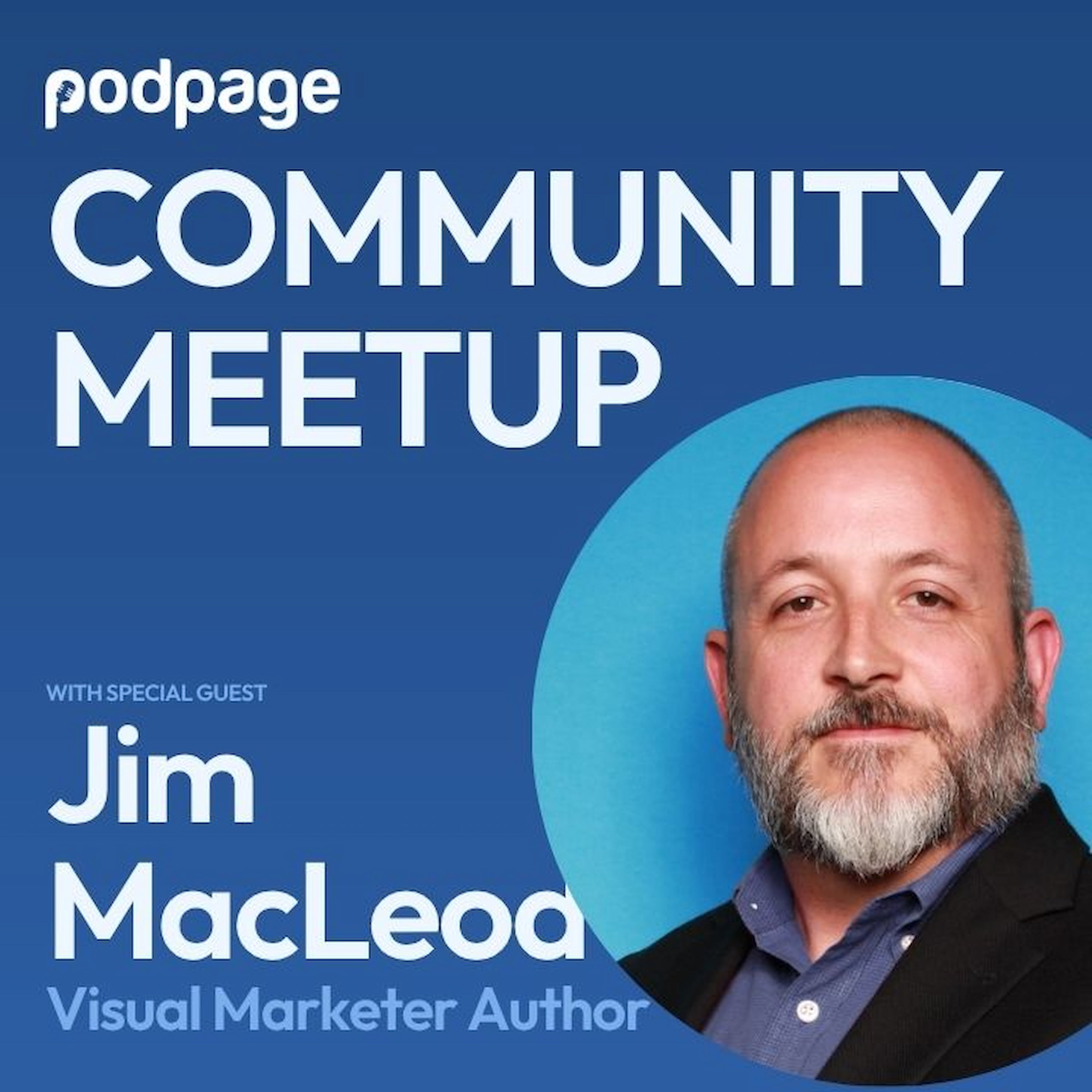
Ep 32Consistency is Key: Crafting a Memorable Brand Identity
Hey everyone, Dave Jackson here! In this episode, I sat down with Jim McLeod, the mind behind the book The Visual Marketer: The Marketer’s Crash Course for Creating Memorable and Effective Visuals. We dove deep into what it takes to build not just a brand, but a truly standout visual brand for your podcast or business.Here’s what you’ll learn today:Why your brand is much more than just your logo. Jim breaks down the misconception that your brand is simply your logo — it’s every interaction people have with your business.How to think about your logo and colors. We chat about why starting your logo design in black and white is so important, and how to pick colors that mean something to your audience (and why blue is so common in tech, for example).Choosing colors that help you stand out. Jim shares how owning a color, like T-Mobile’s magenta or Home Depot’s orange, can boost your recognition. He even discusses surprising meanings behind colors like red, blue, green, and neon, and how international audiences might interpret them differently.Survey and analytics tips. I ask Jim for his best practices on getting meaningful feedback from your audience — including the need to pair survey responses with real analytics, since what people say and what they do can be totally different.The power of faces and typography. YouTube thumbnails (and all digital artwork) can benefit from bold faces and bold type — but you do have to strike the right balance based on whether you’re the brand or the topic is the draw.Common design mistakes. We tackle the issue of not leaving enough white space, and why consistency with your fonts, colors, and layouts is absolutely essential for quick brand recognition.How to research your competition and carve your niche. Jim recommends creating Pinterest boards or swipe files to study what others are doing — and then finding your spot in the “white space” to stand out, without looking totally out of place in your market.Using AI for visual design and prompts. Jim gives his take on trusting AI-generated color palettes and how to create consistent visuals even when you’re using tools like ChatGPT or Canva.Plus, we touch on classic rivalries (Coke vs. Pepsi, Marvel vs. DC, Red Sox vs. Yankees) and how even your color choice can put you side-by-side — or directly opposite — your biggest competitors.Shout-outs in this episode to Stephanie Graham (for the neon color question!) and Zita Christian (for the story on Tiffany blue and copyright — wild stuff).Here is the video version.More From Jim MacleodCheck out Jim’s book at visualmarketer.co and subscribe to his newsletter at MarketingByDesignKit.com.Next Month: Matt DiamanteComing up next month: I’m thrilled to welcome Matt Diamante of heytony.ca to talk simple, actionable SEO tips for podcasters and creators! Check out his YouTube Channel.Register for SEO 101 HEREAnd don’t forget — if you haven’t tried Podpage yet, get your 14-day free trial here.Thanks for listening — keep building that brand and I’ll catch you in the next episode!This podcast uses the following third-party services for analysis: OP3 - https://op3.dev/privacy

Ep 30Google It: The Secret Sauce for Podcast Ideas!
Get Proven Ideas From Google For Your PodcastLet’s kick things off with some nifty tips on how to boost your podcast website! First up, we talked about a super easy way to find content ideas that actually rank well in search engines. Spoiler alert: it involves a little visit to Google. Yep, just type in your keyword and watch the magic happen. You’ll find all sorts of related terms popping up, which can spark some killer blog post ideas. We even dove into the ‘People Also Ask’ section—trust me, it’s a goldmine for understanding what folks are curious about. Why not weave those questions into your content? It’s like having a cheat sheet for what your audience wants to know! Free Tool For Email Lists and SO MUCH MOREThen we switched gears to discuss a fab tool for managing your podcast emails. If you haven't met Systeme IO yet, you’re in for a treat. It’s this all-in-one platform that’s not just about emails but also about building your community and selling courses. The free plan is quite generous, and you don’t have to worry about those pesky fees eating away at your profits. I mean, who doesn’t love a good deal, right? Oh, and if you’re looking to embed cool stuff on your PodPage, we’ve got the scoop on how to do that without breaking a sweat. Customer Spotlight: Mark KingLastly, we showcased our first customer spotlight—Mark King from the Impact Investing Roadshow podcast. Mark shared his journey from WordPress frustrations (you know the drill, right?) to the smooth sailing he’s experiencing with PodPage. His insights on how the platform has simplified guest management are pure gold. We wrapped up with a nifty new feature on PodPage that lets you showcase categories right on your homepage. It’s all about making it easier for your listeners to find what they love. So, whether you’re a podcasting newbie or a seasoned pro, this episode is packed with juicy tidbits to help you thrive online!Free QR Maker For Your Website and MarketingWe are all well aware of what a QR code is thanks to our old friend Covid, but how do you make one. Here are the steps:Go to your website using the Chrome browserRight click on the siteClick on "Create QR Code for this Website"Downloads the image or copy and paste it into youe documentsIf you want one that is more customizable (and does a whole lot more) check out Switchy (aff link)Takeaways: We talked about a super cool free way to get content ideas that actually rank well. Google is your best buddy when you need to know what people are searching for, seriously! We learned that using categories on your podcast page can really boost listener engagement and website traffic. Mark King shared his journey from WordPress chaos to PodPage bliss and why it matters. Embedding forms or playlists on your site can really enhance your podcast's interaction with fans. The new updates to the category feature on PodPage helps keep your audience glued to your content, and that's what we want! Links referenced in this episode:impactinvestingroadshow.compodpage.compowerofpodcasting.comSysteme.io (aff link)Preview your site at www.podpage.com/previewAdding Categories to your front page video https://youtu.be/tT_sX1PeaF0Switchy Link Shortener and so much more (QR Codes with Stats!)This podcast uses the following third-party services for analysis: OP3 - https://op3.dev/privacy
Ep 29Nail That Podcast Pitch: Attract More Listeners Today!
This is a replay of the Podpage monthly meetup where we dig into the nitty-gritty of pitching your podcast, this episode is all about making sure you don’t just have a cool show, but you can actually tell people about it without sounding like a deer in headlights. We kick things off with some solid advice on how to craft an elevator pitch that doesn’t make you want to hide under a rock. You’ll learn that it’s all about knowing who your podcast is for, what it’s about, and how it benefits your listeners. Think of it as your podcast’s first impression, and we all know how important those are! As we chat, we sprinkle in some real-world examples, and trust me, you’ll want to pay attention here! Whether you’re at a conference or just chatting with a friend, having that quick pitch ready to roll is crucial. We even throw in some fun anecdotes about making your podcast stand out in a sea of others. And don’t worry, we keep it light with some playful banter because who says learning has to be boring? By the end of this episode, you’ll be armed with the tools to confidently share your podcast and hook potential listeners like a pro!So, if you’re ready to elevate your podcast game and get those listeners flocking to your show, this episode is a must-listen. We’ll help you go from mumbling about your podcast to delivering a killer pitch that leaves everyone wanting to know more!Takeaways: Pitching your podcast is essential, so have your elevator pitch ready to go. Your podcast description should explain the benefits for listeners clearly and concisely. Keep your pitch simple and avoid jargon; make it easy for anyone to understand. Focus on the unique aspects of your show that make it different from others. Engage your audience by highlighting what they can gain by listening to your podcast. Practice your pitch until you can deliver it confidently and naturally. This podcast uses the following third-party services for analysis: OP3 - https://op3.dev/privacy

Ep 28AI Search Optimization: Simple Tips for Podcasters!
If you wanna be found in AI search, you gotta get your content game on point! We’re diving into some super simple tips that’ll help your website catch the eyes of those AI tools, not just Google and Bing. We’ll chat about making your writing direct and conversational—no one’s got time for fluff, right? Plus, we’ll throw in the magic of using proper headings and a nifty TLDR at the start of your articles to keep things snappy. So, grab your favorite drink, kick back, and let’s make sure your podcast website shines in the world of AI search!Takeaways: Getting found in AI search requires content that is direct and conversational, so keep it friendly! Including a TLDR section at the top of your articles can really help AI understand your content better. Make sure to use proper heading structures like H1, H2, and H3 for better SEO results! Claiming your Google Business Profile can boost your authority and help with AI search visibility. Using credible sources and expert quotes in your content can enhance your credibility and SEO ranking. To get noticed by Google, aim for at least 600 words in your episode descriptions, it’s worth it! Links referenced in this episode:Matt Diggity Video on Ranking in AI SearchMonthly Meetup on Audience Surveysaskthepodcastcoach.com/livepodcastwebsitetips.compodpage.com/previewpowerofpodcasting.comSchool of PodcastingThis podcast uses the following third-party services for analysis: OP3 - https://op3.dev/privacy

Ep 27Maximize Your Podcast: The 7-11-4 Game Plan Revealed!
What is the Google 7-11-4 Rule?Alright, folks! Today we’re diving into the wild world of the 7-11-4 rule—yep, that’s seven hours, eleven touch points, and four platforms. Sounds like a secret menu item, right? But seriously, this rule is the key to building trust with your audience before they whip out their wallets. We’ll break down how to keep your listeners engaged and coming back for more, whether it’s through podcasts, blogs, or social media. And hey, if you’ve ever felt like you’re shouting into the void, we’ve got some tips to help you shine bright across all the right channels. So, buckle up, because we’re about to make your podcasting game way stronger! Most tools relate it to the book Winning the Zero Moment of Truth.Tracy Johnson Triple Threat FilterGetting guests on your podcast? Let’s level it up with the triple threat filter! We chat with Tracy Johnson, an old radio pro, share how to choose the perfect guest. First off, familiarity is key; the more well-known they are, the better your chances of snagging listeners. But wait, it’s not just about fame. Your guest also needs to be relevant to your audience. If nobody cares about them, you might as well talk to your houseplant! Lastly, we dive into the importance of having an entertaining guest. Are they interesting? Can they tell a story that keeps your audience hooked? Check out Tracy's book: Mic Drop Moments: The Playbook For Unforgettable Guest InterviewsPodpage's Guest Workflow and BenefitsWe also share how PodPage can help streamline your guest workflow, making it super easy to manage your guests’ info and boost your podcast’s visibility. By the end of this episode, you’ll have all the tools you need to attract amazing guests and keep your audience coming back for more. Let’s get to it!Takeaways: In the podcast world, people spend about seven hours engaging with content before they buy anything. The 7114 rule is essential for marketing, involving seven hours of content, eleven touch points, and four platforms. To build trust, your audience should meet your brand across at least four different channels over time. Creating diverse content helps engage listeners better and builds a loyal audience over time. Mentioned In This Episode Mic Drop Moments: The Playbook For Unforgettable Guest InterviewsWinning the Zero Moment of Truth.School of PodcastingFull Interview with Tracy Johnson on the School of PodcastingThis podcast uses the following third-party services for analysis: OP3 - https://op3.dev/privacy

Ep 26Adding Features To Your Website
Today, we're diving into some awesome ways to jazz up your website! We’re chatting about nifty tools that can help you add features, like a super handy events calendar. Plus, we’ll throw in some solid advice on picking the perfect guest for your podcast—because let’s be real, if you’re not excited about your guest, why even bother? We’ll spill the tea on redirects, too, so you don’t lose your precious SEO when changing your site around. So, grab your headphones and let’s make your podcast website shine!Building a killer podcast website doesn’t have to require a PhD in coding. Today, we’re diving into the magical land of website tools that will make your life easier and your site way cooler. Ever thought about adding an events calendar to your page? Yeah, me too! I stumbled upon this nifty tool called Elfsight that lets you whip up an events calendar faster than you can say ‘podcast launch’. It’s perfect for keeping your audience in the loop about all the fun stuff happening in your podcasting world. And guess what? You can even customize it without touching a single line of code. Just grab some code from Elfsight, paste it into your PodPage, and boom! You’ve got an events calendar that updates automatically. Talk about a time saver! Plus, if you’re on a budget, there’s a free plan to help you kick the tires. Oh, and if you’re all about making those podcast connections, we also chat about how to pick the right guests for your show. Spoiler alert: if you’re not feeling that ‘YES!’ vibe when you see a potential guest, it’s probably a no. Remember, your podcast deserves energy and excitement!Takeaways: In this episode, we discussed tools that enhance podcast websites, including an events calendar feature. The significance of redirecting domain names was emphasized to preserve SEO and audience accessibility. Effective guest selection for podcasts requires enthusiasm; any hesitation should lead to reconsideration. We highlighted the benefits of PodPage's affiliate program, which offers commissions for referrals. Listeners were encouraged to utilize audience surveys within PodPage to gain valuable insights and improve engagement. A reminder was given about our upcoming meetup focusing on audience listener surveys and Q&A sessions. Links referenced in this episode:podpage.compodpage.com/affiliatesakronpodcast.comElfsightRedirect.pizzaMonthly Meetup - Using Audience Surveyspowerofpodcasting.comThis podcast uses the following third-party services for analysis: OP3 - https://op3.dev/privacy

Ep 25Unlocking Podcast Success: Essential Best Practices with Alex Sanfilippo
The principal theme of our discussion revolves around the best practices in podcasting, as articulated through an extensive survey conducted with 1,600 podcasters. Alex was looking for the reasons behind the high attrition rate among novice podcasters, particularly those quitting before seven episodes. We talk about the critical aspects of podcasting, including design, content creation, search engine optimization, and monetization strategies. The goal is to furnish both seasoned professionals and newbies with actionable insights that can enhance their podcasting experience and foster greater audience engagement. So we talk best practices of getting started, being booked as guests, and finding your community.Takeaways: The podcasting landscape continuously evolves, and understanding best practices is paramount for success. Self-discipline and self-care emerged as crucial factors influencing the longevity of podcasters' careers. Engaging with listener feedback can significantly enhance the quality and relevance of podcast content. Creating a cohesive podcast network fosters community and provides recognition for podcasters' efforts. Effective outreach strategies are essential for podcasters seeking to expand their audience and opportunities. Podmatch serves as a valuable resource for podcasters to connect and collaborate, enhancing their visibility and growth. Links referenced in this episode:podpage.commediakit.podpage.compodpage.com/affiliates podmatch.compodmatch.com/networkschoolofpodcasting.comDave Interviews JesusThis podcast uses the following third-party services for analysis: OP3 - https://op3.dev/privacy

Ep 24The #1 Reason You're Not Gettomg Engagement On Your Show
If you want people to stick around and take action on your website, you’ve got to make it easy for them. In this episode, we break down the common friction points that stop visitors in their tracks—and how to fix them. I’ll share three powerful tools to help you keep your SEO strong, start monetizing, and customize your site without a lot of tech headaches. Plus, we’ll talk about the language you use on your site and how simple changes can lead to better engagement. If you’re looking to turn your website into a place where visitors connect, click, and come back for more, this episode is for you.Takeaways: Website engagement can be significantly hindered by unnecessary friction between the visitor and the desired action. Ensuring that contact information is easily accessible on your website is essential for visitor engagement. Using tools like Redirect Pizza can help preserve SEO when transitioning between domains. Effective communication with your audience often requires simplifying the navigation paths on your website. Links referenced in this episode:podcastwebsitetips.comredirectpizza.comakronpodcast.comelfsight.compowerofpodcasting.comMentioned in this episode:See What Your Show Looks Like on PodpageGo to podpage.com/preview and enter your name (or RSS Feed) and get a preview of how great your show would look like on Podpage. Start your 14-day Free Trial today.Podpage PreviewThis podcast uses the following third-party services for analysis: OP3 - https://op3.dev/privacy

Ep 23Unlocking the Secrets of PodPage Network Websites
Understanding Podpage Network WebsitesThe primary focus of today's discussion centers around the intricacies of understanding Podpage network websites. I want you to understand the functionality of network pages, which serve as a centralized platform for showcasing various podcasts within a singular network. Joining us to help explain is the founder of Podpage Brenden Mulligan.Each show has a dedicated subpage, although it is crucial to note that these do not possess separate domain names. Selling Products with No Monthly FeesYou have a product. You did your research and it fits in with your audience, but you're still a little worried. Have no fear today we talk about two options that enable you to sell products with no monthly fee (and they only take a small amount of the purchase). This enables your to achieve "proof of concept" with your product. Check out Payhip.How To Adjust to the Announcement Bar in PodpageThe Announcement bar is a great way to draw attention to a call to action. But what if you don't have one right now? How do you turn it off?Did You Lose Your Audience When You Introduced Your Guest?We also explore the implications of effectively introducing guests to retain audience engagement and the importance of relevance over exhaustive accolades. Don't read the full Linkedin bio, just the relevant part.Takeaways: In this episode, we elucidate the functionality and advantages of the PodPage network websites, emphasizing their role in enhancing podcaster visibility. We provide listeners with valuable insights on effectively monetizing their content through digital products, highlighting cost-effective options. One critical aspect discussed is a rambling introduction of your guests Listeners are guided through customizing the announcement bar in PodPage to better serve their audience's needs and preferences. We explore the implications of network website presence and clarify that shows do not receive individual domain names under the network plan. The episode stresses the necessity of relevance in guest introductions, advising hosts to focus on pertinent information to retain listener interest. Links referenced in this episode:podpage.compayhip.comgumroad.compodcastwebsitetips.compowerofpodcasting.comThis podcast uses the following third-party services for analysis: OP3 - https://op3.dev/privacy

Ep 22Growing Your Podcast Through Newlsetters - Monthly Meetup
This is a replay of our monthly meetup, where you learn how newsletters have better reach, open rates, click-through rates, and more than social media. I am not "anti-social media" as it's a great place to be social and interact with your audience, but if you want to market (and make it easy to share), you can't go wrong with a newsletter. See the video version.Takeaways: Newsletters possess a significantly higher engagement rate when compared to social media platforms, making them an advantageous tool for audience growth. The number of individuals who engage with marketing material via email substantially exceeds those engaging through social media, thus emphasizing email's effectiveness. Utilizing newsletters allows content creators to reach their audience directly in their inbox, circumventing the ephemeral nature of social media posts. A well-structured newsletter can provide a more personal connection with the audience, fostering loyalty and a community around the content. Links referenced in this episode:schoolofpodcasting.comtinkmedia.compowerofpodcasting.compodpage.comsubstack.comsendfox.commailerlite.comconvertkit.com (now kit)appsumo.comonvacado.comThis podcast uses the following third-party services for analysis: OP3 - https://op3.dev/privacy

Ep 21Website Optimization for Podcasters: Expert Advice from Mark Des Cotes
Is This Worth It?Ever wonder if your podcast website is actually helping you grow your audience—or just sitting there looking pretty? In this episode, I chat with podcast branding expert Mark Des Cotes from PodcastBranding.co about what makes a great podcast website and why it's more than just a digital business card.Welcome Mark Des CotesMark explains why your site should not just aim to attract many visitors—it needs to attract the right ones. We discuss the essentials of branding, visual hierarchy, and how to ensure that your website instantly communicates what your podcast is all about. We also cover some common mistakes podcasters make, such as not clearly indicating how listeners can contact them or making it difficult to find their actual episodes on the site.We also talk about design—things like choosing the right colors, making sure your logo fits your brand, and using SEO to get your site in front of the right people. Mark shares his insights on creating a website that looks great and works for you, helping you build deeper connections with your audience.Key takeaways:✅ Your podcast website should clearly communicate your message and brand.✅ SEO isn’t just for bloggers—it helps the right audience find your show.✅ A simple contact form makes it easier for listeners to reach out.✅ A strong call-to-action in your hero section gets visitors engaged.✅ Make sure all your podcast episodes are easy to find and play directly on your site.✅ Bonus: Adding extra resource pages can make your site even more useful.If you’re ready to take your podcast website from “meh” to must-visit, this episode is for you!Links referenced in this episode:podcastbrandingco.comcongressionaldish.comPodpage.compodcastwebsitetips.com/surveypodcastwebsitetips.com/newsletterpodcastwebsitetips.com/21podcastwebsitetips.com/voicemailThis podcast uses the following third-party services for analysis: OP3 - https://op3.dev/privacy

Ep 20This Is Where We Changed The Name - And Surveys
We are rebranding the show from "Your Podcast Website" to "Podcast Website Tips." We will still discuss podcast websites and use this show to communicate with the Podpage community and customers.Today, we talk about the news Audience Survey from Podage (see video)Follow the show and never miss an episode.This show is based off of YOUR feedback. Leave a question/feedback at podcastwebsitetips.com/voicemailThis podcast uses the following third-party services for analysis: OP3 - https://op3.dev/privacy

Ep 19Fixing Broken Links: Your Podcast's Silent Killer
Navigating the digital landscape of podcasting requires more than just compelling content; it also necessitates a well-maintained website. Broken links can significantly undermine a podcast's credibility and SEO performance. Today I cover the crucial issue of broken links, using his nearly two-decade experience in podcasting as a backdrop. I discuss the frustrating experience of encountering 404 errors, which frustrate potential listeners and reflect poorly on the podcaster's commitment to maintaining their online presence. This episode emphasizes the importance of regularly auditing your website for broken links, as neglecting this can lead to increased bounce rates and decreased search engine rankings. Got Feedback On This Episode?I'd love to hear what you thought about this episode. If you have a minute or two, it's less than 5 questions and works great on your phone or computer. Episode Survey I give you actionable advice on utilizing free link checker tools to identify and rectify these errors. I share my experience with a particular tool, revealing a disheartening number of broken links on his site. However, he also highlights the positive aspect of easily fixing these issues through a user-friendly interface. Podcasters can enhance their brand reputation by prioritizing link maintenance, improving user experience, and driving more traffic to their shows. This episode serves as a wake-up call for podcasters to take charge of their web presence and ensure their digital footprint is as polished as their audio content.As someone who has published content on the Internet, one of my biggest issues is companies I talked to twenty years ago have gone out of business. The other one is fat fingers :) Takeaways: Broken links can frustrate visitors, leading to a negative perception of your website. Regularly checking for broken links is essential to maintain your website's SEO health. Broken links can increase bounce rates, as users leave after encountering 404 errors. Using free link checker tools can help identify and fix broken links on your site. Search engines may penalize websites with broken links, impacting overall search rankings. Maintaining internal link integrity is crucial for distributing link equity throughout your site. Mentioned In This EpisodeJoin the School of Podcasting Website Resources Listen to Podcast Website Tips: Growing Your Podcast via the Web Sitechecker Pro Free Link Checker (as it's part of the 14-day trial)Full Site Edit From SemrushSchool of PodcastingThis podcast uses the following third-party services for analysis: OP3 - https://op3.dev/privacy

Ep 18Bounce Rate Explained: Essential Tips for Podcasters to Improve Website Engagement
Bounce rate is a measurement used in SEO to measure engagement on your website. Depending on the type of website, it can be REALLY important, or you may decide not to sweat it.What is Bounce Rate? It is calculated by dividing the number of single-page sessions (bounces) by the total sessions and shown as a percentage. For example, if 500 out of 1,000 visitors leave after viewing just one page, the bounce rate would be 50%. YAY MATH!It Depends On the SituationBounce rate significance depends on the page type and its goals. A high bounce rate on a customer service page may be fine if users quickly find what they need. However, a high bounce rate on a landing page meant to convert visitors could signal issues like poor content or mismatched expectations.What is a Good Bounce Rate?Well, as I stated above, "Good" is relative. Generally, a good bounce rate is around 40% or lower, while rates above 55% may warrant further investigation.Mentioned In This EpisodeJoin the School of Podcasting Website Resources Listen to Podcast Website Tips: Growing Your Podcast via the Web Link Whisperer - WordPress plugin for cross-linkingFathom Easy-to-Understand Website StatsSources:MailchimpSemrushCXLFullstoryRebrand Coming Your WayIf you're new to the show I recently switched job from Libsyn to Podpage. One of the things I will be doing for my role at Podpage will be to do a podcast about Podcast Websites with Podpage as the Sponsor. If this sounds very familiar to this show, then you're on the same page as I am. So not much will change going forward, the name and artwork and maybe the website. I'll keep you informed, but if you've been wondering where new episodes have been, now you know.Thanks so much.Mentioned in this episode:Check Out TryPodpage.com and Build Your Website in 10 MinutesIf you're tried of trying to force a podcast website into Squarespace, or Wix and you've had it up to here with the endless plugin and theme updates of WordPress then you need to check out TryPodpage.com you can build a podcast website in 10 minutes or less without having to learn a bunch of coding. Worried about a learning curve, check out the free course at www.learnpodpage.comThis podcast uses the following third-party services for analysis: OP3 - https://op3.dev/privacy

Ep 17Episode Title Optimization: 4 Secrets To Get More Juice From the Squeeze
We all come up with episode titles (which end up on our website). Today, we are talking about how to maximize those titles for maximum impact. Mastering the Clickable Title: SEO Secrets for Irresistible Podcast EpisodesYou've poured your heart and soul into creating amazing podcast content, but are you giving your episode titles the attention they deserve? Let's face it: Crafting compelling titles is an art form that can make or break your podcast's success. In many cases, it's the next to last thing we do in our episode process. In today's digital landscape, where listeners are bombarded with endless options, your episode titles must work overtime to grab attention and entice clicks.Why Episode Titles MatterYour episode title is the first impression you make on potential listeners. It's your chance to stand out in a sea of content and convince someone to press play. But here's the kicker: a great title isn't just about attracting listeners – it's also crucial for search engine optimization (SEO) on your podcast website.Think of your episode title as a double agent. On one hand, it's working to captivate human eyes and ears. On the other hand, it sends signals to search engines about what your content is all about. By mastering the art of title creation, you're setting yourself up for success on both fronts.4 Tips for Crafting Clickable Episode Titles1. Put Your Keywords Front and CenterWhen it comes to SEO, the placement of your keywords matters. Search engines give more weight to words that appear early in your title. So, instead of burying your main topic at the end, could you bring it to the forefront?For example, instead of "Episode 16: An Interview with Marketing Guru Jane Smith," try "Marketing Strategies Unveiled: Jane Smith Shares Industry Secrets."Pro tip: While keyword placement is important, don't sacrifice readability or natural language. Your title should still make sense and appeal to human readers first.2. Use Power Words and ModifiersCertain words and phrases have a knack for grabbing attention and sparking curiosity. Incorporate power words and modifiers to give your titles extra oomph:BestUltimateEssentialProvenInsiderRevealedStep-by-StepCraft Clickable Podcast Episode Titles: Your Key to Listener Growth1. Prioritize Keywords - Place your main keywords at the beginning of the title for maximum SEO impact.2. Leverage Power Words - Incorporate attention-grabbing words like "best," "ultimate," and "proven" to make your titles more compelling.3. Solve a Problem or Promise Value - Clearly communicate the benefit listeners will gain from tuning in to your episode.4. Keep it Concise - Aim for titles under 60 characters to ensure full visibility across platforms. (per backlinko)Bonus Tip: Harness the Power of Questions- Use the actual question your episode answers as the title for improved searchability.Mentioned In This EpisodeJoin the School of Podcasting Website Resources Listen to Podcast Website Tips: Growing Your Podcast via the Web BacklinkoSemrushMangoolsThis podcast uses the following third-party services for analysis: OP3 - https://op3.dev/privacy

Ep 16Should I Use a Subdomain For My Website?
Today I look at using subdomains (this.website.com) for your podcast.A subdomain is something like tv.apple.com where TV is the subdomain. When to Use a SubdomainYou have a topic that doesn't mesh with your brand on your main website.Your workflow prohibits you from adding it to your main website.If you've had your main website and don't want to have to redirect the old site to look at the subdomain.Does Google Hate Subdomains?Quit answer is no. They do treat them like a separate website. With this in mind backlinks to the subdomain don't necessarily boost the SEO of the main website. (Neil Patel said that 90% of the SEO will flow into the main website).A Hypothetical UseYou want to lessen the number of distractions on your site, so you put your podcast in a subdomain. This way the main website is all about converting your sails.Best PracticesMake your subdomain and main site look very similar so the visitor doesn't get confused.Mentioned In This EpisodeJoin the School of Podcasting Website Resources Listen to Podcast Website Tips: Growing Your Podcast via the Web Google saying subdomains are OKNeil Patel on Subdomains.This podcast uses the following third-party services for analysis: OP3 - https://op3.dev/privacy

Ep 15Why Keyword Stuffing Fails: Effective SEO Tips for Podcasters
Organic search is powerful. Why? Because it is FREE. This is why we all search for it. The days of keyword stuffing are behind us. Now we need to look at search intent. Who is your audience and what are they trying to do?First, integrate keywords effectively in your URL, page titles, headings, and the first paragraph of your content. Second, ensure the quality and consistency of your content, aiming for high-quality material that readers are likely to share and that meets Google's standards. Third, maintain an excellent user experience with a secure website, free of broken pages, and easy-to-read text. Fourth, focus on the technical SEO aspects, like having a secure HTTPS site and avoiding 404 errors. Finally, ensure your site is mobile-friendly, with readable text and easily tappable buttons to accommodate users on different devices.Mentioned in this episode:Podpage Makes Everything About Your Website EasierI recently switched media hosts. One show used WordPress and the Other Used Podpage. When you redirect the show, the podpage website updates automatically. The other show on WordPress has all the previous episodes updated manually. Podpage is made for podcasters, and it makes EVERYTHING easier. Check it out at www.trypodpage.comPodpageThis podcast uses the following third-party services for analysis: OP3 - https://op3.dev/privacy

Ep 14Tired of Google? - Using Bing and DuckDuckGo for Podcast Growth
What are your personal experiences with Google search results, and have you noticed any unusual or inconsistent AI-generated responses lately?With search engines constantly evolving, you might find yourself straying from Google and exploring alternatives like Bing and DuckDuckGo. In this episode, we'll dive into the pros and cons of these search engines and guide you through how to get your website listed on them. Whether you're frustrated with Google's overflowing ads or curious about Bing's potential earnings, we've got you covered. Plus, we'll discuss the importance of sitemaps and how to ensure your site stays indexed, so your audience can easily find you no matter where they search. Stay tuned as we navigate the world beyond Google!Mentioned In This EpisodeJoin the School of Podcasting Website Resources Listen to Your Podcast Website Bing Webmaster Toolshttps://www.bing.com/webmaster/aboutGoogle Search Consolehttps://search.google.com/search-consoleNamecheaphttps://supportthisshow.com/namecheapCoolerwebsites.comGot Feedback On This Episode?I'd love to hear what you thought about this episode. If you have a minute or two, it's less than 5 questions and works great on your phone or computer. Episode Survey Got a Comment? Leave it at www.yourpodcastwebsite.com/voicemailVideo on Adding Your Website to BingVideo on Adding Your Website to GoogleMentioned in this episode:Podpage Takes the Hassle Out of WebsitesPodpage makes websites for PODCASTERS. It has so many features, including: Built-in SEO features Built-in voicemail page Built-in Follow page (keep traffic on your site). Give podpage a try to test it out.PodpageThis podcast uses the following third-party services for analysis: OP3 - https://op3.dev/privacy

Ep 13Building Trust Through Your Podcast About Page
Today, we're diving deep into a crucial yet frequently overlooked aspect of your online presence—the About page. It's surprising how many people forget to include essential details like their full names or make their business and podcast information clear. In this episode, we will flip the "Your audience is the hero" script on its head, the power of storytelling in connecting with your listeners, and practical tips for crafting a compelling about page whether you're a business with a podcast or a podcast-centric website. Plus, we'll touch on invaluable resources like Don Miller's "StoryBrand" and Matthew Dicks' "Storyworthy" to help refine your storytelling skills. Stay tuned for insights that could significantly impact how you present yourself and engage with your audience online!The Sections of A Business About PageThe sections mentioned for an effective About Us page include:Characters (people behind the brand)Conflict (the problem the business solves) Resolution (the outcome and impact)Vision for the future (where the business is going)Dialog (quotations and voice of the brand)Setting (context and location of the business)The About Page of a Podcast First WebsiteA basic, but very useful framework is:We help (who is your audience) do (what they need to do) so they can (benefit)Tips From Apple Your description should tell listeners what kind of content you talk about and explain how people can benefit from listening. If you need a little help, think about how you can convey the problem you’re trying to solve in a way that convinces listeners they should care. -AppleMentioned In This EpisodeJoin the School of Podcasting Website Resources Listen to Podcast Website Tips: Growing Your Podcast via the Web Storybrand by Donal MillerStoryworthy by Matthew DicksWes McDowell on About Page FormulasThis podcast uses the following third-party services for analysis: OP3 - https://op3.dev/privacy

Ep 12All In One Websites Vs Pieces Parts
Brad from Cancer and Comedy asked for my opinion on "All in One Sites" vs using multiple specialized tools. It's a hard question to answer and as always "If depends" on your budget, tech level, and desire to tackle a learning curve.Choosing OneIf you decide to want to sell courses, digital products, a membership/community here are some things to keep in mind. Look at all the features:CoursesEmail ListsCommunity/Membership sitesProcessing feesMobile AppAffiliate ProgramsDigital Products1 to 1 CoachingGroup CoachingLead MagnetsPage BuilderCheck out pageCRM (customer relationship manager)ReportingZapier IntegrationThere is no "Right Answer" it depends on what your priorities are going to be. How Much For A Course, a PDF and a Membership/Community?One of the reasons I think Kajabi is overpriced is they treat everything like a "Product" (per this demo video). If I want to have a course, a PDF for sale, and a Community/Membership that is seen as three products. That puts you are $150/month.Mentioned In This EpisodeJoin the School of Podcasting Website Resources Listen to Podcast Website Tips: Growing Your Podcast via the Web KajabiPodiaZenlerPensiteHeartbeat CommunityCircle CommunitySendfox Email List (lifetime deal)Tidycal Calendar (lifetime deal)Full description on websiteMentioned in this episode:Check Out TryPodpage.com and Build Your Website in 10 MinutesIf you're tried of trying to force a podcast website into Squarespace, or Wix and you've had it up to here with the endless plugin and theme updates of WordPress then you need to check out TryPodpage.com you can build a podcast website in 10 minutes or less without having to learn a bunch of coding. Worried about a learning curve, check out the free course at www.learnpodpage.comThis podcast uses the following third-party services for analysis: OP3 - https://op3.dev/privacy

Ep 11Six Key Sections to Optimize Your Podcast Website
For years I had a podcast with a website. Then, I decided to make my business a bit more serious and switched the focus to a business with a podcast. Today we are talking about having a laser-focused website for whatever that ONE THING you want your audience to do. This is from the book Coach Builder from Donald Miller (author of Storybrand)The Six Sections of Your Website's Front PageThe Header ( clearly state who you help and what you do)Stakes (the consequences of not working/listening with you)The Menu (your solution, your podcast, services)Proof of Value (toot your own horn)The Plan (a super easy on-ramp to working with you)The Explanatory Paragraph (a story framework to invite visitors into your world)Got Feedback On This Episode?I'd love to hear what you thought about this episode. If you have a minute or two, it's less than 5 questions and works great on your phone or computer. Episode Survey Mentioned In This EpisodeJoin the School of Podcasting Website Resources Listen to Podcast Website Tips: Growing Your Podcast via the Web Video of Customizing a Podpage PageMentioned in this episode:Check Out TryPodpage.com and Build Your Website in 10 MinutesIf you're tried of trying to force a podcast website into Squarespace, or Wix and you've had it up to here with the endless plugin and theme updates of WordPress then you need to check out TryPodpage.com you can build a podcast website in 10 minutes or less without having to learn a bunch of coding. Worried about a learning curve, check out the free course at www.learnpodpage.comThis podcast uses the following third-party services for analysis: OP3 - https://op3.dev/privacy

Ep 10The SEO Benefits of Keeping Podcast Traffic In-House
Today, we're diving into a common mistake that many podcasters make without even realizing it: sending our audience off our websites. By doing so, we're missing out on boosting our SEO and reinforcing our brand. In this episode, I'll guide you through easy strategies to keep your listeners engaged on your site, from creating dedicated follow pages to using plugins that streamline the process. Whether you're new to podcasting or looking to optimize your current approach, these tips will help you strengthen your online presence and bring long-term benefits to your show. Not sure what I'm talking about. Check out my follow page (generated by PodPage)Mentioned In This EpisodeJoin the School of Podcasting Website Resources Listen to Podcast Website Tips: Growing Your Podcast via the Web Video: How to find your show's link in appsMentioned in this episode:Have Podpage Create a Newsletter, Blog or Summary For YouPodpage is an amazing tool that enables you to make a website for your podcast with no coding skills. Now you can have Podpage pull the information from your podcast, and create a newsletter, blog post or summary. It shows a few version and then shows you the outline of what it is about to write. You click a few buttons, and it is DONE! Check it out at www.trypodpage.com (or click the link below).PodpageThis podcast uses the following third-party services for analysis: OP3 - https://op3.dev/privacy

Ep 9Avoiding Buyer’s Remorse - Smart Shopping on AppSumo
Today, we're diving into AppSumo, a fantastic platform for discovering amazing software deals at unbeatable prices. We'll be exploring how this site helped launch major tools like Zapier and sharing tips on how to make the most out of your AppSumo experience. From how to avoid common pitfalls to leveraging reviews and support resources, we've got all the information you need to make informed purchases and find those game-changing tools for your podcasting needs. Let's get started!Got Feedback On This Episode?I'd love to hear what you thought about this episode. If you have a minute or two, it's less than 5 questions and works great on your phone or computer. Episode Survey Timeline00:00 Navigating App Sumo01:20 What is App Sumo02:31 Everyone Leaves Happy03:18 Avoiding Mistakes04:36 Check Reviews05:54 History Check07:08 Checklist08:05 Disclaimer It Is AddictingMentioned In This EpisodeJoin the School of Podcasting Website Resources Listen to Podcast Website Tips: Growing Your Podcast via the Web Mentioned in this episode:We Make Podcasts BetterPodcast Hot Seat is the shot in the arm your podcast needs. For less than $100 you get: Your podcast content reviewed Your podcast website reviewed A FREE MONTH of the School of Podcasting (including courses, community and coaching). Extra exposure on the Podcast Hot Seat Podcast.Podcast Hot SeatThis podcast uses the following third-party services for analysis: OP3 - https://op3.dev/privacy

Ep 8Why You Should Treat Each Podcast Episode Like a Blog Post
In today's episode, we're diving into a common yet critical mistake many podcasters make with their websites—using a multi-episode audio player that offers zero SEO benefit. I'll break down why it's essential to treat each podcast episode like a dedicated blog post, how to effectively use single-episode players and the importance of including detailed show notes with useful links. By optimizing your website this way, you can significantly boost your SEO, increase engagement, and make it easier for your audience to find and share your content. Stay tuned as we explore the steps to elevate your podcast's online presence!Got Feedback On This Episode?I'd love to hear what you thought about this episode. If you have a minute or two, it's less than 5 questions and works great on your phone or computer. Episode Survey Mentioned In This EpisodeJoin the School of Podcasting Website Resources Listen to Podcast Website Tips: Growing Your Podcast via the Web Mentioned in this episode:Profit From Your Podcast: Turn Your Listeners Into a LivelihoodCheck out my book Profit From Your Podcast: Proven Strategies to Turn Listeners Into a Livelihood. NOW AVAILABLE AS AN AUDIO BOOK. Profit From Your PodcastThis podcast uses the following third-party services for analysis: OP3 - https://op3.dev/privacy

Ep 7Simple Image SEO Tactics to Boost Your Podcast Website Rankings
Today I dive into the often-overlooked aspect of SEO: optimizing images. You'll learn simple tweaks—low-hanging fruit that can significantly boost your search engine visibility. From using descriptive file names and alt text to resizing and compressing images, we'll cover practical tips you can implement right away. Plus, we'll discuss tools and plugins, like Swoosh and Rank Math, that simplify the process, for Podpage users and for WordPress users. Whether you're a seasoned podcaster or just starting, these strategies will help you enhance your online presence and make your images work harder for you. Tune in and let's optimize those images together!Quick FixesUse keywords in your file names.Use hyphens to separate words in your file names.Make descriptive alternate descriptions.Resize Your Image (before uploading).Social Preview Images (1200X630).WordPress UsersUse a CDN Content Delivery Network like Bunny.Create an Image Site Map.Alt Text Plugin for WordPress Users (see image on website)Mentioned In This EpisodeJoin the School of Podcasting Website Resources Listen to Podcast Website Tips: Growing Your Podcast via the Web RankMath PluginBunny CDNAlt Text PluginMark at PodcastBranding.coSquoosh Free Image resizer and compression toolTinyPngTiny JPGPodcast Hot SeatMuch of this episode was based on an article, "How to Optimize Images for Search Engines & Users" from SemrushMentioned in this episode:Podpage Built on Podcaster FeedbackBrenden Mulligan, the founder of Podpage, built Podpage on user feedback. He stays in his lane and focuses on building the ultimate podcast website (including Podcasting 2.0 features incorporated into your site) for podcasters. You can build your website in 10 minutes with no coding.PodpageThis podcast uses the following third-party services for analysis: OP3 - https://op3.dev/privacy

Ep 6Boost Your WordPress SEO Game with RankMath - A Free Plugin Worth Exploring
Today I delve into the world of WordPress plugins and explore how Rank Math, a lesser-known plugin, stands out in the realm of SEO tools. I also compare the free versions of Rank Math, Yoast SEO, and All in One SEO, we uncover the unique features that Rank Math offers without the need for a premium upgrade. From easy redirects to advanced custom fields and local SEO capabilities, Rank Math impresses with its comprehensive functionality. Join us as we break down the key features and pricing options of Rank Math and discover why it's a top contender in the world of WordPress SEO plugins.(As an affiliate, I earn from qualifying purchases through some—but not all—of the following links. But I recommend things I truly believe in, regardless of earnings.)Mentioned In This EpisodeJoin the School of Podcasting Website Resources Listen to Podcast Website Tips: Growing Your Podcast via the Web MathRank SEO PluginYoast SEO PluginAll-In-One SEO PluginFull Comparison Follow the Show and Never Miss an Episodeyourpodcastwebsite.com/followThis show is part of the Power of Podcasting Network. This is episode 6.Mentioned in this episode:Check Out TryPodpage.com and Build Your Website in 10 MinutesIf you're tried of trying to force a podcast website into Squarespace, or Wix and you've had it up to here with the endless plugin and theme updates of WordPress then you need to check out TryPodpage.com you can build a podcast website in 10 minutes or less without having to learn a bunch of coding. Worried about a learning curve, check out the free course at www.learnpodpage.comProfit From Your Podcast: Turn Your Listeners Into a LivelihoodCheck out my book Profit From Your Podcast: Proven Strategies to Turn Listeners Into a Livelihood. NOW AVAILABLE AS AN AUDIO BOOK. Profit From Your PodcastThis podcast uses the following third-party services for analysis: OP3 - https://op3.dev/privacy

Ep 5Maximize SEO Effectiveness with Google's EEAT Guidelines
E-E-A-T (Experience, Expertise, Authoritativeness, and Trustworthiness) is part of Google’s Search Quality Rater Guidelines—the handbook that real people use to evaluate the quality of search results.Whether you're new to content creation or a seasoned podcaster, understanding these principles can help you produce high-quality content that ranks well and builds trust with your audience.If you're using AI to save time, these are the items you would want to add to your AI-generated content to rank better with Google.It boils down to writing good content and then being transparent about who the author is. Google wants to know the person that's writing this content is a legitimate source of information.Mentioned In This EpisodeJoin the School of Podcasting Website Resources Listen to Podcast Website Tips: Growing Your Podcast via the Web What Are E-E-A-T and YMYL in SEO & How to Optimize for Them - Semrush websiteTaking the ‘OH NO!’ Out of SEO - Lauren Gaggioli on the Creator News Live showSemrush Authority Score - ToolMentioned in this episode:Podpage Keeps Getting BetterAs your podcast grows, managing incoming messages becomes crucial. Message category routing directs inquiries to the right team member based on the listener's selected category, ensuring prompt and efficient responses. You can make your own categories and route them to the proper email address. COOL! Build your website is less than 10 minutes with NO CODING.PodpageThis podcast uses the following third-party services for analysis: OP3 - https://op3.dev/privacy

Ep 4Website Analytics Demystified with Tools and Tips for All Users
Today, we’re checking out website analytics and the various tools available to help you understand what is going on with the visitors to your site (so you can adjust your design to meet your goals). Whether you're a seasoned marketer or just starting out, understanding your analytics is crucial in navigating your website's success. From ubiquitous platforms like Google Analytics to more specialized tools like Monster Insights, Fathom, and Mouse Flow, we'll explore how these tools can demystify visitor behavior, improve your site's performance, and ultimately help you achieve your digital goals.The following list may include affiliate links, meaning I may receive a small fee if you buy it (but there is no extra charge).Mentioned In This EpisodeJoin the School of Podcasting Website Resources Listen to Podcast Website Tips: Growing Your Podcast via the Web Survey About This Episodehttps://podclick.me/thoughtsGoogle Analyticshttps://analytics.google.com Google Analytics Pluginhttps://wordpress.org/plugins/google-site-kit/Google Analytics Academyhttps://analytics.google.com/analytics/academy/Monster Insightshttps://supportthisshow.com/optinmonsterFathom Website Statshttps://supportthisshow.com/fathomHot Jarhttps://www.hotjar.com/Mouse Flowhttps://supportthisshow.com/mouseflowBolding Vs HeadingsSee VideoCommentsClick to leave your feedback for this episodeFull description on the website at yourpodcastwebsite.com/4Episode 3 with Greg Merrileesyourpodcastwebsite.com/3Link Whisperhttps://supportthisshow.com/linkwhispererMentioned in this episode:Podpage Makes Things So EasyIt's hard to get people to your website when they are listening on the treadmill. With Podpage it automatically creates a /follow page for people to subscribe and follow your show. Wen you enter your episode number it uses that for a /number link. It even counts how many time a link has been clicked. PodpageThis podcast uses the following third-party services for analysis: OP3 - https://op3.dev/privacy

Ep 3Unveiling Web Design Secrets with Greg Merrilees to Boost Your Podcast's Impact
Welcome to another enlightening episode of "Your Podcast Website." Today, we dive deep into why starting with a clear purpose can dramatically influence your online presence. Joined by the talented Greg Merrilees from Studio1 Design, we'll explore effective website strategies, the critical role of design and copywriting, and how these elements combine to solve your audience's problems. This discussion is packed with actionable insights. Transform your website into a more powerful tool that resonates with your listeners.Check out Greg at studio1design.com and go through his quiz at studio1design.com/daveMentioned In This EpisodeStudio1Design.com/daveElementorWP EngineFigmaMailerliteConvertkitConstant ContactSpin Selling BookJab, Jab, Right Hook Gary VBuilding a StorybrandStreamable PlatformEcamm LiveJordan Harbinger Sponsor PageMouse FlowMentioned in this episode:Check Out TryPodpage.com and Build Your Website in 10 MinutesIf you're tried of trying to force a podcast website into Squarespace, or Wix and you've had it up to here with the endless plugin and theme updates of WordPress then you need to check out TryPodpage.com you can build a podcast website in 10 minutes or less without having to learn a bunch of coding. Worried about a learning curve, check out the free course at www.learnpodpage.comProfit From Your Podcast: Turn Your Listeners Into a LivelihoodCheck out my book Profit From Your Podcast: Proven Strategies to Turn Listeners Into a Livelihood. NOW AVAILABLE AS AN AUDIO BOOK. Profit From Your PodcastThis podcast uses the following third-party services for analysis: OP3 - https://op3.dev/privacy

Ep 2How Much Does a Podcast Website Cost?
Welcome back to "Your Podcast Website," where today we're diving into the practical and pressing question: How much does it really cost to run a podcast website? We're going to explore various hosting and theme options available for podcasters, comparing prices and features from WordPress to specialized platforms like PodPage to comprehensive solutions like Squarespace and Wix. I'll break down what I currently use for the School of Podcasting and discuss alternatives that might save you time and money. Whether you're a beginner needing straightforward solutions or a seasoned podcaster looking to optimize, this episode will equip you with the knowledge to effectively budget for and enhance your online presence. So, tune in as we lay out all the necessary information right here on "Your Podcast Website."Yes You Need a Website...In episode one, we talked about how you need a website. Today, we talk about how much it is going to cost. As always your mileage may very.Some Confusing ItemsA few things are confusing. WordPress has a free version that you then pay to host on a WordPress host. They also have a hosting service, but depending on how much you pay it may be limited.What Are WordPress Themes and Plugins?Picture, your website is all done. A WordPress theme is something like the "Clothes" of your website. It's the same skeleton (your content) but a different way to display it. A WordPress plugin is software that adds functionality to your website. Think of a basic car, but then you add air conditioning. That additional feature is like a plugin in WordPress.Going back to confusing items, Elementor is both a plugin and a Web hosting option. Wordpress has a paid version (where the more you pay, the more features you get) or a free version that gives you maximum flexibility that you must install on your web host (most web hosts have it pre-installed).Mentioned In This EpisodeWordPress HostingWPEngine - $20 MonthSiteground - $18/month (deep discount first year)Cooler Websites - $14 a monthWordPress Builders$249 Elegant Themes (lifetime or $89/year) makers of Divi builder$69 Second Line themes$59 a Year Elementor Plugin$49/yr Astra (works well with Elementor)$149/Yr Kadence AI Theme Making ToolPodpagetrypodpage.comlearnpodpage.com$19 - $60$50 NetworkElementor Hosting$3-$20Podcast Page$12- $18Squarespace $25-72Wix$17-$36How Much I Pay For the School of Podcasting For a Year$15 For WordPress Hosting (Maplegrove Partners) ($180)$69 Second Line themes$59 a Year Elementor Plugin$77 Link Whisper$119 Wordfence Yr$2/month managewp$29 Social Warfare Plugin$99 All-in-One SEO (Yoast is also $99)$656Podpage for a year $144/228/468Elementor with hosting $36/$120/$240My striped-down WP Recommendation $320/yrPodcastPage $260Wix $204/yrSquarespace $276Mentioned In This EpisodeJoin the School of Podcasting Website Resources Listen to Podcast Website Tips: Growing Your Podcast via the Web Mentioned in this episode:Podpage Built on Podcaster FeedbackBrenden Mulligan, the founder of Podpage, built Podpage on user feedback. He stays in his lane and focuses on building the ultimate podcast website (including Podcasting 2.0 features incorporated into your site) for podcasters. You can build your website in 10 minutes with no coding.PodpageThis podcast uses the following third-party services for analysis: OP3 - https://op3.dev/privacy

Ep 1Why Every Podcaster Needs a Website: Insights from Dave Jackson
In this episode of "Your Podcast Website," host Dave Jackson emphasizes the importance of having a dedicated website for podcasters. He argues that relying solely on social media platforms can be precarious, as they are subject to changes and shutdowns that could disconnect creators from their audiences. Using examples like MP3.com, Friendster, and MySpace, Dave illustrates the risks of building a presence on platforms that podcasters don't own. He advocates for a personal website to centralize all activities and ensure control over content and audience interaction. The episode is packed with practical advice on website creation, optimizing for search engines, and the benefits of direct audience engagement through a dedicated platform.Quotes:"If you don't have a website, how are people going to find you?""When you make a platform that you don't own your main home base, you are building your house on rented land."More Information is Available at https://www.yourpodcastwebsite.com/1Mentioned In This EpisodeJoin the School of Podcasting Website Resources Listen to Podcast Website Tips: Growing Your Podcast via the Web Mentioned in this episode:Check Out TryPodpage.com and Build Your Website in 10 MinutesIf you're tried of trying to force a podcast website into Squarespace, or Wix and you've had it up to here with the endless plugin and theme updates of WordPress then you need to check out TryPodpage.com you can build a podcast website in 10 minutes or less without having to learn a bunch of coding. Worried about a learning curve, check out the free course at www.learnpodpage.comThis podcast uses the following third-party services for analysis: OP3 - https://op3.dev/privacy
Your Podcast Website Trailer
trailerYou start a podcast and find out that it can be challenging. You get over those hurdles only to find you need a website (You do?, yes, you do see episode 1). Everyone talks about "YouTube is the #2 search engine, but GOOGLE is the #1 search engine, and it needs GOOD WORDS, on YOUR website. This is what the show is about. What do I do with my website to maximize my online presence? If you want the answer to that question go to www.yourpodcastwebsite.com/follow and follow the show today.This podcast uses the following third-party services for analysis: OP3 - https://op3.dev/privacy