Podcast Answers
Lehman Creations LLC
Show overview
Podcast Answers has been publishing since 2023, and across the 3 years since has built a catalogue of 82 episodes, alongside 1 trailer or bonus episode. That works out to roughly 25 hours of audio in total. Releases follow a fortnightly cadence, with the show now in its 4th season.
Episodes typically run ten to twenty minutes — most land between 14 min and 21 min — though episode length varies meaningfully from one episode to the next. None of the episodes are flagged explicit by the publisher. It is catalogued as a EN-US-language Arts show.
The show is actively publishing — the most recent episode landed 3 weeks ago, with 8 episodes already out so far this year. The busiest year was 2023, with 32 episodes published. Published by Lehman Creations LLC.
From the publisher
Podcast Answers is a show that helps you start and grow your podcast, answering any podcast questions you have along the way. We weekly discuss everything related to podcasting.
Latest Episodes
View all 82 episodesThe Essential Elements of a Podcast One Sheet
Apple Podcasts Add HLS video
S4 Ep 67 Social Media Strategies for Podcast Growth
In this episode of Podcast Answers, Andy returns after a brief personal absence to share seven actionable social media strategies to help grow your podcast. Learn how to optimize your profiles, repurpose episodes into bite-sized clips, engage consistently, and encourage listener participation to build a loyal following Need Help? Do you need help with podcasting? I do one on one consulting and I want to help you. Lets set up a time to do a call. https://podcastanswers.com/contact Video created with Ecamm The video for this episode was created with Ecamm. Ecamm is a Mac app that is used for recording video and live streams. Check it out at https://podcastanswers.com/ecamm (affiliate link) Podcast Hosted On Captivate The audio for this podcast is hosted on Captivate. To host your podcast on Captivate, check out https://podcastanswers.com/captivate (affiliate link) Support This podcast is supported from listeners like you. Did you get value out of this podcast, in return we ask that you give us what ever you feel this content is worth. Go to https://podcastanswers.com/buymeacoffee and become a one time supporter or monthly supporter and get bonus content, early releases and more
S4 Ep 5Staying Consistent with Low Podcast Downloads
in this episode of Podcast Answers, we tackle a common podcaster struggle: staying consistent when download numbers are low. Instead of obsessing over passive downloads, learn how to reframe your mindset to focus on building meaningful relationships with highly engaged listeners. Discover practical tips to keep your momentum going, including setting process goals, batch recording, taking strategic breaks, and remembering your “why”. Remember, consistency always beats perfection! Need Help? Do you need help with podcasting? I do one on one consulting and I want to help you. Lets set up a time to do a call. https://podcastanswers.com/contact Video created with Ecamm The video for this episode was created with Ecamm. Ecamm is a Mac app that is used for recording video and live streams. Check it out at https://podcastanswers.com/ecamm (affiliate link) Podcast Hosted On Captivate The audio for this podcast is hosted on Captivate. To host your podcast on Captivate, check out https://podcastanswers.com/captivate (affiliate link) Support This podcast is supported from listeners like you. Did you get value out of this podcast, in return we ask that you give us what ever you feel this content is worth. Go to https://podcastanswers.com/buymeacoffee and become a one time supporter or monthly supporter and get bonus content, early releases and more
S4 Ep 4Starting An Email List For Your Podcast With Paul Gowder
In this episode I chat with Paul Gowder about setting up an email list for your podcast and why you would want one. Links: PaulGowder.com Powwows.com Need Help? Do you need help with podcasting? I do one on one consulting and I want to help you. Lets set up a time to do a call. https://podcastanswers.com/contact Video created with Ecamm The video for this episode was created with Ecamm. Ecamm is a Mac app that is used for recording video and live streams. Check it out at https://podcastanswers.com/ecamm (affiliate link) Podcast Hosted On Captivate The audio for this podcast is hosted on Captivate. To host your podcast on Captivate, check out https://podcastanswers.com/captivate (affiliate link) Support This podcast is supported from listeners like you. Did you get value out of this podcast, in return we ask that you give us what ever you feel this content is worth. Go to https://podcastanswers.com/buymeacoffee and become a one time supporter or monthly supporter and get bonus content, early releases and more
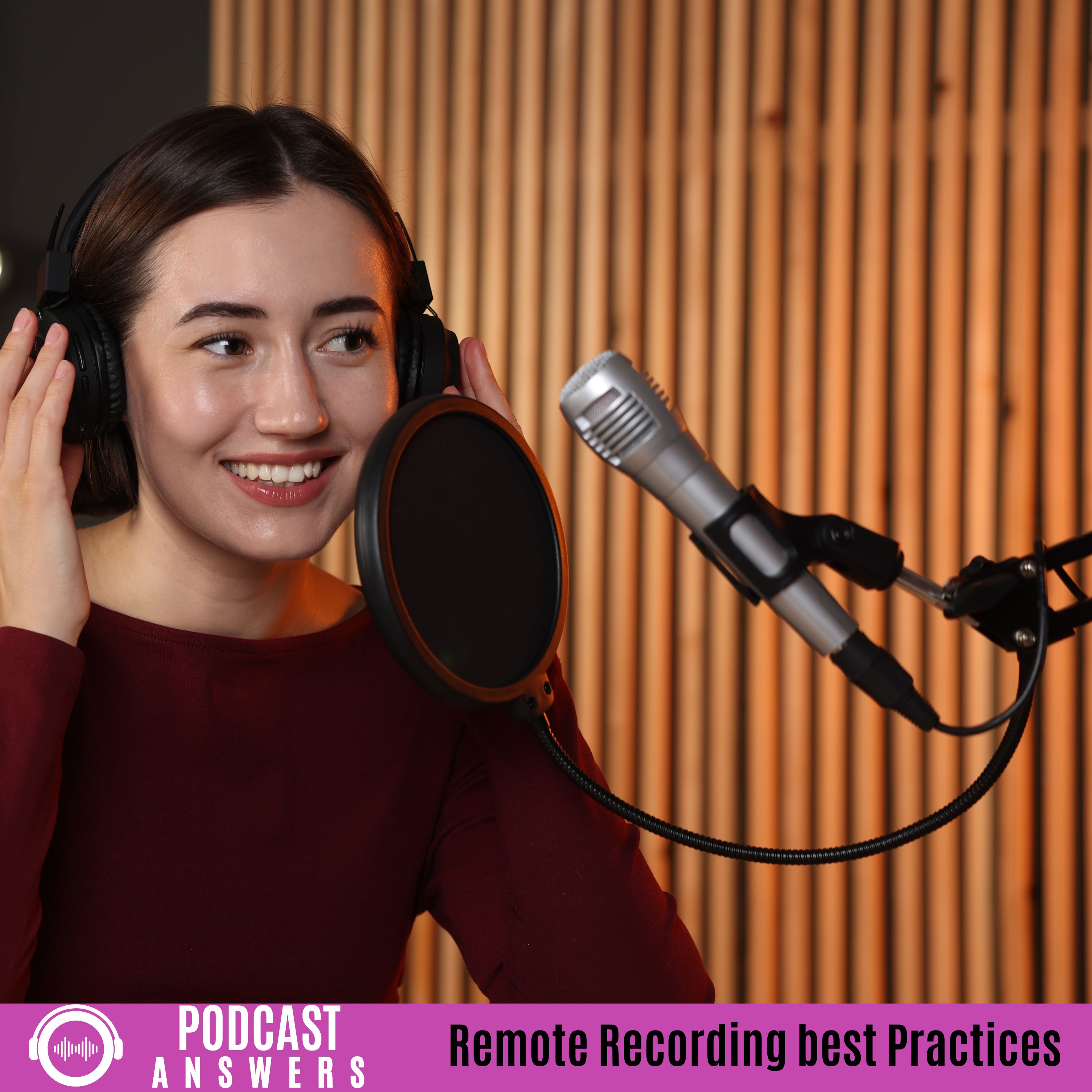
S4 Ep 3Mastering Remote Recording: Best Practices for High-Quality Guest
Learn essential strategies for pristine remote interviews, including using wired internet and “double-ender” recording methods for superior quality. This episode covers vital preparation steps like tech checks, mandatory headphones, and guest setup guides to ensure professional audio and avoid common technical pitfalls Need Help? Do you need help with podcasting? I do one on one consulting and I want to help you. Lets set up a time to do a call. https://podcastanswers.com/contact Video created with Ecamm The video for this episode was created with Ecamm. Ecamm is a Mac app that is used for recording video and live streams. Check it out at https://podcastanswers.com/ecamm (affiliate link) Podcast Hosted On Captivate The audio for this podcast is hosted on Captivate. To host your podcast on Captivate, check out https://podcastanswers.com/captivate (affiliate link) Support This podcast is supported from listeners like you. Did you get value out of this podcast, in return we ask that you give us what ever you feel this content is worth. Go to https://podcastanswers.com/buymeacoffee and become a one time supporter or monthly supporter and get bonus content, early releases and more
S4 Ep 2Overcoming Imposter Syndrome: Why Your Voice Matters
Do you feel unqualified to podcast? We tackle imposter syndrome, reminding you that every expert started as a beginner. Learn to reframe your perspective, serve your audience, and prioritize authenticity over perfection. Plus, hear updates on the show’s new Thursday release schedule. Your unique story is needed—hit publish today! Need Help? Do you need help with podcasting? I do one on one consulting and I want to help you. Lets set up a time to do a call. https://podcastanswers.com/contact Video created with Ecamm The video for this episode was created with Ecamm. Ecamm is a Mac app that is used for recording video and live streams. Check it out at https://podcastanswers.com/ecamm (affiliate link) Podcast Hosted On Captivate The audio for this podcast is hosted on Captivate. To host your podcast on Captivate, check out https://podcastanswers.com/captivate (affiliate link) Support This podcast is supported from listeners like you. Did you get value out of this podcast, in return we ask that you give us what ever you feel this content is worth. Go to https://podcastanswers.com/buymeacoffee and become a one time supporter or monthly supporter and get bonus content, early releases and more
S4 Ep 1Better Podcast Audio on a Budget
Join Andy as he shares practical tips to improve your audio quality on a budget. Discover how to optimize your recording environment, master microphone technique, and utilize free software Need Help? Do you need help with podcasting? I do one on one consulting and I want to help you. Lets set up a time to do a call. https://podcastanswers.com/contact Video created with Ecamm The video for this episode was created with Ecamm. Ecamm is a Mac app that is used for recording video and live streams. Check it out at https://podcastanswers.com/ecamm (affiliate link) Podcast Hosted On Captivate The audio for this podcast is hosted on Captivate. To host your podcast on Captivate, check out https://podcastanswers.com/captivate (affiliate link) Support This podcast is supported from listeners like you. Did you get value out of this podcast, in return we ask that you give us what ever you feel this content is worth. Go to https://podcastanswers.com/buymeacoffee and become a one time supporter or monthly supporter and get bonus content, early releases and more
De-cluttering Your Physical and Digital Workspace for Maximum Creativity
In this final episode of the year, we explore how keeping your aread both physically and digitally clean helps your creativity. Tidying your physical space limits visual noise, which reduces distractions and lowers stress levels,. An organized environment promotes mental clarity and enhances creativity by providing the necessary headspace for problem-solving,. Digitally, decluttering creates faster file access and saves time previously wasted searching for documents,. Additionally, maintaining a clean system improves computer performance and extends your machine’s lifespan, ultimately boosting your motivation to create content. Links: Youtube video of this episode (https://www.youtube.com/live/pWZ9R3bNeJ8) Need Help? Do you need help with podcasting? I do one on one consulting and I want to help you. Lets set up a time to do a call. https://podcastanswers.com/contact Video created with Ecamm The video for this episode was created with Ecamm. Ecamm is a Mac app that is used for recording video and live streams. Check it out at https://podcastanswers.com/ecamm (affiliate link) Podcast Hosted On Captivate The audio for this podcast is hosted on Captivate. To host your podcast on Captivate, check out https://podcastanswers.com/captivate (affiliate link) Support This podcast is supported from listeners like you. Did you get value out of this podcast, in return we ask that you give us what ever you feel this content is worth. Go to https://podcastanswers.com/buymeacoffee and become a one time supporter or monthly supporter and get bonus content, early releases and more

S3 Ep 13Apple Podcasts: Chapters, Timed Links
We dive into the new features from Apple Podcasts: automated chapters and timed links. Apple is generating these automatically, though you can opt out. Learn how to add your own chapters using time codes in the description or the podcast:chapters tag. We also examine Apple’s style guide, which suggests including at least three chapters and spelling out numbers. Crucially, the new timed links are restricted to linking only to Apple products such as Apple Music, Apple Maps, and Apple Books. Tune in for details on utilizing or disabling these updates! Links: Youtube Video of this episode (https://youtube.com/live/jbCcMrJ6wX0) Apples Documentation On Chapters (https://podcasters.apple.com/support/5482-using-chapters-on-apple-podcasts) Apples Documentation On Timed Links (https://podcasters.apple.com/support/5536-links-on-apple-podcasts) Need Help? Do you need help with podcasting? I do one on one consulting and I want to help you. Lets set up a time to do a call. https://podcastanswers.com/contact Video created with Ecamm The video for this episode was created with Ecamm. Ecamm is a Mac app that is used for recording video and live streams. Check it out at https://podcastanswers.com/ecamm (affiliate link) Podcast Hosted On Captivate The audio for this podcast is hosted on Captivate. To host your podcast on Captivate, check out https://podcastanswers.com/captivate (affiliate link) Support This podcast is supported from listeners like you. Did you get value out of this podcast, in return we ask that you give us what ever you feel this content is worth. Go to https://podcastanswers.com/buymeacoffee and become a one time supporter or monthly supporter and get bonus content, early releases and more

What to Do With Your Podcast During the Holidays
The holidays (Christmas, Thanksgiving, etc.) are a time when many podcasters wonder if they should continue recording. Consistency is paramount because people build your podcast into their lives. Learn the top strategies, including batch recording episodes ahead of time, taking a necessary break, or re-releasing compilation “Best Of” episodes from your archives. Links: YouTube Video of this episode https://youtube.com/live/2Opg-6wwbu0 Need Help? Do you need help with podcasting? I do one on one consulting and I want to help you. Lets set up a time to do a call. https://podcastanswers.com/contact Video created with Ecamm The video for this episode was created with Ecamm. Ecamm is a Mac app that is used for recording video and live streams. Check it out at https://podcastanswers.com/ecamm (affiliate link) Podcast Hosted On Captivate The audio for this podcast is hosted on Captivate. To host your podcast on Captivate, check out https://podcastanswers.com/captivate (affiliate link) Support This podcast is supported from listeners like you. Did you get value out of this podcast, in return we ask that you give us what ever you feel this content is worth. Go to https://podcastanswers.com/buymeacoffee and become a one time supporter or monthly supporter and get bonus content, early releases and more

S3 Ep 11How to Eliminate Filler Words in Your Podcast
This episode details how to eliminate filler words—crutches like “um” and “ah”—to sound more professional in your public speaking and podcast. Strategies include becoming aware of the filler words you use, replacing them with intentional silence and pauses, and slowing your speaking down so your brain can keep up. Prepare your main points and transitions well, and practice out loud, perhaps turning off the red recording light to ease anxiety. Links: Youtube video of this episode (https://youtu.be/MlbOoIxLXZY) Need Help? Do you need help with podcasting? I do one on one consulting and I want to help you. Lets set up a time to do a call. https://podcastanswers.com/contact Video created with Ecamm The video for this episode was created with Ecamm. Ecamm is a Mac app that is used for recording video and live streams. Check it out at https://podcastanswers.com/ecamm (affiliate link) Podcast Hosted On Captivate The audio for this podcast is hosted on Captivate. To host your podcast on Captivate, check out https://podcastanswers.com/captivate (affiliate link) Support This podcast is supported from listeners like you. Did you get value out of this podcast, in return we ask that you give us what ever you feel this content is worth. Go to https://podcastanswers.com/buymeacoffee and become a one time supporter or monthly supporter and get bonus content, early releases and more

S3 Ep 10Bad Interviews: To Publish or Not to Publish?
This episode tackles the tricky question of what to do if you have a bad podcast interview. Discover whether you’re required to publish it, especially when dealing with live shows versus pre-recorded sessions. Learn how to communicate with guests if you decide not to release an episode, and the importance of using a guest release form. The host also takes a moment to remember Todd Cochrane of Blubrry and Raw Voice, a podcasting pioneer. Links: Youtube video of this episode https://youtube.com/live/ZQ63-2ch1Ks Need Help? Do you need help with podcasting? I do one on one consulting and I want to help you. Lets set up a time to do a call. https://podcastanswers.com/contact Video created with Ecamm The video for this episode was created with Ecamm. Ecamm is a Mac app that is used for recording video and live streams. Check it out at https://podcastanswers.com/ecamm (affiliate link) Podcast Hosted On Captivate The audio for this podcast is hosted on Captivate. To host your podcast on Captivate, check out https://podcastanswers.com/captivate (affiliate link) Support This podcast is supported from listeners like you. Did you get value out of this podcast, in return we ask that you give us what ever you feel this content is worth. Go to https://podcastanswers.com/buymeacoffee and become a one time supporter or monthly supporter and get bonus content, early releases and more

S3 Ep 9Rode Call Me – Seamless Remote Guests for Your Podcast
In this episode of Podcast Answers, learn all about Rode Call Me, Road’s new product designed to help you bring interview guests onto your show with ease. Discover how this SIP solution facilitates high-quality audio connections, allowing you to link directly with other Rodecaster devices or connect with guests calling in via a web browser from callme.rode.com. I details the different available plans: the free Rode Call Me Light version, which offers 10 hours monthly for Rodecaster-to-Rodecaster calls, the paid Rode Call Me plan with unlimited minutes, and the Rode Call Me Pro which adds broadcasting tools and SIP phone integration. The episode covers how Rode Call Me integrates as a channel on your Rodecaster, allowing for audio processing like “big bottom” and “aural exciter”. You’ll also get practical tips, including how to register your Rodecaster device for the service and crucial advice for guests on ensuring correct audio device setup and enabling echo cancellation for web calls to achieve the best sound quality. I also share why, despite Call Me’s benefits for audio, I continue to use Zoom for my video interviews. Links: YouTube Video of this episode (https://youtube.com/live/4YXrGlF8_7o) Need Help? Do you need help with podcasting? I do one on one consulting and I want to help you. Lets set up a time to do a call. https://podcastanswers.com/contact Video created with Ecamm The video for this episode was created with Ecamm. Ecamm is a Mac app that is used for recording video and live streams. Check it out at https://podcastanswers.com/ecamm (affiliate link) Podcast Hosted On Captivate The audio for this podcast is hosted on Captivate. To host your podcast on Captivate, check out https://podcastanswers.com/captivate (affiliate link) Support This podcast is supported from listeners like you. Did you get value out of this podcast, in return we ask that you give us what ever you feel this content is worth. Go to https://podcastanswers.com/buymeacoffee and become a one time supporter or monthly supporter and get bonus content, early releases and more

S3 Ep 8Your first episode is not going to be perfect, Just release it!
Stop waiting for perfection and launch your podcast now! In this episode, learn why “your first episode is not going to be perfect” and that’s completely okay. Drawing from his own journey since 2007, the host shares how his initial geocaching podcast “sounded terrible” but consistency led to improvement and professionalism over time. Links: YouTube Recording of this episode (https://youtube.com/live/tnk46tK_6eg) Need Help? Do you need help with podcasting? I do one on one consulting and I want to help you. Lets set up a time to do a call. https://podcastanswers.com/contact Video created with Ecamm The video for this episode was created with Ecamm. Ecamm is a Mac app that is used for recording video and live streams. Check it out at https://podcastanswers.com/ecamm (affiliate link) Podcast Hosted On Captivate The audio for this podcast is hosted on Captivate. To host your podcast on Captivate, check out https://podcastanswers.com/captivate (affiliate link) Support This podcast is supported from listeners like you. Did you get value out of this podcast, in return we ask that you give us what ever you feel this content is worth. Go to https://podcastanswers.com/buymeacoffee and become a one time supporter or monthly supporter and get bonus content, early releases and more

S3 Ep 7Podcast Accessibility: Making Your Show Reach Everyone
This episode of Podcast Answers explores making your podcast accessible to everyone. It emphasizes providing transcripts, using clear audio and a moderate speaking pace, and describing visual content for audio-only listeners. Other tips include content warnings, offering multiple audio formats for limited data, ensuring screen reader friendly platforms, and adding captions for video. Links: YouTube video of this episode (https://youtube.com/live/xGg5S23lD2g) Need Help? Do you need help with podcasting? I do one on one consulting and I want to help you. Lets set up a time to do a call. https://podcastanswers.com/contact Support This podcast is supported from listeners like you. Did you get value out of this podcast, in return we ask that you give us what ever you feel this content is worth. Go to https://podcastanswers.com/buymeacoffee and become a one time supporter or monthly supporter and get bonus content, early releases and more Video created with Ecamm The video for this episode was created with Ecamm. Ecamm is a Mac app that is used for recording video and live streams. Check it out at https://podcastanswers.com/ecamm (affiliate link) Podcast Hosted On Captivate The audio for this podcast is hosted on Captivate. To host your podcast on Captivate, check out https://podcastanswers.com/captivate (affiliate link)

S3 Ep 6Unlock Your Sound & Workflow: Virtual Stream Deck Beta & Podcast Microphone Technique
Welcome to Podcast Answers! This episode explores Elgato’s new beta virtual Stream Deck software. Unlockable if you own a physical Stream Deck, it lets you create a customizable virtual deck. Ideal for keys you don’t want accidentally hit, it offers dynamic display and profiles. While not physical, it adds useful extra keys, great for travel with smaller units. Next, we focus on optimal podcast sound quality, stressing consistency. Elements cover microphone technique and room acoustics. Mic technique includes: Maintain consistent distance (6-12 inches, 3-4 fingers), use a 45-degree angle to avoid plosives, use a stand, avoid noise, control breathing, and use a pop filter. Room acoustics: Address reflections from hard surfaces. A treated space using soft materials creates a desirable “dead” environment. Managing mic gain minimizes room noise. Links: YouTube Video of this episode https://www.youtube.com/live/J4V8mvEGiQM Stream Deck Beta Software https://www.elgato.com/us/en/s/virtual-stream-deck Need Help? Do you need help with podcasting? I do one on one consulting and I want to help you. Lets set up a time to do a call. https://podcastanswers.com/contact Video created with Ecamm The video for this episode was created with Ecamm. Ecamm is a Mac app that is used for recording video and live streams. Check it out at https://podcastanswers.com/ecamm (affiliate link) Podcast Hosted On Captivate The audio for this podcast is hosted on Captivate. To host your podcast on Captivate, check out https://podcastanswers.com/captivate (affiliate link) Support This podcast is supported from listeners like you. Did you get value out of this podcast, in return we ask that you give us what ever you feel this content is worth. Go to https://podcastanswers.com/buymeacoffee and become a one time supporter or monthly supporter and get bonus content, early releases and more

S3 Ep 5Back to the basics
On today’s episode I go back to the basics and talk what you need to do to start a podcast. If you prefer you can watch on YouTube! https://youtube.com/live/PmsOOErwl1I Need Help? Do you need help with podcasting? I do one on one consulting and I want to help you. Lets set up a time to do a call. https://podcastanswers.com/contact Video created with Ecamm The video for this episode was created with Ecamm. Ecamm is a Mac app that is used for recording video and live streams. Check it out at https://podcastanswers.com/ecamm (affiliate link) Podcast Hosted On Captivate The audio for this podcast is hosted on Captivate. To host your podcast on Captivate, check out https://podcastanswers.com/captivate (affiliate link) Support This podcast is supported from listeners like you. Did you get value out of this podcast, in return we ask that you give us what ever you feel this content is worth. Go to https://podcastanswers.com/buymeacoffee and become a one time supporter or monthly supporter and get bonus content, early releases and more
Microphones for beginer podcasters (and podcasters who have been at it a while)
Confused about podcast mics? This episode of Podcast Answers compares the budget-friendly Blue Yeti, versatile Rode PodMic USB, and quality Shure MV7 Plus. Learn about condenser vs. dynamic mics and USB/XLR options for beginners. Get insights from a podcasting veteran since 2007. Find the right mic for your start! Need Help? Do you need help with podcasting? I do one on one consulting and I want to help you. Lets set up a time to do a call. https://podcastanswers.com/contact Video created with Ecamm The video for this episode was created with Ecamm. Ecamm is a Mac app that is used for recording video and live streams. Check it out at https://podcastanswers.com/ecamm (affiliate link) Podcast Hosted On Captivate The audio for this podcast is hosted on Captivate. To host your podcast on Captivate, check out https://podcastanswers.com/captivate (affiliate link) Support This podcast is supported from listeners like you. Did you get value out of this podcast, in return we ask that you give us what ever you feel this content is worth. Go to https://podcastanswers.com/buymeacoffee and become a one time supporter or monthly supporter and get bonus content, early releases and more

S3 Ep 3What is RSS and Why It’s Crucial for Your Podcast
In this episode, we dive into the world of RSS feeds and explore why they’re a cornerstone for podcasting. From how RSS works to its role in getting your episodes out to listeners, we break down the technicalities and importance of this often-overlooked tool. Whether you’re a newbie or a seasoned podcaster, understanding RSS is key to ensuring your show reaches a global audience with ease. Tune in to learn how this essential technology can help your podcast grow and stay accessible! Need Help? Do you need help with podcasting? I do one on one consulting and I want to help you. Lets set up a time to do a call. https://podcastanswers.com/contact Video created with Ecamm The video for this episode was created with Ecamm. Ecamm is a Mac app that is used for recording video and live streams. Check it out at https://podcastanswers.com/ecamm (affiliate link) Podcast Hosted On Captivate The audio for this podcast is hosted on Captivate. To host your podcast on Captivate, check out https://podcastanswers.com/captivate (affiliate link) Support This podcast is supported from listeners like you. Did you get value out of this podcast, in return we ask that you give us what ever you feel this content is worth. Go to https://podcastanswers.com/buymeacoffee and become a one time supporter or monthly supporter and get bonus content, early releases and more