
Microsoft Mechanics Podcast
125 episodes — Page 3 of 3

Microsoft 365 Copilot - Small Business Guide to Prepare your Data for Search
Manage your data access effectively while using Microsoft 365 Copilot. Navigate the SharePoint admin center to adjust site privacy settings, ensuring only authorized members can access sensitive content. Set up test accounts to identify potential oversharing and take corrective actions. By refining permissions, protect valuable information and enhance the relevance of AI-generated responses. Jeremy Chapman, Director of Microsoft 365, shares how to find and control oversharing, so you can confidently utilize Microsoft 365 Copilot for your small business needs. ► QUICK LINKS: 00:00 - Prepare data for search 01:22 - Search hygiene 02:04 - Test to see who has access 02:33 - How to set up a test account 03:32 - Search for items 05:08 - Information retrieval process 05:45 - Shared items by invitation link 06:19 - Oversharing 07:33 - How to reduce oversharing 08:35 - Check permissions 11:07 - Confirm permissions are in place 11:52 - Wrap up ► Link References Get to the SharePoint admin center from Microsoft 365's admin center at https://admin.microsoft.com ► Unfamiliar with Microsoft Mechanics? As Microsoft's official video series for IT, you can watch and share valuable content and demos of current and upcoming tech from the people who build it at Microsoft. • Subscribe to our YouTube: https://www.youtube.com/c/MicrosoftMechanicsSeries • Talk with other IT Pros, join us on the Microsoft Tech Community: https://techcommunity.microsoft.com/t5/microsoft-mechanics-blog/bg-p/MicrosoftMechanicsBlog • Watch or listen from anywhere, subscribe to our podcast: https://microsoftmechanics.libsyn.com/podcast ► Keep getting this insider knowledge, join us on social: • Follow us on Twitter: https://twitter.com/MSFTMechanics • Share knowledge on LinkedIn: https://www.linkedin.com/company/microsoft-mechanics/ • Enjoy us on Instagram: https://www.instagram.com/msftmechanics/ • Loosen up with us on TikTok: https://www.tiktok.com/@msftmechanics

How Microsoft 365 Copilot works
Get personalized, context aware experiences as you work by harnessing the power of advanced large language models, the Microsoft Graph, and the internet with Microsoft 365 Copilot. By automating the retrieval of relevant information, Copilot eliminates the need for manual searches, allowing you to focus on what matters. With a robust orchestration engine, Copilot integrates seamlessly with your Microsoft 365 apps, ensuring you only access data for which you have explicit permissions. It respects your privacy, wiping chat histories clean with each new conversation and never uses your data to train the model. Microsoft 365 Copilot is designed to enhance your productivity, delivering precise and informed responses right when you need them. ► QUICK LINKS: 00:00 - How Microsoft 365 works 00:22 - Behind the scenes 01:05 - Security, Compliance, Privacy, & Responsible AI ► Unfamiliar with Microsoft Mechanics? As Microsoft's official video series for IT, you can watch and share valuable content and demos of current and upcoming tech from the people who build it at Microsoft. • Subscribe to our YouTube: https://www.youtube.com/c/MicrosoftMechanicsSeries • Talk with other IT Pros, join us on the Microsoft Tech Community: https://techcommunity.microsoft.com/t5/microsoft-mechanics-blog/bg-p/MicrosoftMechanicsBlog • Watch or listen from anywhere, subscribe to our podcast: https://microsoftmechanics.libsyn.com/podcast ► Keep getting this insider knowledge, join us on social: • Follow us on Twitter: https://twitter.com/MSFTMechanics • Share knowledge on LinkedIn: https://www.linkedin.com/company/microsoft-mechanics/ • Enjoy us on Instagram: https://www.instagram.com/msftmechanics/ • Loosen up with us on TikTok: https://www.tiktok.com/@msftmechanics

New Surface Pro & Surface Laptop | Copilot+ PCs for business
Redefine personal and business computing by combining powerful AI capabilities with cutting-edge hardware using Copilot+ PCs. Whether you're developing apps that harness the full potential of the NPU or taking advantage of AI experiences like Windows Studio Effects, Copilot+ PCs offer a platform that is both robust and efficient. Vivek Pradeep, Vice President and Distinguished Engineer at Microsoft, joins Jeremy Chapman to share how Copilot+ PCs provide the tools you need to innovate with confidence. Trust in the highest level of device security, thanks to features like Windows Hello biometric authentication and the Microsoft Pluton security processor. With new hardware options like the OLED touchscreen and Flex Keyboard, you can customize your workspace to match your workflow, all while enjoying enhanced battery life and performance. ► QUICK LINKS: 00:00 - Build next-gen AI apps for Copilot+ PC 00:44 - Personalized experience with Copilot+ PCs 02:28 - Windows Studio Effects 04:47 - AI in Paint using Cocreator 06:37 - Local AI translates speech 07:30 - Lower power consumption 08:14 - Update and deploy models 09:43 - Build apps with local AI on Copilot+ PC 11:31 - Updates to Surface Copilot+ PC devices 12:56 - Secured-core PC 13:42 - What to expect next 14:33 - Wrap up ► Link References Check out Surface updates at https://surface.com/business ► Unfamiliar with Microsoft Mechanics? As Microsoft's official video series for IT, you can watch and share valuable content and demos of current and upcoming tech from the people who build it at Microsoft. • Subscribe to our YouTube: https://www.youtube.com/c/MicrosoftMechanicsSeries • Talk with other IT Pros, join us on the Microsoft Tech Community: https://techcommunity.microsoft.com/t5/microsoft-mechanics-blog/bg-p/MicrosoftMechanicsBlog • Watch or listen from anywhere, subscribe to our podcast: https://microsoftmechanics.libsyn.com/podcast ► Keep getting this insider knowledge, join us on social: • Follow us on Twitter: https://twitter.com/MSFTMechanics • Share knowledge on LinkedIn: https://www.linkedin.com/company/microsoft-mechanics/ • Enjoy us on Instagram: https://www.instagram.com/msftmechanics/ • Loosen up with us on TikTok: https://www.tiktok.com/@msftmechanics

New GPU-enabled Windows 365 experiences
New Windows 365 GPU-enabled Cloud PCs can help maximize productivity for anyone in graphics-intensive fields such as graphic design, video editing, 3D modeling, and data visualization. With Windows 365, you can stream your Windows experience from the Microsoft cloud to any device and benefit security, increase connection speeds, and reduced latency. ► QUICK LINKS: 00:00 - Cloud PC in Windows 365 can be GPU-enabled 00:28 - Run compute-intensive apps 00:50 - Run demanding workloads 01:37 - Fast data transfer with reduced latency 02:19 - Windows 365 GPU options 03:30 - Shared utilization 03:50 - Data remains separate 04:13 - Windows 365 new watermark support 04:28 - Windows 365 management 05:01 - Wrap up ► Link References Get started at https://windows365.com ► Unfamiliar with Microsoft Mechanics? As Microsoft's official video series for IT, you can watch and share valuable content and demos of current and upcoming tech from the people who build it at Microsoft. • Subscribe to our YouTube: https://www.youtube.com/c/MicrosoftMechanicsSeries • Talk with other IT Pros, join us on the Microsoft Tech Community: https://techcommunity.microsoft.com/t5/microsoft-mechanics-blog/bg-p/MicrosoftMechanicsBlog • Watch or listen from anywhere, subscribe to our podcast: https://microsoftmechanics.libsyn.com/podcast ► Keep getting this insider knowledge, join us on social: • Follow us on Twitter: https://twitter.com/MSFTMechanics • Share knowledge on LinkedIn: https://www.linkedin.com/company/microsoft-mechanics/ • Enjoy us on Instagram: https://www.instagram.com/msftmechanics/ • Loosen up with us on TikTok: https://www.tiktok.com/@msftmechanics

Generative AI with Microsoft Fabric
Microsoft Fabric seamlessly integrates with generative AI to enhance data-driven decision-making across your organization. It unifies data management and analysis, allowing for real-time insights and actions. With Real Time Intelligence, keeping grounding data for large language models (LLMs) up-to-date is simplified. This ensures that generative AI responses are based on the most current information, enhancing the relevance and accuracy of outputs. Microsoft Fabric also infuses generative AI experiences throughout its platform, with tools like Copilot in Fabric and Azure AI Studio enabling easy connection of unified data to sophisticated AI models. ► QUICK LINKS: 00:00 - Unify data with Microsoft Fabric 00:35 - Unified data storage & real-time analysis 01:08 - Security with Microsoft Purview 01:25 - Real-Time Intelligence 02:05 - Integration with Azure AI Studio ► Link References This is Part 3 of 3 in our series on leveraging generative AI. Watch our playlist at https://aka.ms/GenAIwithAzureDBs ► Unfamiliar with Microsoft Mechanics? As Microsoft's official video series for IT, you can watch and share valuable content and demos of current and upcoming tech from the people who build it at Microsoft. • Subscribe to our YouTube: https://www.youtube.com/c/MicrosoftMechanicsSeries • Talk with other IT Pros, join us on the Microsoft Tech Community: https://techcommunity.microsoft.com/t5/microsoft-mechanics-blog/bg-p/MicrosoftMechanicsBlog • Watch or listen from anywhere, subscribe to our podcast: https://microsoftmechanics.libsyn.com/podcast ► Keep getting this insider knowledge, join us on social: • Follow us on Twitter: https://twitter.com/MSFTMechanics • Share knowledge on LinkedIn: https://www.linkedin.com/company/microsoft-mechanics/ • Enjoy us on Instagram: https://www.instagram.com/msftmechanics/ • Loosen up with us on TikTok: https://www.tiktok.com/@msftmechanics

Generative AI powered by your SQL data
See how you can use your SQL data as a robust backend for AI applications with semantic search and retrieval augmented generation. Azure SQL Database along with any SQL servers you connect to Azure integrate seamlessly with Azure AI Search and the Azure OpenAI Service, enabling natural language search capabilities within your SQL data. Use this approach to enhance e-commerce platforms, financial data analysis, or CRM systems while using SQL's granular access management controls to ensure that data searches and generated responses are limited to specific user permissions. ► QUICK LINKS: 00:00 - Generative AI for your SQL workloads 00:33 - Retrieval Augmented Generation 01:00 - Granular access management 01:15 - Enable natural language search 01:54 - Connect vectorized SQL data 02:20 - Test generative AI responses 02:41 - Wrap up ► Unfamiliar with Microsoft Mechanics? As Microsoft's official video series for IT, you can watch and share valuable content and demos of current and upcoming tech from the people who build it at Microsoft. • Subscribe to our YouTube: https://www.youtube.com/c/MicrosoftMechanicsSeries • Talk with other IT Pros, join us on the Microsoft Tech Community: https://techcommunity.microsoft.com/t5/microsoft-mechanics-blog/bg-p/MicrosoftMechanicsBlog • Watch or listen from anywhere, subscribe to our podcast: https://microsoftmechanics.libsyn.com/podcast ► Keep getting this insider knowledge, join us on social: • Follow us on Twitter: https://twitter.com/MSFTMechanics • Share knowledge on LinkedIn: https://www.linkedin.com/company/microsoft-mechanics/ • Enjoy us on Instagram: https://www.instagram.com/msftmechanics/ • Loosen up with us on TikTok: https://www.tiktok.com/@msftmechanics

New Microsoft Entra Suite
Get a unified solution for secure access management, identity verification, and Zero Trust security for cloud and on-premises resources. The new Microsoft Entra suite integrates five capabilities: Private Access, Internet Access, ID Protection, ID Governance, and Face Check as part of Verified ID Premium, included with Microsoft Entra Suite. With these capabilities, you can streamline user onboarding, enhance security with automated workflows, and protect against threats using Conditional Access policies. See how to reduce security gaps, block lateral attacks, and replace legacy VPNs, ensuring efficient and secure access to necessary resources. Jarred Boone, Identity Security Senior Product Manager, shares how to experience advanced security and management with Microsoft Entra Suite. ► QUICK LINKS: 00:00 - Unified solution with Microsoft Entra Suite 00:38 - Microsoft Entra Private Access 01:39 - Microsoft Entra Internet Access 02:42 - Microsoft Entra ID Protection 03:31 - Microsoft Entra ID Governance 04:18 - Face Check in Verified ID Premium, included with Microsoft Entra Suite 04:52 - How core capabilities work with onboarding process 06:08 - Protect access to resources 07:22 - Control access to internet endpoints 08:05 - Establish policies to dynamically adjust 08:45 - Wrap up ► Link References Try it out at https://entra.microsoft.com Watch our related deep dives at https://aka.ms/EntraSuitePlaylist Check out https://aka.ms/EntraSuiteDocs ► Unfamiliar with Microsoft Mechanics? As Microsoft's official video series for IT, you can watch and share valuable content and demos of current and upcoming tech from the people who build it at Microsoft. • Subscribe to our YouTube: https://www.youtube.com/c/MicrosoftMechanicsSeries • Talk with other IT Pros, join us on the Microsoft Tech Community: https://techcommunity.microsoft.com/t5/microsoft-mechanics-blog/bg-p/MicrosoftMechanicsBlog • Watch or listen from anywhere, subscribe to our podcast: https://microsoftmechanics.libsyn.com/podcast ► Keep getting this insider knowledge, join us on social: • Follow us on Twitter: https://twitter.com/MSFTMechanics • Share knowledge on LinkedIn: https://www.linkedin.com/company/microsoft-mechanics/ • Enjoy us on Instagram: https://www.instagram.com/msftmechanics/ • Loosen up with us on TikTok: https://www.tiktok.com/@msftmechanics

Generative AI with Azure Cosmos DB
Leverage Azure Cosmos DB for generative AI workloads for automatic scalability, low latency, and global distribution to handle massive data volumes and real-time processing. With support for versatile data models and built-in vector indexing, it efficiently retrieves natural language queries, making it ideal for grounding large language models. Seamlessly integrate with Azure OpenAI Studio for API-level access to GPT models and access a comprehensive gallery of open-source tools and frameworks in Azure AI Studio to enhance your AI applications. ► QUICK LINKS: 00:00 - Azure Cosmos DB for generative AI workloads 00:18 - Versatile Data Models 00:39 - Scalability and performance 01:19 - Global distribution 01:31 - Vector indexing and search 02:07 - Grounding LLMs 02:30 - Wrap up ► Unfamiliar with Microsoft Mechanics? As Microsoft's official video series for IT, you can watch and share valuable content and demos of current and upcoming tech from the people who build it at Microsoft. • Subscribe to our YouTube: https://www.youtube.com/c/MicrosoftMechanicsSeries • Talk with other IT Pros, join us on the Microsoft Tech Community: https://techcommunity.microsoft.com/t5/microsoft-mechanics-blog/bg-p/MicrosoftMechanicsBlog • Watch or listen from anywhere, subscribe to our podcast: https://microsoftmechanics.libsyn.com/podcast ► Keep getting this insider knowledge, join us on social: • Follow us on Twitter: https://twitter.com/MSFTMechanics • Share knowledge on LinkedIn: https://www.linkedin.com/company/microsoft-mechanics/ • Enjoy us on Instagram: https://www.instagram.com/msftmechanics/ • Loosen up with us on TikTok: https://www.tiktok.com/@msftmechanics

New AI integration for your SQL databases | RAG, Vector Search, Admin Automation
Check out new AI integrations for your Azure SQL databases. With Retrieval Augmented Generation, you can bridge structured data with generative AI, enhancing natural language queries across applications. With advanced vector-based semantic search, discover precise insights tailored to your data, while Copilot in Azure streamlines troubleshooting and T-SQL query authoring. Optimize workflows, personalize responses, and unlock new levels of efficiency in SQL-driven AI applications. Accelerate performance troubleshooting and complex query authoring tasks with Copilot in Azure. Quickly diagnose database issues and receive expert recommendations for optimization, ensuring optimal performance and reliability. Seamlessly traverse hierarchies within tables and generate intricate queries with ease, saving time and resources. Bob Ward, Azure Principal Architect, shows how to unleash the full potential of your SQL data, driving innovation and intelligence across your applications. ► QUICK LINKS: 00:00 - AI and Azure SQL 01:40 - Using T-SQL for search 02:30 - Using Azure AI Search 03:17 - Vector embeddings and skillsets 04:08 - Connect your SQL data to an AI app 05:44 - Test it in Azure OpenAI Studio playground 07:22 - Combine native JSON data type in SQL 08:30 - Hybrid search 09:56 - Copilot in Azure: Performance troubleshooting 11:11 - Copilot in Azure: Query authoring 12:24 - Permissions 12:40 - Wrap up ► Link References For building AI apps, check out https://aka.ms/sqlai Try out new copilot experiences at https://aka.ms/sqlcopilot ► Unfamiliar with Microsoft Mechanics? As Microsoft's official video series for IT, you can watch and share valuable content and demos of current and upcoming tech from the people who build it at Microsoft. • Subscribe to our YouTube: https://www.youtube.com/c/MicrosoftMechanicsSeries • Talk with other IT Pros, join us on the Microsoft Tech Community: https://techcommunity.microsoft.com/t5/microsoft-mechanics-blog/bg-p/MicrosoftMechanicsBlog • Watch or listen from anywhere, subscribe to our podcast: https://microsoftmechanics.libsyn.com/podcast ► Keep getting this insider knowledge, join us on social: • Follow us on Twitter: https://twitter.com/MSFTMechanics • Share knowledge on LinkedIn: https://www.linkedin.com/company/microsoft-mechanics/ • Enjoy us on Instagram: https://www.instagram.com/msftmechanics/ • Loosen up with us on TikTok: https://www.tiktok.com/@msftmechanics

MySQL | Performance + AI Integration | Azure Database for MySQL - Flexible Server
Bring your MySQL workloads to run on Azure. Azure Database for MySQL - Flexible Server offers a powerful, fully managed solution for MySQL workloads, providing unique platform-level optimizations that significantly enhance connection scaling and cost performance. Ensure high efficiency and reduced latency for mission-critical applications for up to twice the performance of other offerings. The integration with Azure OpenAI Service and Azure AI Search further extends its capabilities, enabling intelligent vector-based search and generative AI responses for more accurate and relevant user queries. Join Parikshit Savjani, Azure Database for MySQL Principal Group PM, shares how Azure Database for MySQL - Flexible Server transforms traditional MySQL applications into high-performance, intelligent systems by combining the scalability and security of Azure with advanced AI-driven insights. ► QUICK LINKS: 00:00 - Run MySQL on Azure 00:56 - Run your LAMP stack on Azure 01:24 - Accelerated Logs capability 03:02 - Vector-based search and generative AI 04:02 - Leverage Azure AI Search & Azure OpenAI services 04:29 - Establish database connection 05:52 - Build vector index 07:04 - Create an Indexer 07:32 - Semantic Search 07:54 - Test it in the Azure AI playground 08:49 - Wrap up ► Link References Check out https://aka.ms/mysql-resources Join the community for Azure Database for MySQL at https://aka.ms/mysql-contributors ► Unfamiliar with Microsoft Mechanics? As Microsoft's official video series for IT, you can watch and share valuable content and demos of current and upcoming tech from the people who build it at Microsoft. • Subscribe to our YouTube: https://www.youtube.com/c/MicrosoftMechanicsSeries • Talk with other IT Pros, join us on the Microsoft Tech Community: https://techcommunity.microsoft.com/t5/microsoft-mechanics-blog/bg-p/MicrosoftMechanicsBlog • Watch or listen from anywhere, subscribe to our podcast: https://microsoftmechanics.libsyn.com/podcast ► Keep getting this insider knowledge, join us on social: • Follow us on Twitter: https://twitter.com/MSFTMechanics • Share knowledge on LinkedIn: https://www.linkedin.com/company/microsoft-mechanics/ • Enjoy us on Instagram: https://www.instagram.com/msftmechanics/ • Loosen up with us on TikTok: https://www.tiktok.com/@msftmechanics

Get Copilot responses based on your own files (no copy/paste)
Use your files, emails, chats and meeting information automatically or with direct references using Copilot prompts in Microsoft 365 apps. You don't need to copy information then paste it into a browser tool or upload work files and images into other generative AI experiences. Instead, directly from Teams, Word, PowerPoint and other Microsoft 365 apps, you can leverage not only your opened file, email, chat or meeting, but also other work data that you have permissions to in SharePoint and OneDrive. Copilot retrieves and synthesizes information across emails, chats, and files, so you can generate presentations, respond to emails, and catch up on meetings. The Copilot process also follows your organization's policies for data protection and compliance, eliminating the need and added risk of bringing your work data to those tools. Mary David Pasch, Principal Product Manager from the Copilot Platform team, joins Jeremy Chapman to share how Copilot enhances collaboration and efficiency, making complex tasks like document creation and information retrieval effortless and secure. ► QUICK LINKS: 00:00 - Leverage your work data with Copilot 00:51 - How Copilot augments your prompts 02:22 - Automatically works across your files 03:03 - Meeting recaps with Copilot in Teams 03:59 - Meeting summaries with Copilot in Teams 04:57 - Incorporate specific info from work data 06:53 - Convert written docs to PowerPoint presentations 09:07 - Recommended prompts 10:29 - Standalone Copilot chat experience 12:11 - Stay within your Microsoft 365 data security boundary 12:39 - Wrap up ► Link References For more go to Copilot Lab at https://copilot.cloud.microsoft Watch our full series on Microsoft Mechanics at https://aka.ms/M365CopilotMechanics ► Unfamiliar with Microsoft Mechanics? As Microsoft's official video series for IT, you can watch and share valuable content and demos of current and upcoming tech from the people who build it at Microsoft. • Subscribe to our YouTube: https://www.youtube.com/c/MicrosoftMechanicsSeries • Talk with other IT Pros, join us on the Microsoft Tech Community: https://techcommunity.microsoft.com/t5/microsoft-mechanics-blog/bg-p/MicrosoftMechanicsBlog • Watch or listen from anywhere, subscribe to our podcast: https://microsoftmechanics.libsyn.com/podcast ► Keep getting this insider knowledge, join us on social: • Follow us on Twitter: https://twitter.com/MSFTMechanics • Share knowledge on LinkedIn: https://www.linkedin.com/company/microsoft-mechanics/ • Enjoy us on Instagram: https://www.instagram.com/msftmechanics/ • Loosen up with us on TikTok: https://www.tiktok.com/@msftmechanics
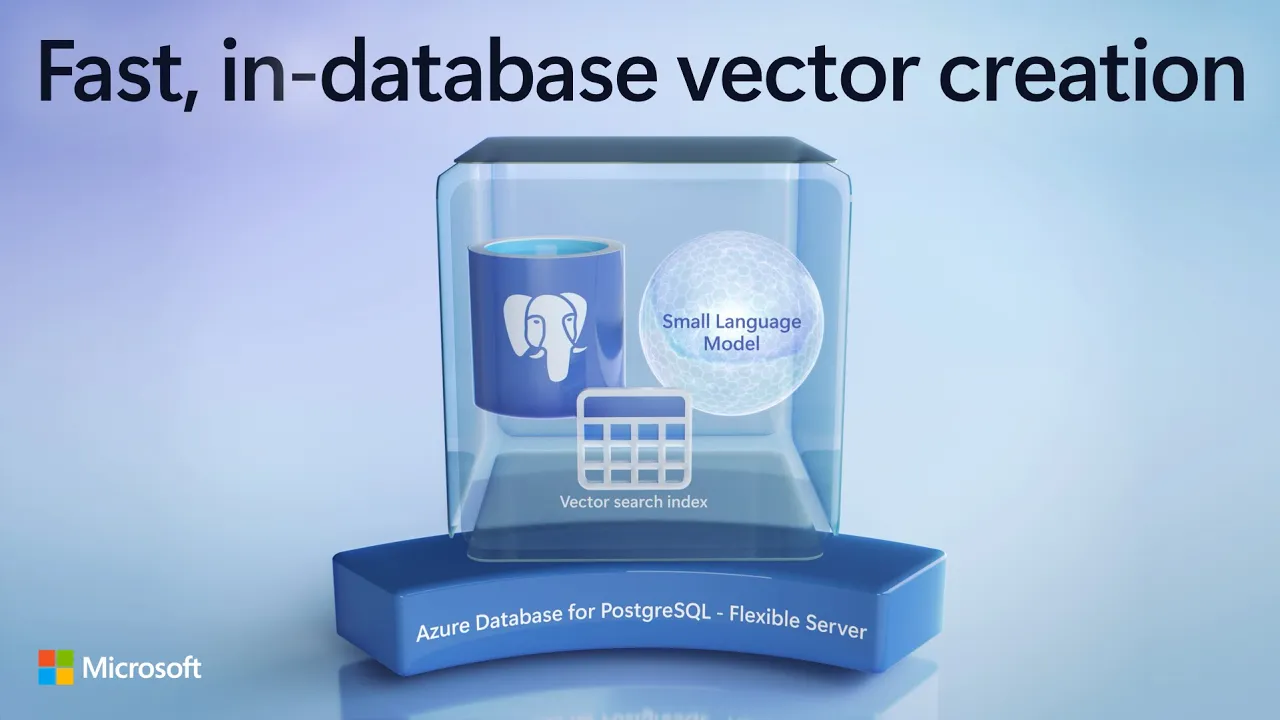
PostgreSQL with Local Small Language Model and In-Database Vectorization | Azure
Improve search capabilities for your PostgreSQL-backed applications using vector search and embeddings generated in under 10 milliseconds without sending data outside your PostgreSQL instance. Integrate real-time translation, sentiment analysis, and advanced AI functionalities securely within your database environment with Azure Local AI and Azure AI Service. Combine the Azure Local AI extension with the Azure AI extension to maximize the potential of AI-driven features in your applications, such as semantic search and real-time data translation, all while maintaining data security and efficiency. Joshua Johnson, Principal Technical PM for Azure Database for PostgreSQL, demonstrates how you can reduce latency and ensure predictable performance by running locally deployed models, making it ideal for highly transactional applications. ► QUICK LINKS: 00:00 - Improve search for PostgreSQL 01:21 - Increased speed 02:47 - Plain text descriptive query 03:20 - Improve search results 04:57 - Semantic search with vector embeddings 06:10 - Test it out 06:41 - Azure local AI extension with Azure AI Service 07:39 - Wrap up ► Link References Check out our previous episode on Azure AI extension at https://aka.ms/PGAIMechanics Get started with Azure Database for PostgreSQL - Flexible Server at https://aka.ms/postgresql To stay current with all the updates, check out our blog at https://aka.ms/azurepostgresblog ► Unfamiliar with Microsoft Mechanics? As Microsoft's official video series for IT, you can watch and share valuable content and demos of current and upcoming tech from the people who build it at Microsoft. • Subscribe to our YouTube: https://www.youtube.com/c/MicrosoftMechanicsSeries • Talk with other IT Pros, join us on the Microsoft Tech Community: https://techcommunity.microsoft.com/t5/microsoft-mechanics-blog/bg-p/MicrosoftMechanicsBlog • Watch or listen from anywhere, subscribe to our podcast: https://microsoftmechanics.libsyn.com/podcast ► Keep getting this insider knowledge, join us on social: • Follow us on Twitter: https://twitter.com/MSFTMechanics • Share knowledge on LinkedIn: https://www.linkedin.com/company/microsoft-mechanics/ • Enjoy us on Instagram: https://www.instagram.com/msftmechanics/ • Loosen up with us on TikTok: https://www.tiktok.com/@msftmechanics

Vector Search using 95% Less Compute | DiskANN with Azure Cosmos DB
Ensure high-accuracy, efficient vector search at massive scale with Azure Cosmos DB. Leveraging Microsoft's DiskANN, more IO traffic moves to disk to maximize storage capacity and enable high-speed similarity searches across all data, reducing memory dependency. This technology, powering global services like Microsoft 365, is now integrated into Azure Cosmos DB, enabling developers to build scalable, high-performance applications with built-in vector search, real-time fraud detection, and robust multi-tenancy support. Join Kirill Gavrylyuk, VP for Azure Cosmos DB, as he shares how Azure Cosmos DB with DiskANN offers unparalleled speed, efficiency, and accuracy, making it the ideal solution for modern AI-driven applications. ► QUICK LINKS: 00:00 - Latest Cosmos DB optimizations with DiskANN 02:09 - Where DiskANN approach is beneficial 04:07 - Efficient querying 06:02 - DiskANN compared to HNSW 07:41 - Integrate DiskANN into a new or existing app 08:39 - Real-time transactional AI scenario 09:29 - Building a fraud detection sample app 10:59 - Vectorize transactions for anomaly detection 12:49 - Scaling to address high levels of traffic 14:05 - Manage multi-tenancy 15:35 - Wrap up ► Link References Check out https://aka.ms/DiskANNCosmosDB Try out apps at https://aka.ms/DiskANNCosmosDBSamples ► Unfamiliar with Microsoft Mechanics? As Microsoft's official video series for IT, you can watch and share valuable content and demos of current and upcoming tech from the people who build it at Microsoft. • Subscribe to our YouTube: https://www.youtube.com/c/MicrosoftMechanicsSeries • Talk with other IT Pros, join us on the Microsoft Tech Community: https://techcommunity.microsoft.com/t5/microsoft-mechanics-blog/bg-p/MicrosoftMechanicsBlog • Watch or listen from anywhere, subscribe to our podcast: https://microsoftmechanics.libsyn.com/podcast ► Keep getting this insider knowledge, join us on social: • Follow us on Twitter: https://twitter.com/MSFTMechanics • Share knowledge on LinkedIn: https://www.linkedin.com/company/microsoft-mechanics/ • Enjoy us on Instagram: https://www.instagram.com/msftmechanics/ • Loosen up with us on TikTok: https://www.tiktok.com/@msftmechanics

New Real-Time Intelligence in Microsoft Fabric | Event-based actions and insights
Quickly spot real-time indicators of issues as they unfold, without the need to poll or manually monitor changes in your data and without writing a single line of code. That's what the new Real-Time Intelligence service in Microsoft Fabric is all about. It extends Microsoft Fabric to the world of streaming data across your IoT and operational systems. Whether you are a data analyst or business user, you can easily explore high-granularity, high-volume data and spot issues before they impact your business. And as a Data engineer, you can more easily track system level changes across your data estate to manage and improve your pipelines. Courtney Berg, from the Microsoft Fabric product team, joins Jeremy Chapman to explore all of the updates, explain how Real-Time Intelligence adds to what was possible with Data Activator and Microsoft Synapse Real-Time Analytics and demonstrates how this would work to derive insights and take actions automatically in a scenario with multiple live data streams across different data types. ► QUICK LINKS: 00:00 - Real-Time Intelligence 00:54 - How it's different 02:07 - Eventstream and Real-Time Hub 03:27 - Synapse Real-Time Analytics 04:03 - See it in action 05:25 - Use Copilot to stay updated 06:28 - Filter data and set up alerts 08:25 - Sophisticated Logic and Data Integration 09:48 - Data integration to Real-Time Hub 11:23 - Workflow automation 12:18 - System events 13:30 - Additional areas of use for Real-Time Intelligence 14:02 - Wrap up ► Link References Check out Real-Time Intelligence at https://aka.ms/RealTimeIntelligence For all things Microsoft Fabric, go to https://microsoft.com/fabric ► Unfamiliar with Microsoft Mechanics? As Microsoft's official video series for IT, you can watch and share valuable content and demos of current and upcoming tech from the people who build it at Microsoft. • Subscribe to our YouTube: https://www.youtube.com/c/MicrosoftMechanicsSeries • Talk with other IT Pros, join us on the Microsoft Tech Community: https://techcommunity.microsoft.com/t5/microsoft-mechanics-blog/bg-p/MicrosoftMechanicsBlog • Watch or listen from anywhere, subscribe to our podcast: https://microsoftmechanics.libsyn.com/podcast ► Keep getting this insider knowledge, join us on social: • Follow us on Twitter: https://twitter.com/MSFTMechanics • Share knowledge on LinkedIn: https://www.linkedin.com/company/microsoft-mechanics/ • Enjoy us on Instagram: https://www.instagram.com/msftmechanics/ • Loosen up with us on TikTok: https://www.tiktok.com/@msftmechanics

Extend Copilot for Sales with custom data and insights from your own apps
Optimize the sales process by integrating internal and external data with Copilot for Sales. Create enriched email summaries, customized meeting prep documents, and actionable meeting recaps to improve customer interactions. Copilot uses AI to generate insights and suggest actions based on comprehensive data, ensuring sales teams have all the necessary information at their fingertips. Create custom AI experiences using Copilot Studio with zero code. By adding Copilot extensions, users can connect to external data sources and build tailored AI skills. Eric Boocock, Copilot for Sales Principal Program Manager, shares how Copilot for Sales works and how to build Copilot extensions to connect with other systems for personalized experiences. ► QUICK LINKS: 00:00 - Copilot for Sales 00:36 - Baseline experiences 02:13 - Bring in external data 03:26 - Use Copilot to respond to emails 03:54 - Meeting prep and meeting recap 04:52 - Security and Responsible AI 06:27 - Copilot extensions 09:09 - Publish Copilot extensions 09:40 - Wrap up ► Link References Check out https://aka.ms/CopilotforSalesExtensibility Stay updated on monthly releases at https://aka.ms/CopilotforSalesUpdates ► Unfamiliar with Microsoft Mechanics? As Microsoft's official video series for IT, you can watch and share valuable content and demos of current and upcoming tech from the people who build it at Microsoft. • Subscribe to our YouTube: https://www.youtube.com/c/MicrosoftMechanicsSeries • Talk with other IT Pros, join us on the Microsoft Tech Community: https://techcommunity.microsoft.com/t5/microsoft-mechanics-blog/bg-p/MicrosoftMechanicsBlog • Watch or listen from anywhere, subscribe to our podcast: https://microsoftmechanics.libsyn.com/podcast ► Keep getting this insider knowledge, join us on social: • Follow us on Twitter: https://twitter.com/MSFTMechanics • Share knowledge on LinkedIn: https://www.linkedin.com/company/microsoft-mechanics/ • Enjoy us on Instagram: https://www.instagram.com/msftmechanics/ • Loosen up with us on TikTok: https://www.tiktok.com/@msftmechanics

Build your own copilot! New Microsoft Copilot extensions
Now you can build your own highly specialized copilot using Microsoft Copilot Studio or Visual Studio Code. See how you can tailor Copilot for Microsoft 365 experiences to focus on specific tasks and use external data integration through Copilot extensions. Enhance productivity by leveraging large language models and Microsoft Graph for personalized responses. With plugins and connectors, extend Copilot's capabilities to streamline tasks and automate actions, all while maintaining context and boosting efficiency. Abram Jackson, Principal Product Manager for Microsoft 365 shows how you can get started building Copilot extensions. ► QUICK LINKS: 00:00 - Copilot extensions 01:08 - Types of Copilot extensions 01:59 - Microsoft Graph connectors 03:20 - Plugins 04:14 - Specialized copilot 04:54 - Multiple customized copilots working together 05:42 - How to build Copilot extensions 06:45 - Plug into data-external or inside of Microsoft 365 07:31 - IDE/Visual Studio Code 08:57 - Wrap up ► Link References To get started, check out https://copilotstudio.microsoft.com ► Unfamiliar with Microsoft Mechanics? As Microsoft's official video series for IT, you can watch and share valuable content and demos of current and upcoming tech from the people who build it at Microsoft. • Subscribe to our YouTube: https://www.youtube.com/c/MicrosoftMechanicsSeries • Talk with other IT Pros, join us on the Microsoft Tech Community: https://techcommunity.microsoft.com/t5/microsoft-mechanics-blog/bg-p/MicrosoftMechanicsBlog • Watch or listen from anywhere, subscribe to our podcast: https://microsoftmechanics.libsyn.com/podcast ► Keep getting this insider knowledge, join us on social: • Follow us on Twitter: https://twitter.com/MSFTMechanics • Share knowledge on LinkedIn: https://www.linkedin.com/company/microsoft-mechanics/ • Enjoy us on Instagram: https://www.instagram.com/msftmechanics/ • Loosen up with us on TikTok: https://www.tiktok.com/@msftmechanics

What runs GPT-4o and Microsoft Copilot? | Largest AI supercomputer in the cloud | Mark Russinovich
Microsoft has built the world's largest cloud-based AI supercomputer that is already exponentially bigger than it was just 6 months ago, paving the way for a future with agentic systems. For example, its AI infrastructure is capable of training and inferencing the most sophisticated large language models at massive scale on Azure. In parallel, Microsoft is also developing some of the most compact small language models with Phi-3, capable of running offline on your mobile phone. Watch Azure CTO and Microsoft Technical Fellow Mark Russinovich demonstrate this hands-on and go into the mechanics of how Microsoft is able to optimize and deliver performance with its AI infrastructure to run AI workloads of any size efficiently on a global scale. This includes a look at: how it designs its AI systems to take a modular and scalable approach to running a diverse set of hardware including the latest GPUs from industry leaders as well as Microsoft's own silicon innovations; the work to develop a common interoperability layer for GPUs and AI accelerators, and its work to develop its own state-of-the-art AI-optimized hardware and software architecture to run its own commercial services like Microsoft Copilot and more. ► QUICK LINKS: 00:00 - AI Supercomputer 01:51 - Azure optimized for inference 02:41 - Small Language Models (SLMs) 03:31 - Phi-3 family of SLMs 05:03 - How to choose between SLM & LLM 06:04 - Large Language Models (LLMs) 07:47 - Our work with Maia 08:52 - Liquid cooled system for AI workloads 09:48 - Sustainability commitments 10:15 - Move between GPUs without rewriting code or building custom kernels. 11:22 - Run the same underlying models and code on Maia silicon 12:30 - Swap LLMs or specialized models with others13:38 - Fine-tune an LLM 14:15 - Wrap up ► Unfamiliar with Microsoft Mechanics? As Microsoft's official video series for IT, you can watch and share valuable content and demos of current and upcoming tech from the people who build it at Microsoft. • Subscribe to our YouTube: https://www.youtube.com/c/MicrosoftMechanicsSeries • Talk with other IT Pros, join us on the Microsoft Tech Community: https://techcommunity.microsoft.com/t5/microsoft-mechanics-blog/bg-p/MicrosoftMechanicsBlog • Watch or listen from anywhere, subscribe to our podcast: https://microsoftmechanics.libsyn.com/podcast ► Keep getting this insider knowledge, join us on social: • Follow us on Twitter: https://twitter.com/MSFTMechanics • Share knowledge on LinkedIn: https://www.linkedin.com/company/microsoft-mechanics/ • Enjoy us on Instagram: https://www.instagram.com/msftmechanics/ • Loosen up with us on TikTok: https://www.tiktok.com/@msftmechanics

PostgreSQL for your AI app's backend | Azure Database for PostgreSQL Flexible Server
Use Postgres as a managed service on Azure. As you build generative AI apps, explore advantages of Azure Database for Postgres Flexible Server such as integration with Azure AI services, as well as extensibility and compatibility, integrated enterprise capabilities to protect data, and controls for managing business continuity. Charles Feddersen, product team lead for Postgres on Azure, joins host Jeremy Chapman to share how Flexible Server is a complete Postgres platform for enterprise and developers. ► QUICK LINKS: 00:00 - Azure Database for PostgreSQL Flexible Server 00:51 - Microsoft and Postgres 01:40 - Open-source Postgres 03:18 - Vector embeddings for data 04:32 - How it works with an app 06:59 - Azure AI Vision 08:14 - Azure AI extension using PostgreSQL 09:37 - Text generation using Azure AI extension 10:30 - High availability and disaster recovery 12:45 - Wrap up ► Link References Get started with the Azure Database for Postgres flexible server at https://aka.ms/postgresql Stay current with all the updates at https://aka.ms/AzurePostgresBlog ► Unfamiliar with Microsoft Mechanics? As Microsoft's official video series for IT, you can watch and share valuable content and demos of current and upcoming tech from the people who build it at Microsoft. • Subscribe to our YouTube: https://www.youtube.com/c/MicrosoftMechanicsSeries • Talk with other IT Pros, join us on the Microsoft Tech Community: https://techcommunity.microsoft.com/t5/microsoft-mechanics-blog/bg-p/MicrosoftMechanicsBlog • Watch or listen from anywhere, subscribe to our podcast: https://microsoftmechanics.libsyn.com/podcast ► Keep getting this insider knowledge, join us on social: • Follow us on Twitter: https://twitter.com/MSFTMechanics • Share knowledge on LinkedIn: https://www.linkedin.com/company/microsoft-mechanics/ • Enjoy us on Instagram: https://www.instagram.com/msftmechanics/ • Loosen up with us on TikTok: https://www.tiktok.com/@msftmechanics #PostgreSQL #OpenSource #Azure #Database

Prioritize Security Incidents Based on Data Importance | Microsoft Defender with Microsoft Purview
Prioritize incidents based on data significance, detect insider risks, and adapt protections in real-time with Microsoft Defender XDR and Microsoft Purview. Customize thresholds and risk indicators to detect anomalous behavior and prevent potential breaches with Adaptive Protection. Receive real-time DLP alerts triggered by policy matches, ensuring immediate action to safeguard sensitive data. Gain comprehensive visibility into threats and enforce policies across all devices and applications. Sravan Kumar Mera, Principal Product Manager for Microsoft Purview shares how to stay ahead of evolving threats and maintain data integrity. ► QUICK LINKS: 00:00 - Prioritize security incidents based on data importance 00:42 - High severity multistage incident 01:29 - DLP alerts 02:24 - Insider risk activity summary 03:30 - Set up data security foundation 04:47 - Adaptive Protection 05:50 - DLP policy & Conditional Access 06:33 - Wrap up ► Link References Get started at https://purview.microsoft.com Watch our data security playlist at https://aka.ms/datasecuritymechanics ► Unfamiliar with Microsoft Mechanics? As Microsoft's official video series for IT, you can watch and share valuable content and demos of current and upcoming tech from the people who build it at Microsoft. • Subscribe to our YouTube: https://www.youtube.com/c/MicrosoftMechanicsSeries • Talk with other IT Pros, join us on the Microsoft Tech Community: https://techcommunity.microsoft.com/t5/microsoft-mechanics-blog/bg-p/MicrosoftMechanicsBlog • Watch or listen from anywhere, subscribe to our podcast: https://microsoftmechanics.libsyn.com/podcast ► Keep getting this insider knowledge, join us on social: • Follow us on Twitter: https://twitter.com/MSFTMechanics • Share knowledge on LinkedIn: https://www.linkedin.com/company/microsoft-mechanics/ • Enjoy us on Instagram: https://www.instagram.com/msftmechanics/ • Loosen up with us on TikTok: https://www.tiktok.com/@msftmechanics

AI Semantic Search for Your Website with Azure Cosmos DB | E-commerce
Build low-latency recommendation engines with Azure Cosmos DB and Azure OpenAI Service. Elevate user experience with vector-based semantic search, going beyond traditional keyword limitations to deliver personalized recommendations in real-time. With pre-trained models stored in Azure Cosmos DB, tailor product predictions based on user interactions and preferences. Explore the power of augmented vector search for optimized results prioritized by relevance. Kirill Gavrylyuk, Azure Cosmos DB General Manager, shows how to build recommendation systems with limitless scalability, leveraging pre-computed vectors and collaborative filtering for next-level, real-time insights. ► QUICK LINKS: 00:00 - Build a low latency recommendation engine 00:59 - Keyword search 01:46 - Vector-based semantic search 02:39 - Vector search built-in to Cosmos DB 03:56 - Model training 05:18 - Code for product predictions 06:02 - Test code for product prediction 06:39 - Augmented vector search 08:23 - Test code for augmented vector search 09:16 - Wrap up ► Link References Walk through an example at https://aka.ms/CosmosDBvectorSample Try out Cosmos DB for MongoDB for free at https://aka.ms/TryC4M ► Unfamiliar with Microsoft Mechanics? As Microsoft's official video series for IT, you can watch and share valuable content and demos of current and upcoming tech from the people who build it at Microsoft. • Subscribe to our YouTube: https://www.youtube.com/c/MicrosoftMechanicsSeries • Talk with other IT Pros, join us on the Microsoft Tech Community: https://techcommunity.microsoft.com/t5/microsoft-mechanics-blog/bg-p/MicrosoftMechanicsBlog • Watch or listen from anywhere, subscribe to our podcast: https://microsoftmechanics.libsyn.com/podcast ► Keep getting this insider knowledge, join us on social: • Follow us on Twitter: https://twitter.com/MSFTMechanics • Share knowledge on LinkedIn: https://www.linkedin.com/company/microsoft-mechanics/ • Enjoy us on Instagram: https://www.instagram.com/msftmechanics/ • Loosen up with us on TikTok: https://www.tiktok.com/@msftmechanics

Intelligent FinOps in Azure
Leverage FinOps in Azure to optimize your cloud spend and drive accountability across your organization. With Microsoft Cost Management, gain complete visibility into your cloud costs, track spending by department or project, and forecast future expenses. Utilize management groups, subscriptions, and tags to organize costs and allocate resources efficiently, ensuring alignment with organizational priorities. Make informed decisions with proactive cost reduction recommendations from Azure Advisor and architectural best practices like Azure Landing Zones. Operationalize FinOps practices with centralized management focus and continuous evaluation through the FinOps Review assessment. Azure expert, Matt McSpirit, shows how to improve your organization's capability and operational agility with FinOps on Azure. ► QUICK LINKS: 00:00 - Improve control on Azure through FinOps 01:01 - Gain visibility and accountability over Cloud spend 02:11 - Track and report spending 03:28- How to track costs 04:14 - Tagging resources 05:57 - Optimized efficiency07:02 - Maintain FinOps practices 08:05 - Wrap up ► Link References How to implement FinOps on Azure at https://aka.ms/FinOps Leverage Cloud Adoption Framework guidance at https://aka.ms/C-A-F-Tagging Click-through demos at https://aka.ms/finops/guides FinOps Review assessment at https://aka.ms/finops/review Start using Microsoft Cost Management at https://aka.ms/CostManagement ► Unfamiliar with Microsoft Mechanics? As Microsoft's official video series for IT, you can watch and share valuable content and demos of current and upcoming tech from the people who build it at Microsoft. • Subscribe to our YouTube: https://www.youtube.com/c/MicrosoftMechanicsSeries • Talk with other IT Pros, join us on the Microsoft Tech Community: https://techcommunity.microsoft.com/t5/microsoft-mechanics-blog/bg-p/MicrosoftMechanicsBlog • Watch or listen from anywhere, subscribe to our podcast: https://microsoftmechanics.libsyn.com/podcast ► Keep getting this insider knowledge, join us on social: • Follow us on Twitter: https://twitter.com/MSFTMechanics • Share knowledge on LinkedIn: https://www.linkedin.com/company/microsoft-mechanics/ • Enjoy us on Instagram: https://www.instagram.com/msftmechanics/ • Loosen up with us on TikTok: https://www.tiktok.com/@msftmechanics

Enable Copilot for Microsoft 365 FAST
Roll out Microsoft Copilot for Microsoft 365 at scale in three quick steps. See the methods for each to efficiently enable Copilot services: Optimize Search with data controls in place to limit exposure of information in search. Update Your Apps—both on desktop and mobile—so they are ready for integrated Copilot experiences. Grant Access to Copilot services quickly to large groups in your organization via Microsoft Entra controls. We're also introducing a new capability with Restricted SharePoint Search, which enables SharePoint administrators to define the sites where every user in the organization is allowed to files and data using search, without impacting access to sites and files for people working in sites, which are not allowed for everyone to search. With Copilot for Microsoft 365 services in place, track adoption and impact, and see how different groups in your organization are benefitting from Copilot services with the Microsoft Copilot Dashboard powered by Viva Insights. Now, even if you don't currently own Viva Insights, there is an offer for Microsoft Copilot customers to get these services included with your Copilot subscription: https://www.microsoft.com/en-us/microsoft-365/blog/2024/04/11/enabling-your-ai-transformation-journey-with-microsoft-viva/ ► QUICK LINKS: 00:00 - Steps to deploy Copilot for Microsoft 365 01:01 - How to quickly optimize search 02:24 - How to set up Restricted SharePoint Search 03:23 - Update Microsoft 365 apps on managed devices 05:34 - Grant access to Copilot services 06:20 - Copilot Dashboard included with any Microsoft 365 subscription 07:00 - Copilot Dashboard powered by Viva Insights subscription 08:38 - Wrap Up ► Link References: Get started at https://aka.ms/DeployCopilotforM365 Watch how to get ready for Copilot at https://aka.ms/CopilotSecurityMechanics For more resources go to https://adoption.microsoft.com/copilot ► Unfamiliar with Microsoft Mechanics? As Microsoft's official video series for IT, you can watch and share valuable content and demos of current and upcoming tech from the people who build it at Microsoft. • Subscribe to our YouTube: https://www.youtube.com/c/MicrosoftMechanicsSeries • Talk with other IT Pros, join us on the Microsoft Tech Community: https://techcommunity.microsoft.com/t5/microsoft-mechanics-blog/bg-p/MicrosoftMechanicsBlog • Watch or listen from anywhere, subscribe to our podcast: https://microsoftmechanics.libsyn.com/podcast ► Keep getting this insider knowledge, join us on social: • Follow us on Twitter: https://twitter.com/MSFTMechanics • Share knowledge on LinkedIn: https://www.linkedin.com/company/microsoft-mechanics/ • Enjoy us on Instagram: https://www.instagram.com/msftmechanics/ • Loosen up with us on TikTok: https://www.tiktok.com/@msftmechanics

Linux on Microsoft Azure?
Run Linux workloads on Azure for reliability, security, and innovation. Build your entire app in Azure, using Linux and open source services. Choose from a wide range of Linux distributions, leverage cost-saving benefits with Azure Hybrid Benefit, and get seamless integration with distros like SUSE, Ubuntu, and Red Hat. Join Azure expert, Matt McSpirit as he shares why you should run your Linux workloads on Azure, and how to ensure security of sensitive data with AI-driven threat detection, Defender for Cloud, and Confidential Computing. ► QUICK LINKS: 00:00 - Run Linux workloads on Azure 00:26 - Open source distribution 02:44 - Build apps in Azure using open source technologies 03:40 - Limitless scaling and reliability 05:40 - Deploy, manage, and extend Linux workloads on Azure 06:53 - Red Hat integration 07:40 - Open source options for compute 08:32 - Extend and modernize app experiences 09:02 - Security advantages for Linux workloads 09:47 - Wrap Up ► Link References: Get started with Linux on Azure at https://azure.com/linux ► Unfamiliar with Microsoft Mechanics? As Microsoft's official video series for IT, you can watch and share valuable content and demos of current and upcoming tech from the people who build it at Microsoft. • Subscribe to our YouTube: https://www.youtube.com/c/MicrosoftMechanicsSeries • Talk with other IT Pros, join us on the Microsoft Tech Community: https://techcommunity.microsoft.com/t5/microsoft-mechanics-blog/bg-p/MicrosoftMechanicsBlog • Watch or listen from anywhere, subscribe to our podcast: https://microsoftmechanics.libsyn.com/podcast ► Keep getting this insider knowledge, join us on social: • Follow us on Twitter: https://twitter.com/MSFTMechanics • Share knowledge on LinkedIn: https://www.linkedin.com/company/microsoft-mechanics/ • Enjoy us on Instagram: https://www.instagram.com/msftmechanics/ • Loosen up with us on TikTok: https://www.tiktok.com/@msftmechanics

Is Azure the right place to run Red Hat Enterprise Linux workloads?
Ensure peak performance, security and compatibility with Azure for Red Hat Enterprise Linux. Leverage Azure Migrate to transition on-prem Linux VMs to Azure, for cloud-native or hybrid deployment. Deploy and orchestrate infrastructure with Azure Resource Manager templates, Terraform, and Ansible playbooks. Uncover cost-saving opportunities and performance optimization tools, and benefit from license portability, commitment-based discounts, and diverse compute options, including Azure Confidential Computing VMs, for enhanced scalability and efficiency. Experience flexibility with Azure, enabling RHEL workloads to run across global regions and edge locations, with Azure Arc providing centralized management and security for hybrid environments. Join Azure expert, Matt McSpirit, as he shares why Azure is the right place to run your Red Hat Enterprise Linux workloads. ► QUICK LINKS: 00:00 - Why run Red Hat Enterprise Linux workloads on Azure? 01:10 - Integration 01:41 - Automated scripting or code-based options 02:09 - Beyond provisioning 02:31 - Customer support 03:07 - Efficiency- optimize your spend 04:28 - Increase performance and scalability 05:41 - Flexibility 06:26 - Update management 06:40 - Wrap Up ► Link References: See the Forrester Consulting study at https://aka.ms/RHELTEI For additional information check out https://aka.ms/RedHatAzure ► Unfamiliar with Microsoft Mechanics? As Microsoft's official video series for IT, you can watch and share valuable content and demos of current and upcoming tech from the people who build it at Microsoft. • Subscribe to our YouTube: https://www.youtube.com/c/MicrosoftMechanicsSeries • Talk with other IT Pros, join us on the Microsoft Tech Community: https://techcommunity.microsoft.com/t5/microsoft-mechanics-blog/bg-p/MicrosoftMechanicsBlog • Watch or listen from anywhere, subscribe to our podcast: https://microsoftmechanics.libsyn.com/podcast ► Keep getting this insider knowledge, join us on social: • Follow us on Twitter: https://twitter.com/MSFTMechanics • Share knowledge on LinkedIn: https://www.linkedin.com/company/microsoft-mechanics/ • Enjoy us on Instagram: https://www.instagram.com/msftmechanics/ • Loosen up with us on TikTok: https://www.tiktok.com/@msftmechanics

Extend your data security to Microsoft Fabric
A unified solution for comprehensive data protection with Microsoft Fabric and Microsoft Purview. Extend the security measures of Microsoft 365 to your schematized data, ensuring consistent protection across your entire data estate. From detecting insider risks to mitigating data loss and unauthorized sharing, leverage advanced visibility and control to safeguard sensitive information effectively. Daniel Hidalgo, Microsoft Purview Product Manager, shares how to simplify your security strategy and gain deeper insights into data risks. ► QUICK LINKS: 00:00 - Unified solution to prevent data loss and detect data risk 01:36 - Microsoft Fabric experience 02:53 - Confidential labels are automatically inherited 03:16 - Detect sensitive information with DLP policies 04:03 - Create and publish a label 04:59 - Define protections 05:50 - Data Loss Prevention experience in Microsoft Purview 06:57 - Insider Risk Management with Microsoft Fabric 07:39 - Visibility of sensitive data with Microsoft Purview 08:19 - Wrap Up ► Link References: Check out https://aka.ms/PurviewforFabric Watch our shows on Insider Risk Management, check out https://aka.ms/IRMMechanics ► Unfamiliar with Microsoft Mechanics? As Microsoft's official video series for IT, you can watch and share valuable content and demos of current and upcoming tech from the people who build it at Microsoft. • Subscribe to our YouTube: https://www.youtube.com/c/MicrosoftMechanicsSeries • Talk with other IT Pros, join us on the Microsoft Tech Community: https://techcommunity.microsoft.com/t5/microsoft-mechanics-blog/bg-p/MicrosoftMechanicsBlog • Watch or listen from anywhere, subscribe to our podcast: https://microsoftmechanics.libsyn.com/podcast ► Keep getting this insider knowledge, join us on social: • Follow us on Twitter: https://twitter.com/MSFTMechanics • Share knowledge on LinkedIn: https://www.linkedin.com/company/microsoft-mechanics/ • Enjoy us on Instagram: https://www.instagram.com/msftmechanics/ • Loosen up with us on TikTok: https://www.tiktok.com/@msftmechanics