iPad Pros
262 episodes — Page 2 of 6
S1 Ep 208iPadOS 18 with Riley Hill (iPad Pros - 0208)
Riley Hill from SlatePad.org is back on the podcast to discuss iPadOS 18 plus a few fun tangents along the way. Early episodes with chapter markers are available by supporting the podcast at www.patreon.com/ipadpros. Early episodes are also now available in Apple Podcasts!Show notes are available at www.iPadPros.net. Feedback is welcomed at [email protected]:- https://ipadpros.net/2024/07/04/episode-201-riley-hill-from-slatepad/- https://slatepad.org/2024/06/07/why-apples-passwords-app-wont-displace-1password/ - https://youtu.be/JJ28B-3Te_Y- https://www.threads.net/@slatepad- https://mastodon.social/@SlatepadChapter Markers:00:00:00: Opening00:01:02: Support The Podcast00:01:30: Riley Hill00:11:42: 18.100:13:38: Control Center00:16:54: Legacy Widgets00:17:45: Playstation Portal00:19:27: Home Screen00:24:25: Apple Pencil00:26:32: Watch Faces00:31:50: Files App00:39:56: Calculator And Math Notes00:42:24: Calendar And Reminders00:45:10: Apple Notes00:46:54: Passwords00:50:23: Photos00:53:00: Reminders00:53:48: AirPlay00:57:14: Screen Sharing00:58:38: Apple Intelligence01:08:39: Follow Riley01:09:39: Closing Hosted on Acast. See acast.com/privacy for more information.
S1 Ep 207Chronicling with Rebecca Owen (iPad Pros - 0207)
Rebecca Owen is the developer of Chronicling. In this episode, we discuss how she uses the iPad and dive deep into her app. Early episodes with chapter markers are available by supporting the podcast at www.patreon.com/ipadpros. Early episodes are also now available in Apple Podcasts!Show notes are available at www.iPadPros.net. Feedback is welcomed at [email protected]:- https://chroniclingapp.com- https://mastodon.social/@beccaowen- https://apps.apple.com/us/app/chronicling-track-anything/id6445992145Chapter Markers:00:00:00: Opening00:01:08: Support The Podcast00:01:43: Rebecca Owen00:11:21: Chronicling00:16:07: Your Database00:22:45: Charts00:24:25: Categories00:29:56: iPadOS 1800:32:52: Tracking Versus Reminders00:35:12: HealthKit00:37:50: Apple Journal00:39:45: The Different Platforms00:41:47: Designing The App00:46:46: Interactive Widgets00:48:11: Apple Intelligence00:49:38: Free Versus Paid00:51:00: Groups00:52:08: Focus Filters00:53:46: Counting00:56:24: Shortcuts00:57:49: Anything Else?00:58:42: Where To Learn More00:59:11: Closing Hosted on Acast. See acast.com/privacy for more information.
S1 Ep 206Glowtime with Matt Birchler (iPad Pros - 0206)
Matt and Tim discuss Apple’s September 2024 event. A live to YouTube version of the podcast is also available! Check the links below to watch. Early episodes with chapter markers are available by supporting the podcast at www.patreon.com/ipadpros. Early episodes are also now available in Apple Podcasts!Show notes are available at www.iPadPros.net. Feedback is welcomed at [email protected]:https://www.youtube.com/live/-71DnMRJqCMhttps://birchtree.mehttps://www.macstories.net/comfort-zone/Chapter Markers:00:00:00: Opening00:00:27: Support The Podcast00:00:52: Matt Birchler00:05:31: Apple Watch00:28:37: AirPods00:43:54: iPhone01:09:50: Shopping Cart01:17:16: Where Can People Follow You Online?01:19:39: Closing Hosted on Acast. See acast.com/privacy for more information.
S1 Ep 205Moleskine Studio with Adam Shaw (iPad Pros - 0205)
Adam Shaw is a developer creating iPadOS, iOS, macOS, and visionOS apps. Making awesome apps at Bonobo Labs and Moleskine Studio. These apps include GlanceBar, Spotless, Dressed on the side, Flow, TimePage, and Actions. In this episode, we dive deep into the Moleskine Studio of apps and touch on how Adam uses the iPad. Early episodes with chapter markers are available by supporting the podcast at www.patreon.com/ipadpros. Early episodes are also now available in Apple Podcasts!Show notes are available at www.iPadPros.net. Feedback is welcomed at [email protected]:https://mastodon.social/@KabukiVisionhttps://moleskinestudio.com/https://kabukivision.com/Chapter Markers:00:00:00: Opening00:01:04: Support The Podcast00:01:20: Adam Shaw00:06:31: How Do You Use The iPad?00:14:46: Moleskine Studio00:20:18: Custom Gestures00:23:51: TimePage00:26:11: Onboarding00:33:30: Color Names00:36:11: Cube00:38:45: Full Replacement Apps00:45:11: Apple Pencil00:45:42: Interconnected00:47:01: Helicopter00:50:46: iPhone Size Class00:52:18: Favorite Part Of iPad App00:58:30: Weather01:00:24: Actions01:03:25: How Do You Use The Apps?01:05:40: Flow01:11:54: PencilCase01:17:50: Hover01:19:23: Finger Plus Pencil01:22:30: Pen+01:25:34: Collaboration01:29:09: Layers01:31:27: Shapes And Text01:34:30: Where Does The Design Start01:41:49: Apple Vision Pro 01:46:02: Where Can People Follow You Online? 01:46:33: Closing Hosted on Acast. See acast.com/privacy for more information.
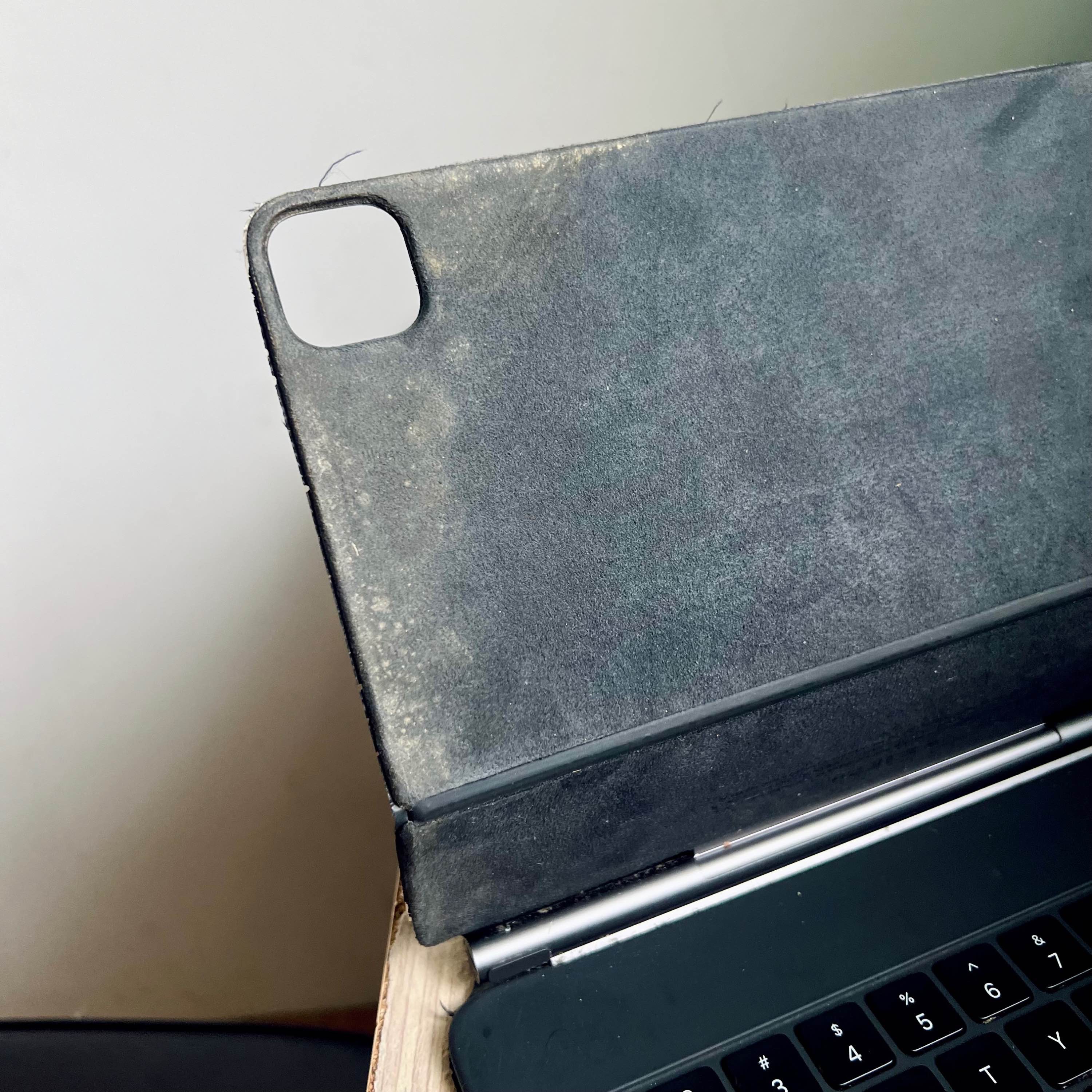
S1 Ep 204Teaching English in Taiwan with Rishi Ó (iPad Pros - 0204)
Rishi Ó is back on the podcast to discuss his experiences using the iPad as a teacher in Taiwan. We also touch a bit on using the iPad for live harmonica performances and creating videos. Early episodes with chapter markers are available by supporting the podcast at www.patreon.com/ipadpros. Early episodes are also now available in Apple Podcasts!Show notes are available at www.iPadPros.net. Feedback is welcomed at [email protected]:- https://www.rishio.com- https://ipadpros.net/2022/09/29/episode-152-pixelmator-photo-with-rishi-o/- https://www.dji.com/osmo-pocket-3- @iamrishio (Instagram/Threads/Facebook)Chapter Markers:00:00:00: Opening00:01:46: Support The Podcast00:02:17: Rishi Ó00:07:55: What iPad Would You Upgrade To?00:17:10: External Monitor and the whiteboard00:25:10: Making Learning Fun00:26:29: Translate App00:28:40: Scanning00:31:39: Teaching Apps00:33:17: Freeform00:37:52: Subtitles00:40:03: Music Creation00:48:22: Hubs00:49:11: Film And Photography00:50:04: DJI Pocket Osmo 300:54:55: AI01:01:34: iPadOS 1801:03:24: Future iPads01:05:31: iPadOS Wishes01:06:46: Where To Follow You01:08:06: Closing Hosted on Acast. See acast.com/privacy for more information.
S1 Ep 203How Attorneys Use the iPad with Jeff Richardson (iPad Pros - 0203)
Jeff Richardson is an attorney practicing law in New Orleans at the office of Adams and Reese LLP. His practice areas include appellate litigation and representing defendants in class actions and complex litigation. He is an Appellate Practice Specialist, certified by the Louisiana Board of Legal Specialization, and is currently one of only 13 attorneys in Louisiana with that certification and has been practicing law since 1994. We discuss how the iPad has transformed his work and has done so since the very first iPad was released. We also chat a bit on the potential for Artificial Intelligence as an attorney and what the ramifications may be. This episode is sponsored by Agenda, the award winning app that seamlessly integrates calendar events into your note taking. Learn more at www.agenda.com. Agenda 19 is now available as a free download on visionOS, iPadOS, iOS, and macOS. Early episodes with chapter markers are available by supporting the podcast at www.patreon.com/ipadpros. Early episodes are also now available in Apple Podcasts!Show notes are available at www.iPadPros.net. Feedback is welcomed at [email protected]:https://www.inthenewspodcast.comhttps://www.iphonejd.comhttps://www.relay.fm/people/jeffrichardsonhttps://staging.adonit.net/jot/pro/Chapter Markers:00:00:00: Opening00:01:45: Support the Podcast00:02:18: Jeff Richardson00:08:06: Nano-Texture?00:18:44: Accessories for your iPad00:28:19: VGA00:30:07: External Monitor? 00:32:15: iPad inside the Apple Vision Pro 00:34:23: VNC00:37:21: Cellular00:39:27: Sponsor - Agenda 1900:42:19: How big is your practice?00:46:11: OCR00:48:09: iManage00:50:20: PDF Expert00:52:00: Before the iPad00:56:34: Universal Control for Windows?00:57:57: MDM01:03:28: M chips01:05:19: Favorite improvements to iPad over the decade?01:09:01: Styluses01:15:27: Scanning01:16:56: Any other tasks? 01:21:01: Final Cut Pro for iPad01:24:17: iPad as a personal computer01:25:17: Artifical Intelligence01:26:43: Photos01:30:38: Any apps you wish existed on the iPad?01:32:01: What has impressed your coworkers the most with? 01:33:30: Apple Intelligence01:35:47: All of your previous iPads01:37:50: Anything else?01:38:31: In The News01:39:35: Lawyer TV Shows01:41:53: Closing Hosted on Acast. See acast.com/privacy for more information.
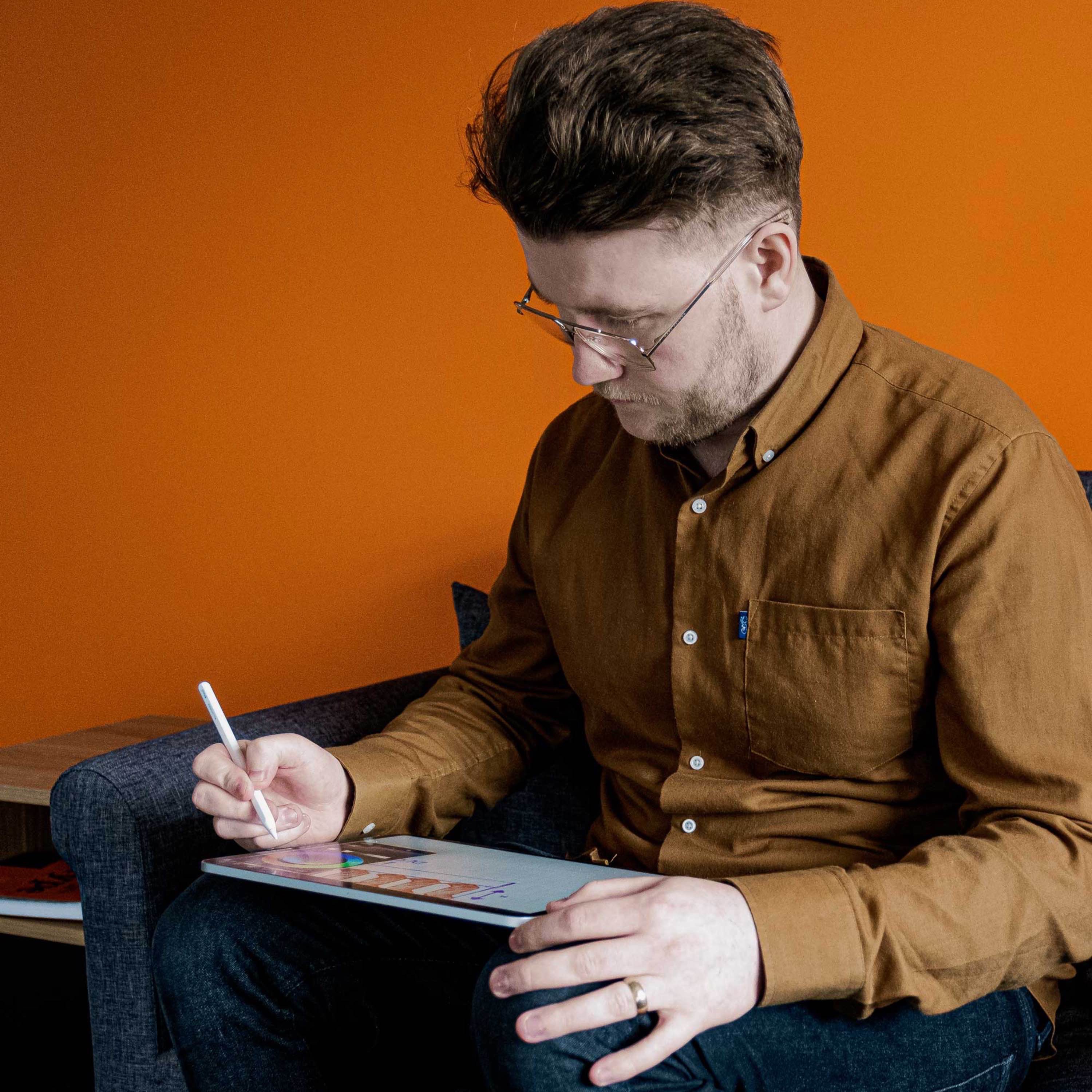
S1 Ep 202Graphic Design and Calligraphy with Will Paterson (iPad Pros - 0202)
Will Paterson is a Graphic Designer and Content Creator who specializes in Logo Design, Hand Lettering and Brand Identity. He has worked with well-known brands such as Adobe, Instagram and Skillshare and shares what he has learned on his YouTube channel that you can find at YouTube.com/@WillPatersonDesign.In this episode, we dive into how the iPad fits into his graphic design workflow, the apps he uses to do his work, how he uses Sidecar, and talk at length about the new Apple Pencil Pro and M4 iPad Pro.This episode is sponsored by Agenda, the award winning app that seamlessly integrates calendar events into your note taking. Learn more at www.agenda.com. Agenda 19 is now available as a free download on visionOS, iPadOS, iOS, and macOS. Early episodes with chapter markers are available by supporting the podcast at www.patreon.com/ipadpros. Early episodes are also now available in Apple Podcasts!Show notes are available at www.iPadPros.net. Feedback is welcomed at [email protected]:https://www.YouTube.com/@WillPatersonDesignhttps://www.willpaterson.designhttps://agenda.community/t/search-syntax-cheat-sheet/110704Chapter Markers:00:00:00: Opening00:01:22: Support the Podcast00:02:00: Will Paterson00:05:37: The Tools00:07:17: Calligraphy00:12:11: Barrel Roll00:13:59: Current iPad setup00:17:57: Any other uses of your iPad? 00:21:02: Start on iPad finish on Mac00:21:33: Video Editing00:22:25: Sidecar00:27:12: Adobe Fresco00:36:51: Draw Inside00:38:37: Sponsor - Agenda 1900:40:58: Custom Procreate Brushes00:47:29: Layers00:49:01: Creating a Font00:51:19: Apple Learning Your Handwriting00:55:46: Barrel Roll with Procreate Brushes00:57:40: Dreams01:01:33: Illustrator01:04:22: Moving from app to app01:06:03: Canva01:16:39: AI01:18:48: Adobe TOS01:20:10: Linearity Curve01:22:51: Tandem OLED01:28:33: Where can people follow you online?01:29:10: Closing Hosted on Acast. See acast.com/privacy for more information.
S1 Ep 201Riley Hill from SlatePad (iPad Pros - 0201)
Riley Hill has been working as a software developer for over 10 years, with focus on mobile development, primarily for iOS and iPadOS. Riley has been working on the iPad for many years now and in this episode we discuss his history with the iPad, some of his favorite iPads over the years, his current dual M4 iPad Pro setup, then we dive into all of his workflows and favorite apps. You can find Riley’s work over at SlatePad.org.This episode of iPad Pros is sponsored by Agenda, the award winning app that seamlessly integrates calendar events into your note taking. Learn more at www.agenda.com. Agenda 19 is now available as a free download on visionOS, iPadOS, iOS, and macOS. Early episodes with chapter markers are available by supporting the podcast at www.patreon.com/ipadpros. Early episodes are also now available in Apple Podcasts!Show notes are available at www.iPadPros.net. Feedback is welcomed at [email protected]:SlatePad: https://slatepad.orgRiley’s YouTube: https://www.youtube.com/@SlatePadRiley on Threads: https://www.threads.net/@slatepadRiley on Mastodon: https://mastodon.social/@Slatepad Chapter Markers:00:00:00: Opening00:01:11: M4 11" iPad Pro with Nano-Texture00:01:42: Magic Keyboard and 13" iPad Pro00:03:51: Support the Podcast00:04:25: Riley Hill00:06:15: Your history with iPad00:17:03: Current Setup00:30:50: Apple Pencil00:32:36: Desk Setup00:40:11: Sponsor - Agenda 1900:42:44: Final Cut Pro00:58:23: Affinity apps01:02:58: Ulysses01:05:34: Creating a new video01:08:23: Wordpress01:09:54: Reminders01:12:03: Freeform01:13:31: Swift Playgrounds01:16:41: Working Copy01:20:38: Files and Notes01:23:51: Logic Pro01:28:27: Big or Small Pro01:33:27: Anything else?01:38:48: Where to find you online?01:39:50: Closing Hosted on Acast. See acast.com/privacy for more information.
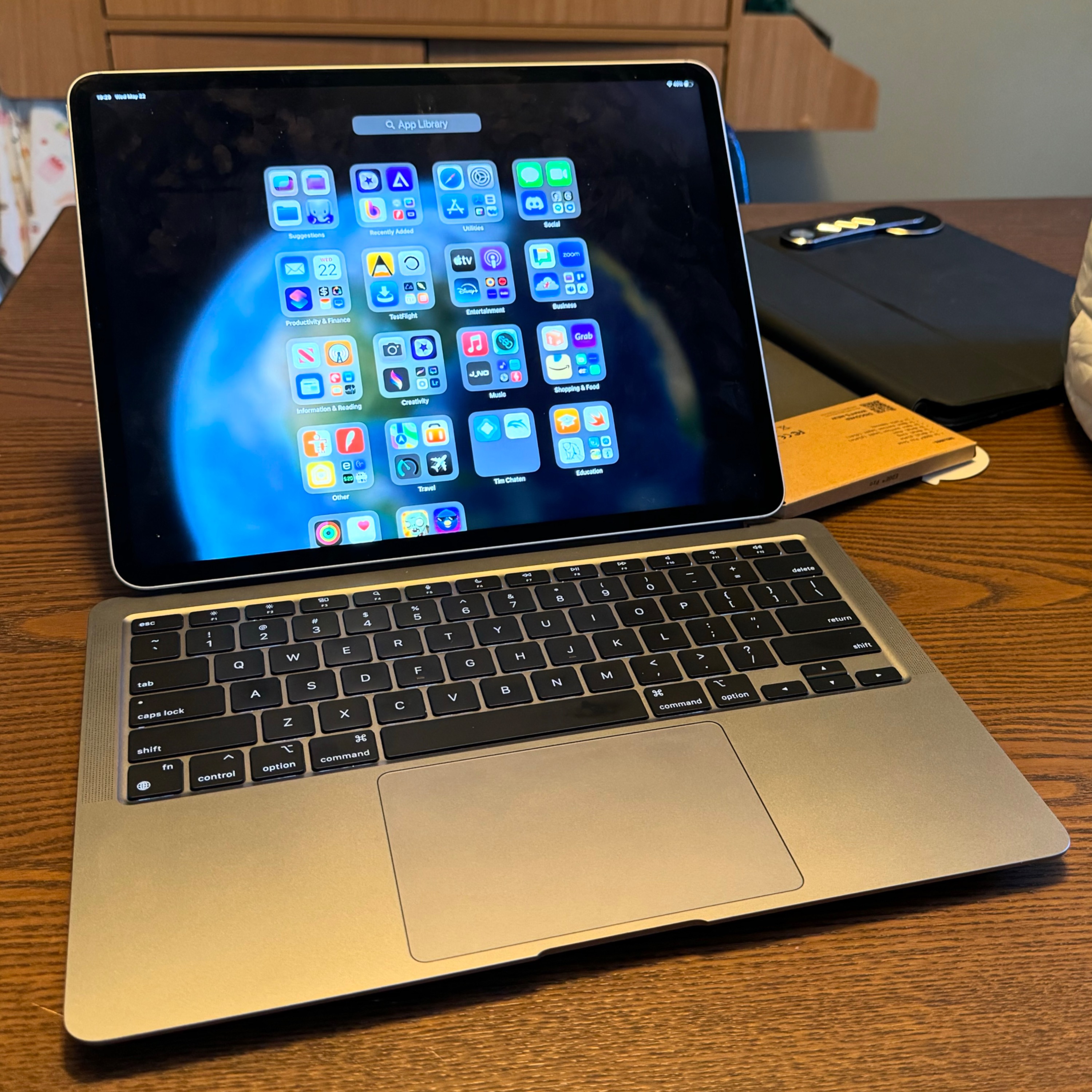
S1 Ep 200M1 MacPad with Tim Chaten (iPad Pros - 0200)
Devon Dundee is host this week and is interviewing Tim Chaten, the host of iPad Pros and Vision Pros, about his experiences so far creating and using a M1 MacPad based on the M1 MacBook Air. We also touch a bit on iPadOS 18 that was released in beta just a few days ago as of recording.For a full breakdown of WWDC 2024 make sure to check out Vision Pros episode 17 with Matt Birchler. In that episode we spent two and a half hours breaking down all of the announcements from the keynote: https://visionpros.fm/2024/06/11/episode-17-visionos-2-and-wwdc-2024-with-matt-birchler/This episode of iPad Pros is sponsored by Agenda, the award winning app that seamlessly integrates calendar events into your note taking. Learn more at www.agenda.com. Agenda 19 is now available as a free download on visionOS, iPadOS, iOS, and macOS. Early episodes with chapter markers are available by supporting the podcast at www.patreon.com/ipadpros. Early episodes are also now available in Apple Podcasts!Show notes are available at www.iPadPros.net. Feedback is welcomed at [email protected]:- https://devondundee.com- https://www.macstories.net/magic-rays-of-light/- https://www.macstories.net/stories/macpad-how-i-created-the-hybrid-mac-ipad-laptop-and-tablet-that-apple-wont-make/- https://www.macstories.net/stories/i-turned-the-new-13-ipad-pro-into-a-macpad-and-portable-gaming-display/- Mobile Router: https://www.amazon.com/dp/B0BPSGJN7T- Sony Inzone M9 Monitor: https://www.amazon.com/Sony-INZONE-Gaming-Monitor-Dimming/dp/B0B3SHR8TF/- USB-C WebCam: https://www.amazon.com/dp/B08KKZZKD5- Capture Card: https://www.amazon.com/dp/B0BRZ1ZCYW- USB-C to HDMI cable: https://www.amazon.com/dp/B0CJTXVT4R- Magnet Mounting System: https://www.amazon.com/dp/B0C654376B- Finpac Laptop Shoulder Bag: https://www.amazon.com/dp/B089W8124Z- Magnetic Mat: https://www.amazon.com/dp/B012CT1XVGChapter Markers:00:00:00: Opening00:01:40: Support the Podcast00:02:11: Tim Chaten00:03:21: iPadOS 1800:06:29: The MacPad00:09:25: What inspired the creation of it?00:12:37: The specs00:18:40: Creating the MacPad00:21:37: Any other issues getting it setup?00:22:41: Using the MacPad00:28:32: Sponsor - Agenda 1900:31:33: Using multiple operating systems?00:35:23: Using the Mac more? 00:40:38: Apple Vision Pro 00:43:32: Deciding what OS to use?00:47:28: Multiple iPads at the Same time00:48:19: Touching the Mac00:49:22: Devon's approach00:50:34: Why is this better than VNC?00:54:33: iPad as a tablet00:57:17: Using the MacPad with an external monitor01:01:08: On the go 01:03:51: Any issues day to day? 01:05:32: Would you recommend doing this?01:09:51: Should Apple offer this? 01:14:20: Will you create one Devon? 01:17:27: Where can you find Tim?01:18:40: Follow Devon Dundee01:19:48: Closing Hosted on Acast. See acast.com/privacy for more information.
S1 Ep 199M4 Nano-Textured 13” iPad Pro with Wes Hilliard (iPad Pros - 0199)
Wes Hilliard is an Assistant Editor for Apple Insider and the Co-host of the Apple Insider Podcast. He was on episode 189 back in January to discuss how he uses the iPad as his primary computer and it still is his primary computer, even with the addition of the Apple Vision Pro. In this episode, we discuss at length the new M4 iPad Pro. He got the M4 nano-textured 13” iPad Pro with cellular and 1TB of storage in space black along with the Magic Keyboard and Apple Pencil Pro. We also discuss at the beginning of the episode how he chooses what computer is right for the job now that the Apple Vision Pro has entered his life. Early episodes with chapter markers are available by supporting the podcast at www.patreon.com/ipadpros. Early episodes are also now available in Apple Podcasts!Show notes are available at www.iPadPros.net. Feedback is welcomed at [email protected]:- https://appleinsider.com/inside/ipad/tips/how-to-use-ipad-as-a-mac-replacement-and-why-youd-want-to- https://appleinsider.com/articles/24/05/17/ipad-pro-hands-on-luxury-technology-in-an-impossibly-thin-package- https://appleinsider.com/articles/24/05/09/at-a-crossroads-to-the-future-of-computing-choosing-between-apple-vision-pro-and-ipad-proChapter Markers:00:00:00: Opening00:01:08: Support the Podcast00:01:34: Wes Hilliard00:12:09: Your computers00:26:10: M4 iPad Pro00:33:03: The Hardware00:33:16: Black00:35:58: The Keyboard00:38:21: Haptics00:40:42: The hinge00:46:13: Charging Magnetic Stand00:52:36: Weight00:58:06: Apple Pencil Pro01:07:08: Find My Pencil01:09:30: The Camera01:13:06: Front Facing Camera01:17:14: The Studio Display01:19:21: Nano-Texture01:34:06: Paperlike?01:37:00: Display Brightness01:44:52: Mini-LED vs Tandem OLED?01:55:03: New Magnets01:57:29: Naked Robotic Core01:58:24: A few minor changes02:04:11: M4 Chip02:11:22: Anything Else?02:14:52: Where can people follow you online?02:15:52: Closing Hosted on Acast. See acast.com/privacy for more information.
S1 Ep 198Muse with Adam Wulf (iPad Pros - 0198)
Adam Wulf is the developer of Muse. In this episode we will chat about how he uses the iPad and do a deep dive into Muse. Early episodes with chapter markers are available by supporting the podcast at www.patreon.com/ipadpros. Early episodes are also now available in Apple Podcasts!Show notes are available at www.iPadPros.net. Feedback is welcomed at [email protected]:https://www.museapp.comhttps://www.twitter.com/MuseAppHQhttps://www.twitter.com/[email protected] Markers: 00:00:00: Opening00:00:55: Support the Podcast00:01:20: Adam Wulf00:04:33: Apple Pencil00:05:29: System Gestures00:09:25: Muse00:12:39: iPad Only to Start?00:13:15: The Mac00:14:09: Apple's Freeform00:16:33: A file standard?00:18:42: PencilKit00:21:58: Collaboration00:33:43: How do you use Muse?00:35:39: The Community00:38:16: Database Sizes00:40:24: Core Concepts - Nested Boards00:47:14: Search00:51:09: Getting Lost in your boards?00:53:08: Inbox00:55:43: Getting data into Muse00:56:13: Supported File Types00:58:00: PDFs00:58:36: Videos00:59:11: More on PDFs01:01:35: iPad Special Features?01:04:58: Mac and iPhone01:06:21: Calendar Integration?01:08:13: Exporting Data01:12:55: The Subscription01:16:43: Anything else?01:18:17: MuseApp.com01:18:27: @MuseAppHQ01:18:48: Closing Hosted on Acast. See acast.com/privacy for more information.
S1 Ep 197Let Loose with Matt Birchler (iPad Pros - 0197)
Matt Birchler and Tim Chaten discuss Apple’s Let Loose event where the company announced the M2 iPad Air, the M4 iPad Pro, the Apple Pencil Pro, and the Magic Keyboard for M4 iPad Pro. Early episodes with chapter markers are available by supporting the podcast at www.patreon.com/ipadpros. Early episodes are also now available in Apple Podcasts!Show notes are available at www.iPadPros.net. Feedback is welcomed at [email protected]:https://www.birchtree.mehttps://www.youtube.com/@abettercomputerChapter Markers:00:00:00: Opening00:00:42: Support the Podcast00:01:02: Matt Birchler00:03:53: M2 iPad Air00:05:54: Old Accessories00:08:34: M2 Air00:11:15: Apple Pencil Pro00:16:55: Colors00:18:13: M4 iPad Pro00:21:22: M400:24:52: Ultrawide Camera00:26:23: More storage00:28:37: More rounded00:29:30: Lighter keyboard00:32:51: Biggest Upgrades00:37:19: Different M4s00:38:04: Nano Texture00:41:27: 2x Zoom Out00:42:26: Same SmartConnector00:43:08: Final Cut Pro00:46:30: Logic Pro00:49:24: Price Drop00:52:21: Recap00:53:20: Biggest Day?00:57:13: Birchtree.me00:57:42: Closing Hosted on Acast. See acast.com/privacy for more information.
S1 Ep 196Back to the iPad with Lee Peterson (iPad Pros - 0196)
Lee Peterson recently made the switch back to the iPad from a M1 MacBook Air. In this episode we discuss why he made the switch, how he is using the iPad, and his hopes for future iPad hardware and software. Early episodes with chapter markers are available by supporting the podcast at www.patreon.com/ipadpros. Early episodes are also now available in Apple Podcasts!Show notes are available at www.iPadPros.net. Feedback is welcomed at [email protected]:https://twit.social/@ljpukhttps://www.youtube.com/@ljpukhttps://ljpuk.net/2024/03/05/i-cant-imagine-not-using-an-ipad/https://ljpuk.net/2024/04/09/ipad-only-3-month-update/Chapter Markers:00:00:00: Opening00:01:08: Support the Podcast00:01:30: Lee Peterson00:05:07: M1 MacBook Air00:08:07: M2 iPad Pro 11"00:12:26: Computing Tasks00:15:16: Desk setup00:17:31: Accessories00:22:47: Day job00:26:09: Photography00:30:20: Hover00:31:34: Photomator00:33:35: Video Editing00:37:05: Final Cut Pro00:45:38: Logic Pro00:50:49: Blogging00:53:00: General Computing00:53:36: Reminders is Broken00:55:31: Freeform00:56:42: Tabs00:57:05: AI01:00:38: Upgrading the iPad?01:03:56: Hopes for iPadOS 1801:07:17: Anything else?01:09:30: Where can people find your blog?01:09:52: Closing Hosted on Acast. See acast.com/privacy for more information.
S1 Ep 195Gigs and Music Performances with Robby Burns (iPad Pros - 0195)
Robby Burns is a music educator, freelance percussionist, and technology specialist. He also hosts the Music Ed Tech Talk Podcast. This is his fourth time on the podcast. You can also listen to episode 121 for our deep dive into Dorico and Sibelius on the iPad, episode 130 for our discussion on using the iPad as a music educator, and episode 178 for our episode all about Logic Pro on the iPad. In this episode we are going to focus on using the iPad on gigs and all of the roles and ways the iPad is great for a performing musician. Early episodes with chapter markers are available by supporting the podcast at www.patreon.com/ipadpros. Bonus content and early episodes are also now available in Apple Podcasts!Show notes are available at www.iPadPros.net. Feedback is welcomed at [email protected]:https://ipadpros.net/2021/09/02/episode-121-dorico-and-sibelius-with-robby-burns/https://ipadpros.net/2023/03/16/episode-167-forscore-14-with-justin-bianco/ https://ipadpros.net/2021/12/22/episode-130-teaching-music-with-robby-burns/https://ipadpros.net/2023/08/17/episode-178-logic-pro-with-robby-burns/http://www.robbyburns.com/https://www.airturn.comChapter Markers:00:00:00: Opening00:01:13: Support the Podcast00:01:37: Robby Burns00:07:27: Bezel updated for iPad00:08:27: Bigger is better?00:16:23: New iPads?00:24:01: ForScore00:28:08: The Mac00:29:25: iReal Pro00:32:05: Tonal Energy00:33:01: Apple Notes00:34:51: Scanning00:35:35: Simple Scan00:37:25: DRM with Digital Sheet Music?00:43:56: Dorico and StaffPad00:46:33: Calendar00:48:13: Things 300:50:57: Shortcuts and Focus Modes00:52:52: Glare00:56:15: Accessories00:58:41: Listen to music as you are practicing?01:00:40: Where can people find your podcast?01:01:49: Closing Hosted on Acast. See acast.com/privacy for more information.
S1 Ep 194Getting Your Life Together on iPad with D. Dames (iPad Pros - 0194)
D. Dames creates tech and lifestyle videos over at YouTube.com/DDames. In this episode we dive deep into his 100th video entitled, “Getting my life together with iPad Pro”. Early episodes with chapter markers are available by supporting the podcast at www.patreon.com/ipadpros. Early episodes are also now available in Apple Podcasts! Subscribe today to get instant access to iPad Possibilities, iPad Ponderings, and iPad Historia!Show notes are available at www.iPadPros.net. Feedback is welcomed at [email protected]:https://www.YouTube.com/DDameshttps://www.instagram.com/ddamez/?hl=enhttps://www.youtube.com/watch?v=ujrDIi00VCsChapter Markers:00:00:00: Opening00:01:23: Support the Podcast00:01:46: D. Dames00:04:54: Apple Vision Pro 00:06:48: The iPad00:09:39: White Magic Keyboard00:10:32: Upgrade?00:13:43: Offload footage?00:14:31: Macbook?00:16:20: Essential Tool00:18:51: iPad Font00:19:34: Fitness00:20:56: Max vs Pro?00:22:35: Stress and Balance00:23:58: Stage Manager?00:26:11: At the apartment00:27:14: Reminders and Calendar00:28:23: Reminder vs Calendar?00:29:39: Your pipeline00:33:03: Sponsors00:34:08: Files app00:35:28: Scanning00:36:46: Adapts00:38:47: Spreadsheets in Notes00:40:15: Notes organization00:41:01: Spending Tracking00:44:13: Apple Pencil00:46:27: Final Cut Pro integration00:48:15: Battery Life00:50:15: Tote bags00:51:31: Trackpad00:51:57: Other accessories00:53:35: Video Ideas00:55:38: Inspiration Note00:56:25: Script vs Outline?00:59:53: Time of Day01:01:40: Filming other people01:03:50: Thumbnails01:05:47: HDMI Capture01:07:44: Reading your iPad while filming01:09:06: Night Shoots01:11:06: MagSafe for iPad?01:12:41: Microphone01:13:42: Lenses01:15:26: Audio enhancements?01:17:19: Color Grading01:18:59: Canva01:20:22: VSCO01:23:00: Shortcuts app01:23:42: Other creatives in NYC01:24:34: Social Connections01:26:15: An even larger iPad?01:27:30: Other tech products you cover01:30:18: Basketball01:31:58: Anything else?01:32:15: Where can people follow you online?01:33:00: Closing Hosted on Acast. See acast.com/privacy for more information.
S1 Ep 193Learning Swift with Marcin Wolski (iPad Pros - 0193)
Marcin Wolski is a year into learning Swift. We discuss how he learned Swift using the iPad with Swift Playgrounds and Paul Hudson’s 100 Days of Swift. Bonus content and early episodes with chapter markers are available by supporting the podcast at www.patreon.com/ipadpros. Bonus content and early episodes are also now available in Apple Podcasts!Show notes are available at www.iPadPros.net. Feedback is welcomed at [email protected]:https://masto.ai/@marcinhttps://www.hackingwithswift.com/100https://developer.apple.com/swift-playgrounds/Chapter Markers:00:00:00: Opening00:00:56: Support the Podcast00:01:17: Marcin Wolski00:03:33: Favorite iPad apps00:05:23: General iPad Thoughts00:09:31: Swift Playgrounds00:11:10: Your first language?00:12:56: Anyone can code00:14:44: Going outside of Playgrounds?00:16:54: Other resources?00:19:02: Swift vs Swift UI00:20:21: Moving to the Mac00:23:09: Any other apps on iPad to help learn?00:24:57: Virtual Keyboard00:26:36: What did you need to move to the Mac?00:28:32: Anything else?00:33:17: Where can people follow you online?00:33:58: Closing Hosted on Acast. See acast.com/privacy for more information.
S1 Ep 192Creative Writing Initiative with Jacob Sam-La Rose (iPad Pros - 0192)
Jacob Sam-La Rose was born in London in 1976. He was managing director of a web development studio before becoming a freelance writer and editor. He is the Artistic Director of the London Teenage Poetry SLAM, Editor-in-Chief of Metaroar.com, and an editor for flipped eye press. He also facilitates a range of literature-in-education, creative writing and spoken word programmes through schools, arts centres and other institutions. We dive into a bunch of different topics including his custom ergonomic keyboard, the apps he uses to write and run his writing initiative, and why the iPad is the perfect computer for him. Early episodes with chapter markers are available by supporting the podcast at www.patreon.com/ipadpros. Early episodes are also now available in Apple Podcasts! Subscribe today to get instant access to iPad Possibilities, iPad Ponderings, and iPad Historia!Show notes are available at www.iPadPros.net. Feedback is welcomed at [email protected]:https://kbd.news/Fifi-a-3x5-split-75.htmlChapter Markers:00:00:00: Opening00:01:24: Support the Podcast00:01:42: Jacob Sam-La Rose00:03:29: Current iPad Setup?00:07:22: Mini and the Pro00:13:20: Fifi Keyboard00:21:51: Stage Manager00:26:36: The Mac?00:31:29: Writing Poetry00:34:34: Organizing Drafts00:35:44: Mindnode00:37:35: Sketch Notes: Muse and Concepts00:40:20: Freeform00:41:41: Creating Writing Initiative00:48:33: Google Drive00:50:29: Coda00:53:19: Managing Applicants00:56:06: Calendars01:01:26: Goodtasks01:03:42: Widgets01:08:27: iThoughts01:10:05: Raindrop01:12:35: Omnivore01:12:56: Reeder01:16:51: Kill-The-Newsletter.com01:18:55: AirTable01:20:37: Seeing students 10 plus years later01:22:44: Paper vs Digital Writing01:27:19: Exist.io01:30:45: TextCase and Esse01:36:28: Any other apps?01:42:20: Wrap-up01:44:44: Closing Hosted on Acast. See acast.com/privacy for more information.
S1 Ep 191Final Cut Pro with Chris Lawley (iPad Pros - 0191)
Chris Lawley creates videos for his YouTube channel that is all about proving it's possible to work only from an iPad and other iOS devices. He covers everything iPad, automation, and productivity. Final Cut Pro for iPad was released in May of 2023. We dive deep into Final Cut Pro for iPad in this episode; the app he uses to create his videos.Early episodes with chapter markers are available by supporting the podcast at www.patreon.com/ipadpros. Early episodes are also now available in Apple Podcasts!Show notes are available at www.iPadPros.net. Feedback is welcomed at [email protected]:https://www.apple.com/final-cut-pro-for-ipad/https://www.youtube.com/@ChrisLawleyhttps://theuntitled.sitehttps://mastodon.social/@ChrisLawleyhttps://www.editorskeys.com/products/final-cut-pro-keyboard-cover-for-ipad-magic?variant=42781832642758https://ipadpros.net/2018/02/08/episode-16-video-editing-keyboards-coding-and-more-with-christopher-lawley/https://ipadpros.net/2018/11/15/episode-38-text-selection-and-new-ipads-with-chris-lawley/https://ipadpros.net/2020/05/21/episode-82-the-magic-keyboard-with-chris-lawley/https://ipadpros.net/2020/10/29/episode-97-ipad-air-4th-generation-with-chris-lawley/Chapter Markers:00:00:00: Opening00:01:06: Support the Podcast00:01:40: Chris Lawley00:02:20: Stage Manager00:06:00: Backup00:06:53: Multiple Stages?00:08:29: Desk Setup00:12:36: Production Pipeline00:14:56: Any notable new apps?00:15:38: Final Cut Pro for iPad!00:18:07: DaVinci Resolve00:19:51: Old Final Cut 00:22:17: Final Cut Pro Gripes?00:27:07: Multiple Windows?00:28:36: Audio recording in FCP00:30:08: Mac Plugins00:31:08: iPad version a good place to start?00:32:59: Custom Keyboards00:34:53: Essential Keyboard Shortcuts00:36:14: Jog Wheel00:37:33: Mac projects on iPad?00:39:16: Production Workflow00:43:30: Audio00:46:23: The iPad Camera00:48:50: Offloading footage00:49:50: What do you hope comes to FCP next?00:51:42: Archiving Projects00:54:19: Transcriptions00:56:11: Anything else?00:56:31: Where can people follow you online?00:57:10: Closing Hosted on Acast. See acast.com/privacy for more information.
S1 Ep 190Mortgage Lending and Novel Writing with Eric Bowers (iPad Pros - 0190)
Eric Bowers is a Mortgage Lender and is also writing a novel in his spare time. In this episode we dive into how he uses the iPad Air 5th generation as his computer to manage his work. Some of the apps discussed include: iA Writer, Tot, Amazon Workspace, Shortcuts, Cardhop, Fantastical, OmniFocus 4, Focus, Linea, OmniOutliner, MindNode, Pcalc, Day One, Triode, OmniPlan, OmniGraffle, Ivory, and Mercury Weather. This episode is sponsored by Glisten. Glisten is the "Good Listen" podcast app for Language Learners. It's all you need to immerse yourself in a language, on the path to becoming fluent. Learn more at www.glisten.ist. Download Glisten now for iPad, iPhone, and Apple Watch. Coming soon to Apple Vision Pro. Early episodes with chapter markers are available by supporting the podcast at www.patreon.com/ipadpros. Early episodes are also now available in Apple Podcasts!Show notes are available at www.iPadPros.net. Feedback is welcomed at [email protected]:https://www.bowersvoice.comhttps://techhub.social/@eabowersChapter Markers:00:00:00: Opening00:01:03: Support the Podcast00:01:51: Eric Bowers00:05:28: Current iPad Setup00:07:25: Mortgage Lending00:09:39: Air vs 11" Pro00:13:02: Apple Pencil00:14:57: How do you use the Mac?00:16:20: iA Writer00:16:58: Tot00:19:37: Amazon Workspace00:22:32: Shortcuts00:27:04: Cardhop00:29:29: Changing task managers?00:34:40: Contexts00:36:07: OmniFocus 400:37:39: Sponsor: Glisten00:39:34: Fantastical00:44:30: Focus app00:47:11: Time tracking00:47:53: Linea00:50:10: OmniOutliner and MindNode00:52:19: Cellular Data00:53:17: Mail app00:55:31: Pcalc00:56:07: Day One00:57:19: Triode00:58:28: Writing the book01:00:39: Final output on iPad?01:02:03: Book Cover Art01:02:58: Audio recordings01:04:34: Print01:06:59: Synopsis01:07:33: BowersVoice.com01:07:52: OmniPlan and OmniGraffle01:10:46: Ivory01:11:19: Mercury Weather01:12:12: Mastodon01:13:10: Closing Hosted on Acast. See acast.com/privacy for more information.
S1 Ep 189Wes Hilliard from Apple Insider (iPad Pros - 0189)
Wes Hilliard is an Assistant Editor for Apple Insider and the Co-host of the Apple Insider Podcast. Wes began his journey of using the iPad as his primary computer in 2019 and spent two years exclusively relying on the iPad. He gave the 14” M1 MacBook Pro a try but found it to be overkill, opting to return to the iPad as his primary computer. In this episode, we delve into that journey, exploring the accessories he uses with the iPad and the apps he relies on for his work at Apple Insider. We also extensively discuss his experiments with game streaming using Camo on the iPad. Wes is also a fan of the iPad mini, and discuss what role that iPad has alongside the iPad Pro.This episode is sponsored by Glisten. Glisten is the "Good Listen" podcast app for Language Learners. It's all you need to immerse yourself in a language, on the path to becoming fluent. Learn more at www.glisten.ist. Download Glisten now for iPad, iPhone, and Apple Watch.Bonus content and early episodes with chapter markers are available by supporting the podcast at www.patreon.com/ipadpros. Bonus content and early episodes are also now available in Apple Podcasts!Show notes are available at www.iPadPros.net. Feedback is welcomed at [email protected]:Wes’s Bio: https://appleinsider.com/editor/wesley+hilliardApple Insider Podcast: https://podcasts.apple.com/us/podcast/appleinsider-podcast/id963144241Apple Insider Inside: https://appleinsider.com/inside/iphone-16Asus Capture Card: https://www.amazon.com/dp/B096PPYZXVNintendo Switch Dock Mini: https://www.amazon.com/dp/B0B76QTCVQLogitech Headset: https://www.amazon.com/dp/B07PDFBJZDKuxiu iPad Stand Review: https://appleinsider.com/articles/23/10/29/kuxiu-x36-ipad-foldable-magnetic-stand-review-a-must-have-ipad-desk-accessoryChapter Markers:00:00:00: Opening00:01:29: Support the Podcast00:02:19: Wes Hilliard00:13:31: Current iPad Pro Setup00:23:34: Future iPads00:24:13: Tasks for the iPad Pro00:30:50: The Wiki00:34:07: Big Stories?00:36:12: Your Time with the Mac00:49:32: Sponsor - Glisten00:51:38: Game Streaming01:15:08: What would we change about iPad?01:20:37: Apple Vision Pro01:27:26: What industry should Apple disrupt next?01:31:13: Where can people follow you online?01:36:02: Closing Hosted on Acast. See acast.com/privacy for more information.
S1 Ep 188Apple Watch Retrospective with Matt Birchler (iPad Pros - 0188)
Matt Birchler is a UI/UX designer at NMI and makes videos over on A Better Computer. Learn more about Matt at www.birchtree.me. Matt joins the podcast once again for our annual non-iPad episode this year diving into a retrospective on the Apple Watch. This episode of iPad Pros is sponsored by Glisten. Glisten is the "Good Listen" podcast app for Language Learners. It's all you need to immerse yourself in a language, on the path to becoming fluent. Learn more at www.glisten.ist. Download Glisten now for iPad, iPhone, and Apple Watch. Bonus content and early episodes with chapter markers are available by supporting the podcast at www.patreon.com/ipadpros. Bonus content and early episodes are also now available in Apple Podcasts! Subscribe today to get instant access to iPad Possibilities, iPad Ponderings, and iPad Historia!Show notes are available at www.iPadPros.net. Feedback is welcomed at [email protected] Video Recording: https://youtube.com/live/mlrdAOoQxJkLinks:https://apps.apple.com/us/app/glisten-language-podcasts/id6447008785https://birchtree.mehttps://youtube.com/@abettercomputerhttps://birchtree.me/blog/watchos-3-the-birchtree-review/https://birchtree.me/blog/watchos-4-review/https://birchtree.me/blog/watchos-5-review/https://birchtree.me/blog/watchos-6-the-birchtree-review/https://birchtree.me/blog/watchos-7-the-birchtree-review/https://birchtree.me/blog/watchos-8-the-a-better-computer-review/Chapter Markers:00:00:00: Opening00:01:14: Support the Podcast00:01:38: Matt Birchler00:05:35: The Original00:18:47: Series 1 and 200:22:44: Series 300:26:51: Series 400:33:22: Series 500:38:00: Sponsor - Glisten00:39:37: Series 600:46:24: SE (First Generation)00:47:18: Series 700:56:36: Series 8/Ultra 1/SE 201:06:56: Series 9 and Ultra 201:13:47: Final Thoughts01:17:59: Where can people find you online?01:18:24: Closing Hosted on Acast. See acast.com/privacy for more information.
S1 Ep 187OmniFocus 4 with Ken Case (iPad Pros - 0187)
Ken Case is the CEO of the Omni Group; the creators of OmniFocus, OmniOutliner, OmniGraffle, and OmniPlan. In this episode we dive deep into OmniFocus 4 that launched on December 13th, 2023. This episode is a two-part episode opening with an interview recorded in July of 2021 when the public beta of OmniFocus 4 was released. The second part of the episode was recorded after the launch of OmniFocus 4. Bonus content and early episodes with chapter markers are available by supporting the podcast at www.patreon.com/ipadpros. Bonus content and early episodes are also now available in Apple Podcasts! Subscribe today to get instant access to iPad Possibilities, iPad Ponderings, and iPad Historia!Show notes are available at www.iPadPros.net. Feedback is welcomed at [email protected]:https://www.omnigroup.com/blog/introducing-omnifocus-4https://www.omnigroup.com/omnifocus/https://people.omnigroup.com/kc/https://omni-automation.com/https://apps.apple.com/us/app/omnifocus-4/id1542143627Chapter Markers:00:00:00: Opening00:01:26: Support the Podcast00:01:53: Ken Case - July 202100:02:45: The iPad in 202100:04:09: Apple Pencil00:04:55: Universal Control00:05:33: OmniFocus Plugins00:07:09: OmniFocus 400:11:20: SwiftUI00:16:31: Apple Watch00:17:42: Swift Playgrounds00:19:23: Mac Only Features Now On iPad00:21:56: Focus00:26:19: Integration With Focus For iOS 15?00:28:55: Widgets00:31:06: Perspectives00:31:52: Outlining 00:34:05: Exporting and printing00:35:17: Inspector panels00:38:50: Full keyboard navigation00:42:43: Any Other iPadOS 15 Features?00:43:01: Shortcuts 00:48:00: The Little Things00:50:58: Drag and drop00:53:27: Review Mode00:54:16: Anything else?00:55:57: M1 Macs00:56:34: Ken Case - December 202300:57:37: Inspector Panels00:59:25: iPad Keyboard Menu01:01:15: Drag and Drop01:02:56: Big takeaways from the beta01:04:19: Shared Database01:08:09: How do you personally use OmniFocus?01:09:17: Changes from beta 1?01:11:51: Favorite OmniFocus 4 Features?01:14:24: OmniFocus Links01:15:09: New OS Features01:16:57: External Displays01:18:51: The Apple Watch01:25:03: OmniFocus Pro01:30:05: Getting Started with OmniFocus01:32:21: A single purchase01:35:27: visionOS01:37:18: Moving other apps to SwiftUI01:38:54: Anything else?01:40:22: Where Can People Find More Information?01:41:16: Closing Hosted on Acast. See acast.com/privacy for more information.
S1 Ep 186Procreate Dreams with John Voorhees (iPad Pros - 0186)
Procreate announced earlier this year that they are releasing a new iPad animation app called Procreate Dreams. Well that app is now here and we are joined by John Voorhees from MacStories.net to dive into this brand new app. John had early access to the app and did a great write up on MacStories about his experiences with the app so far. Procreate Dreams is out now and available as a one time purchase for $20. Bonus content and early episodes with chapter markers are available by supporting the podcast at www.patreon.com/ipadpros. Bonus content and early episodes are also now available in Apple Podcasts! Subscribe today to get instant access to iPad Possibilities, iPad Ponderings, and iPad Historia!Show notes are available at www.iPadPros.net. Feedback is welcomed at [email protected]:https://threads.net/@johnvoorheeshttps://mastodon.macstories.net/@johnvoorheeshttps://www.macstories.net/stories/procreate-dreams-first-impressions/https://procreate.com/dreamsChapter Markers:00:00:00: Opening00:01:12: Support the Podcast00:01:35: John Voorhees00:08:58: The state of iPad00:13:24: Procreate00:15:47: Tidbits from your briefing00:17:55: Other animation apps00:18:17: Looom00:18:39: Adobe Fresco00:19:28: Stop Motion00:19:46: Stop Animation Studio00:20:12: Importing Procreate Drawings?00:21:22: How much of Procreate is in Dreams?00:23:04: Who is this app for?00:27:31: Scenes00:29:02: How to animate a dog00:33:42: Real world assets00:34:49: Starting from a video?00:36:31: 12FPS vs 120FPS00:37:56: Blend modes00:38:50: Masking00:39:25: Drawing outside the frame00:42:08: Asset Library00:43:06: Mixing in the real world00:47:04: Apple Pencil00:48:13: Lip Sync?00:49:41: Procreate Keyboards?00:51:13: Exporting00:51:52: visionOS00:54:03: Anything else?00:58:28: Where can people find you online?00:59:24: Closing Hosted on Acast. See acast.com/privacy for more information.
S1 Ep 185The Past, Present, and Future of Computing with Rob Copeland (iPad Pros - 0185)
Rob Copeland worked at Microsoft for almost 23 years as an Engineering Manager Executive. He worked on the developer tools from Microsoft including Visual Basic and Visual Studio; he then shifted to working on tablet first features for Windows including the tablet PCs back in 2006 and Windows 8. Rob has used the iPad since it was first released in 2010. It is from this very interesting background that we have this discussion about computing and how he uses the iPad as his primary computer. This episode of iPad Pros is sponsored by Agenda, the award winning app that seamlessly integrates calendar events into your note taking. Learn more at www.agenda.com. Agenda 18 is now available as a free download for macOS, iPadOS, and iOS.Bonus content and early episodes of both iPad Pros and Vision Pros with chapter markers are available by supporting the podcast at www.patreon.com/ipadpros. Bonus content and early episodes are also now available in Apple Podcasts! Subscribe today to get instant access to iPad Possibilities, iPad Ponderings, and iPad Historia!Show notes are available at www.iPadPros.net. Feedback is welcomed at [email protected]:Rob’s Mastodon: https://mastodon.social/@coperobWords from Rob: https://wordsfromrob.comRob’s Tech Talk: https://robstechtalk.comSpencerian Cursive Copybook Set and Theory Books: https://www.amazon.com/dp/088062096XChapter Markers:00:00:00: Opening00:01:36: Support the Podcast00:02:11: Rob Copeland00:07:21: Apple Pencil00:09:43: Rob’s Time at Microsoft00:15:05: Favorite iPads00:17:14: Your first computers00:22:25: The Future of Computing00:29:17: 11 vs 12.900:32:19: What can't you do on iPad?00:36:12: Learning to Code00:39:39: Sponsor: Agenda00:42:08: Writing on iPad00:48:53: Journaling00:55:06: Spencerian Handwriting Books00:58:00: Apple's Journal app01:00:25: Reading01:03:14: Email01:05:28: Task Management01:07:15: Web Browsing01:09:44: Researching01:12:06: Finance and Expense Tracking01:15:58: Photo and Video Editing01:22:15: Music01:26:41: Anything else?01:27:12: General online talk about iPad01:32:59: Versatility01:36:24: Where can people follow you online?01:36:58: Closing Hosted on Acast. See acast.com/privacy for more information.
S1 Ep 184Obsidian with David Sparks (iPad Pros - 0184)
David Sparks is the co-host of Mac Power Users, Focused, and the Automators Podcast. He was on episodes 99 and 126 of this podcast. David is back on to discuss his latest Field Guide for Obsidian. Obsidian can be a scary app for some and in this episode I hope we can make it a bit more approachable.This episode of iPad Pros is sponsored by Agenda, the award winning app that seamlessly integrates calendar events into your note taking. Learn more at www.agenda.com. Agenda 18 is now available as a free download for macOS, iPadOS, and iOS.Bonus content and early episodes with chapter markers are available by supporting the podcast at www.patreon.com/ipadpros. Bonus content and early episodes are also now available in Apple Podcasts! Subscribe today to get instant access to iPad Possibilities, iPad Ponderings, and iPad Historia!Show notes are available at www.iPadPros.net. Feedback is welcomed at [email protected]:https://www.macsparky.comhttps://learn.macsparky.com/p/obsidianfg?affcode=256645_gesqorsohttps://obsidian.mdChapter Markers:00:00:00: Opening00:01:16: Support the Podcast00:01:54: David Sparks00:02:56: DEVONthink vs Obsidian00:06:14: What is Obsidian?00:08:42: Multiple Windows?00:09:50: Plugins00:11:40: Why Obsidian?00:14:06: Everything apps00:15:50: Personal Operating System and other uses00:17:40: Tasks in Obsidian?00:19:44: Text00:20:54: Organizing your files00:24:10: Business Model00:26:33: Custom UIs00:28:40: Linking to files00:29:17: Vaults00:30:14: Sponsor - Agenda00:31:42: Bookmarks00:34:34: Plugins00:36:42: Core Plugins00:37:53: Templates00:38:56: Podcast Show Notes00:40:34: iPad Version00:42:30: Auto Linking?00:43:08: Graph View00:44:38: visionOS?00:45:07: Automation00:48:15: Inbox00:48:58: Apple Notes Import Tool00:50:23: Canvas00:51:20: Writing a book?00:52:33: Blog Posts00:52:57: Core apps00:56:33: What did you learn creating the FG?00:57:36: Favorite Plus Guide Interviews?00:58:46: Anything else?00:59:25: Discount Code - "FOT"00:59:56: Closing Hosted on Acast. See acast.com/privacy for more information.
S1 Ep 183Camo Studio with Eden Liu (iPad Pros - 0183)
A new category of iPad apps now exist with the release of iPadOS 17. The developers of Halide created a new app called Orion that lets you use your iPad as a screen for your Nintendo Switch, PS5, and other gaming consoles. This is an especially fun app with some delightful UI created around this concept of the Orion Operating System. The other huge release in this category is Camo Studio for iPad by Reincubate. This app brings a full Twitch and YouTube streaming solution to the iPad. In this episode is an interview with Eden Liu from Reincubate about Camo Studio for iPad. We dive into all of the features in the app currently and touch on some of the things that may be coming in a future update. This episode of iPad Pros is sponsored by Agenda, the award winning app that seamlessly integrates calendar events into your note taking. Learn more at www.agenda.com. Agenda 18 is now available as a free download for macOS, iPadOS, and iOS.Bonus content and early episodes with chapter markers are available by supporting the podcast at www.patreon.com/ipadpros. Bonus content and early episodes are also now available in Apple Podcasts! Subscribe today to get instant access to iPad Possibilities, iPad Ponderings, and iPad Historia!Show notes are available at www.iPadPros.net. Feedback is welcomed at [email protected]:https://reincubate.com/camo/https://www.switcherstudio.comhttps://streamelements.comhttps://www.elgato.com/us/en/p/game-capture-hd60-xChapter Markers:00:00:00: Opening00:02:28: Support the Podcast00:03:13: Eden Liu00:05:21: The origins of Camo00:07:22: The iPad version00:08:29: How do you use iPad?00:12:19: Elevator Pitch for Camo Studio00:13:17: What did iPadOS 17 add?00:15:55: Multiple video sources?00:19:33: Doing a video podcast from iPad?00:21:47: Switcher Studio and Remote Guests00:25:29: Multiple Audio Tracks?00:30:22: Twitch and YouTube Streaming00:33:25: Web Overlays00:34:17: Stream Elements00:38:36: Stream Panels00:39:55: Sponsor - Agenda00:43:04: Capture Cards00:48:23: Save video locally00:51:05: Using the iPhone with the iPad?00:53:30: Other uses of Camo Studio00:57:22: USB-C iPad Required?00:59:50: Apple Pencil01:01:52: Adding media to your stream01:03:45: Camo Scenes01:07:13: Keyboard Shortcuts01:09:43: Streaming your iPad's Screen01:11:48: Camera Effects01:14:48: Auto Framing01:16:09: Remove01:16:36: Spotlight and Lighting01:19:35: The Mac Version01:22:29: Free forever?01:23:18: Where can people learn more?01:28:32: Closing Hosted on Acast. See acast.com/privacy for more information.
S1 Ep 182Transcriptionist with Canis Lupus (iPad Pros - 0182)
Canis Lupus is the developer of Ferrite Recording Studio and is introducing a brand new app entitled Transcriptionist. Canis was on episodes 34 and 160 of this show to discuss Ferrite Recording Studio. In this episode we are diving deep into Transcriptionist; an on device transcription app that directly integrates with Ferrite. This is an app that really puts the power of the M1 and M2 iPad Pros to use and creates some truly great looking and very accurate transcripts.This episode of iPad Pros is sponsored by Agenda, the award winning app that seamlessly integrates calendar events into your note taking. Learn more at www.agenda.com. Agenda 18 is now available as a free download for macOS, iPadOS, and iOS.Early access of iPad Pros and Vision Pros with chapter markers are available by supporting the podcast at www.patreon.com/ipadpros. Early access is also available on Apple Podcasts by subscribing. Show notes are available at www.iPadPros.net. Feedback is welcomed at [email protected]:https://www.wooji-juice.com/products/transcriptionist/https://apps.apple.com/us/app/transcriptionist/id644705940https://indieapps.space/@woojiChapter Markers:00:00:00: Opening00:01:36: Agenda00:02:11: Vision Pros00:02:42: Canis Lupus00:04:03: iPadOS 1700:05:30: Transcriptionist00:06:18: Where did the idea come from?00:14:11: Use Cases of the App00:17:59: Editing Podcasts via Transcriptions?00:22:43: Video Export00:23:43: Neural Engine00:24:51: Fast Transcripts vs. Slower Ones00:27:32: What resources are being used to transcribe?00:30:03: Swapping RAM00:32:50: Each person on their own track00:35:26: Sponsor: Agenda00:38:30: Fixing typos00:41:32: Custom words?00:44:55: Chapter Markers00:47:05: Video00:48:47: Beautiful Transcripts00:55:44: HTML Audio Player?00:57:38: Transcript Metadata00:59:16: Best Practices for Sharing Transcripts?01:00:50: AI Brains01:04:43: Look Ahead01:08:11: Neural Engine Cutoff?01:10:22: Other languages01:11:36: Updates to the brains?01:13:04: On the Mac01:15:02: Exporting from Ferrite01:16:53: How is the Mac app different?01:22:13: Ferrite on Mac?01:24:04: visionOS01:30:07: Foreign Language Transcriptions01:30:35: Anything else?01:32:07: Wooji Juice01:32:40: Mastodon01:34:14: Closing Hosted on Acast. See acast.com/privacy for more information.
S1 Ep 181Shortcuts 7 with Matthew Cassinelli (iPad Pros - 0181)
Matthew Cassinelli is back for our 6th annual catchup on what’s new with Shortcuts! Shortcuts 7 is now available for iPadOS 17, iOS 17, watchOS 10, and macOS Sonoma! If you want to listen to our past episodes; check out episodes 41, 42, 58, 90, 91, 122, 149, and 151.Check out Matthew Cassinelli’s new membership at www.matthewcassinelli.com/membershipThis episode of iPad Pros is sponsored by Agenda, the award winning app that seamlessly integrates calendar events into your note taking. Learn more at www.agenda.com. Agenda 18 is now available as a free download for macOS, iPadOS, and iOS.Bonus content and early episodes with chapter markers are available by supporting the podcast at www.patreon.com/ipadpros. Bonus content and early episodes are also now available in Apple Podcasts! Subscribe today to get instant access to iPad Possibilities, iPad Ponderings, and iPad Historia!Show notes and the transcript are available at www.iPadPros.net. Feedback is welcomed at [email protected] Markers:00:00:00: Opening00:01:33: Agenda00:02:02: Matthew Cassinelli00:04:52: Your iPad Life00:08:50: Final Cut Pro00:09:51: iPadOS 1700:13:41: Anything else in the iPad world?00:17:37: Your coverage of Shortcuts00:19:44: Updates to Shortcuts since we last spoke00:29:08: Shortcuts 700:37:30: Camera Actions00:40:15: NFC Actions00:43:12: External Display actions00:48:45: True Automations00:53:04: Sponsor - Agenda00:54:22: Books Actions00:56:46: Stopwatch actions01:01:50: Shortcuts Widget on the Watch01:08:56: Scan Documents action01:10:42: Fitness actions01:11:33: Freeform actions01:12:39: Mail actions01:14:51: Photos actions01:17:07: Cellular Data actions01:21:03: Printing actions01:22:24: Select Person action01:23:32: Passwords action01:25:47: Tips actions01:27:03: Time Machine action01:31:14: Apple Vision Pro - Shortcuts01:34:50: Wallpaper action01:37:38: Improved Wait action01:38:50: App Intents01:41:26: watchOS01:42:57: Final Thoughts01:47:14: Where can people find your work?01:48:32: Closing Hosted on Acast. See acast.com/privacy for more information.
S1 Ep 180Wonderlust with Matt Birchler (iPad Pros - 0180)
In this episode we are joined once again by Matt Birchler of a Better Computer. You can find that along with his other work at www.Birchtree.me. In this episode we will be diving into all of the things announced at Apple’s September 2023 event dubbed by Apple, Wonderlust. This episode of iPad Pros is sponsored by Agenda, the award winning app that seamlessly integrates calendar events into your note taking. Learn more at www.agenda.com. Agenda 18 is now available as a free download for macOS, iPadOS, and iOS. Bonus content and early episodes with chapter markers are available by supporting the podcast at www.patreon.com/ipadpros. Bonus content and early episodes are also now available in Apple Podcasts! Subscribe today to get instant access to iPad Possibilities, iPad Ponderings, and iPad Historia!Show notes are available at www.iPadPros.net. Feedback is welcomed at [email protected]:www.birchtree.mewww.youtube.com/@abettercomputerChapter Markers:00:00:00: Opening00:00:57: Agenda00:01:19: Patreon and Apple Podcasts00:01:36: Vision Pros - Ken Case00:02:08: Matt Birchler00:03:10: Updates00:04:23: Saving Lives00:06:59: Apple Watch00:12:57: The Environment 00:16:35: New Bands00:20:20: Cycle Tracking and HomePod00:21:19: Ultra 200:26:38: Sponsor: Agenda00:28:44: iPhone 1500:38:51: USB-C00:48:36: iPhone 15 Pro00:52:31: Action Button00:54:29: A17 Pro and Gaming01:01:01: USB 301:04:25: Reduced Lens Flare01:05:07: 7 Focal Lengths 01:06:47: Tetriprism Design01:09:06: Spatial Video Capture01:15:49: WiFi 6E and Thread01:17:51: iCloud Storage01:21:46: OS Launch Dates01:23:07: Closing Thoughts01:26:44: Birchtree.me01:27:37: Closing Hosted on Acast. See acast.com/privacy for more information.
S1 Ep 179Running Your Business on iPad with Matthew and Michael Daley (iPad Pros - 0179)
We are joined once again by Matthew Daley who was on episode 36 of the podcast that aired in October of 2018. He is joined by his brother Michael Daley. They both help run a small family business that you'll hear more about in this episode and we dive into a bunch of different wide ranging topics. They also run the blog iPadProductivity.com and have both been iPad only since the 3rd generation iPad released in 2012; so they bring with them a wealth of knowledge and experience with iPad and what makes the platform so special and worth using. Bonus content and early episodes with chapter markers are available by supporting the podcast at www.patreon.com/ipadpros. Bonus content and early episodes are also now available in Apple Podcasts! Subscribe today to get instant access to Vision Pros, iPad Possibilities, iPad Ponderings, and iPad Historia!Show notes are available at www.iPadPros.net. Feedback is welcomed at [email protected]:iPadProductivity.comChapter Markers:00:00:00: Opening00:02:27: Support the podcast00:03:30: Matthew Daley00:07:20: Michael Daley00:11:15: Current iPad Setup00:16:36: iPadOS 1700:21:29: Using the iPad with External Displays00:26:02: How you use the iPad for your job?00:30:17: Using the back camera during video calls00:32:37: Website Management 00:39:31: Video Editing00:43:06: IT support from iPad00:47:23: Graphic Design00:51:05: The M1 iPad00:56:04: In Person Meetings01:05:14: Apple's Apps01:09:31: Freeform01:12:00: PDF Expert01:12:58: Spark01:17:02: Brochures01:18:49: Monday.com01:21:42: Yoink01:23:53: Shortcuts01:26:48: Focus Modes and Non-Work Use01:30:28: Future iPad Generations?01:35:35: Apple Vision Pro01:39:41: How do you hope iPadOS improves and any new apps you want to see?01:43:43: iPadProductivity.com01:45:17: Closing Hosted on Acast. See acast.com/privacy for more information.
S1 Ep 178Logic Pro with Robby Burns (iPad Pros - 0178)
Robby Burns is a middle school band teacher and host of the Music Ed Tech Talk Podcast. In this episode we take a deep dive into Logic Pro. Bonus content and early episodes with chapter markers are available by supporting the podcast at www.patreon.com/ipadpros. You’ll also be supporting the new Vision Pros Podcast with the single subscription. Bonus content and early episodes are also now available in Apple Podcasts! Subscribe today to get instant access to iPad Possibilities, iPad Ponderings, and iPad Historia!Show notes are available at www.iPadPros.net. Feedback is welcomed at [email protected]:https://www.robbyburns.comhttps://social.musicedtechtalk.com/@robbyhttps://ipadpros.net/2021/12/22/episode-130-teaching-music-with-robby-burns/https://ipadpros.net/2021/09/02/episode-121-dorico-and-sibelius-with-robby-burns/https://www.apple.com/logic-pro-for-ipad/Chapter Markers:00:00:00: Opening00:01:57: Support the Podcast00:02:23: Vision Pros00:02:43: Robby Burns00:03:50: Your background00:04:48: How you use the iPad00:07:05: Music Notation App Updates00:08:54: Logic Pro00:10:16: How you use Logic?00:13:21: Slowing up and Speeding Up Music00:14:19: Music Notation?00:15:49: What do you love about Logic Pro?00:18:05: The instruments00:19:40: The First Party Plugins00:20:53: GarageBand instruments00:22:25: GarageBand's 2006 update00:23:29: Creating Podcasts00:25:55: Any other Logic basics?00:27:15: The iPad Version00:29:19: Saving Logic Files in iCloud?00:30:54: Where is the iPad Version Best and MIDI?00:35:00: Apple Pencil00:36:46: Tempo Track00:37:13: Plugins on iPad00:39:58: Piano Tech00:40:40: Plugins00:43:53: File Compatibility?00:45:59: Spacial Audio00:47:38: Time Based Projects00:50:04: Mixing00:51:20: Keyboard Shortcuts00:54:22: Alchemy 00:56:35: Anything we haven't touched on?00:58:32: iPadOS improvements needed?01:04:28: Where can people find your work?01:04:38: RobbyBurns.com01:05:18: Closing Hosted on Acast. See acast.com/privacy for more information.
S1 Ep 177Captionista with Marc Palmer (iPad Pros - 0177)
Marc Palmer is the developer of Captionista. He is also the iOS UI Developer of the Concepts app. In this discussion we discuss how he uses Swift Playgrounds, his favorite iPad apps including iA Writer, Working Copy, Notion, LumaFusion, Final Cut Pro, GarageBand, and Logic Pro. We touch on his work at Concepts and dive deep into his awesome captioning app, Captionista, that just hit version 1.5. Bonus content and early episodes with chapter markers are available by supporting the podcast at www.patreon.com/ipadpros. Bonus content and early episodes are also now available in Apple Podcasts! Subscribe today to get instant access to iPad Possibilities, iPad Ponderings, and iPad Historia! Show notes are available at www.iPadPros.net. Feedback is welcomed at [email protected]:http://marcpalmer.nethttps://captionista.apphttps://concepts.app/https://iosdev.space/@marcpalmerChapter Markers:00:00:00: Opening00:01:58: Support the Podcast00:02:37: Marc Palmer00:05:58: Current iPad Setup00:09:09: Your relationship to iPad?00:10:40: Playgrounds00:11:34: Apple Developer app00:13:05: iA Writer00:14:34: Working Copy00:17:33: Notion00:19:51: LumaFusion and Final Cut Pro00:27:10: GarageBand and Logic Pro00:32:03: Swift Playgrounds00:36:10: Concepts00:39:28: Captionista00:41:03: What about the iPad do you love?00:50:36: Captionista00:54:17: Where did the idea for the app come from?01:00:05: Manual transcription vs AI01:05:38: Styling the subtitles01:07:35: Watermarks01:09:16: 3D Captions in visionOS?01:11:31: Caption Sync01:13:51: "sub" cards01:16:45: Version 1.501:21:00: Apple Pencil Hover01:23:56: iPad vs iPhone?01:25:55: Roadmap?01:29:02: Anything we haven't covered?01:32:00: More info?01:34:20: Closing Hosted on Acast. See acast.com/privacy for more information.
S1 Ep 176Running 9to5Mac with Chance Miller (iPad Pros - 0176)
Chance Miller is the Editor-In-Chief at 9to5Mac and with iPadOS 17 is now using the iPad Pro to run 9to5Mac. We discuss his thoughts on iPadOS 17, what it’s like using the Pro Display XDR with the iPad, how he gets work done on the iPad, and some iPad “paper cuts” that are hopefully addressed in future OS updates. We also touch a bit on Apple Vision Pro; you can hear our full 30 minute discussion about the Apple Vision Pro on episode 1 of the Vision Pros Podcast found at www.visionpros.fm. Bonus content and early episodes with chapter markers are available by supporting the podcast at www.patreon.com/ipadpros. Bonus content and early episodes are also now available in Apple Podcasts! Subscribe today to get instant access to iPad Possibilities, iPad Ponderings, and iPad Historia! New episodes of the bonus shows release the first week of every month. Show notes are available at www.iPadPros.net. Feedback is welcomed at [email protected]: VisionPros.fm9to5Mac.comhttps://9to5mac.com/2023/06/17/ipados-17-stage-manager-widgets/https://mastodon.social/@ChanceHMillerChapter Markers 00:00:00: Opening00:01:05: Vision Pros Podcast - LAUNCHES TODAY00:02:13: Support the Podcasts00:02:29: Chance Miller00:05:19: Current iPad Setup00:07:44: RAM00:10:10: Your iPad Evolution00:12:51: Brydge00:16:02: Battery Life00:16:39: 15" MBA00:18:15: What about iPad do you love?00:19:44: What apps do you use for work?00:20:08: Reeder00:20:42: Slack00:24:34: Wordpress00:25:50: Obsidian00:26:29: Shortcuts00:28:45: Podcasting00:32:53: Twitter00:36:32: Timery00:39:34: Podcasting00:42:54: Synology00:45:28: The betas01:01:09: iPad Papercuts01:04:22: Health app01:09:52: Window sizing on iPad01:11:53: Webcams01:13:58: Audio routing01:15:25: Final iPad thoughts01:20:50: Apple Vision Pro (PREVIEW)01:24:20: Wrap-Up01:25:22: Closing Hosted on Acast. See acast.com/privacy for more information.
S1 Ep 175Notion 3 with Chris Swaffer (iPad Pros - 0175)
Chris Swaffer is a Product Manager at PreSonus, the creators of the music notation software Notion. Since we last spoke, in episode 4, they’ve had a bunch of software updates including version 3 that launched late last year. In this episode, which was recorded before WWDC, we chat about how he uses the iPad and how Notion has changed since we last spoke in 2017.The introduction and closing of this episode was done using the new Personal Voice feature in iPadOS 17 and captured using the built-in Screen Recording feature. Bonus content and early episodes with chapter markers are available by supporting the podcast at www.patreon.com/ipadpros. Bonus content and early episodes are also now available in Apple Podcasts! Subscribe today to get instant access to iPad Possibilities, iPad Ponderings, and iPad Historia!Show notes are available at www.iPadPros.net. Feedback is welcomed at [email protected] Markers00:00:00: Opening00:00:44: Personal Voice Introduction00:02:30: Chris Swaffer00:05:16: iPad mini00:05:51: What else is new with Notion?00:07:36: Version 300:11:51: Studio One00:16:24: File Sharing00:17:54: Cross Platform00:19:50: Handwriting Recognition 00:21:11: Hover00:22:29: External Monitors 00:25:27: Input00:27:38: MIDI00:30:48: Virtual Instruments00:32:26: Adding score markings00:33:52: Performing dynamics00:35:59: Vocalists00:36:50: Staff limitations?00:39:50: Sharing and Export00:41:42: Version 3.100:46:14: What's next?00:48:28: Pricing00:50:51: New Competition in Mobile00:55:46: Where can people find more info?00:56:10: Closing Hosted on Acast. See acast.com/privacy for more information.
S1 Ep 174Milton Davis from Hawaiian Airlines (iPad Pros - 0174)
Milton Davis is a pilot for Hawaiian Airlines. Hawaiian Airlines outfits every pilot with an iPad as their electronic flight bag and has done so for many years now. In this episode, we dive into his background with Apple products, how he got into flying, and his experiences using the iPad as a pilot.Bonus content and early episodes with chapter markers are available by supporting the podcast at www.patreon.com/ipadpros. Bonus content and early episodes are also now available in Apple Podcasts! Subscribe today to get instant access to iPad Possibilities, iPad Ponderings, and iPad Historia!Show notes are available at www.iPadPros.net. Feedback is welcomed at [email protected] Markers00:00:00: Opening00:02:11: Milton Davis00:04:24: Airplane Mode?00:06:34: Longtime Mac user?00:09:23: The mini?00:11:28: Accessories or Cases?00:12:11: Hawaiian Airlines00:14:25: Favorite updates over the years?00:16:42: Jeppesen00:20:08: Paper to Digital00:21:48: Flying basics00:23:42: Improvements?00:25:12: Tactile Switches vs Screens00:26:58: Key apps00:30:21: The company iPad00:31:25: Other apps00:33:50: Simulators00:36:41: Landing a damaged plane?00:38:49: Apps on the Airline Issued iPad00:41:50: Industry Magazines00:42:38: Lost and Found system?00:43:25: Do you fly for fun as a hobby?00:44:02: Foreflight00:45:10: How widespread is the iPad for pilots?00:46:18: Any other company issued tech?00:47:06: How do you use the iPad outside of work? 00:48:07: Do you take advantage of visiting other cities?00:51:08: What inspired you to start flying? 00:52:37: Movies00:55:26: Fuel Efficiency 00:57:42: Anything we haven't covered?00:59:57: Anything to promote?01:00:12: RoadMilt01:00:26: Closing Hosted on Acast. See acast.com/privacy for more information.
S1 Ep 173WWDC 2023 with Matt Birchler (iPad Pros - 0173)
Matt Birchler is a UI/UX designer at NMI and makes videos over on A Better Computer. Learn more about Matt at www.birchtree.me. In this episode, you’ll hear our thoughts on all of Apple’s announcements at WWDC 2023. Bonus content and early episodes with chapter markers are available by supporting the podcast at www.patreon.com/ipadpros. Bonus content and early episodes are also available in Apple Podcasts! Subscribe today to get instant access to iPad Possibilities, iPad Ponderings, and iPad Historia!Show notes are available at www.iPadPros.net. Feedback is welcomed at [email protected]: Live Recording: https://www.youtube.com/watch?v=WqwHIs7JGKYApple’s Keynote: https://www.youtube.com/watch?v=GYkq9Rgoj8EChapter Markers00:00:00: Opening00:03:20: Support the Podcast!00:03:59: Matt Birchler00:04:59: MacBook Air00:06:43: Mac Studio00:08:31: Mac Pro00:12:39: iOS 1700:23:23: iPadOS 1700:31:33: MacOS Sonoma00:39:15: AirPods00:41:01: watchOS 1000:44:53: Eye Health00:51:30: tvOS00:53:31: Vision Pro01:27:22: Closing01:33:29: Other tidbits01:36:06: A Better Computer01:37:18: Closing Hosted on Acast. See acast.com/privacy for more information.
S1 Ep 172Final Cut Pro with Ashley Xu (iPad Pros - 0172)
Apple recently announced the huge news that both Final Cut Pro and Logic Pro are coming to the iPad on May 23rd, 2023. Ashley Xu was one of the few people that got to use Final Cut Pro on the iPad before it was officially announced by Apple, and she was featured in the official introduction video of Final Cut Pro for iPad that you’ll find on Apple’s website and YouTube channel. You can find her work on TikTok, YouTube, and Instagram under the handle "AshHasACamera". In this episode, we dive into how she got her start and her work in general, and then we do a deep dive on all things Final Cut Pro for iPad.Bonus content and early episodes with chapter markers are available by supporting the podcast at www.patreon.com/ipadpros. Bonus content and early episodes are also now available in Apple Podcasts! Subscribe today to get instant access to iPad Possibilities, iPad Ponderings, and iPad Historia!Show notes are available at www.iPadPros.net. Feedback is welcomed at [email protected]://ashhasacamera.mehttps://www.tiktok.com/@ashhasacamerahttps://www.instagram.com/ashhasacamera/https://www.youtube.com/@ashhasacamerahttps://youtu.be/0mqWw5UH1qg?t=66https://www.apple.com/final-cut-pro-for-ipad/Chapter Markers00:00:00: Opening00:01:38: Support the Podcast00:02:01: Ash Xu (@AshHasACamera)00:02:21: How you got your start?00:03:50: Commercials00:04:17: Painting00:05:05: The community00:05:42: Baking and cooking?00:06:59: Developing the technique00:07:51: Audio?00:09:29: Music00:10:22: Other platforms00:10:46: Your style of video00:12:06: MacBook Pro as a backdrop00:13:10: Stop Motion Animation?00:14:07: 10 Years from now?00:15:08: What are you most proud of?00:16:37: Final Cut from Day 1?00:16:55: Gear?00:18:16: Multicam setups?00:18:34: MacBook Pro00:18:52: iPad?00:19:32: Final Cut Pro for iPad00:21:40: Magic Keyboard?00:21:52: Jog Wheel?00:23:37: Does your workflow translate over to iPad?00:26:47: Apple Pencil00:29:30: Multicam00:30:53: Fast Cut Automations00:31:09: Scene Removal Mask00:33:32: Auto Crop00:34:25: Voice Isolation00:35:43: Titles, Backgrounds, Music00:36:49: Music?00:37:13: Color Grading00:38:02: Motion Templates00:38:50: Camera inside Final Cut and importing media00:40:39: Keyframing00:42:10: File Formats00:43:58: Exporting00:44:44: Is an iPad in your future?00:45:55: Where can people find your videos?00:46:26: Closing Hosted on Acast. See acast.com/privacy for more information.
S1 Ep 171Dark Noise 3 with Charlie Chapman (iPad Pros - 0171)
Charlie Chapman is the developer of Dark Noise and hosts the Launched podcast. In this episode we discuss how Charlie uses the iPad, his hopes for WWDC 2023, and dive into the latest updates to Dark Noise including the recent update to version 3. Bonus content and early episodes with chapter markers are available by supporting the podcast at www.patreon.com/ipadpros. Bonus content and early episodes are also now available in Apple Podcasts! Subscribe today to get instant access to iPad Possibilities, iPad Ponderings, and iPad Historia!Show notes are available at www.iPadPros.net. Feedback is welcomed at [email protected] Noise’s website: https://darknoise.appLaunched Podcast: https://launchedfm.comChapter Markers00:00:00: Opening00:02:32: Charlie Chapman00:10:29: WWDC Hopes?00:20:30: Mix with Others00:27:34: Dark Noise00:31:08: Sherlocked?00:41:12: Spacial Audio?00:44:44: Version 200:51:21: OS Level Features00:56:35: Version 301:04:15: Subscription01:10:02: Pricing01:18:11: The Mac App01:25:14: Launched01:28:05: DarkNoise.app01:28:35: Closing Hosted on Acast. See acast.com/privacy for more information.
S1 Ep 170LumaFusion Multicam Studio with Terri Morgan (iPad Pros - 0170)
Terri Morgan is the Co-Founder and Lead Designer at Luma Touch, the creators of LumaFusion. She was last on episode 3 of this podcast. Since then, a ton of updates have been released for the app, including a huge one just this past week that added the Multicam Studio. In this episode, we dive deep into the Multicam Studio and touch on some of the other updates since we last spoke. Learn more about LumaFusion at LumaTouch.com.Bonus content and early episodes with chapter markers are available by supporting the podcast at www.patreon.com/ipadpros. Bonus content and early episodes are also now available in Apple Podcasts! Subscribe today to get instant access to iPad Possibilities, iPad Ponderings, and iPad Historia!Show notes are available at www.iPadPros.net. Feedback is welcomed at [email protected] Markers00:00:00: Opening00:01:35: Support the Podcast00:02:02: Terri Morgan00:06:50: M1 iPad required?00:09:27: ProRes00:10:23: How do you use iPad?00:12:08: Mindly00:15:48: Your role at LumaFusion?00:20:12: What else has been added to LumaFusion over the years?00:26:34: Proxy video?00:29:05: External Monitors00:30:54: 200MB00:33:10: Trackpad00:34:32: Version 400:34:46: Multicam Basics00:38:25: Sync00:41:11: Editing Process00:44:40: The resulting MC clip00:46:59: The experience of multicam in LF00:48:04: Live Switching00:49:48: Anyone can use multicam00:52:32: M200:53:39: Other features in the works?00:56:56: 3D Audio00:59:17: Anything else?01:00:49: LumaTouch.com01:01:08: Closing Hosted on Acast. See acast.com/privacy for more information.
S1 Ep 169Zsolt Benke from Decoding.io (iPad Pros - 0169)
Zsolt Benke is a developer from Pécs, Hungary; who blogs over at https://decoding.io. We discuss how he uses the iPad Pro and mini including apps like Things, Drafts, DevonThink, and using the iPad with the Apple Studio Display. We close out the discussion by diving into his post from March 16th, “Of course, we need to merge the Mac and the iPad …” And why we think this is not the right direction for iPad. Bonus content and early episodes with chapter markers are available by supporting the podcast at www.patreon.com/ipadpros. Bonus content and early episodes are also now available in Apple Podcasts! Subscribe today to get instant access to iPad Possibilities, iPad Ponderings, and iPad Historia! Show notes are available at www.iPadPros.net. Feedback is welcomed at [email protected]: https://decoding.io/2023/03/of-course-we-need-to-merge-the-mac-and-the-ipad/Chapter Markers 00:00:00: Opening00:01:58: Zsolt Benke00:04:31: What role does the iPad play for you?00:07:08: Web Developer00:09:53: Favorite apps?00:13:08: Task Management00:16:09: Shortcuts00:19:47: Drafts00:20:44: DevonThink00:26:03: Tablet, Laptop, Desktop00:30:09: Trackpad00:35:38: Stage Manager00:36:15: iPad with the MacBook Pro?00:37:51: iPad mini00:42:44: Reading00:43:21: RSS00:45:12: Calendar00:45:41: Music Accessories00:47:36: Should the iPad and Mac Merge?00:54:46: Pro apps on iPad01:03:11: Any iPad wishes?01:05:16: Where can people find your work?01:05:20: Decoding.io02:46:04: Closing Hosted on Acast. See acast.com/privacy for more information.
S1 Ep 168Agenda 17 with Alex Griekspoor (iPad Pros - 0168)
Agenda takes note taking to the next level, helping you plan projects and prepare for meetings. Setup a note for next week's head-to-head with your biggest client, or begin planning the next phase of a major project. Link your note directly to an event in your calendar, and you'll be fully prepared for anything that comes your way!Agenda 17 brings multiple windows to both the iPad and Mac! To discuss this huge update is Alex Griekspoor, the founder and co-owner of Agenda. Learn more at www.agenda.com. Bonus content and early episodes with chapter markers are available by supporting the podcast at www.patreon.com/ipadpros. Bonus content and early episodes are also now available in Apple Podcasts! Subscribe today to get instant access to iPad Possibilities, iPad Ponderings, and iPad Historia! Show notes are available at www.iPadPros.net. Feedback is welcomed at [email protected] Markers00:00:00: Opening00:01:35: Alex Griekspoor00:02:24: Current iPad Setup00:04:50: What is Agenda?00:06:12: How do you use Agenda?00:07:00: Favorite updates to Agenda?00:08:41: Agenda 1700:11:12: Multi-Window on iPad00:17:16: Updating Note Data?00:19:15: Opening a new window00:22:41: Windows other than notes?00:24:07: External Monitor with the iPad00:28:02: The Mac00:35:42: Toolbar Window00:42:29: Business Model Tweak00:49:56: Unifying the Mac and iPad 00:55:32: Anything else?00:57:15: More info?00:58:48: Closing Hosted on Acast. See acast.com/privacy for more information.
S1 Ep 167forScore 14 with Justin Bianco (iPad Pros - 0167)
Justin Bianco is the creator of forScore; a sheet music reading app for iPad, iPhone, and the Mac. Version 14 is now available. After a decade of evolution the metadata panel and tuner have been completely replaced, rewritten from scratch to be more flexible, modern, and powerful. Apple Pencil hover detection supercharges the annotation experience, secondary windows get far more capable, and forScore sports a brand new icon with several alternatives and older versions. With forScore Pro you can do even more like wink to turn pages, and you can now try out Pro features with a 30-day pass that doesn’t auto-renew.We dive into all of these updates and more in this episode. Bonus content and early episodes with chapter markers are available by supporting the podcast at www.patreon.com/ipadpros. Bonus content and early episodes are also now available in Apple Podcasts! Subscribe today to get instant access to iPad Possibilities, iPad Ponderings, and iPad Historia!Show notes are available at www.iPadPros.net. Feedback is welcomed at [email protected] Markers00:00:00: Opening00:02:07: Justin Bianco00:08:05: Favorite iPad Advances?00:09:49: Oldest iPad still testing with?00:10:43: What is forScore?00:12:10: forScore for iPhone and Mac?00:14:49: Keyboard and Trackpad00:16:18: Hardware Accessories00:17:51: Improvements over the years?00:19:24: Setting Profiles00:21:48: How to get music into forScore00:23:07: Templates00:23:37: Annotation System00:24:22: PDF only?00:25:34: Reflow00:26:18: The Store and other Ecosystems00:29:34: Metronome00:31:29: Organization00:33:18: Dashboard00:34:46: Data00:35:52: Display Options?00:37:24: Business model00:47:13: Piano00:48:45: Apple Music Integration00:50:39: Metadata00:53:30: Tuner00:55:59: StoreKit 200:58:26: forScore Cue01:00:52: Multiple Windows and Stage Manager01:04:04: Ensemble Sync?01:05:30: Piano with Friends01:05:45: Sharing01:06:31: Design notes?01:07:40: Anything else?01:08:01: Music Box bundle01:08:54: forScore.co01:09:45: Closing Hosted on Acast. See acast.com/privacy for more information.
S1 Ep 166DaVinci Resolve with Shawn Carlson (iPad Pros - 0166)
DaVinci Resolve is an all in one professional level video editing app that includes color grading, color correction, visual effects, and audio post-production. DaVinci Resolve is available for macOS, Windows, Linux, and now iPadOS. To discuss this brand new version of DaVinci Resolve is Shawn Carlson. Shawn is a Product Specialist at Blackmagic Design, the makers of DaVinci Resolve.Bonus content and early episodes with chapter markers are available by supporting the podcast at www.patreon.com/ipadpros. Bonus content and early episodes are also now available in Apple Podcasts! Subscribe today to get instant access to iPad Possibilities, iPad Ponderings, and iPad Historia!Show notes are available at www.iPadPros.net. Feedback is welcomed at [email protected] Markers 00:00:00: Opening00:02:26: Shawn Carlson00:03:35: What is your role?00:04:21: Video Editing Background?00:07:22: What Blackmagic does00:09:19: Free vs Studio00:11:40: iPad?00:12:59: The missing tabs?00:20:10: RAW footage00:22:36: Network Rendering00:25:57: The editing process00:28:03: Importing Media00:31:23: NAS00:38:07: Multiple Timelines00:42:15: 3D Editing00:43:59: Track limit?00:45:01: Blackmagic Cloud00:50:12: Color coding00:53:55: Multi-Cam00:58:12: Trackpad00:59:35: Gestures01:01:10: Keyboard Shortcuts01:04:15: Audio Consoles01:06:11: Transitions01:08:14: Green Screens01:10:58: Dialogue Level01:13:02: Dynamic Zoom01:16:48: Other AI?01:20:29: Boring Detector01:22:36: Titles01:24:26: Color Grading01:27:42: LUTs01:32:35: HDR01:34:29: External Monitor support01:36:02: Dolby Vision01:39:48: Dolby Atmos01:41:27: Anything else?01:42:51: Where to start?01:44:14: Closing Hosted on Acast. See acast.com/privacy for more information.
S1 Ep 165iPadOS 16 with Devon Dundee (iPad Pros - 0165)
Devon Dundee is the host of the the Magic Rays of Light podcast all about the Apple TV. In this episode we deep dive into all things iPadOS 16. Bonus content and early episodes with chapter markers are available by supporting the podcast at www.patreon.com/ipadpros. Bonus content and early episodes are also now available in Apple Podcasts! Subscribe today to get instant access to iPad Possibilities, iPad Ponderings, and iPad Historia!Show notes are available at www.iPadPros.net. Feedback is welcomed at [email protected] DevonDundee.comScreenTimes.netmastodon.social/@devondundeeChapter Markers00:00:00: Opening00:02:01: Devon Dundee00:06:15: New Apps?00:08:43: Stage Manager00:13:48: Journaling00:14:44: Everlog00:15:17: The splits00:17:45: External Monitor00:27:00: Other display tweaks00:28:56: iCloud Shared Photo Library00:32:30: iMessage00:33:30: Freeform and Collaboration00:37:24: Desktop Class Apps00:39:39: Apple Mail00:41:58: Reminders00:43:45: Focus Mode00:45:27: ScreenTime Plus00:47:01: Passwords00:48:54: Weather app00:50:20: Smart Things00:51:58: Home app00:53:22: Anything else?00:53:28: Custom Email Domains00:56:17: Magic Rays of Light00:57:47: Closing00:58:17: DevonDundee.com00:58:27: [email protected]:58:39: Closing Hosted on Acast. See acast.com/privacy for more information.
S1 Ep 164Linea Sketch 4.2 with Ged Maheux (iPad Pros - 0164)
Ged Maheux is the co-founder of the Iconfactory. In this episode we dive deep into their app Linea Sketch. He was last on the podcast for episode 76 to discuss Tot and was on episode 20 to chat about version 2 of Linea Sketch. In this episode, we discuss all of the updates since version 2 including last week’s update to version 4.2. Learn more about the Iconfactory at www.iconfactory.com. Learn more about Linea Sketch at www.linea-app.com. Bonus content and early episodes with chapter markers are available by supporting the podcast at www.patreon.com/ipadpros. Bonus content and early episodes are also now available in Apple Podcasts! Subscribe today to get instant access to iPad Possibilities, iPad Ponderings, and iPad Historia!Show notes are available at www.iPadPros.net. Feedback is welcomed at [email protected] Markers 00:00:00: Opening00:02:05: Ged Maheux00:03:54: Linea Sketch Updates00:04:18: Version 2.600:05:08: Dark Mode and Multi-Page Export00:05:58: Version 3 - Universal App00:07:01: Version 400:08:43: Creating new tools?00:11:20: Organic Ink00:14:00: Apple Pencil Tilting00:14:54: Importing Files00:17:29: Water Color Colors00:18:44: Apple Pencil 300:19:27: Clear Ink00:21:02: Ziplines00:23:28: Double Tap00:24:16: 1x1 Grid00:25:13: Subscription00:26:49: Collections00:27:36: How are people using Linea?00:29:15: Shortcuts00:29:37: Anything else?00:30:53: Color Sets00:31:36: Layers00:32:33: Fonts00:33:44: Where to find more info?00:34:48: Closing Hosted on Acast. See acast.com/privacy for more information.
S1 Ep 163Mastodon, Subscriptions, Letterboxd, and more with Matt Birchler (iPad Pros - 0163)
Matt Birchler from BirchTree.me and A Better Computer on YouTube is back on the show. He was previously on episodes 74, 92, 114, 123, 131, 143, and 150. In this episode we touch on a bunch of different topics including Mastodon, RSS, the Sony Inzone M9 monitor, subscriptions, Matt’s move to Todoist, Letterboxd, and Adobe’s AI Voice Enhancement beta. To close out the episode we go totally off topic with a spoiler filled discussion of The Last of Us; both the games and the first episode of the new HBO series.Bonus content and early episodes with chapter markers are available by supporting the podcast at www.patreon.com/ipadpros. Bonus content and early episodes are also now available in Apple Podcasts! Subscribe today to get instant access to iPad Possibilities, iPad Ponderings, and iPad Historia!Show notes are available at www.iPadPros.net. Feedback is welcomed at [email protected]: Adobe Voice Enhancements: https://podcast.adobe.com/enhance#Mastodon: https://joinmastodon.orgSony INZONE M9: https://direct.playstation.com/en-us/accessories/accessory/sony-27-inzone-m9-4k-hdr-144hz-gaming-monitor.1000032475Matt’s Review of the M9: https://www.youtube.com/watch?v=awYZ6mMhjpETodoist: https://todoist.comLetterboxd: https://letterboxd.comThe Last of Us (Part 1): https://www.playstation.com/en-us/games/the-last-of-us-part-i/The Last of Us on HBO: https://www.hbo.com/the-last-of-usMatt on Mastodon: https://mastodon.social/@birchtreeMatt on Letterboxd: https://letterboxd.com/mattbirchler/A Better Computer on YouTube: https://www.youtube.com/channel/UCGYdWR8QUYn88lG0PBeJQ_gChapter Markers00:00:00: Opening00:02:19: Audio Enhancement Demo00:02:52: Original Audio Sample00:03:13: Apple Enhanced Audio00:03:40: Adobe Enhanced Audio00:04:24: Matt Birchler00:05:02: Mastodon00:20:43: RSS00:23:56: Sony Inzone M900:32:12: Subscriptions00:38:29: Adobe Voice Enhancements00:40:42: Things vs. Todoist00:43:10: Letterboxd00:47:09: Where to Find Matt00:47:43: The Last of Us (Spoilers)01:05:04: Closing Hosted on Acast. See acast.com/privacy for more information.
S1 Ep 162M2 iPad Pro, Ferrite 3, HomeKit and More with Stephen Robles (iPad Pros - 0162)
Stephen Robles joins us from Apple Insider. He was last on for episode 133. In this episode we touch on a bunch of different topics including HomeKit, networking, the M2 iPad Pro, Ferrite 3, Network Attached Storage, DaVinci Resolve versus Final Cut, and Password Management. You can find his videos at YouTube.com/@BeardFMBonus content and early episodes with chapter markers are available by supporting the podcast at www.patreon.com/ipadpros. Bonus content and early episodes are also now available in Apple Podcasts! Subscribe today to get instant access to iPad Possibilities, iPad Ponderings, and iPad Historia! New episodes of the bonus shows release the first week of every month. Show notes are available at www.iPadPros.net. Feedback is welcomed at [email protected] Markers00:00:00: Opening00:01:38: Stephen Robles00:07:31: NAS00:08:51: Mesh Networks and Ethernet 00:14:42: New iPads00:15:52: HomeKit Upgrade00:23:47: M2 iPad Pro and Ferrite 300:34:06: ProRes?00:35:25: Final Cut vs DaVinci Resolve?00:38:58: New HomeKit Gear?00:40:39: Any new iPad apps?00:42:23: Backing up podcasts00:46:21: Password Management 00:48:28: Advanced Data Protection00:54:05: Anything else?00:55:27: YouTube.com/@BeardFM00:55:48: Closing Hosted on Acast. See acast.com/privacy for more information.
S1 Ep 160Allison Sheridan from Podfeet (iPad Pros - 0161)
Allison Sheridan is the host of the NosillaCast and Chit Chat Across the Pond. We dive into how she uses the iPad Pro, how she struggles to find a use for her iPad mini, and how she uses the Synology.Live Video Recording: https://youtu.be/t_uvxQJKJF0Bonus content and early episodes with chapter markers are available by supporting the podcast at www.patreon.com/ipadpros. Bonus content and early episodes are also now available in Apple Podcasts! Subscribe today to get instant access to iPad Possibilities, iPad Ponderings, and iPad Historia! New episodes of the bonus shows release the first week of every month. Show notes are available at www.iPadPros.net. Feedback is welcomed at [email protected] Markers00:00:00: Opening00:01:25: Video Version00:01:49: Support the Podcast00:02:10: Allison Sheridan00:06:31: Current iPad Setup, Dictation, and the iPad mini00:16:31: The Apple Pencil00:21:16: Video Podcasts and the 10th Gen iPad00:26:12: HashPhotos and a Scary iCloud Photo Story00:39:29: Apple Pencil - Crafts00:42:16: Synology01:10:17: MimoLive01:12:08: SideCar01:13:32: iCloud Shared Photo Library01:17:53: Photo Editing01:20:04: Podfeet.com01:21:03: Closing Hosted on Acast. See acast.com/privacy for more information.
S1 Ep 160Ferrite Recording Studio 3 with Canis (iPad Pros - 0160)
Ferrite Recording Studio is the app this podcast is edited with. It is an audio editing app available exclusively for iPad and iPhone and focuses on spoken word audio. Canis is the developer behind Ferrite and is back on the podcast to discuss version 3 of the app. Canis was last on for episode 34 in September 2018. Bonus content and early episodes with chapter markers are available by supporting the podcast at www.patreon.com/ipadpros. Bonus content and early episodes are also now available in Apple Podcasts!Show notes are available at www.iPadPros.net. Feedback is welcomed at [email protected] Markers00:00:00: Opening00:01:38: Canis00:04:28: Stage Manager00:06:32: Any new apps that you use?00:06:59: Obsidian 00:07:07: Things00:07:25: Documents00:07:58: The iPad's Future00:10:27: Ferrite 300:12:37: Double Speed Editing00:16:59: The new audio engine00:21:26: Audio Plugins00:24:52: Other Big Ferrite 3 Features?00:28:03: Search00:30:43: Faster Speeds?00:31:24: Smart Folders00:33:44: Future Smart Things?00:34:59: Other Library Features?00:35:05: Template Folders00:37:57: Context Menus00:41:30: Strip Silence UI00:45:23: Popup Menu00:48:37: UI Redesigns00:55:30: Export01:01:08: Final Mix01:04:50: Equalizer01:07:54: Recording01:12:18: The big recording problem on iOS01:17:02: Hover01:19:32: Keyboard Shortcuts01:20:55: Settings01:23:52: Pricing01:26:17: Wooji-Juice.com01:26:56: Closing Hosted on Acast. See acast.com/privacy for more information.
S1 Ep 159Nik Bhatt from RAW Power (iPad Pros - 0159)
Nik Bhatt founded Gentlemen Coders in 2016, As an 18 year veteran of Apple, his roles in the Photo Apps group included Senior Director of Engineering and Chief Technical Officer. He also led the RAW Camera and Core Image teams, as well as the imaging team for the Mac version of Photos. He holds 55 patents in a wide range of disciplines including image processing, audio processing, geotagging, wireless networking, and user interface design. We cover his time at Apple plus deep dive into his app, RAW Power. RAW Power is one of the only apps on iPadOS that lets you work with cameras not supported by Apple. Bonus content and early episodes with chapter markers are available by supporting the podcast at www.patreon.com/ipadpros. Bonus content and early episodes are also now available in Apple Podcasts! Subscribe today to get instant access to iPad Possibilities, iPad Ponderings, and iPad Historia! Show notes are available at www.iPadPros.net. Feedback is welcomed at [email protected] Markers00:00:00: Opening00:01:51: Support the Podcast00:02:11: Nik Bhatt00:06:57: Apple's Approach to Supporting Cameras00:13:26: Photo Extensions00:16:32: Editing a RAW image00:18:17: Editing in multiple apps00:21:26: Two images in One?00:24:44: Share Sheets00:25:47: Stacking00:28:15: Designing RAW Power00:34:11: LUTs00:36:39: RAW vs DNG00:42:22: Shortcuts00:43:14: Batch Processing00:45:39: Reference Mode vs True Tone00:47:19: RAW editing tools00:49:56: Unique Approaches to Editing00:51:38: Fringes00:53:29: Non-Centered Vignette 00:54:10: Curves00:55:45: Live Photos00:56:04: The 14 Pro00:57:30: Settings01:00:15: Lens Correction01:04:13: The iPad01:05:03: Library Management01:07:26: Filtering01:09:59: Copying Location Data?01:10:57: Videos01:11:29: Hidden Gestures01:12:47: HSL01:15:48: Files app01:18:12: Mac version01:20:36: Anything else?01:20:54: End of Year Sale01:22:29: Where can people find more info?01:22:53: Closing Hosted on Acast. See acast.com/privacy for more information.