All Things Secured | Online Privacy & Security on Odysee
106 episodes — Page 1 of 3
How to be Social without Sacrificing Privacy
PGP Email Tutorial: How to Encrypt a Gmail Message
NEW Privacy Concerns Overshadow iPhone Duo Announcement
Forget iPhone Duo…did you see THIS?
If you use Signal, do this NOW
Levels of Email Security (make email impossible to hack)
5 Levels of Email Security Explained
simple iPhone VPN hack
The TRUTH about Internet Browsers
Not all Internet Browsers are Equal (how to choose)
Man indicted for using privacy phone feature
Can Police LEGALLY Require you to unlock your phone?
STOP giving your phone number!
Why is age verification dangerous?
3 Identity Theft Protections Most People NEVER Set Up
3 Identity Theft Protections Most People NEVER Set Up
I used only Private Aliases. Here's what happened.
I Put Private Digital Aliases to the Test for 1 Day
DON'T use ChatGPT without this security setting
the ONE ChatGPT setting ALL users need (I'm a privacy expert)
Hidden Risks of Your Favorite Apps (w/ ThatPrivacyGuy)
NEW Apple AI feature you SHOULDN’T use!
this new Apple AI feature is ALARMING
How to Use Cloud Storage Better than 99% of People
11 Privacy Products I No Longer Use
STOP Trusting Edge (or Chrome) with your passwords
11 iPhone Security Settings They Don’t Want You to Know About
5 security features I wish iPhones had
The “Unhackable” Phone Apple Doesn’t Want You To Know About
Exposing How the Government Legally Spies on You
a Private DNS setup that ACTUALLY protects you
I tried 100s of VPNs. Here's what you NEED.
Passkeys Explained (so even a child could understand)

SECURE Messaging isn't what you think
The prevailing privacy wisdom says you should only use Signal for your communications. But is that good advice? Sometimes hiding everything makes you look more suspicious, so in this video Josh explains a concept called "Compartmentalized Communication" as an alternative. Learn more with the free 7-part Security & Privacy email course: https://www.allthingssecured.com/emailcourseIf you care about your personal security and privacy online, download my free security checklist here: ✅ Security Checklist: https://www.allthingssecured.com/security-checklist-pdf/🔹What to Watch Next🔹 We've got a lot of great privacy- and security-related content here on the All Things Secured YouTube channel (although we admit we're a bit biased). If you're wanting to increase your online cybersecurity, here's what's next: ✅ 19 Macbook Security Changes to Make in 2026: https://www.youtube.com/watch?v=tZ_PdMtCdJI ✅ Best Brave Browser Settings (to copy): https://www.youtube.com/watch?v=dOIQY02q7yA ✅ How to De-Google Your Digital Life: https://www.youtube.com/watch?v=CS50qvGi7is 🔹Support All Things Secured (Recommended)🔹 If you enjoy this kind of practical security and privacy content, one of the best ways you can help support this channel is by using these affiliate links to our favorite products and services. When purchasing through these links, you not only get the best available deal, the companies will also pay us a small commission. Thank you for your support! ✅ Recommended Password Manager: https://www.allthingssecured.com/yt/proton-pass ✅ Recommended Identity Monitoring: https://www.allthingssecured.com/try/identity-guard-yt ✅ Recommended 2FA Security Key: https://www.allthingssecured.com/yt/yubikey ✅ Recommended Secure Email: https://www.allthingssecured.com/try/protonmail-yt ✅ Recommended VPN: https://www.allthingssecured.com/try/nordvpn-yt*********************Video Timestamps*********************0:00 - Introduction to Compartmentalized Communication1:10 - Splitting Hardware devices1:56 - Splitting Software apps for communication3:36 - My Communication Triage Strategy12:07 - Secure Communication Strategy********************* Ditching every communication app except Signal might sound like good privacy advice, but it actually does more harm than good. In this video, Josh explains how you can strategically separate your communication so that you still remain privacy while also meeting people in the apps they already use.#privacymatters #signalap #securecommunication
The New Doxxing Playbook (how to protect yourself)

STOP using Credit Cards (do this instead)
Credit cards are ancient technology that offer little security and no control. Most people don't know that there are better alternatives that not only prevent fraud, they also give you power over your financial transactions. Get actionable security & privacy tips to your inbox: https://www.allthingssecured.com/emailcourseTry one of these alternatives (not sponsored): ▶ Try Privacy Cards (get a $5 credit with this link): https://app.privacy.com/join/NMDMT ▶ Try Klutch Cards: https://app.klutchcard.com/r/SECURED ▶ Apply for the Apple Card: https://www.apple.com/apple-card/If you care about your personal security and privacy online, download my free security checklist here: ✅ Security Checklist: https://www.allthingssecured.com/security-checklist-pdf/🔹What to Watch Next🔹 We've got a lot of great privacy- and security-related content here on the All Things Secured YouTube channel (although we admit we're a bit biased). If you're wanting to increase your online cybersecurity, here's what's next: ✅ What is a Virtual Credit Card? https://www.youtube.com/watch?v=pJ-ZsfONByw ✅ The Secret Privacy Tool You've Never Heard of: https://www.youtube.com/watch?v=qyB-ePiE_j4 ✅ 12 Essential Security Tools I Use Daily: https://www.youtube.com/watch?v=XNOAOQktG6U 🔹Support All Things Secured (Recommended)🔹 If you enjoy this kind of practical security and privacy content, one of the best ways you can help support this channel is by using these affiliate links to our favorite products and services. When purchasing through these links, you not only get the best available deal, the companies will also pay us a small commission. Thank you for your support! ✅ Recommended Password Manager: https://www.allthingssecured.com/yt/proton-pass ✅ Recommended Identity Monitoring: https://www.allthingssecured.com/try/identity-guard-yt ✅ Recommended 2FA Security Key: https://www.allthingssecured.com/yt/yubikey ✅ Recommended Secure Email: https://www.allthingssecured.com/try/protonmail-yt ✅ Recommended VPN: https://www.allthingssecured.com/try/nordvpn-yt*********************Video Timestamps*********************0:00 - Credit Cards are Outdated1:10 - The Future of Payments1:58 - Option 1: Tap to Pay Secure Payment3:26 - Option 2: Virtual Card Numbers4:30 - Option 3: True Virtual Cards for Security6:12 - Next Steps for Secure Payments7:42 - Closing Thoughts********************* Credit cards are not a secure form of payment, and yet their design hasn't changed in over 6 decades. There are more secure payment methods, but banks don't want you to use them because there's a chance you'll spend less money if you do. This week Josh breaks down three options that might have you cutting up your physical credit card.#privacymatters #securepayments #creditcards
is PRIVACY with AI possible?
new PayPal data breach is CRAZY
Signal is a honeypot (is Tucker right?)
they stole my social security number!
Removing eSIMS (why wasn't this obvious?)
the Super Bowl privacy controversy
STOP using ChatGPT (use private AI alternatives)

AI Privacy Guide: 4 Tools + 8 Rules
AI is here to stay, but HOW you use it will determine whether you maintain or lose your privacy. Josh tests different types of private AI and provides a simple framework for how to future-proof your AI usage. Be sure to control your personal privacy online with DeleteMe. Get 20% off here: https://joindeleteme.com/allthingssecuredHere are the AI tools mentioned in this video (*not affiliate): ▶ Duck.ai - the "man in the middle" kind of AI ▶ Lumo.proton.me - a privacy-first alternative to ChatGPT ▶ Pansophy.co - local AI downloaded to your computer ▶ Minstral.ai - privacy options as well as locally hostedIf you care about your personal security and privacy online, download my free security checklist here: ✅ Security Checklist: https://www.allthingssecured.com/security-checklist-pdf/🔹What to Watch Next🔹 We've got a lot of great privacy- and security-related content here on the All Things Secured YouTube channel (although we admit we're a bit biased). If you're wanting to increase your online cybersecurity, here's what's next: ✅ How to De-Google your Digital Life: https://www.youtube.com/watch?v=CS50qvGi7is ✅ iPhone User Switches to Open Source Phone: https://www.youtube.com/watch?v=KsTxYhsiQvY ✅ How to Verify iPhone contacts: https://www.youtube.com/watch?v=a4G8sEGJyBc&t=1s&pp=0gcJCYcKAYcqIYzv 🔹Support All Things Secured (Recommended)🔹 If you enjoy this kind of practical security and privacy content, one of the best ways you can help support this channel is by using these affiliate links to our favorite products and services. When purchasing through these links, you not only get the best available deal, the companies will also pay us a small commission. Thank you for your support! ✅ Recommended Password Manager: https://www.allthingssecured.com/yt/proton-pass ✅ Recommended Identity Monitoring: https://www.allthingssecured.com/try/identity-guard-yt ✅ Recommended 2FA Security Key: https://www.allthingssecured.com/yt/yubikey ✅ Recommended Secure Email: https://www.allthingssecured.com/try/protonmail-yt ✅ Recommended VPN: https://www.allthingssecured.com/try/nordvpn-yt*********************Video Timestamps*********************0:00 - Introduction to AI Privacy0:57 - What is "Private AI"?1:39 - AI Privacy Testing Rules2:16 - Duck.ai - Middleman AI3:47 - Minstral.ai - Privacy modes possible5:25 - Pansophy AI - locally hosted AI option7:53 - Personal Privacy Online with DeleteMe8:43 - Proton Lumo AI - privacy first models10:26 - AI Privacy Framework (8 rules)13:43 - Conclusion of AI Privacy********************* Is it possible to use AI while maintaining personal data privacy? Whether you consider AI privacy modes, locally hosted models or other privacy-first approaches, there are a number of tools and rules you should consider. Here's what you should know.#aiprivacy #privateai #privacymatters

and other EASY security alternatives
The best privacy and security advice is pointless if you don't actually USE it! Here are 7 simple alternatives to traditional cybersecurity advice that makes things so simple, you barely have to think about it. Get $5 off your YubiKey here: https://www.allthingssecured.com/yubikey5offOther resources mentioned: ▶ Mobile Phone Privacy Case: https://geni.us/privacy-phone-case ▶ NanoBloc Camera Covers: https://geni.us/nanobloc ▶ How to Freeze Your Credit: https://www.youtube.com/watch?v=AV70YFXIQa8 ▶ NanoBloc Camera Covers: https://geni.us/nanobloc*some of the links above are affiliate links, which means that we may be compensated if you choose to make a purchase.If you care about your personal security and privacy online, download my free security checklist here: ✅ Security Checklist: https://www.allthingssecured.com/security-checklist-pdf/🔹What to Watch Next🔹 We've got a lot of great privacy- and security-related content here on the All Things Secured YouTube channel (although we admit we're a bit biased). If you're wanting to increase your online cybersecurity, here's what's next: ✅ 19 Macbook Security Settings to Change: https://www.youtube.com/watch?v=tZ_PdMtCdJI ✅ Best Brave Browser Setup: https://www.youtube.com/watch?v=dOIQY02q7yA ✅ How to De-Google Your Life: https://www.youtube.com/watch?v=CS50qvGi7is&pp=2AYB 🔹Support All Things Secured (Recommended)🔹 If you enjoy this kind of practical security and privacy content, one of the best ways you can help support this channel is by using these affiliate links to our favorite products and services. When purchasing through these links, you not only get the best available deal, the companies will also pay us a small commission. Thank you for your support! ✅ Recommended Password Manager: https://www.allthingssecured.com/yt/proton-pass ✅ Recommended Identity Monitoring: https://www.allthingssecured.com/try/identity-guard-yt ✅ Recommended 2FA Security Key: https://www.allthingssecured.com/yt/yubikey ✅ Recommended Secure Email: https://www.allthingssecured.com/try/protonmail-yt ✅ Recommended VPN: https://www.allthingssecured.com/try/nordvpn-yt*********************Video Timestamps*********************0:00 - Introduction0:23 - Phone Camera Privacy alternative1:20 - Credit Fraud Prevention alternative2:10 - Easier 2FA Account Security3:40 - Better Password Input4:17 - Scam & Impersonation Prevention5:09 - Better Internet Browser5:44 - Easier Email Aliases6:26 - BONUS: auto updates********************* The best security processes and products are the ones you'll actually use day-in and day-out. Unfortunately, so much of security is inconvenient and hard. Watch as Josh explores 7 simple alternatives that make cybersecurity a no-brainer.#cybersecurity #onlinesecurity #onlineprivacy
a PRIVATE iPhone alternative

How to Verify Contacts on iPhone (Contact Key Verification Tutorial)
Contact Key Verification is a little-known security feature that allows iPhone users to verify their iMessage contacts. Here's a quick summary of what it is as well as the two methods to set it up. Learn this and many more security tips by joining our weekly newsletter: https://www.allthingssecured.com/newsletterNext, be sure to turn on Advanced Data Protection: ▶ Tutorial: https://www.youtube.com/watch?v=Ef-MZ1eqULg&pp=2AYJIf you care about your personal security and privacy online, download my free security checklist here: ✅ Security Checklist: https://www.allthingssecured.com/security-checklist-pdf/🔹What to Watch Next🔹 We've got a lot of great privacy- and security-related content here on the All Things Secured YouTube channel (although we admit we're a bit biased). If you're wanting to increase your online cybersecurity, here's what's next: ✅ Why I DON'T use Apple Passwords app: https://www.youtube.com/watch?v=4VMhGm3x3oI&pp=2AYK ✅ iPhone Mistakes that RUIN your Privacy: https://www.youtube.com/watch?v=NwtEs1TGcLI&pp=2AYN ✅ Is your Phone always listening? https://www.youtube.com/watch?v=Lc2DivuhnHg 🔹Support All Things Secured (Recommended)🔹 If you enjoy this kind of practical security and privacy content, one of the best ways you can help support this channel is by using these affiliate links to our favorite products and services. When purchasing through these links, you not only get the best available deal, the companies will also pay us a small commission. Thank you for your support! ✅ Recommended Password Manager: https://www.allthingssecured.com/yt/proton-pass ✅ Recommended Identity Monitoring: https://www.allthingssecured.com/try/identity-guard-yt ✅ Recommended 2FA Security Key: https://www.allthingssecured.com/yt/yubikey ✅ Recommended Secure Email: https://www.allthingssecured.com/try/protonmail-yt ✅ Recommended VPN: https://www.allthingssecured.com/try/nordvpn-yt*********************Video Timestamps*********************0:00 - Introduction to Contact Key Verification1:29 - How it works (CKV)3:02 - Should You Use Contact Key Verification?4:28 - How to Set Up Contact Key Verification5:30 - Set Up CKV In-Person6:03 - Set Up CKV Asynchronously7:09 - Concluding Thoughts********************* Contact Key Verification, or CKV for short, is a security feature on Apple devices that allows you to verify the identity of other Apple users to protect from SIM swaps, compromised Apple IDs, assumed identities and other impersonation attacks. But should you use it?#applesecurity #iphonesecurity #contactkeyverification
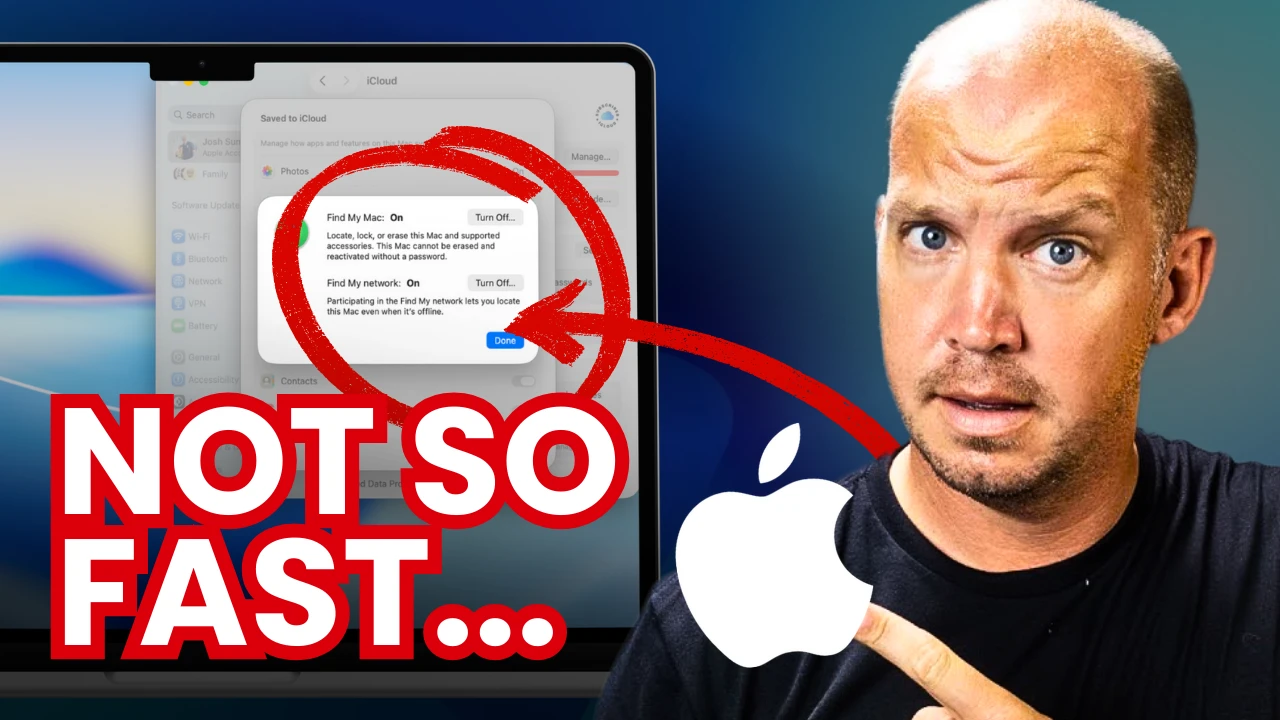
19 MacBook Security Settings to Change (<15 minutes)
Whether you have a new MacBook or one that you've used for years, here are the simple but important security settings every user should change. Thanks to Proton for their support this year! Get their amazing password manager here: https://www.allthingssecured.com/try/proton-macbook ▶ Download the PDF Tutorial: https://www.allthingssecured.com/macbookHere are some of the other video tutorials mentioned: ▶ Advanced Data Protection video: https://odysee.com/@AllThingsSecured:9/everything-you-need-to-know-about:69 ▶ Apple 2FA Key Tutorial: https://odysee.com/@AllThingsSecured:9/new-to-iphone-security-feature-(only:0 ▶ Lockdown Mode Tutorial: https://odysee.com/@AllThingsSecured:9/apple's-new-lockdown-mode-(here's-what:1If you care about your personal security and privacy online, download my free security checklist here: ✅ Security Checklist: https://www.allthingssecured.com/security-checklist-pdf/🔹What to Watch Next🔹 We've got a lot of great privacy- and security-related content here on the All Things Secured YouTube channel (although we admit we're a bit biased). If you're wanting to increase the security of your Apple products, here's what's next: ✅ Best iOS Security Features? https://odysee.com/@AllThingsSecured:9/11-iphone-mistakes-that-will-ruin-your:8 ✅ Should You Use Apple Passwords? https://odysee.com/@AllThingsSecured:9/i'm-not-using-apple's-new-passwords-app:2 🔹Support All Things Secured (Recommended)🔹 If you enjoy this kind of practical security and privacy content, one of the best ways you can help support this channel is by using these affiliate links to our favorite products and services. When purchasing through these links, you not only get the best available deal, the companies will also pay us a small commission. Thank you for your support! ✅ Recommended Password Manager: https://www.allthingssecured.com/yt/proton-pass ✅ Recommended Identity Monitoring: https://www.allthingssecured.com/try/identity-guard-yt ✅ Recommended 2FA Security Key: https://www.allthingssecured.com/yt/yubikey ✅ Recommended Secure Email: https://www.allthingssecured.com/try/protonmail-yt ✅ Recommended VPN: https://www.allthingssecured.com/try/nordvpn-yt*********************Video Timestamps*********************0:00 - Introduction to MacBook Security********************* Lock down your MacBook computer with these 19 simple security settings! Each change is easy to make and rated based on their importance to your overall security. Be sure to download our free PDF tutorial here: https://www.allthingssecured.com/macbook#macbook #applesecurity #cybersecuritytutorial
7 Tips & Hacks for Ultimate Password Manager Security

STOP your Phone from Listening! (Privacy 101)
It's easy to cover the cameras on a phone, but what about the microphones? And are they really listening and sending data off to big tech? Here's the no-nonsense truth along with 4 levels of protection. Be sure to check out DeleteMe to learn how to protect your personal data online: https://www.joindeleteme.com/allthingssecuredHere are links to some of the solutions mentioned: ▶ Project Guardian: https://www.allthingssecured.com/try/guardian ▶ Check out Purism Phones: https://www.allthingssecured.com/try/purism ▶ SLNT Faraday Bags: https://www.allthingssecured.com/try/slnt*some of the links above may be affiliate links, which means that at no extra charge to you, we may receive a commission off of any sales from those links.If you care about your personal security and privacy online, download my free security checklist here: ✅ Security Checklist: https://www.allthingssecured.com/security-checklist-pdf/🔹What to Watch Next🔹 We've got a lot of great privacy- and security-related content here on the All Things Secured YouTube channel (although we admit we're a bit biased). If you're wanting to increase your online cybersecurity, here's what's next: ✅ Does DeleteMe even work? https://www.youtube.com/watch?v=PpcZ6VIEVVs&pp=2AaAAg%3D%3D ✅ Switching to a Privacy Phone: https://www.youtube.com/watch?v=KsTxYhsiQvY&pp=2AYC ✅ How to De-Google Your Life: https://www.youtube.com/watch?v=CS50qvGi7is&pp=2AYB 🔹Support All Things Secured (Recommended)🔹 If you enjoy this kind of practical security and privacy content, one of the best ways you can help support this channel is by using these affiliate links to our favorite products and services. When purchasing through these links, you not only get the best available deal, the companies will also pay us a small commission. Thank you for your support! ✅ Recommended Password Manager: https://www.allthingssecured.com/yt/proton-pass ✅ Recommended Identity Monitoring: https://www.allthingssecured.com/try/identity-guard-yt ✅ Recommended 2FA Security Key: https://www.allthingssecured.com/yt/yubikey ✅ Recommended Secure Email: https://www.allthingssecured.com/try/protonmail-yt ✅ Recommended VPN: https://www.allthingssecured.com/try/nordvpn-yt*********************Video Timestamps*********************0:00 - Mobile Privacy: Camera vs Microphone1:08 - The Reason for an Active Mobile Microphone1:52 - Mic Privacy Myths: Truth vs Fiction4:18 - Level 1 Mobile Mic Protection5:32 - Level 2 Mobile Mic Protection6:46 - How to Use DeleteMe to Remove Personal Info Online7:18 - Level 3 Mobile Mic Protection7:56 - Level 4 - Guardian Ultrasonic Mic Protection8:55 - Final Takeaway********************* Your mobile phone microphone is always active...but is it always recording or listening? In this video, Josh clearly explains the actual risks and what you can do whether you're worried about privacy or you're just a regular individual.#privacymatters #mobileprivacy #onlineprivacy